




Microsoft Dynamics NAV and Zoho CRM Integration
Microsoft Dynamics NAV and Zoho CRM integrations made easy with APPSeCONNECT’s modern iPaaS. The Microsoft Dynamics NAV and Zoho CRM connector can automate critical business processes and streamline your organizational data efficiently.
Transforming over 1500 organizations across the globe





Microsoft Dynamics NAV with Zoho CRM
APPSeCONNECT is a modern and intelligent Integration Platform as a Service (iPaaS) which can seamlessly connect your entire application stack and streamline data flow across all your systems to eliminate silos, unify operations and drive alignment.
MICROSOFT DYNAMICS NAV & Zoho CRM
Integration Endpoints
- New & Existing Zoho Account & Contact sync Once new Accounts and their Contacts are created in Zoho, these Accounts and Contacts will be automatically synced in Microsoft Dynamics NAV as Customer and their Associated Contacts respectively. Details of existing Accounts and Contacts will also be synced.
- NAV Customer and Contact Sync Newly created or existing Customers and Contacts which are present in Microsft Dynamics NAV will be added to Zoho CRM also and they will be added as new Account and Contacts.
- New & Existing NAV Product Sync Any Item listed in Microsoft Dynamics NAV will be uploaded as Products in the Zoho CRM system.
- New & Existing Zoho Product Sync Details of Zoho Products will be automatically recorded in Microsoft Dynamics NAV.
- Pricebook Sync Sales prices will be mapped with PriceBooks created in Zoho CRM. So when the Product is synced from Microsoft Dynamics NAV to Zoho CRM, multiple sales prices will also be synced to CRM. Pricebooks are generally assigned to different customer groups to offer a discounted price to Resellers/ Wholesalers.
- The Zoho CRM Sales Orders with its current status will be synced as Microsoft Dynamics NAV Sales Orders. Items selected, tax, billing, shipping address, due date, etc. of the Sales Order will be synced in Microsoft Dynamics NAV.
Integration Resources
ERP Integration Statistics and Trends You Need to Know in 2026
ERP integration is no longer only an IT concern. It determines whether sales, finance, commerce, fulfillment, and procurement teams act on the same business record.
Read More →
CRM ERP Integration Statistics and Trends You Need to Know in 2026
CRM ERP integration connects the customer-facing work managed in a CRM with the operational and financial work managed in an ERP. When the connection is
Read More →
What Is ERP Integration? A Complete Guide to Methods, Benefits and How It Works
ERP integration is the process of connecting your ERP system to the other applications your business runs on, so data moves between them automatically instead
Read More →
Organizations are Transforming Customer Experience Through Integration

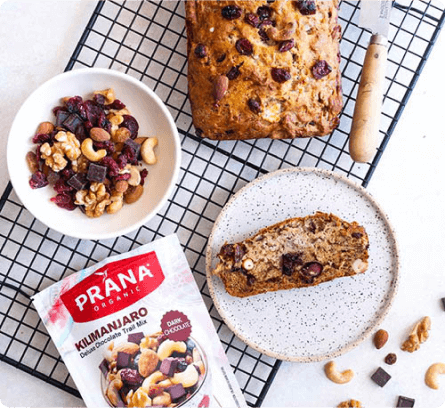

PRANA Organics successfully automated their entire business cycle by integrating their ERP with other applications and saved valuable time and effort.
Read Case Study →

Josie Maran Cosmetics efficiently managed thousands of orders per week and automated business processes with APPSeCONNECT’s seamless integration capabilities.
Read Case Study →

Richardson improved efficiency in sales and inventory management, streamlined their operation and unlocked efficient B2B integration through APPSeCONNECT.
Read Case Study →Unlock Efficient Business Automation with APPSeCONNECT!
Power and Flexibility
Full-Stack Integration and Automation provides a flexible architecture that seamlessly integrates a variety of software applications enabling businesses to adapt their workflow rapidly and cost-effectively to changing business ecosystems.
Launch Faster
Pre-concocted templates, for industry leading integrations that are time-tested and based on best integration practices reduce time to deploy by up to 65%.
Reliable and Secure
Handles data most delicately. The servers follow highly encrypted channels to communicate. Moreover, the security layer pre-built on the platform shields all the activities made through the platform.
Empower Teams
Low-Code Development environment is friendly to users from any level of technical expertise. It empowers every team within your organization to develop and implement integration at any level of the organization.
Accelerate Growth
Full-stack low-code intelligent automation enables businesses to deliver to the market faster and achieve 70% boost in business productivity.
Boost Revenue
Intelligent integration eliminates data silos across the organization which helps boost revenue and reduce costs to the company due to data errors and redundancies, manual labor, and lack of real-time data transfer.
Enterprise-friendly, lean, low code, future-proof automation
See why Capterra rates APPSeCONNECT Integration Platform 4.8 stars out of 5 with over 100+ positive customer reviews.
Frequently Asked Questions
It depends on how complex your setup is. A standard integration with pre-built templates can be deployed much faster since the groundwork is already done. If your NAV or Zoho setup has custom configurations, it will take a bit longer to map everything correctly. Using a platform like APPSeCONNECT can cut deployment time by up to 65% compared to building from scratch.
The main data that syncs between both systems includes customers, contacts, products, and sales information. New accounts and contacts created in Zoho automatically come into NAV as customers and their associated contacts. It also works the other way. Customers and contacts in NAV get pushed into Zoho as accounts and contacts. This keeps both your ERP and CRM updated without any manual work.
Most businesses do it because managing two separate systems without a connection means someone is always doing manual data entry, and mistakes happen. When NAV and Zoho are integrated, your sales team has accurate customer data in Zoho while your operations team works with the same updated information in NAV. It removes the back and forth, reduces errors, and helps every team stay on the same page without extra effort.