SAP Business One & ShipWorks Integration and Automation
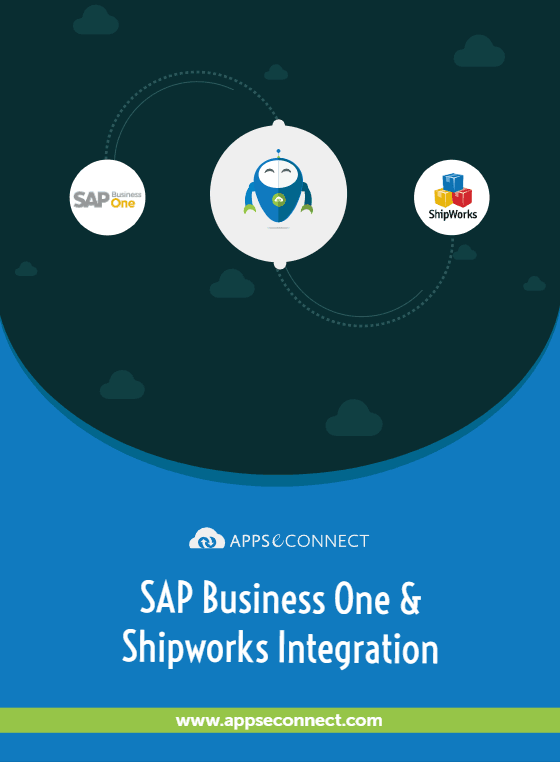
SAP Business One ShipWorks integration connects the ERP and the shipping system so orders, customer details, and delivery updates move smoothly between both. It keeps shipping data clean, current, and simple for every team to follow.
Use the SAP B1 ShipWorks connector to turn confirmed orders into ready-to-print labels, tracking updates, and delivery confirmations without repeated typing. You get intelligent shipping automation for SAP Business One and end-to-end order-to-shipping workflow automation for SAP B1.
Integrate ShipWorks with SAP Business One once and keep every shipment aligned with the original order, across all selling channels.
Key Benefits
Why APPSeCONNECT is The Gold Standard for SAP Business One & ShipWorks Integration & Automation
Shipping should not slow down the rest of your SAP Business One workflow. SAP Business One shipping integration with ShipWorks removes copy-paste work and keeps each package tied to the right customer and order. SAP Business One shipping software integration reduces mistakes, centralizes shipping and tracking for SAP Business One, and supports SAP Business One logistics automation as volumes grow.
Faster Fulfillment
Automate SAP B1 order fulfillment from confirmation through label printing.
Fewer Mistakes
Reduce shipping errors with SAP Business One automation instead of manual typing.
Clean Customer Data
Keep customer, address, and contact details aligned between ERP and ShipWorks.
Single Shipment View
See delivery status and tracking numbers without switching shipping dashboards.
Reliable Fulfillment
Use SAP Business One fulfillment system integration to keep stock consistent.
Central Tracking Hub
Centralized shipping and tracking for SAP Business One across all channels.
Warehouse Flexibility
Support SAP Business One 3PL and warehouse shipping integration without scripts.
Productive Teams
Help teams work faster by removing export, import, and manual steps.
Faster Delivery
Cut time from order to delivery and keep customers updated.
Scalable Shipping
Handle more shipments without adding extra staff or operations.
B2B AUTOMATION
Real-World Use Cases of The Integration
SAP Business One and ShipWorks work well for many fulfillment styles without forcing teams to change their routines. You can add shipping automation gradually while still using your current carriers, packing rules, and warehouse tools.
- Marketplaces : Bring all web, marketplace, and phone orders into SAP B1, then send them to ShipWorks for easy packing and quick dispatch.
- Wholesale and B2B Distributors : Use SAP Business One shipping and tracking steps to keep big, repeat shipments clear for sales and account managers.
- 3PLs and Outsourced Warehouses : Run SAP Business One 3PL and warehouse shipping integration while still using ShipWorks to drive label printing and carrier pickups.
- Multi-Region Sellers : Use SAP B1 integration for FedEx, UPS, USPS, DHL via ShipWorks to handle regional carriers from one ERP view.
Features You Get with Our Integration Package
The SAP B1 ShipWorks connector is built on APPSeCONNECT’s modern iPaaS. It uses visual flows, pre-built mappings, and strong observability to keep shipping automation easy to manage. You can extend standard SAP Business One shipping integration with your own rules while still using supported APIs and best practices.
Visual Designer
Maps SAP B1 fields to ShipWorks without hand-coded scripts.
Reusable Templates
Speed SAP B1 order fulfillment automation for typical ShipWorks scenarios.
Label Printing
SAP Business One shipping label printing integration generates labels from ERP data.
Smart Filters
Resync specific orders, dates, or channels without running full batches.
Error Handling
Intelligent shipping automation for SAP Business One manages retries and alerts.
Mixed Setup
Hybrid cloud/on-prem integration for SAP B1 shipping supports local or hosted setups.
Flow Monitoring
Shows run history, errors, and performance trends for every shipping flow.
Data Protection
Flexible security options keep customer and shipping data protected end-to-end.
Endpoints For SAP Business One And ShipWorks Integration
APPSeCONNECT focuses on the touchpoints that matter for shipping and logistics. Standard endpoints cover sales orders, deliveries, addresses, and tracking updates. These flows support end-to-end order-to-shipping workflow automation for SAP B1 without changing how teams use SAP Business One every day.
| ENDPOINT | DIRECTION | DETAILS |
|---|---|---|
| Sales Orders | SAP Business One → ShipWorks | Confirmed SAP B1 orders appear in ShipWorks with items, addresses, and required shipment details. |
| Deliveries / Shipments | ShipWorks → SAP Business One | Completed shipments create or update delivery records with tracking numbers, dates, and actual shipping costs. |
| Customers & Addresses | SAP Business One → ShipWorks | Customer names, contact details, and shipping addresses stay aligned across ERP and ShipWorks orders. |
| Tracking & Status | ShipWorks → SAP Business One | Status and tracking updates flow back into SAP B1 for support and account teams. |
| Carrier & Service Codes | ShipWorks ↔ SAP Business One | Carrier selections and service levels map between systems for reporting and rate analysis. |
How Does the Workflow Run End-to-End?
The connector uses secure calls to SAP Business One and ShipWorks so both systems stay updated. You can mix events and schedules as needed. If you’re wondering how to integrate ShipWorks with SAP Business One, follow these steps in APPSeCONNECT.
Event Starts
A sales order gets created or updated in SAP Business One.
Flow Start
APPSeCONNECT picks the right ProcessFlow and reads order and customer data.
Data Mapping
Order fields convert into ShipWorks format, including items, addresses, and service preferences.
Shipment Creation
ShipWorks generates labels and shipment records, using SAP B1 as the source of truth.
Back-Sync
Tracking numbers and shipping costs return to SAP Business One and update delivery records.
Monitor & Improve
Dashboards show runs; retry logic handles temporary issues with ShipWorks APIs or carriers.
These mappings enable SAP Business One fulfillment system integration so sales, warehouse, and support teams see the same facts.
Why Choose APPSeCONNECT Over Other Integration Solution Providers
APPSeCONNECT focuses on ready SAP B1 shipping flows, while other tools lean more on generic iPaaS patterns. If you are evaluating the best ShipWorks integration for SAP B1 ERP, compare ready B1 shipping flows in APPSeCONNECT with more generic iPaaS options below.
| CRITERION | APPSeCONNECT | WORKATO | CELIGO | MAKE |
|---|---|---|---|---|
| SAP B1 Focus | Prebuilt B1 flows | Generic B1 connector | B1 templates | Custom API calls |
| Shipping Emphasis | ShipWorks scenarios | General automation | Supply-chain focus | DIY shipping logic |
| Packaging Style | Ready-made connector | Recipe assembly | Template bundles | Node workflows |
| Monitoring | Visual logs, replay | Varies by recipe | Per-flow dashboards | Workflow logs |
| Deployment | Cloud + on-prem | Cloud + agent | Cloud, some on-prem | Cloud + tunnels |
Streamlined Order-To-Shipping Process
This integration focuses on the path from order creation to final delivery. Every step uses shared data instead of disconnected tools. You get better visibility for customers and internal teams while still using SAP Business One as your main system for finance and stock. This SAP B1 pick, pack, and ship integration keeps each step on shared data instead of separate tools and exports.
Order Capture
Sales, web, or marketplace channels send confirmed orders into SAP Business One.
Review & Release
Teams check quantities and addresses, then release orders for shipping.
Label & Dispatch
ShipWorks creates labels, picks carriers, and prepares packages for pickup.
Update & Notify
Tracking details return to SAP B1 and can feed downstream notifications.
Measure & Improve
Utilize related ERP and shipping information to refine rates, carriers, and warehouse processes.
INTEGRATION BROCHURE
Download The Full Integration Guide | ISO 27001 Secured
- Flow Diagrams : Showcase SAP Business One shipping integration across orders, deliveries, and tracking.
- Launch Checklists : Guide for testing of label printing and ShipWorks automation before going live.
- Admin Tips : Monitoring, handling exceptions, and planning future improvements.
Popular QuickBooks Integrations
Popular SAP Business One Integrations
+
+
+
+
Looking for a Specific Integration?
View All Apps
Where SAP Business One Meets ShipWorks Automation
This integration connects the SAP Business One order lifecycle with ShipWorks fulfillment steps. You get real-time shipping and tracking integration for SAP B1 where it matters, while keeping ERP as the system of record. Use SAP Business One shipping and order tracking automation to move smoothly from order entry to label printing, handoff to carriers, and back-synced delivery updates.
Order Sync
Sales orders from SAP Business One reach ShipWorks with items and addresses.
Label Creation
Generate ShipWorks multi-carrier shipping labels SAP Business One workflows need, using shared order data.
Tracking Updates
Tracking events update SAP B1 so service teams see shipment progress.
Channel Automation
SAP B1 eCommerce shipping workflow automation with ShipWorks keeps online orders consistent.
Carrier Choice
SAP Business One carrier rate shopping integration helps pick the best service.
Troubleshooting Quicklist
Most issues come from configuration gaps, carrier settings, or temporary API limits. The platform helps you identify the root cause quickly. Operators and IT teams both get the context they need to keep shipping running smoothly.
Check Access
Verify SAP Business One and ShipWorks credentials and API tokens first.
Review Filters
Confirm order filters so only needed SAP B1 documents sync.
Watch Limits
Track carrier limits during large batches to avoid rejected requests.
Use Retries
Let queued retries handle short ShipWorks or carrier outages safely.
Check Mappings
Review mapping changes before deployment to avoid missing shipping fields.
System flow
How to Get Started With APPSeCONNECT?
You can begin with a simple shipping workflow and then expand. The platform supports both self-service and guided implementations. This approach works for businesses already using SAP Business One or migrating from another fulfillment system.
Choose Apps
Channel creates order with references, taxes, and charges captured.
Select Connector
Enable the SAP B1 ShipWorks connector and review standard flows.
Map Fields
Configure mappings for orders, customers, shipments, and tracking updates.
Test Flows
Validate in a sandbox with real orders and sample carrier accounts.
Go Live
Move to production, then add entities and channels as requirements grow.
INTELLIGENT DATA FLOW
How Do Intelligent Data Flows Boost Your ROI?
Intelligent data flows reduce wasted effort across order entry, warehouse work, and customer support. You ship faster with fewer mistakes.
The result is a predictable, scalable shipping operation sitting on top of your existing SAP Business One investment.
Less Manual Work
Use end-to-end order-to-shipping workflow automation for SAP B1.
Single View
Give teams one place to see shipping and tracking history.
Faster Recovery
Cut exception time with targeted alerts and simple resync options.
Warehouse Friendly
Support SAP Business One logistics automation without replacing existing tools.
Higher-Value Work
Let staff focus on exceptions and service instead of routine updates.
Our Integration Is Developer Friendly
Technical teams get full control over how SAP Business One and ShipWorks talk to each other. They can add custom rules without breaking supported patterns. Use the connector as a ready ShipWorks ERP integration for SAP B1, then extend it with your own carrier and warehouse rules.
Guided Connectors
Use SAP Business One Service Layer and ShipWorks APIs without raw HTTP.
Versioned Changes
Keep mappings and routing rules consistent across dev, test, and production.
Clear Logging
Provide logs and IDs so developers can investigate and replay shipments.
Custom Rules
Add SAP Business One carrier rate shopping integration and extra shipping logic.
One Platform, Endless Integrations
Unified Console
Prebuilt Connectors
Hybrid Deployment
Extensibility
Frequently Asked Questions
Ready To Launch Your SAP Business One And ShipWorks Integration Today?
Companies automating their business through APPSeCONNECT

Customer Success Stories

With APPSeCONNECT, Hernon achieved a zero business downtime and levaraged the power of a fully automated and integrated solution to ensure business growth.
Related Resources
Articles and Guides to Help You With Your Integration and Automation Journey