Veeqo & SAP Business One Integration & Automation
- Real‑Time Orders
- Accurate Tracking
- Smoother Fulfillment
Veeqo SAP Business One Integration links shipping operations and ERP, letting the orders, labels, including tracking, inventory, and charges move cleanly and quickly. APPSeCONNECT’s low‑code platform keeps storefronts, Veeqo, and SAP Business One aligned—without spreadsheets or re‑typing. Teams print labels on time, avoid missed confirmations, and see the same facts everywhere. Exceptions surface early with context. Finance captures costs correctly. Customers receive reliable updates from purchase to delivery.
Key Benefits
Practical wins once Veeqo and SAP Business One run in sync:

Unified Order Intake
Import channel orders to Veeqo; create SAP B1 documents accurately.

Fast Labels & Tracking
Batch‑print labels and capture tracking numbers without manual steps.

Two‑Way Status
Push shipped status and tracking back to channels and stakeholders.

Inventory Confidence
Sync available quantities by warehouse to prevent overselling during peaks.
Freight Visibility
Record carrier, service, and costs centrally for margin analysis.
Return Ready
Generate return labels; capture reasons to improve service and logistics.
Audit Trails
Preserve times, owners, and references for SLA and audit readiness.
Lower Errors
Address validation and scan‑based picking reduce reships and surcharges.
“With APPSeCONNECT, we eliminated hours of manual work, minimized errors, and streamlined our eCommerce fulfilment. It’s a vital piece of our digital operations strategy.” – Operations Team, Holyrood Distillery”
–

Where Veeqo and SAP Business One Meets Automation
Use visual flows, rules, and events to keep shipping synchronized across every system.

Event Triggers
React to order import, label creation, ship/return scans quickly.

Totals Parity
Align shipping, discounts, duties, and taxes across connected apps.

Scheduled Jobs
Backfill, correct, and archive safely during maintenance windows.

Resilient Runs
Auto‑retries and pinpoint alerts guide fast exception handling.

Hybrid Options
Bridge cloud Veeqo with on‑prem SAP Business One securely.
“Rapidly growing companies, to get to that level of establishment, you need a solution like APPSeCONNECT to bridge the connections between disparate systems.” — Robert Donnelly, CEO and Co-Founder”
–
How To Get Started With APPSeCONNECT
Launch with a predictable checklist; keep changes small and observable.

Start Free Trial
Connect Veeqo and SAP Business One in the guided wizard.

Pick A Template
Choose order, label, tracking, return, and inventory flows.

Configure Rules
Map carriers, services, packaging, charges, and references.

Validate Parity
Test records; confirm statuses, amounts, and dates match.

Go Live
Enable monitoring and alerts; hand over with a clear runbook.
Key Features Of Veeqo & SAP Business One Integration
Designed for dependable warehouse execution, accurate accounting, and predictable scale.
Prebuilt Blueprints
Orders, rates, labels, tracking, returns, inventory touches ready‑to‑run.
Carrier & Service Mapping
Standardize carriers, packages, insurance, and confirmations centrally.
Label + Packing Slip
Merge label and paperwork to speed benches and reduce mistakes.
Tracking Loop
Capture tracking, carrier, and label; update SAP and channels automatically.
Warehouse Controls
Route by warehouse, service, or weight; enable one‑click print ops.
Monitoring Console
See run health, throughput, and exceptions with actionable alerts.
Security & Governance
Role‑based access, encrypted transport, auditable configuration changes.
Extensibility
Add stores, carriers, or flows without rewriting proven integrations.
“With APPSeCONNECT, we eliminated hours of manual work, minimized errors, and streamlined our eCommerce fulfilment. It’s a vital piece of our digital operations strategy.” – Operations Team, Holyrood Distillery”
–
Amazon FBM Tracking & Label Automation (Veeqo ↔ SAP B1)
Amazon FBM Tracking & Label Automation (Veeqo ↔ SAP B1)
A proven FBM loop connects Veeqo, SAP Business One, and Amazon to confirm shipments faster and avoid missed confirmations.
Fetch Shipped Orders
Pull shipped FBM orders from Veeqo to start the tracking loop.
Capture Tracking & Label
Store tracking number and the shipping label for every shipment automatically.
Match In SAP B1
Match shipments against the correct Amazon order inside SAP Business One.
Write To ERP
Record tracking, carrier, and label on related SAP documents without manual typing.
Confirm To Amazon
Sync shipped status and tracking back to Amazon Seller Central reliably.
Merge Label + Packing Slip
Combine documents to shorten packing steps and reduce handling motion.
Enable One-Click Print
Support one-click print operations for repeatable, fast labeling at benches.
Time Savings
Handling time reduced by up to 45% in documented deployments
Real-Time Visibility
Teams receive instant tracking updates, improving coordination during peaks.
SLA Compliance
Fewer missed confirmation deadlines and stronger marketplace metrics overall.
Automated Sync
Remove manual tracking transfers from SAP to Amazon entirely.
Tech Stack
SAP Business One, Veeqo (Shipping + Label), APPSeCONNECT, Amazon Seller APIs.
How The Integration Works From End To End
From capture to delivery, each handoff stays visible and reversible.
Order Imported
Channels feed Veeqo with items, weights, dims, and references.
Service Selected
Rules choose carrier, service, packaging, insurance automatically.
Label Printed
Batch labels; store label IDs, cost, and carrier details centrally.
Tracking Posted
Push tracking and shipped status to SAP B1 and channels.
Inventory Synced
Update on‑hand by warehouse; reflect transfers and corrections.
Returns Managed
Issue return labels; capture reasons and dispositions clearly.
Costs Analyzed
Surface freight, surcharges, and adjustments for margin control.
Report & Improve
Review exceptions and throughput; refine rules for next wave.
INTELLIGENT DATA FLOW
How Our Intelligent Data Flows Supercharge Your Integration
Shipping moves fast; your data should too. Flows react to events, process batches safely, and alert humans only when necessary. Traffic separates by channel or warehouse, changes remain auditable, and scale is predictable during promotions.

Event‑Driven
Changes propagate quickly; avoid stale or duplicate records.

Parallel Runs
Handle volume surges safely during campaigns and holidays.
Targeted Sync
Filter by channel, service, or date for focused movement.

Auto‑Retries
Temporary issues retry automatically; manual work drops.

Clear Alerts
Route issues with context and suggested next steps.
Auditable Trails
Track who changed what, when, and why across flows
Simple Order‑To‑Delivery Lifecycle
One journey, many handoffs. Integration keeps each step consistent and reviewable.
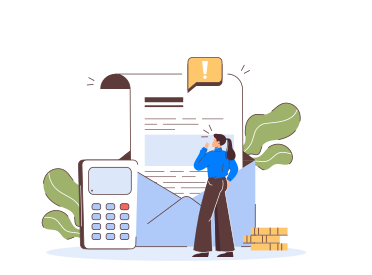
Order In
Capture items, dims, services, and references accurately.

Label Out
Print labels; store carrier, service, cost, and IDs centrally.
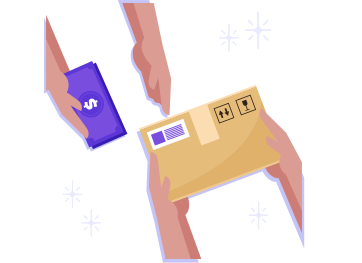
Tracking Posted
Reflect status across channels and back‑office tools.
Close & Review
Reconcile freight and publish reports without last‑minute fixes.
One Platform, Endless Integrations
Connect Veeqo, SAP Business One, commerce, marketplaces, and WMS without rebuilding stable flows. Centralized mappings reduce risk. Low‑code tools let admins adapt safely as needs evolve.
Unified Console
Monitor flows and exceptions across teams in one place.
Prebuilt Connectors
Move faster with adapters proven in real scenarios
Hybrid Deployment
Bridge cloud logistics and on‑prem ERP securely.
Extensibility
Add systems using adapters and SDKs when needed.
Scalability
Grow channels without rewriting working integrations.
Frequently Asked Questions
Orders, labels, tracking, inventory updates, returns, carrier services, and freight details synchronize between Veeqo and SAP Business One reliably daily.
Veeqo fetches shipped orders, captures tracking and labels, matches Amazon orders in SAP, writes details, then confirms shipped status back.
Yes. Tracking numbers and shipped statuses sync from Veeqo into SAP Business One, then update Amazon Seller Central for confirmations.
Merged label and packing slip plus one-click printing cut steps, reduce handling motion, and standardize benches, accelerating throughput during peaks.
Orders, shipments, tracking, and inventory changes flow by events; scheduled jobs handle backfills, corrections, and archives safely outside trading hours.
Veeqo sends freight, surcharges, and service information to SAP Business One, storing costs against documents for reconciliation and margin analysis.
Yes. Rules support multiple warehouses and carriers, choosing service, package, and insurance automatically; inventory levels update per warehouse accurately continuously.
Auto-retries handle transient errors, targeted alerts guide owners, and safe rollbacks protect operations so orders continue flowing during peaks smoothly.
Core flows deliver quickly: pilots validate mappings and reports, then production rollout follows after fixes, training, and acceptance testing completed.
Yes. Start with orders, labels, and tracking; later add returns, multiple warehouses, or new channels without disturbing running flows today.
Ready To Transform Your Fulfillment Workflows Today?
Veeqo SAP Business One Integration with APPSeCONNECT delivers timely labels, accurate tracking, and predictable closes. Connect systems, automate steps, and scale capacity without extra headcount.

Companies automating their business through APPSeCONNECT







Customer Success Stories
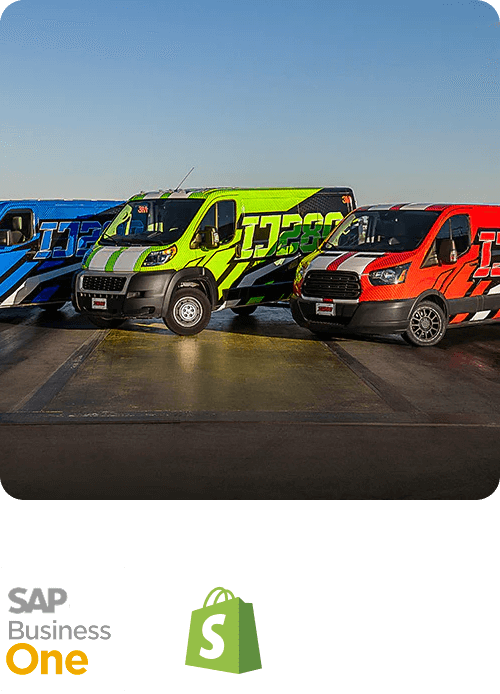
Trimwel LTD
Integrated SAP Business One with Shopify, delivering real‑time orders, inventory, and customer‑specific pricing for faster fulfilment and fewer errors.
Read Case Study →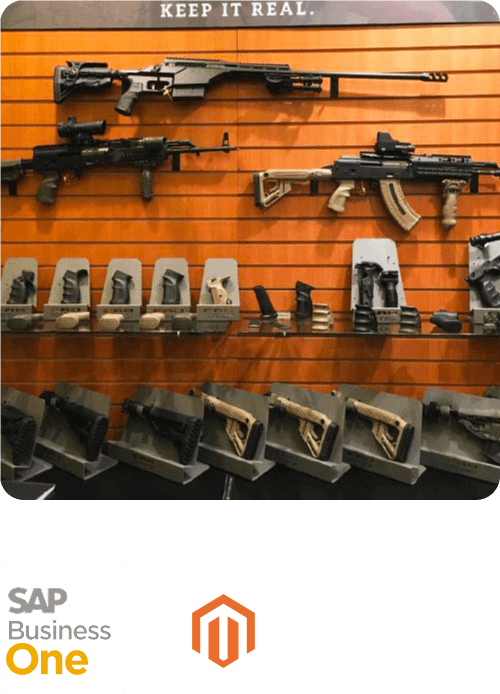
The Mako Group
The Mako Group is the exclusive importer and U.S. distributor of the best tactical equipment and weapon accessories via brands like FAB Defense, Meprolight, Front Line and E-Lander.
Read Case Study →Related Resources
Articles and Guides to Help You With Your Integration and Automation Journey