Zoho Desk Integration & Automation
- Automate
- Align
- Accelerate
APPSeCONNECT supports Zoho Desk integration so tickets and customer details reach your core systems without retyping. Agents get the right context faster, and teams stop chasing updates across tools.
Zoho Desk handles tickets, assignments, and replies. Customer data and billing facts often live elsewhere. APPSeCONNECT supports Zoho Desk integration so support work stays connected to the systems that run service and finance.
Key Advantages
Why APPSeCONNECT is the Gold Standard for Zoho Desk Integrations
APPSeCONNECT keeps Zoho Desk integration in one place. Support teams work with cleaner records, and IT gets clear run history when something breaks.

Less Manual Work
Reduce repeated typing by moving ticket and customer updates into your back-office systems.

Cleaner Ticket Data
Keep ticket fields consistent across tools, so agents stop fixing mismatched customer details.

Faster Resolution
Bring billing and product context into tickets, helping agents close issues with fewer handoffs.

Unified Accounts
Keep account records consistent across Zoho Desk and CRM so teams avoid duplicate customer profiles.

Accurate Product List
Product records stay updated in Zoho Desk so tickets link to the correct item.

Notes And Comments
Keep internal notes aligned across tools so escalations carry full context for the next agent.

Feature Highlights
Features You Get with Our Zoho Desk Integration Package
APPSeCONNECT supports Zoho Desk integration with ready flows you can adjust using clear steps. Runs stay visible in one console, and rule changes can be tested before going live.

Account Creation
Create or update customer profiles from Zoho Desk so downstream systems match the requester.

Contact Details
Share email, phone, and location data so support and finance teams use the same contact information.

Product Mapping
Add products to Zoho Desk and back-office tools so item references stay consistent in tickets.
Ticket Posting
Send new tickets into service systems as service records, keeping category, priority, and requester details.

Ticket Updates
Move updates and internal notes so the latest context is visible wherever teams work.

Status Handling
Keep statuses aligned so closing a ticket updates the related service record in other tools.

Attachment Transfer
Carry key attachments with tickets so evidence and screenshots stay available during investigations.
Ownership Mapping
The platform aligns specific agents and support groups so that task assignments remain consistent across Zoho Desk and connected service applications.
Matching Rules
Logic-based filters identify customers through email addresses or phone numbers to ensure that incoming tickets link to the correct existing accounts.

Error Recovery
Hold failed records with the error reason, then retry safely after fixes without repeating the whole run.
INTEGRATION BROCHURE
Download the Zoho Desk Integration Guide
Download the brochure to see how Zoho Desk integration is planned and rolled out. It includes flow diagrams, mapping notes, and practical checklists your team can follow. Setup steps and testing guidance are included as well. Use the guide to align support, operations, and finance before you enable live runs.
Inside you will find:
- Flow Diagrams: Review ticket, status, and note flows so teams agree on ownership before go-live.
- Mapping Workbook: Align customers, products, and ticket fields so every system reads the same values.
- Testing Checklist: Run sample tickets and refreshes to confirm statuses, ownership, and logs behave as expected.
- Deployment Options: The platform offers either cloud-hosted or local installations depending on specific access regulations and internal data protection requirements.
Popular Zoho Desk Integrations
Connect Zoho Desk with other business applications.

INTEGRATION GUIDE
How Does the Workflow Run End-to-End?
A clear workflow makes Zoho Desk integration easier to support. Each step keeps the ticket traceable from the first message to the final resolution.
Ticket Event
Zoho Desk captures the request with customer details, product context, and early notes.
Event Capture
The integration reads new or updated records through triggers or scheduled runs, based on need.
Data Mapping
Fields are reshaped so IDs, owners, and status values match the destination system format.
Validation Step
Rules confirm required fields exist so posting does not fail after the ticket moves.
Record Creation
Create or update accounts and service records so notes stay linked to the correct customer record.
Monitoring
Alerts and run logs help teams fix issues fast without slowing daily support work.
Streamlined Order-to-Cash Lifecycle
Support touches refunds and credits, which affects cash flow. Zoho Desk integration helps those steps stay linked, from the first complaint to the final adjustment.
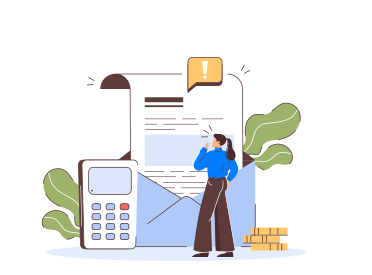
Ticket Intake
Capture the issue in Zoho Desk, then share key fields with billing and service tools.
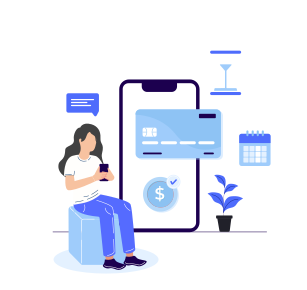
Entitlement Check
Bring warranty or contract details into the ticket so agents choose the right next step.
Service Action
Create a service record for repairs or replacements, keeping notes and attachments linked for review.
Refund Or Credit
Send refund or credit details to finance systems so customer balances and statements update correctly.
One Platform, Endless Integrations
Zoho Desk often sits beside CRM, billing, and service tools. One platform helps you add new Zoho Desk integration flows without rebuilding everything.
Single Console
Manage runs, failures, and retries for Zoho Desk integration from one place each day.
Shared Standards
Reuse mapping rules across new flows so tickets, customers, and products stay consistent.
Controlled Access
Limit who edits flows so changes stay safe during audits and busy support periods.
Faster Expansion
Add new apps around Zoho Desk using the same rules, without rebuilding flows from scratch.
Consistent Monitoring
A single dashboard shows run status and errors so teams respond to warnings in real time.
Frequently Asked Questions
It moves tickets, customer details, product references, and updates into other systems, so agents avoid copy-paste and missing context daily.
Runs can trigger on new tickets or updates. Scheduled jobs can also backfill older records, based on your support load.
Account and contact changes can move both ways, using simple matching rules, so duplicate records decrease and ownership stays clearer over time.
New tickets can create service records in a back-office tool. Updates and notes keep the link, so teams see one shared history.
Requester details, product references, priority, status, and key notes help downstream teams act fast and avoid asking the customer again.
Notes and comments can move with the ticket, and key attachments can follow too, so investigations keep evidence in one place.
Failed records are held with the error reason. After a fix, teams retry only the affected ticket or contact, not everything.
An on-premises agent can move data to and from Zoho Desk. Central logs still show run status for support teams.
Tickets, accounts, contacts, products, status fields, and notes are common. Ownership fields can also be mapped for routing and reporting needs.
Strong authentication, encrypted transport, and role-based access protect data. Audit logs help track changes, so reviews and troubleshooting are easier.
Ready to Transform Your Zoho Desk Integration Today?
Reduce repeated updates and keep support data consistent across teams. Zoho Desk integration can move tickets, customers, products, and notes into the systems that run service and billing.

Companies automating their business through APPSeCONNECT






Customer Success Stories

Proveedora PGP
Founded in 2005, Proveedora PGP has solidified its position as a leading ecommerce business in Mexico, specializing in car and truck tires.
Read Case Study →
African American Expressions
African American Expressions, founded by Gregory Perkins in 1991 in Sacramento, California, has been on a remarkable journey of growth and success.
Read Case Study →Related Resources
Articles and Guides to Help You With Your Integration and Automation Journey