Salesforce CRM Integration & Automation
- Faster
- Smarter
- More Powerful
Transform your sales and service workflows with our Salesforce ERP integration services. APPSeCONNECT’s low-code Salesforce ERP integration tool syncs Salesforce CRM with ERP, eCommerce, support, and more, automating data flows in real time, eliminating silos, and speeding ROI.
















Why APPSeCONNECT Is the Gold Standard for Salesforce Integration and Automation
Salesforce becomes far more valuable when its CRM records are not trapped inside sales and service teams. APPSeCONNECT helps Salesforce exchange clean, mapped, and traceable data with ERP, finance, eCommerce, support, billing, and custom systems, so customer-facing work does not depend on manual exports or repeated record updates.

Lead Routing Lag
Leads may enter Salesforce quickly, but qualification signals, campaign data, or downstream customer records can move late when routing is handled outside the integration layer

Account Key Mismatch
Salesforce accounts often need to match customer IDs, ERP codes, billing accounts, or external IDs. Weak matching logic can create duplicates and broken customer history

Closed-Won Handoff
A closed opportunity is not always ready for fulfillment or billing. Product lines, prices, discounts, tax values, and delivery fields need structured mapping before they move out of Salesforce

Quote Line Drift
Quote and opportunity product data can lose accuracy when teams rebuild the same commercial details in ERP, CPQ, billing, or order management systems

Case Context Gap
Support teams may see the case but not the order, invoice, payment, shipment, or account status behind the issue. That slows resolution and increases internal follow-up

API Error Blind Spots
Failed Salesforce pushes, rejected payloads, missing required fields, and object-level permission issues need logs, retries, and response tracking. Otherwise, records stay stuck without visibility
Popular Salesforce CRM Integrations
Connect Salesforce with other business applications.



Features You Get With Our Salesforce Connector
APPSeCONNECT supports Salesforce workflows through configurable ProcessFlows. Each flow can be planned around the Salesforce object model, custom fields, connected applications, validation rules, API permissions, and the direction in which each record should move.

Lead and Contact Movement
Sync Salesforce leads and contacts with marketing, ERP, support, or custom systems. Source, owner, lifecycle stage, email, phone, consent fields, and mapped custom attributes can move with the record

Account Master Alignment
Connect Salesforce accounts with customer records in ERP, finance, commerce, or service systems. Billing data, shipping details, external IDs, account status, and ownership rules can be mapped to reduce duplicate customer records

Opportunity and Quote Handoff
Move approved opportunities or accepted quotes into downstream systems as orders, projects, subscriptions, or sales transactions. Product lines, quantities, pricing, discounts, tax details, and customer references can be included where required
Revenue Visibility in CRM
Bring invoice numbers, payment references, credit notes, order status, balance indicators, and billing updates back into Salesforce, so sales and service users can view key financial context without chasing finance teams

Case and Activity Sync
Connect Salesforce cases, tasks, notes, and activity updates with service desks, field service tools, ERP systems, or customer support applications. Case status and account context can stay aligned across teams

Custom Object Mapping and Retry
Support configured workflows for Salesforce standard objects and custom objects. Logs, snapshots, API responses, alerts, node status, and retry controls help teams review failed records and rerun corrected transactions
Download the Guide to APPSeCONNECT’s Salesforce Integration Solution
Get the complete playbook for your Salesforce ERP integration services:
Inside you’ll find:
- Integration Blueprints: Visual data flows and prebuilt ProcessFlows.
- Deployment Best Practices: Tips to accelerate go-live and avoid pitfalls.
- Security & Compliance: AES-256/TLS, ISO 27001, GDPR, SOC 2.
- Customer Success Stories - Measurable ROI with Salesforce integration software.
Enterprise-grade integration powered by hands-on support without enterprise pricing
Start Integration at just $99 per month with Shopify, Salesforce, HubSpot, Zoho, WooCommerce and more.

How Does the Workflow Run End-to-End?
A Salesforce integration in APPSeCONNECT runs through ProcessFlows. The flow defines where the data starts, where it should land, which Salesforce object is involved, how fields should be transformed, and what should happen when the target system accepts or rejects the transaction.
Trigger and Source Connection
A workflow can begin from a schedule, a manual run, or a configured source change where the connected application supports it. The ProcessFlow connects to Salesforce or the source application before reading the selected object.
Data Extraction & Schema Reading
APPSeCONNECT reads the source schema for the chosen record. The flow can work with leads, contacts, accounts, opportunities, quotes, cases, tasks, activities, order references, invoice references, or custom Salesforce objects.
Transformation & Field Mapping
Field values are reshaped for the target system. Salesforce IDs, external IDs, account codes, contact roles, opportunity stages, quote lines, product SKUs, prices, owner fields, status values, and custom fields can be mapped.
Validation & Business Rule Execution
The flow checks the record before delivery. It can verify required fields, account matches, duplicate rules, product validity, quote status, stage conditions, price logic, case status, and target-system constraints.
Target Push & Response Handling
The prepared payload is sent to the target application through the configured connector action. APPSeCONNECT records the response, success state, error message, sync result, and transaction detail for review.
Monitoring, Retry & Audit Logging
Teams can inspect logs, snapshots, node status, API responses, and transaction history. Failed Salesforce records can be corrected and retried instead of being rebuilt manually.
See how businesses use Salesforce Integrations
APPSeCONNECT’s Salesforce integration and automation setup is designed for teams that need CRM records to move cleanly into sales, service, finance, fulfillment, billing, and operational workflows. It helps Salesforce users keep customer data usable beyond the CRM screen.
Sales Pipeline Operations — Leads and opportunities move into the right business process faster
Sales teams use Salesforce to manage pipeline activity, but many next steps happen outside the CRM. When lead, account, and opportunity updates do not move cleanly, revenue teams spend time checking records instead of progressing deals.
- New leads can move from Salesforce to marketing, ERP, support, or custom systems based on mapped routing rules.
- Contact and account data can stay connected with customer records in downstream applications.
- Opportunity stage updates can trigger the next operational step when the workflow requires it.
- Sales users can receive customer, order, invoice, or status updates back inside Salesforce.
What this integration handles
Routed
Lead movement across systems
Synced
Contact and account updates
Triggered
Opportunity stage actions
Visible
Customer and order context
Quote-to-Order Operations — Accepted quotes turn into downstream records without rebuilding the deal
A quote or closed opportunity often needs to become an order, project, subscription, or ERP transaction. If that handoff is manual, product lines and commercial details can lose accuracy before fulfillment or billing begins.
- Accepted quotes can move from Salesforce into ERP, billing, order management, or custom applications.
- Opportunity products can carry item, quantity, price, discount, and tax details through mapped fields.
- Customer references and external IDs can help the target system match the right account.
- Order numbers, status updates, and invoice references can return to Salesforce for sales visibility.
What this integration handles
Converted
Opportunity-to-order movement
Mapped
Quote and product lines
Returned
Order and invoice references
Tracked
Status changes in Salesforce
Customer Service and Support Visibility — Cases carry better context when Salesforce is connected
Support teams may work inside Salesforce, but the answer to a case often sits in another system. Order status, invoice details, account standing, shipment updates, and service history need to be available without repeated internal follow-up.
- Salesforce cases can sync with service desks, ERP systems, field teams, or support applications.
- Case status, priority, notes, and task updates can move through the configured flow.
- Account and contact changes can keep support records aligned with customer master data.
- Order, invoice, warranty, shipment, or subscription references can be reflected in Salesforce where needed.
What this integration handles
Synced
Case and task updates
Shared
Account and contact context
Visible
Order and invoice references
Updated
Service status changes
Revenue Operations and Finance Visibility — Sales teams see key finance updates without leaving Salesforce
Revenue operations teams need pipeline, account, invoice, payment, and customer status data to work together. When finance updates stay outside Salesforce, teams rely on spreadsheets, email checks, and manual account reviews.
- Invoice numbers and payment status can be reflected in Salesforce where the workflow requires visibility.
- Credit notes, balance indicators, account holds, or billing references can move through mapped fields.
- Closed-won opportunities can stay linked with downstream billing or finance records.
- Logs and snapshots can support transaction review, exception handling, and reconciliation checks.
What this integration handles
Matched
Invoice and payment references
Linked
Opportunity and finance records
Visible
Account and billing status
Auditable
Logs, snapshots, and retries
How appse ai Helps Streamline Salesforce Integration
Salesforce automation still needs oversight after the first sync goes live. Field changes, duplicate records, rejected updates, mapping gaps, and slow exception review can keep teams busy. appse ai helps teams design, review, and improve these workflows with AI-assisted signals across CRM, ERP, eCommerce, finance, support, and custom application processes.
- Workflow Design: Plan and refine Salesforce ProcessFlows with AI-assisted guidance. Teams can plan lead, account, opportunity, quote, case, and custom object movement with less manual setup effort.
- Issue Detection: Review repeated failures around missing account IDs, rejected contacts, quote mapping gaps, invalid products, duplicate records, case update errors, or invoice reference mismatches.
- Exception Review: Review failed Salesforce transactions with clearer context. Missing fields, validation errors, API response issues, permission problems, and mapping conflicts become easier to investigate.
- Decision Support: Help teams plan logic for routing, enrichment, and conditional workflow steps.
- Process Signals: Track signals from lead intake, opportunity movement, order handoff, case activity, revenue updates, and custom object workflows to understand where the process needs attention.
- API Orchestration: Support Salesforce workflow coordination with ERP, finance, eCommerce, support, marketing, billing, and custom systems through APPSeCONNECT-led automation.
- Workflow Optimization: Review where records fail, slow down, or repeat the same exception pattern. Teams can refine mappings, validations, and run logic as Salesforce usage changes.

Frequently Asked Questions
Salesforce offers REST APIs for simple CRUD operations, SOAP APIs for enterprise integrations, Bulk APIs for large data loads, Streaming APIs for real-time event notifications, and Metadata APIs for configuration changes.
Salesforce supports integrations with hundreds of apps and platforms via REST, SOAP, Bulk, and Streaming APIs—plus thousands of partner-built connectors on the AppExchange.
A salesforce integration tool like APPSeCONNECT is a low-code platform that connects Salesforce CRM with ERP, eCommerce, support, and other systems—automating data flows without custom code.
No. Our visual ProcessFlow Designer makes our salesforce integration solution truly low-code. You drag, drop, and configure—no scripting required for most scenarios.
Yes. Our salesforce integration services support any standard or custom object via REST APIs or custom endpoints.
All data moves over AES-256/TLS-encrypted channels. We’re ISO 27001 certified and GDPR/SOC 2 compliant, so your data is protected at every step.
Most customers are live in days, not months. Prebuilt templates and our low-code design cut deployment time by up to 65%.
Ready to Transform Salesforce CRM Workflows Today?
Cut silos and manual steps, start your free trial or book a demo of APPSeCONNECT’s Salesforce integration tool now.

Companies automating their business through APPSeCONNECT







$99/month ready-to-deploy instant integration

Instant synchronization
of products, customers, orders and inventory

Pre-configured workflows
for rapid setup and deployment

No-code onboarding wizard
for self-service implementation

Enterprise-grade integration
accessible for growing businesses
Customer Success Stories
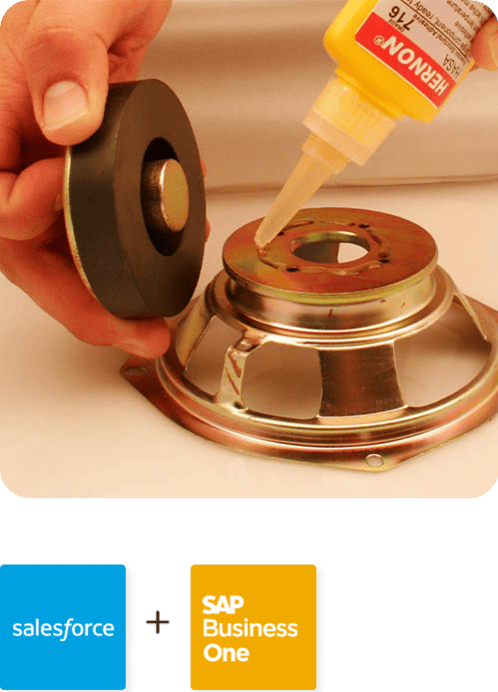
Hernon
With APPSeCONNECT, Hernon achieved a zero business downtime and levaraged the power of a fully automated and integrated solution to ensure business growth.
Read Case Study →
Machinery Manufacturing Company
Discover how a world-leading industrial equipment manufacturing company leveraged APPSeCONNECT for company-wide automation of ERP, CRM, and eCommerce applications.
Read Case Study →Related Resources
Articles and Guides to Help You With Your Integration and Automation Journey