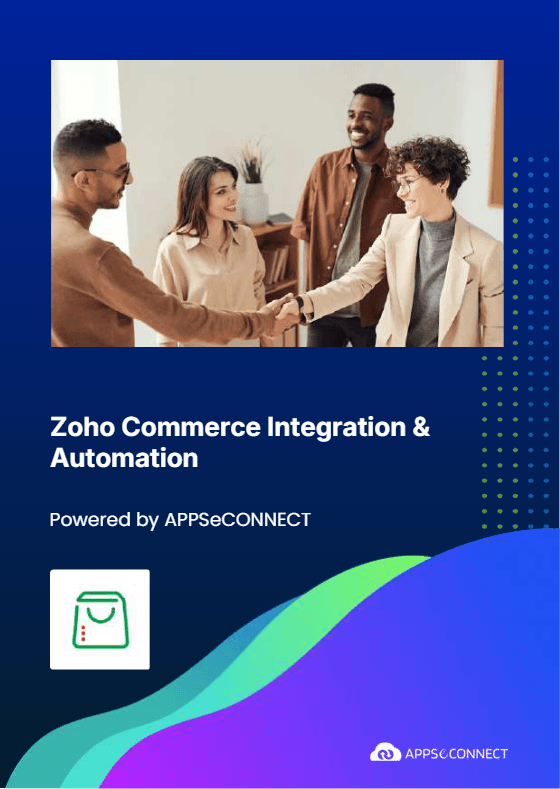
Zoho Commerce Integration & Automation
- Automate
- Align
- Accelerate
APPSeCONNECT powers Zoho Commerce integration so your store shares product and order data with other business systems. Customer details, payments, and stock updates move through one governed flow, so teams stop retyping data.
Zoho Commerce runs your online catalog, cart, and checkout. APPSeCONNECT supports Zoho Commerce integration with ERP systems and CRM tools. Shipping tools and finance systems can be part of the same integration.

















Why APPSeCONNECT is the Gold Standard for Zoho Commerce Integration
APPSeCONNECT helps you manage Zoho Commerce integration from one place instead of scattered scripts and manual exports. Clear rules and run logs make store data easier to trust across teams.

Pricing Under Control
The system applies verified price lists and discount logic, keeping website totals aligned with back-office ledgers.

Better Customer Replies
Give support staff order status and charges in one view during every conversation.
Order Details Preserved
Move items, taxes, and shipping fields together so downstream records stay complete.

Secure Access Controls
Limit who edits flows and views logs so store data stays protected everywhere.
Targeted Reprocessing
Retry only failed orders or products so daily runs stay short and predictable.
Clear Run History
See what moved and when, making daily support work faster without guesswork.

Features You Get with Our Zoho Commerce Integration Package
APPSeCONNECT provides building blocks you can tailor for Zoho Commerce integration. Configure flows once, monitor runs in one console, and adjust rules without rewriting the full design.
Customer Creation
Send shopper details into ERP or CRM as customer records, including billing and shipping addresses.

Contact Details
Carry email and phone fields so teams can reach shoppers without asking for details again.

Product Uploads
Publish products into Zoho Commerce with names, codes, and pricing fields from your source system.
Two-Way Product Updates
Bring product changes back when store edits are approved, keeping records aligned across tools.

Standard Price Mapping
Map one approved price list as the store’s standard price so totals stay consistent.

Order Status Sharing
Send order status updates back to Zoho Commerce so shoppers can track progress in accounts.

Tax And Shipping Mapping
Use value mappings so tax and shipping charges follow your rules during order posting.

Error Recovery
Hold failed records with reasons, then retry safely after fixes without repeating all data.
Download the Zoho Commerce Integration Guide
Download the brochure to see how a Zoho Commerce integration is planned and rolled out. It includes flow diagrams, mapping notes, and practical checklists for your team. Guidance for installation and quality checks is included. Unite storefront, warehouse, and finance workflows early so identical policies govern every department.
LEARN MORE ABOUT:
- Flow Diagrams: Review product, order, payment, and warehouse flows in one clear view.
- Mapping Workbook: Align key fields and codes so each system understands store data the same way.
- Testing Checklist: Run sample products and orders so rules behave correctly before you switch on live runs.
- Deployment Options: Choose cloud or on-premises based on access needs and your security rules.
Popular Zoho Commerce Integrations
Smart iPaaS Solution to streamline your business and increase efficiency. Seamlessly connect Zoho Commerce with other Business Applications.



Looking for a Specific Integration?
How Does the Workflow Run End-to-End?
Start with product and customer flows first. Add order, payment, and inventory updates after your main mapping is stable.
Connect Systems
Select Zoho Commerce and your target applications, then set secure access for both systems in APPSeCONNECT.
Map Records
Match products, customers, orders, payments, and inventory to the correct fields in each system.
Run Pilot Tests
Test common store scenarios in a non-production setup before moving any live records.
Move To Production
Publish approved mappings, monitor runs, and refine rules as teams and store volumes grow.
Streamlined Order-to-Cash Lifecycle
Order-to-cash starts at checkout and ends after payment and posting are complete. Zoho Commerce integration helps teams track the full story without chasing updates across departments.
Order Capture
Zoho Commerce records the order with items, taxes, discounts, and shipping choices included.

Posting Step
The integration creates sales records in your back office so billing stays consistent.

Status Updates
Shipment progress moves back to Zoho Commerce so shoppers can track orders easily.
One Platform, Endless Integrations
Zoho Commerce is often one part of a larger stack. A single platform helps you expand Zoho Commerce integration without adding fragile point tools.
Single Console
Manage Zoho Commerce integration runs, failures, and retries from one place every day.
Shared Standards
Reuse the same mapping approach when you add more apps around your store later.
Consistent Security
Apply encryption and role access across environments so updates stay controlled during audits too.
Store Expansion
Add new regions or storefronts using the same tested integration patterns you already trust.
More Systems
Extend Zoho Commerce integration to new tools without rebuilding the base design each time.
Frequently Asked Questions
It moves product data and customer profiles, then sends orders and payments into back-office systems, so teams avoid repeated entry and rework.
Customer profiles and addresses move with each order, along with tax, shipping, and payment references, so fulfillment and accounting teams work faster.
Product details can be published from your source system. Approved store edits can also travel back, keeping names, codes, and prices consistent.
Stock changes can be pushed to Zoho Commerce on a schedule, so shoppers see realistic availability and teams reduce oversells during busy periods.
Payment details travel with clear references, so finance can post receipts and review refunds without searching across screens or files.
Failed records are held with the error reason. After a fix, teams retry only that record, not the entire day’s run.
Guest orders and new registrations can both create customer records, with simple matching rules that reduce duplicates and keep ownership clear.
Runs can be frequent for orders and stock updates. Catalog updates can run less often, based on store volume and back-office posting needs.
An on-premises agent can move data from internal systems to Zoho Commerce. Central logs and alerts remain available for support teams.
Strong authentication and encrypted transport protect data in motion. Role-based access and audit logs keep changes fully traceable during reviews.
Ready to Transform Your Zoho Commerce Integration Today?
Reduce manual updates and keep store data consistent across teams. Zoho Commerce integration can help orders, payments, products, and stock updates reach the right systems on time.

Companies automating their business through APPSeCONNECT







Customer Success Stories

Proveedora PGP
Founded in 2005, Proveedora PGP has solidified its position as a leading ecommerce business in Mexico, specializing in car and truck tires.
Read Case Study →
African American Expressions
African American Expressions, founded by Gregory Perkins in 1991 in Sacramento, California, has been on a remarkable journey of growth and success.
Read Case Study →Related Resources
Articles and Guides to Help You With Your Integration and Automation Journey