SAP Business One and Zoho Commerce Integration & Automation
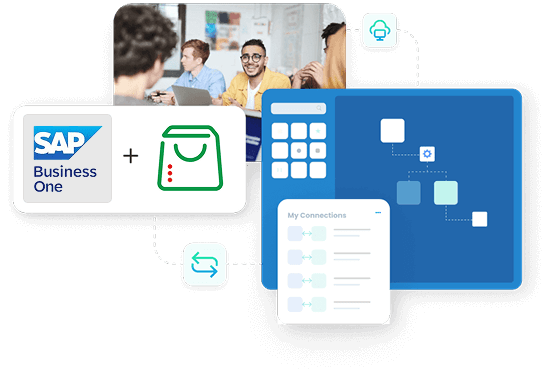
SAP Business One and Zoho Commerce integration helps your store and back office show the same information. Product details, customer profiles and online orders stay aligned, so teams do not work from different versions of the truth. With APPSeCONNECT, your ERP manages items, prices, stock and billing. Your online store, built on Zoho Commerce, continues to handle browsing, carts and checkout. The connector passes updates between both systems in a steady two-way sync, so changes in one place appear in the other.
Key Benefits
Why APPSeCONNECT Is the Gold Standard for SAP Business One & Zoho Commerce Integration
When an online store and ERP are not connected, small gaps show up everywhere. A price is changed in one system but not the other. An order is visible in Zoho Commerce but not yet clear inside SAP Business One. Stock figures desynchronize, requiring manual reconciliation to correct. APPSeCONNECT reduces these gaps and helps every team see the same store, the same customers and the same orders.

Consistent Customer Records
Shopper details stay aligned across both systems instead of being maintained separately by different teams.

Clean Online Orders
Web orders follow one path into the ERP, with correct customer, item and payment details.

Less Manual Entry
Staff spend less time retyping addresses or order information from one screen to another.

Accurate Stock for Shoppers
Store pages show stock levels that reflect what the warehouse and ERP know is available.
Pricing Under Control
Contact and address details stay aligned, making support and sales conversations easier.

Faster Customer Replies
Support staff can answer questions on deliveries and charges without chasing multiple departments.

Better Sales Reporting
Revenue figures draw from one combined view rather than a mix of files and exports.

Lower Correction Effort
Fewer mismatches mean fewer refunds, adjustments and urgent corrections after orders are placed.
Scalable Setup
The integration handles higher order volumes as the store grows, with less strain on staff.
Popular SAP Business One Integrations
Connect SAP Business One with other business applications.


Looking for a Specific Integration?
Popular Zoho CRM Integrations
Connect Zoho CRM with other business applications.

Looking for a Specific Integration?

Real-World Use Cases of the Integration
Many businesses already use SAP Business One at the core and rely on Zoho Commerce for their online store. The integration helps these tools work in a joined system instead of two separate ones.
Growing Brands
Teams publish products from the ERP to the storefront and bring orders back into one sales ledger.
Repeat Customers
Returning shoppers see accurate account details and order histories that match internal records.
Wholesale and Retail Mix
Business buyers and consumers place orders through the same storefront while ERP rules handle tax and billing differences.
Customer Service Teams
Support staff see order and shipment information when answering calls or messages from buyers.
Features You Get With Our SAP Business One and Zoho Commerce Integration Package
APPSeCONNECT gives you a clear way to connect SAP Business One with Zoho Commerce using configuration rather than hand-written integration code. You gain a structured setup that can still adapt to your rules.

Visual Designer
Integration steps appear in a simple visual layout that is easy to understand and adjust.
Prebuilt Patterns
Common store and ERP touchpoints, such as customers, products and orders, are available as starting points.
Change-Based Sync
New and updated records are processed in each run, so jobs stay efficient and predictable.
Filtering Options
Administrators can limit which records participate based on store, region or other business conditions.

Error Visibility
Problem records show clear messages, making it easier to correct data and retry only what is needed.

Central Monitoring
Job history, schedules and alerts are all visible from one place for easier daily oversight.
Security Controls
Data moves through protected channels and access to integration settings is limited to authorised users.
INTEGRATION BROCHURE
Download The Full Integration Guide | ISO 27001 Secured
The integration guide explains how SAP Business One and Zoho Commerce work together through APPSeCONNECT. It focuses on what teams should know during planning, rollout and regular operation.
- System Layouts: Diagrams show how the ERP, the online store and the integration layer connect in a typical setup.
- Flow Descriptions: Key scenarios, such as customer registration, product updates and order creation, are explained in simple language.
- Go-Live Checklist: Practical points help your team review mappings, test scenarios and schedules before enabling the integration for live customers.
System flow
How Does the Workflow Run End-to-End? The integration follows the same stages your teams already understand. It reduces the number of times someone has to copy information by hand.
Create Shopper Profile
A visitor completes registration or checkout, and their details are stored in the online store.

Prepare the Order
The shopper adds items to the cart based on current information held by the ERP.
Place the Order
A confirmed order from Zoho Commerce is recorded in the ERP as a sales document.
Fulfill the Order
Warehouse or operations teams use the ERP to pick, pack and send out goods.

Share the Outcome
Order and shipment updates are made visible in the store account area for the shopper and in internal views for staff.
INTEGRATION GUIDE
How To Get Started With APPSeCONNECT?
You can connect SAP Business One and Zoho Commerce in small, clear steps rather than a single large project. Existing ways of working remain, with integration layered on top.
Pick Initial Flows
Decide which processes matter most right now, such as customers and orders.
Enable Connectors
Turn on the ERP and store connectors inside APPSeCONNECT and link them to your environments.
Map Data Fields
Align names, codes and other fields so each system understands information coming from the other.
Test Safely
Use a non-production store or test company to send trial records through the integration path.
Move to Production
Enable the flows for live use, then extend coverage as your teams grow comfortable with the results.
Our Integration Is Developer Friendly
Developers keep fine-grained control, while still benefiting from an opinionated, supported platform. They can introduce custom logic without creating an unmanageable codebase. APPSeCONNECT keeps integration changes visible, versioned, and easier to review.
Configuration-First
Most behaviour is controlled through configuration, not through code that is hard to maintain.
Environment Support
Changes move through development, test and live environments in an organised and traceable way.
Detailed Logs
Each record’s journey can be followed when investigating issues or answering questions from business users.
Extension Points
Extra steps or conditions can be added where required, while staying inside the supported framework.
Troubleshooting Quicklist
Even careful integration work can run into problems from time to time. APPSeCONNECT offers simple ways to spot and fix them.
Check Connectivity
Confirm that agents, addresses and credentials are active and working as expected.

Review Recent Changes
Look at recent mapping or rule edits if behaviour changed after a configuration update.

Trace One Record
Follow a single customer, product or order through the integration path to see where it stopped.
Monitor Limits
Keep an eye on interface limits and performance during busy periods such as promotions or sales.

Retry Only Affected Items
Re-run only the records that failed instead of repeating full batches of data.
INTELLIGENT DATA FLOW
How Do Intelligent Data Flows Boost Your ROI?
When data moves smoothly between systems, teams spend less time correcting mistakes and more time helping customers and planning growth.

Reduced Double Entry
Eliminate the need for redundant manual data entry across disparate systems.

Fewer Disputes
Staff and shoppers see the same prices, order lines and balances across internal and external views.
Clearer Forecasts
Sales and finance can rely on combined figures when planning stock levels and campaigns.
Faster Resolutions
Questions about orders or deliveries are settled quickly because information is easy to find.

More Focus on Growth
Time saved from manual fixes can be used on store improvements and new offerings.
Streamlined Order-To-Cash Process
The full order-to-cash cycle spans the online store, the warehouse and the finance team. Integration helps these steps work as one joined flow.
Interest and Cart
Shoppers browse, add items and see availability based on data that reflects ERP figures.
Confirmation
Confirmed orders arrive in the ERP with the details needed for fulfilment and billing.
Execution
Warehouse teams follow ERP instructions to prepare and send out each order.
Review
Teams can look back at the complete journey from first visit to cleared payment inside their usual tools.
One Platform, Endless Integrations
Many organisations need more than one integration for SAP Business One and Zoho products. APPSeCONNECT lets you manage current and future connections from the same place.
Central Hub
One platform coordinates links between your ERP, online stores and other applications.
Reusable Designs
Mapping and process ideas from this project can support future integration work.
Growing Landscape
New channels or tools can join the same integration layer without starting again.
Shared Governance
Security and audit practices stay consistent across all integrations managed by the platform.
AUTOMATION
Begin Your B2B Sales Cycle Automation Journey Now!
APPSeCONNECT helps businesses eliminate redundant data exchange and bring unified visibility, especially beneficial for organizations starting their SAP Business One and Zoho Commerce integration journey.
Reduce manual data entry, minimize errors, and free up teams for higher value activities.
Maintain a real-time pulse on payments, orders, and inventory.
Easily add or modify workflows as your business grows.
Ready To Streamline Your SAP Business One and Zoho Commerce Integration Today?
APPSeCONNECT helps you replace ad-hoc fixes with a steady, reliable integration between SAP Business One and Zoho Commerce. Your teams see clearer data, spend less time on manual updates and handle online orders with more confidence.

Frequently Asked Questions
It connects your ERP and online store so customers, products and orders stay aligned across both systems.
Typical flows cover registered and guest customers, products, stock figures, web orders and related shipment updates.
No, each system keeps its role; integration only moves data between them in a controlled way.
Yes, you can configure frequent jobs so important changes appear online or in ERP without long delays.
Yes, many teams start with customers and orders, then add stock and shipment updates later.
Errors are logged with clear reasons, and affected records can be corrected and safely reprocessed.
Yes, a secure agent connects your on-premises SAP Business One environment with the cloud-based Zoho Commerce store without exposing inbound firewall ports.
Yes, they can see high-level status and alerts from the monitoring console without working at code level.
Yes, mappings can include custom fields so integration reflects your current data model and terminology.
Yes, you can adjust mappings, add new flows and change rules as business needs evolve over time.
Companies automating their business through APPSeCONNECT







Customer Success Stories

Marble Trends
Discover how Marble Trend implemented APPSeCONNECT to automate their ERP, CRM, and accounting applications company-wide, to enhance efficiency.
Read Case Study →
Industrial Refrigerator Manufacturer
How APPSeCONNECT Revolutionized Order Management and Workflow Automation with Seamless ERP and CRM Integration
Read Case Study →Related Resources
Articles and Guides to Help You With Your Integration and Automation Journey