SAP ECC and Zoho CRM Integration
- Automate
- Align
- Accelerate
Bring SAP and Zoho into the same conversation. APPSeCONNECT lets your sales team open a Zoho account record and see live SAP pricing, current stock, open invoices and credit position without ever logging into SAP.
Works across SAP ECC, S/4HANA and Business One on the back-office side, and across Zoho CRM, Zoho Books and Zoho Desk on the front-office side, so the entire revenue cycle runs off one shared truth.
Business Value
Why APPSeCONNECT is the Gold Standard for SAP ECC and Zoho CRM Integration
Six everyday frustrations of running SAP behind Zoho. Each one disappears the moment the connector goes live. Six everyday frustrations of running SAP behind Zoho. Each one disappears the moment the connector goes live.

Reps quote off the price book finance actually uses
The SAP price list, customer-specific discounts and active promotions reach Zoho the moment finance updates them. No more revoked quotes, no more emergency price corrections, no more finance and sales arguing over which figure is right.

The duplicate customer problem ends
A new account in Zoho writes a clean customer master to SAP with the correct tax classification, payment terms and pricing tier. Existing accounts update in place. Your AR ledger stops collecting three versions of the same buyer.

Closed deals turn into SAP orders the same minute
The instant a deal stage flips to won in Zoho, the connector raises a sales order in SAP under the right company code with all line items, currency, tax and shipping decisions intact. Quote-to-cash that used to take three days now takes three minutes.

Sales sees what finance sees on collections
Open invoices, due dates, payments received and overdue balances all appear inside the Zoho account. Account managers stop chasing customers who paid yesterday and start having useful conversations about the ones who actually owe money.

One platform handles Zoho One end to end
Zoho Books gets the SAP invoices and journal entries it needs for finance teams running both ledgers. Zoho Desk gets the order, shipment and invoice context every support agent wants when a customer rings about a missing parcel.

Whatever flavour of SAP you run, this works
One platform, three SAPs. ECC for the legacy install, S/4HANA for the modern deployment, Business One for the smaller subsidiary. Run all three in parallel during a migration without stopping integration work.
Scale with Confidence
Expand your core B2C setup to B2B or multi store Shopify Plus with minimal reconfiguration.
Standard Features Covered in Our SAP ECC Zoho CRM Integration Template
The starter pack ships with the data flows most SAP and Zoho customers need on day one. Switch on what applies, leave the rest, customise later.
- Every new account or contact in Zoho creates a structured customer record in SAP with billing address, ship-to, tax classification and payment terms already in place.
- The SAP item master, descriptions, units of measure, brand, current price list and discount conditions appear inside Zoho so reps quote against today’s data, not last quarter’s spreadsheet.
- Zoho quotes turn into SAP sales orders the moment the deal closes, complete with line items, taxes, line-level discounts, currency and the chosen shipping route under the correct sales organisation.
- Available-to-promise quantity from each SAP plant or warehouse appears in Zoho at line level. Buffer rules per item group stop you committing stock you cannot actually ship inside the lead time.
- SAP invoice numbers, due dates, payments received, partial payments and aged outstanding balances all post into the Zoho account so the rep sees the same numbers the controller is looking at.
- Once SAP raises a delivery, the packing slip number, carrier, tracking link and current shipment status all flow into Zoho so account managers stop pinging the warehouse for updates.
- SAP credit limit, current exposure and any active credit hold appear on the Zoho account so reps know upfront which deals can move and which need finance approval before a quote even goes out.
Popular SAP ECC Integrations with leading platforms
Connect SAP ECC with other business applications.



Popular Zoho CRM Integration
Connect Zoho CRM with other business applications

Looking for a Specific Integration?
INTEGRATION BROCHURE
Download the SAP ECC and Zoho CRM Integration Brochure
Use the brochure to review the integration plan before you deploy it. It helps teams agree on which system owns each field. It also helps you plan tests so you catch gaps early.
Learn more about:
- Integration Architecture: Review how each record type moves across systems clearly.
- Field Mapping Plan: Confirm required fields and how they map between apps.
- Deployment Steps: Follow a simple test plan before moving to live runs.
- Monitoring Approach: Understand logs, retries, and how teams handle failures.
INTEGRATION GUIDE
How Does the Workflow Run End-to-End?
Here is how a typical SAP ECC and Zoho CRM integration runs, from master data to a closed, invoiced sale.
Master Data Sync
Accounts, contacts and products with retail prices flow from SAP ECC into Zoho CRM so reps work from current data.
Quote in Zoho
A rep generates a quote in Zoho CRM, which syncs automatically to SAP ECC.
Data Mapping
APPSeCONNECT maps the quote and customer fields between Zoho and SAP, keeping the account relationship intact.
Sales Order in SAP
The quote is converted to a sales order in SAP ECC, and the order flows back to Zoho against the original quote.
Back-Sync
Run history, retry logic and alerts surface exceptions, and your team reprocesses failed records without losing the audit trail.
Monitor and Improve
Every transaction, every retry and every rejection is visible in the platform dashboard. Errors get routed to the right person, mappings get refined as the business changes.
Frequently Asked Questions
Yes. APPSeCONNECT runs SAP ECC and Zoho CRM integration to update accounts, contacts, products, quotes, sales orders, deliveries, and invoices.
The integration uses Zoho Accounts, Contacts, Products, Quotes, Sales Orders, and Invoices modules. Delivery details can use a custom module.
SAP ECC should own product data. The integration sends product and price updates to Zoho CRM for sales use only.
Zoho Accounts are updated from SAP ECC customers through the integration, so sales teams always see current company details there.
The integration updates Zoho Contacts from SAP ECC contacts and links each contact to the right Zoho Account automatically.
Zoho users create quotes. The integration sends quotes to SAP ECC. When SAP ECC creates sales orders, Zoho receives them back.
Yes. The integration can create delivery records and tracking details in Zoho, and it can also update invoices there.
Most flows use standard Zoho modules. Delivery details may use a custom module when your team needs shipment visibility in the CRM.
Yes. You can adjust mapping and rules in APPSeCONNECT, then deploy changes without rewriting apps or rebuilding workflows each time.
APPSeCONNECT logs each integration run, supports retries, and uses encrypted channels. Access controls limit who can view workflows or edit them.
Connect SAP ECC and Zoho CRM - Get Started With APPSeCONNECT
Give sales the full customer picture and let finance keep SAP ECC as the system of record, with a governed SAP ECC and Zoho CRM integration that covers the cycle from quote to invoice. Book a demo to see APPSeCONNECT in action.

Companies automating their business through APPSeCONNECT







Customer Success Stories
Proveedora PGP
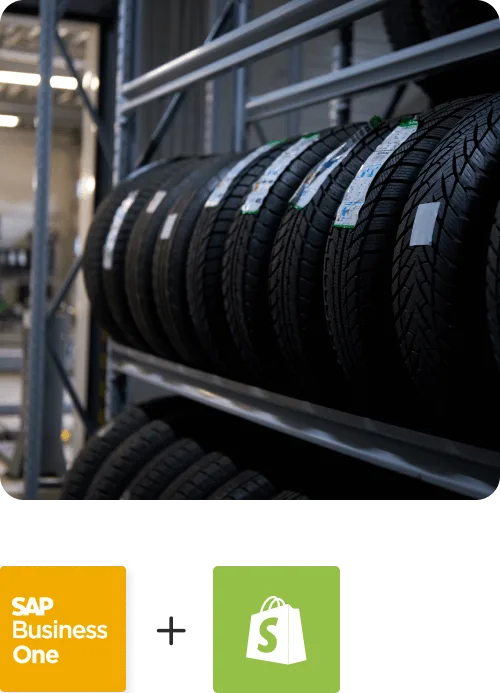
Founded in 2005, Proveedora PGP has solidified its position as a leading ecommerce business in Mexico, specializing in car and truck tires.
Read Case Study →
African American Expressions
African American Expressions, founded by Gregory Perkins in 1991 in Sacramento, California, has been on a remarkable journey of growth and success.
Read Case Study →Related Resources
Articles and Guides to Help You With Your Integration and Automation Journey