SAP Business One Integration & Automation
- Connect
- Streamline
- Secure
SAP Business One integration is the automated, two-way connection between SAP Business One ERP and the eCommerce, CRM, marketplace, accounting, shipping, and POS applications your team runs every day. Once connected, sales orders, customers, items, pricing, inventory, shipments, and invoices move between SAP B1 and every other system in real time or on a schedule you set, without manual data entry.
APPSeCONNECT is an ERP-first iPaaS that connects SAP Business One to the business applications you already use through the SAP B1 Service Layer or DI API. Pre-built connectors, ready-to-deploy ProcessFlow templates, and a low-code visual designer let finance, operations, and IT teams launch a SAP Business One integration with little or no custom code.
















Why APPSeCONNECT is the Gold Standard for SAP Business One Integration
APPSeCONNECT connects SAP Business One to every eCommerce, CRM, marketplace and many other business applications your team relies on in real time, without manual work. One governed platform built for wholesalers, manufacturers and retailers who need their entire business stack running in sync.

Manual data re-entry across systems
Your team manually re-keys orders, customers and stock between SAP B1 and your other apps, burning hours and introducing mistakes that compound downstream.

Inventory inaccuracy and overselling
Inventory updates sit in SAP B1 but never reach your sales channels in time, so you oversell, disappoint customers and scramble to fix fulfilment.

Delayed or broken order fulfilment
Every order placed on Shopify, Amazon or your CRM waits for a human to move it into SAP B1, delaying fulfilment, invoicing and cash collection.
No single source of truth for customers and pricing
Price lists, credit limits and stock availability live inside SAP B1 but your sales reps work in a CRM that's always one export behind.

Inability to scale to new channels without rebuilding
Adding a second storefront, marketplace or B2B portal means a new integration project, so growth creates complexity instead of momentum.

Returns, refunds and financial reconciliation done manually
Returns, refunds and payments processed outside SAP B1 never make it back as credit memos or A/R postings, leaving finance to untangle two sets of books.
Popular SAP Business One Integrations
Our Integration Platform helps you seamlessly connect SAP Business One with other Business Applications.

























Looking for a Specific Integration?
Features You Get with Our Connector
Every APPSeCONNECT SAP Business One integration template is built on the core sync objects below; the exact objects in each package depend on what the connected app supports. You install the package, map fields in the visual designer, and go live.

Customer and Business Partner sync
New and updated business partners flow between SAP B1 and connected eCommerce, CRM, and marketplace platforms, including billing and shipping addresses.

Item and product sync
SAP B1 Item Master Data syncs to storefronts and marketplaces as simple or variant products, with descriptions, attributes, and pricelists intact.

Real-time inventory sync
Warehouse-specific or cumulative on-hand stock from SAP B1 pushes to connected sales channels, preventing overselling.

Sales order sync
Web and CRM orders convert into SAP B1 Sales Orders against the correct Business Partner, with taxes, discounts, and shipping charges mapped.

Shipment and tracking sync
SAP B1 Delivery documents push tracking numbers back to the source system so customers see fulfillment status.

Invoice and payment sync
A/R Invoices, A/R Reserve Invoices, and Incoming Payments sync between SAP B1 and connected platforms for clean financial reconciliation.

Pricelist and discount sync
SAP B1 pricelists, tier discounts, and customer-specific pricing flow to storefronts and CRMs for accurate quoting and checkout.

Refund, return, and credit memo sync
Returns and refunds on the source system generate SAP B1 Return Orders and A/R Credit Memos automatically.
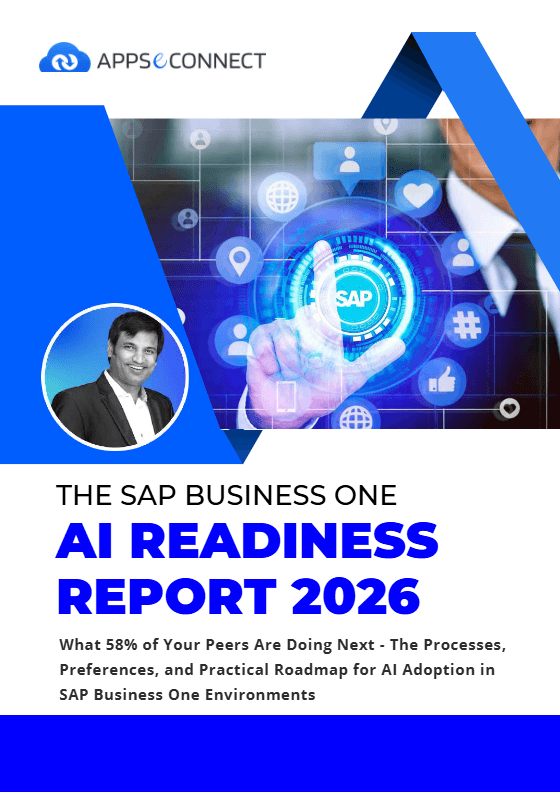
Download the SAP Business One Integration Guide
Get the full playbook for SAP Business One integration for omnichannel commerce and ERP. The guide explains architecture, setup patterns and lessons from real customers.
Inside you’ll find:
- Integration Framework: How Service Layer and DI Server work together in typical designs.
- Deployment Guide: Options for hosted agents versus on-prem agents and when to use each.
- Security & Compliance: Encryption and certification details for peace of mind.
- Case Studies: Stories from brands that removed manual sync and gained faster growth.
Enterprise-grade integration powered by hands-on support without enterprise pricing
Start Integration at just $99 per month with Shopify, Salesforce, HubSpot, Zoho, WooCommerce and more.

How Does the Workflow Run End-to-End?
Here is how a typical SAP Business One integration runs through APPSeCONNECT, from an event in a connected app to a posted record in SAP B1 and back again.
Order Capture
A trigger event happens in a connected system: a Shopify checkout, a Salesforce opportunity closed-won, an Amazon order, or a CRM lead conversion.
Event Trigger
APPSeCONNECT detects the event through a webhook or scheduled poll, validates the payload, and queues it against your ProcessFlow routing rules.
Data Mapping
The platform transforms fields between the source app and SAP B1 using your visual mapping, applying rules for currency, tax codes, item lookup, business partner match, and warehouse code.
Record Creation
APPSeCONNECT writes the mapped record to SAP B1 through the DI API or Service Layer as a Sales Order, Business Partner, Item, A/R Invoice, or Incoming Payment.
Back-Sync
Once SAP B1 posts the record, key data flows back to the source system: order confirmation numbers, stock availability, shipment tracking, invoice references, and payment status.
Monitor and Improve
Run history, retry logs, and alerting in APPSeCONNECT show every transaction, so your team catches exceptions, tunes mappings, and adds new flows as the business grows.
See how businesses use SAP Business One integrations
Stories from manufacturers, retailers, distributors and finance teams who automated their operations with APPSeCONNECT.
Manufacturing & Distribution — Hernon Manufacturing: Zero downtime CRM & ERP automation
A global adhesives manufacturer with 50+ export countries needed their sales team to access real-time SAP stock levels, create quotes in Salesforce, and auto-sync orders, with no business disruption during deployment.
- Zero downtime during the entire integration rollout
- 360° customer view for quotes, orders, invoices linked in one record
- Manual entry eliminated and sales reps generate orders in Salesforce, SAP updates automatically
- Accurate stock commitments from real-time warehouse visibility
What this integration handles
2-way
Business partner & order sync
Real-time
Inventory level visibility
0
Manual re-entry of quote data
50+
Manual re-entry of quote data
“Due to automation within Salesforce as well as the integration solution, manual effort was reduced extensively.” — Hernon Manufacturing
Online retailer: Omnichannel orders flowing into SAP automatically
A growing retailer selling on Shopify and WooCommerce was manually importing orders into SAP B1 via CSV. Inventory mismatches led to overselling, delayed shipments, and customer complaints. They needed a live data bridge.
- Orders auto-created in SAP B1 the moment a customer checks out
- Stock levels synced back to storefront, preventing overselling
- Fulfillment status returned to the storefront in real time
- Pricing consistency in SAP B1 price lists push directly to product pages
What this integration handles
Live
Order-to-SAP pipeline
Auto
Product & price sync
0
Manual CSV uploads needed
Multi
Channel support in one flow
Supports Shopify, Shopify Plus, WooCommerce, Magento, BigCommerce, Adobe Commerce and more, all connecting to the same SAP B1 instance.
Wholesale distributor: B2B orders, pricing and stock in perfect sync
A mid-market distributor managing hundreds of B2B accounts across Amazon Seller Central and their own portal struggled with credit limits, tiered pricing and purchase order delays. Each system held a different version of the truth.
- B2B pricing tiers from SAP B1 pushed to all connected channels
- Credit limit checks enforced automatically before order acceptance
- Marketplace orders (Amazon, eBay, Walmart) create SAP sales documents instantly
- Available-to-promise quantity updated across all channels in real time
What this integration handles
B2B
Credit & pricing rules
Multi
Marketplace connectors
1000s
Records/min throughput
Auto
PO & invoice reconciliation
APPSeCONNECT’s parallel processing handles high-volume wholesale workloads, thousands of order lines per minute without batch delays.
Finance team: Invoices, payments and fees reconciled without spreadsheets
A services company running SAP B1 for operations used Zoho Books for client billing. Month-end meant reconciling two ledgers manually, chasing missing payments, and correcting duplicated records, a two-day process every cycle.
- Invoices auto-posted to SAP B1 when raised in the accounting platform
- Payment status synced both ways, eliminating duplicate chasing
- Marketplace fees & payouts recorded automatically for daily reporting
- Month-end close shortened from days to hours with clean, matched records
What this integration handles
2-way
Invoice & payment sync
Auto
Fee & payout recording
0
Duplicate manual entries
Daily
Finance reconciliation reports
Supports QuickBooks Desktop, Zoho Books, Stripe and other payment platforms — all syncing to SAP B1’s Finance and AR modules.
Frequently Asked Questions
SAP Business One integration is the automated, bi-directional exchange of customers, items, pricing, inventory, orders, shipments, invoices, and payments between SAP B1 ERP and connected eCommerce, CRM, marketplace, accounting, and shipping applications, usually run through an iPaaS platform like APPSeCONNECT.
APPSeCONNECT connects to SAP Business One through the SAP B1 DI API, the Service Layer, and the SAP B1 integration framework, on both SQL Server and HANA database deployments, with support for on-premises, hybrid, and cloud installations.
APPSeCONNECT integrates SAP Business One with Shopify, Salesforce, HubSpot, Zoho CRM, WooCommerce, BigCommerce, Magento, Amazon, eBay, QuickBooks, ShipStation, and many more, with pre-built connectors and ready-to-deploy integration templates for each.
Most SAP Business One integration projects on APPSeCONNECT go live in two to four weeks, because pre-built ProcessFlow templates ship with mappings for customers, items, orders, inventory, shipments, and invoices already configured.
Yes. APPSeCONNECT uses AES-256 encryption at rest, TLS in transit, role-based access controls, and aligns with ISO 27001 and SOC 2 standards, protecting sensitive financial and customer data across every SAP B1 integration.
APPSeCONNECT SAP Business One integration packages start at $99 per month for ready-to-deploy connectors with Shopify, Salesforce, HubSpot, Zoho, WooCommerce, BigCommerce, and more, with tiered pricing for higher transaction volumes and custom workflows.
Use the Service Layer for new projects. It is SAP’s REST/OData API, works on SQL Server and SAP HANA, and is the method SAP recommends. The DI API suits older SAP B1 versions or setups where an on-premise agent already runs next to the SAP server. APPSeCONNECT supports both, so you can start on one and move later.
Yes. APPSeCONNECT offers a 30-day free trial with access to the ProcessFlow designer and pre-built templates, so you can test a flow with your own SAP B1 data before choosing a plan.
Ready to Transform Your SAP Business One Integration Today?
Eliminate manual exports and data gaps with a SAP Business One integration solution for B2B and growing retailers. Use APPSeCONNECT as your SAP Business One integration platform and keep every channel aligned.

Companies automating their business through APPSeCONNECT







Customer Success Stories
Hernon
With APPSeCONNECT, Hernon achieved a zero business downtime and levaraged the power of a fully automated and integrated solution to ensure business growth.
Read Case Study →
Machinery Manufacturing Company
Discover how a world-leading industrial equipment manufacturing company leveraged APPSeCONNECT for company-wide automation of ERP, CRM, and eCommerce applications.
Read Case Study →Related Resources
Articles and Guides to Help You With Your Integration and Automation Journey