NetSuite Integration and Automation
NetSuite integration connects your NetSuite ERP with the eCommerce, CRM, marketplace, and payment systems that run daily operations, and APPSeCONNECT gives you a governed platform to move that data without custom scripts. Web and marketplace orders create NetSuite records, NetSuite stock and price changes push outward, and invoices and payments post back through managed flows.
Key Advantages
Why APPSeCONNECT Is the Gold Standard for NetSuite Integration
NetSuite integration needs more than a basic data transfer. Records must move with the right subsidiary, field logic, validation, monitoring, and recovery controls. APPSeCONNECT connects NetSuite through NetSuite REST APIs and custom RESTlets with OAuth 2.0, with SuiteTalk available for legacy scenarios, so ProcessFlows, mappings, connector actions, logs, and retries keep business data moving with control.

Brittle Custom Scripts
Fast-scaling teams often maintain fragile custom code to move data between NetSuite and the store. APPSeCONNECT replaces those scripts with prebuilt ProcessFlow templates and a drag-and-drop designer, so teams add stores and tenants without recording.

Orders Failing NetSuite Rules
A NetSuite Sales Order needs the correct subsidiary, price group, tax, and customer match. The platform applies these rules during mapping so records post cleanly instead of failing and waiting for manual fixes.

Manual Order Entry
Web, marketplace, and POS orders entered into NetSuite by hand drag out order-to-cash and delay invoicing. Connected flows bring those orders in with line, price, tax, and payment details mapped.

Inventory Drift and Overselling
When NetSuite stock and channel stock disagree, businesses oversell across storefronts. Scheduled or event-driven inventory updates keep availability aligned across connected channels.

Custom Records Out of Reach
Off-the-shelf connectors often cannot reach custom NetSuite records and SuiteScripts. The platform can handle custom records and fields through the right integration setup.

Hidden Sync Failures
Failed records should not sit unnoticed. Logs, snapshots, node status, API responses, and a resync function help teams find what failed, fix the cause, and rerun the affected records.
Popular NetSuite Integrations and Automations
NetSuite can connect with the applications that support your ERP-led operations. Common integration areas include eCommerce, CRM, marketplace, POS, EDI, warehouse and 3PL, fulfillment, finance, and payment systems.











What You Get
Features You Get With Our NetSuite Connector
The NetSuite connector supports configurable workflows for the records your business needs to move first. Each flow can be planned around your NetSuite setup, connected systems, subsidiary rules, field mappings, and review process.

Ready NetSuite Connector Library
Connect NetSuite with popular stores, CRM systems, marketplaces, and payment tools through prebuilt connectors and templates.

Product and Price Sync
Move item details, product updates, and approved pricing between NetSuite and connected channels using mapped rules.

Order and Fulfillment Sync
Bring store and marketplace orders into NetSuite, then return shipment and status details to the source system.
Returns and Refund Support
Route return, refund, and adjustment details through the right workflow with less manual handling.

Invoice and Payment Sync
Connect invoice records, billing details, and payment data with the NetSuite financial process where supported.

Monitoring and Retry
Track success and error rates through the Sync Info dashboard, let auto-retry handle transient failures, and resync missed records after correcting the cause.
INTEGRATION BROCHURE
Download the NetSuite Integration Brochure
Get the complete reference on how APPSeCONNECT connects NetSuite to your business stack, from architecture to deployment.
Inside you’ll find:
- Integration Architecture: Reference architecture using NetSuite REST APIs, RESTlets, and OAuth 2.0, and how customer, item, order, inventory, return, and invoice records move with connected applications.
- Sync Coverage: Coverage for customers, items, orders, inventory, returns, and invoicing across connected eCommerce, CRM, and marketplace systems.
- Subsidiary and Price Handling: How subsidiary and price-group logic builds correctly structured Sales Orders.
- Deployment Roadmap: Prerequisites, timelines, and team responsibilities for rollout.
- Security and Recovery: Security model, resync function, and Sync Info dashboard reference.
Real-world use cases
Use Cases
APPSeCONNECT’s NetSuite integration is built for retailers, manufacturers, distributors, and finance teams that need cleaner records across systems. The goal is to reduce manual work and keep NetSuite connected with the rest of the business.
Designer Boys: Shopify and NetSuite Automation
Designer Boys uses Shopify with NetSuite to support its furniture and interior design business. After moving to APPSeCONNECT, the team reduced manual transfer work across order, customer, and inventory records.
- Shopify orders can reach NetSuite without staff copying them again.
- Buyer records can move between Shopify and NetSuite.
- Stock details can stay connected across the store and NetSuite.
- The integration can support more connected systems as the business expands.
What this integration handles
Synced
Shopify orders into NetSuite
Connected
Customer records between systems
Updated
Inventory across store and NetSuite
Extendable
More connected systems over time
Supports retailers running Shopify with NetSuite as the ERP backbone.
Manufacturing and Distribution — Production, Sales, and Stock Records Stay Connected to NetSuite
Manufacturers and distributors need orders, items, stock, and invoices to stay close to the NetSuite record. This integration helps connected systems send structured data into NetSuite so operations and finance teams spend less time repairing gaps.
- Orders from connected channels can create NetSuite sales transactions with mapped customer, item, tax, and subsidiary data.
- Item records can move between NetSuite and catalog, commerce, or warehouse systems.
- Inventory changes can update selling channels where the flow requires them.
- Invoices and payment references can stay connected to the NetSuite account record.
What this integration handles
Connected
Order-to-NetSuite pipeline
Mapped
Customer and item data
Updated
Inventory and stock movement
Closed
Invoice and payment loop
Supports manufacturers, distributors, and B2B sales teams that use NetSuite as the ERP backbone.
Financial Records Remain Easier to Trace
Finance teams need invoices, payment references, credits, and account status to stay connected to the original NetSuite record, not arrive as disconnected exports.
- Invoices can move between NetSuite and connected systems where visibility is required.
- Credits, refunds, and adjustments can follow configured finance rules.
- Logs and snapshots can support reconciliation, audit review, and exception handling.
- The resync function can recover records that failed to post.
What this integration handles
Matched
Payment and invoice references
Linked
Credits and adjustments
Auditable
Logs and snapshots
Recoverable
Resynced records
Supports finance, accounting, and operations teams that need cleaner transaction traceability.
Deployment process
How Does the Workflow Run End-to-End?
Our NetSuite integration runs through ProcessFlows. Each ProcessFlow defines the source system, target system, entity, connector action, schema, mapping logic, validation rules, run mode, retry settings, and monitoring path before any record moves.
Order Capture
An online or marketplace sale enters a connected store or channel.
Event Trigger and Source Connection
APPSeCONNECT receives a webhook or scheduled pull, validates the payload, and routes it through your ProcessFlow.
Data Extraction and Schema Reading
The flow reads the selected entity and its schema. The record may be an order, customer, item, inventory update, invoice, payment, return, or shipment object.
Transformation and Field Mapping
Fields transform between the source app and NetSuite, applying subsidiary, price-group, tax, and customer-match rules.
Record Creation and Target Push
The connector creates or updates the NetSuite order, customer, or item record through REST or RESTlets, and captures the response with success state and failure reason.
Back-Sync, Monitoring, and Retry
Ship from NetSuite, post invoices, match payments, and push status back to the storefront. Sync Info tracks success and error rates, auto-retry handles transient failures, and missed records can be resynced.
Meet appse ai
How appse ai Helps Streamline NetSuite Integration
A working NetSuite integration reduces manual transfer work, but teams still manage failed records, changing data volumes, repeated checks, and exception review. appse ai adds AI-assisted support for designing workflows, spotting issues earlier, and reducing manual checking across connected processes.
- Workflow Design: Help teams describe a process and shape the workflow structure around it, especially when new NetSuite entities or connected systems are added.
- Issue Detection: Spot broken flows, error patterns, and records that need review before they become daily cleanup work.
- Order Tracking: Review order movement from the first sales record through later updates across connected systems.
- Stock and Finance Clarity: Make inventory, invoice, and payment-related updates easier to review across connected systems.
- API Coordination: Support workflows where NetSuite and other systems share data through managed APIs.
- Teams Stay in Control: AI-assisted support helps the process while teams set the rules and decide how records move.

Frequently Asked Questions
NetSuite integration connects NetSuite ERP with other business systems through controlled data workflows. APPSeCONNECT can move orders, customers, items, inventory updates, invoices, payments, and returns between NetSuite and connected eCommerce, CRM, marketplace, and finance systems.
Businesses integrate NetSuite to reduce manual entry and keep ERP records aligned with connected systems. It helps limit duplicate records, delayed order processing, item data mismatches, stock mismatches, and finance follow-up work, while NetSuite stays the system of record.
NetSuite integration can support customer records, item and product data, sales orders, inventory updates, invoices, payments, credits, returns, and shipment updates. The final scope depends on the NetSuite setup and the connected application.
APPSeCONNECT connects NetSuite through NetSuite REST APIs and custom RESTlets with OAuth 2.0, with SuiteTalk available for legacy scenarios. Each ProcessFlow defines the source app, target app, entity, connector action, field mapping, validation rules, run mode, retry behavior, and monitoring path.
Native tools and web services can move data, while a third-party iPaaS like APPSeCONNECT adds prebuilt connectors, a visual ProcessFlow designer, subsidiary and price-group handling, monitoring, and retry in one governed layer. The right choice depends on how many systems you connect and how much you want to maintain in custom code.
A NetSuite connector is a prebuilt link between NetSuite and a specific application, configured through mapping and rules. NetSuite API integration uses REST or SOAP web services and token-based authentication to move data programmatically. APPSeCONNECT uses both: prebuilt connectors on top of NetSuite REST APIs, RESTlets, and OAuth 2.0.
NetSuite can connect with eCommerce and marketplace platforms such as Shopify, Magento, BigCommerce, WooCommerce, Amazon, and Walmart through configured flows. Orders, customers, items, inventory, pricing, invoices, and fulfillment updates can be mapped based on the store workflow and the ERP process.
NetSuite integration can handle custom NetSuite records and fields through the right integration setup. Custom mappings, validation rules, run modes, and connector actions can be planned around the required NetSuite process.
When a sync fails, APPSeCONNECT provides logs, snapshots, node status, and API responses through the Sync Info dashboard. Auto-retry handles transient failures, and teams can correct missing fields or mapping issues and resync the affected records.
Start by identifying the records that create the most manual work, such as order sync, customer sync, item sync, inventory updates, and invoice or payment references. APPSeCONNECT can then help map, configure, test, monitor, and scale the integration.
Ready to Launch Your NetSuite Integration Today?
NetSuite should not sit apart from the systems that sell, fulfill, bill, and support customers. A structured integration connects NetSuite with those applications so teams can scale daily operations without adding more manual record work.

Companies automating their business through APPSeCONNECT







Customer Success Stories
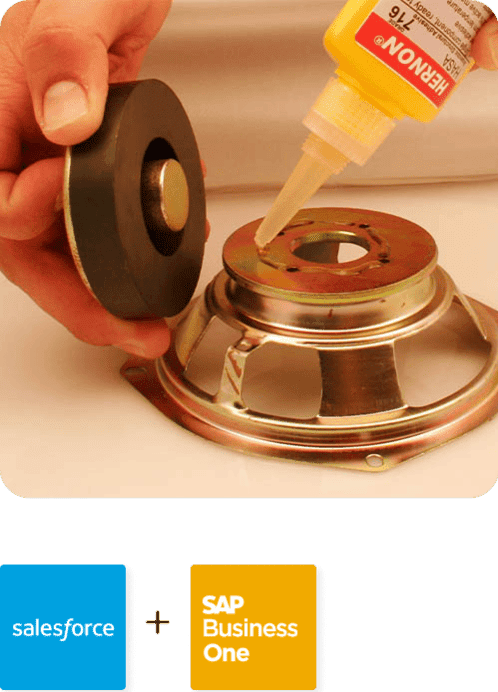
Hernon
With APPSeCONNECT, Hernon achieved a zero business downtime and levaraged the power of a fully automated and integrated solution to ensure business growth.
Read Case Study →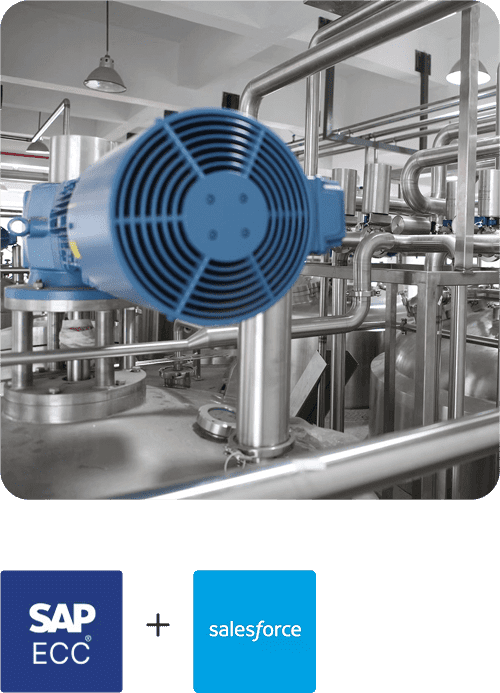
Machinery Manufacturing Company
Discover how a world-leading industrial equipment manufacturing company leveraged APPSeCONNECT for company-wide automation of ERP, CRM, and eCommerce applications.
Read Case Study →Related Resources
Articles and Guides to Help You With Your Integration and Automation Journey