SAP Business ByDesign Integration & Automation
- Simple
- Secure
- Scalable
APPSeCONNECT connects SAP Business ByDesign with your eCommerce store, CRM, marketplace, and back-office tools through pre-built connectors, no custom code required. Orders move cleanly. Products stay updated. Inventory stays accurate. Your teams spend less time fixing data and more time serving customers.
Business Value
Why APPSeCONNECT Is the Gold Standard for SAP Business ByDesign Integration
APPSeCONNECT gives SAP Business ByDesign a controlled integration layer for ERP-led business systems. It helps orders, customer records, product data, inventory updates, invoices, returns, and operational updates move through connected workflows instead of manual handoffs. Teams can keep ByDesign closer to the systems that sell, fulfill, bill, and support customers without losing control of the ERP record.

ByDesign Sales Orders Fall Behind Channel Activity
Web, marketplace, POS, or CRM orders may not reach SAP Business ByDesign fast enough. Sales teams then work from one order status while logistics and finance wait for the ERP transaction

Product Portfolio Updates Lose Channel Context
Items, categories, descriptions, images, attributes, and price updates can drift when ByDesign and selling channels are maintained separately. Catalog teams may then publish outdated product or price information

Inventory Availability Becomes a Moving Target
Stock changes in SAP Business ByDesign may not reach storefronts, marketplaces, or fulfillment systems quickly enough. That can create overselling, backorders, and customer service follow-up

Customer and Business Partner Records Split Apart
Customer profiles, contacts, billing addresses, shipping addresses, and B2C one-time customer details can become inconsistent when ByDesign is not part of the connected workflow

Deliveries, Invoices, and Returns Lose Their Link
Shipment status, tracking details, invoice references, returns, and credit memo activity can separate from the original sales order when updates move by spreadsheet or manual lookup

Exceptions Stay Hidden Until Operations Slow Down
Missing fields, rejected API responses, duplicate customer logic, mapping gaps, tax mismatches, and failed order posts can sit unresolved unless the integration layer gives teams a clear monitoring path
Popular SAP Business ByDesign Integrations
Our Integration Platform helps you seamlessly connect SAP Business ByDesign with other Business Applications.

Looking for a Specific Integration?
What You Get
Features You Get With Our SAP Business ByDesign Connector
APPSeCONNECT supports SAP Business ByDesign integration through configurable connector workflows. These features can be shaped around your ByDesign setup, connected applications, field rules, validation needs, and transaction model.

Sales Order Sync
Move orders from eCommerce stores, marketplaces, POS systems, CRM tools, or custom apps into SAP Business ByDesign with line items, customer details, tax, shipping, discounts, and payment references

Customer and Business Partner Sync
Keep customer profiles, contacts, billing details, shipping addresses, account updates, and B2C order-level customer details connected between ByDesign and the systems that use them

Product, Category, and Price Sync
Share item records from SAP Business ByDesign with connected commerce, marketplace, catalog, or sales systems. Product IDs, SKUs, and price lists can be mapped where the flow needs them
Inventory and Availability Sync
Reflect ByDesign stock updates across storefronts, marketplaces, warehouse tools, or fulfillment systems. On-hand quantities, availability rules, and item-level updates can follow the configured flow

Delivery, Invoice, and Return Sync
Keep fulfillment status, shipment details, tracking references, invoice records, returns, and credit memo updates tied to the ByDesign transaction where the workflow requires them

Monitoring and Retry
Use logs, snapshots, node status, API responses, retry controls, and transaction details to review failed records and rerun them after fixes
INTEGRATION BROCHURE
Download The Full Integration Guide | ISO 27001 Secured
Everything you need to plan, launch, and manage your SAP Business ByDesign integration in one place. No fluff just practical guidance built from real implementation experience.
Inside you’ll find:
- Flows Explained: Visual diagrams for orders, products, inventory, and invoices.
- Launch Checklists: Clear steps to migrate, test, and go live with confidence.
- Admin Tips: How to monitor jobs and handle exceptions quickly.
Enterprise-grade integration powered by hands-on support without enterprise pricing
Start Integration at just $99 per month with Shopify, Salesforce, HubSpot, Zoho, WooCommerce and more.

Deployment process
How Does the Workflow Run End-to-End?
Here is how a typical SAP Business ByDesign integration runs, from a channel event to back-synced fulfilment.
Event Trigger
A customer places an order or a product changes on a channel.
Flow Start
The platform selects the right ProcessFlow and reads all the details.
Data Mapping
Fields transform to ByDesign formats, tax rules and price lists.
ERP Creation
The system creates or updates records in ByDesign and reserves inventory.
Back-Sync
Deliveries, invoices and tracking update the channel automatically.
Monitor and Improve
Dashboards show status, and auto-retries and logs resolve issues.
Real-world use cases
See how businesses use SAP Business ByDesign Integrations
APPSeCONNECT’s SAP Business ByDesign integration and automation capabilities are built for businesses that need cloud ERP, commerce, sales, supply chain, finance, and operational systems to work as one connected process. It supports manufacturers, distributors, wholesalers, retailers, professional services teams, finance teams, and growing mid-market operations.
eCommerce & Marketplace Operations — Online selling systems stay aligned with SAP Business ByDesign
A business selling through eCommerce stores or marketplaces needs clean order flow into SAP Business ByDesign. APPSeCONNECT reduces the spreadsheet work that usually grows with each new channel.
- Confirmed orders can move into ByDesign with line-level transaction detail.
- Product, category, image, attribute, and price updates can publish from the ERP where supported.
- Customer and address details can follow mapped ownership rules.
- Fulfillment status, tracking, invoice updates, and return references can move through the connected flow.
What this integration handles
Connected
Sales order sync
Published
Products and prices
Shared
Customer and address details
Tracked
Fulfillment and invoice updates
Project, customer, and finance activity can stay connected to the ERP record
Professional services teams using SAP Business ByDesign often need customer work, project activity, billing, and finance visibility to stay connected. Integration helps external systems share the records that support service delivery and invoice readiness.
- CRM or customer systems can pass account and contact updates into the connected process.
- Project-related references can be mapped where the target workflow supports them.
- Billing and invoice visibility can move to customer-facing or finance systems.
- Exceptions can be reviewed before they slow down project billing or account follow-up.
What this integration handles
Synced
Account and contact data
Mapped
Project-related references
Visible
Billing and invoice status
Reviewed
Exceptions and failed records
Manufacturing & Distribution — Sales channels and supply chain records stay aligned with SAP Business ByDesign
A manufacturer or distributor using SAP Business ByDesign needs orders, products, stock, deliveries, invoices, and returns to stay connected with the ERP record. APPSeCONNECT helps connected systems pass structured data into ByDesign, so sales, logistics, and finance teams are not cleaning up every transaction by hand.
- Orders from connected channels can create ByDesign sales transactions with mapped customer, item, tax, shipping, and payment details.
- Product and category records can stay connected with catalog, commerce, or marketplace systems.
- Inventory changes can update selling channels where the flow needs them.
- Deliveries, invoices, returns, and credit memo references can stay tied to the original order.
What this integration handles
Connected
Order-to-ByDesign pipeline
Mapped
Product and customer data
Updated
Inventory availability
Closed
Delivery, invoice, and return loop
Finance and Accounting Operations — Invoices, returns, and transaction references stay easier to trace
Finance teams need more than an order feed. They need invoices, credits, return references, tax data, customer details, and payment context to stay connected to the original SAP Business ByDesign record.
- Invoices can move between ByDesign and connected systems where visibility is needed.
- Credit memos, return references, and adjustments can move based on configured finance rules.
- Logs and snapshots can help with reconciliation and audit review.
- Finance teams can review failed records without rebuilding the transaction history manually.
What this integration handles
Matched
Invoice and order references
Linked
Returns and credit memos
Visible
Customer and account context
Auditable
Logs and snapshots
Meet appse ai
How appse ai Helps Streamline SAP Business ByDesign Integration
A configured SAP Business ByDesign sync handles data movement, but it does not remove the daily work around failed records, data volume, repeat checks, and slow exception handling. appse ai adds AI-assisted workflow support for ERP, CRM, eCommerce, and operational processes, so teams can design flows with less effort, review issues earlier, and understand exceptions with more context.
- Workflow Design: Use AI assistance alongside no-code workflow tools to create or adjust ByDesign automation flows with less effort.
- Issue Detection: Help teams surface failed sales orders, rejected product updates, repeated customer errors, price list gaps, invoice issues, return mismatches, and inventory update failures earlier.
- Exception Review: See missing fields, mapping gaps, validation errors, rejected transactions, and failed finance or fulfillment updates with clearer context.
- Decision Support: Add routing and enrichment to workflow decisions. Validation and conditional logic can support ByDesign order, product, inventory, invoice, and return flows where needed.
- Process Signals: Review patterns around repeated failures, slow runs, order spikes, item mapping errors, and channel-specific exceptions.
- API Orchestration: Build automation across ERP and CRM systems. The same layer can also connect commerce apps, marketplaces, warehouse tools, finance systems, shipping apps, and custom applications.
- Workflow Optimization: Identify where automation slows down, fails often, or needs a cleaner design.

Frequently Asked Questions
SAP Business ByDesign is a cloud ERP suite. SAP HANA is an in‑memory database platform that some SAP products run on or connect to.
Pricing is subscription‑based and varies by users and scope. For a precise quote, contact SAP or an authorized partner.
SAP Business ByDesign is SAP’s mid‑market cloud ERP that covers finance, sales, supply chain, projects, and more.
Yes. ByDesign exposes OData/REST and SOAP services, which our connector uses securely.
Yes. Use event‑driven flows where supported and fast schedules for other updates.
eCommerce, CRM, marketplaces, finance, shipping, and custom apps through our iPaaS.
No. Most changes use drag‑and‑drop mapping and simple, guided settings.
Ready To Connect SAP Business ByDesign With Your Stack?
Launch SAP Business ByDesign integration with APPSeCONNECT. Cut manual work and keep every number in sync.

Companies automating their business through APPSeCONNECT







Customer Success Stories
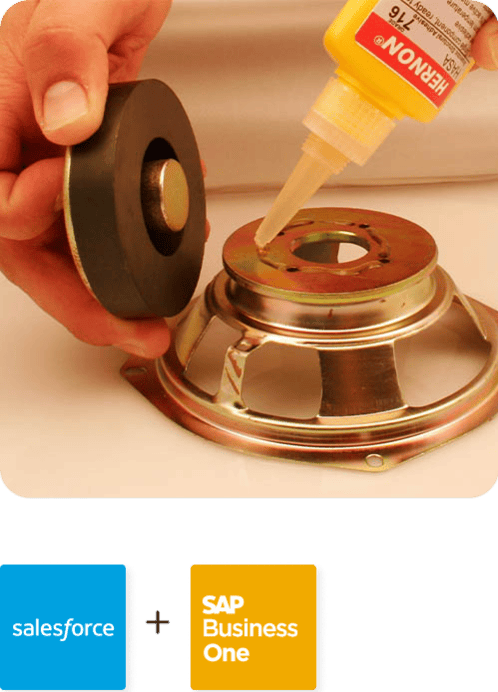
Hernon
With APPSeCONNECT, Hernon achieved a zero business downtime and levaraged the power of a fully automated and integrated solution to ensure business growth.
Read Case Study →
Machinery Manufacturing Company
Discover how a world-leading industrial equipment manufacturing company leveraged APPSeCONNECT for company-wide automation of ERP, CRM, and eCommerce applications.
Read Case Study →Related Resources
Articles and Guides to Help You With Your Integration and Automation Journey