




Microsoft Dynamics GP Integration & Automation
- Automate
- Align
- Accelerate
Microsoft Dynamics GP integration connects your GP (Great Plains) ERP with eCommerce, CRM, and marketplace applications to automate order processing, stock updates, customer data, and invoicing. Once connected, web orders post as GP sales orders, GP item and stock changes push to storefronts, and shipment and invoice data flows back, with no manual re-entry.
APPSeCONNECT is a low-code iPaaS that connects Microsoft Dynamics GP through its eConnect and web-services layer. Pre-built ProcessFlow templates and a drag-and-drop designer let teams automate GP processes and keep a long-standing on-premises GP estate connected as the business grows.
















Why APPSeCONNECT Is the Gold Standard for Microsoft Dynamics GP Integration and Automation
APPSeCONNECT gives Microsoft Dynamics GP a controlled integration layer for ERP-led business workflows. It helps customer records, sales orders, item data, inventory updates, invoices, payments, and operational records move through connected workflows instead of manual handoffs. Teams can keep GP aligned with the systems that sell, fulfill, bill, report, and support customers without losing control of the ERP record.

Customer and Account Data Splits
Customer records, billing details, shipping addresses, payment terms, and account status can become inconsistent when GP is not part of the connected workflow.

Order and Finance Records Drift Apart
Sales orders, invoices, payments, credits, and account balances can lose their connection when data moves by spreadsheet or email. Finance teams then spend more time matching transactions.

Inventory Visibility Slows Down
Stock changes in GP may not reach connected systems quickly enough. Sales and warehouse teams can end up working from different availability numbers.

Manual Entry Creates Transaction Risk
Teams may re-enter orders, customers, items, invoices, or payment details across multiple systems. This increases the chance of duplicate records, missing fields, and delayed posting.

Exceptions Stay Hidden Too Long
Failed imports, missing fields, mapping gaps, and rejected API responses can sit unnoticed unless the integration layer gives teams a clear monitoring path.

Reporting Gets Delayed
When GP data does not move cleanly into sales, finance, warehouse, or reporting systems, teams wait longer to see order status, inventory movement, invoices, payments, and account activity.
Popular Microsoft Dynamics GP Integrations and Automations
See how Microsoft Dynamics GP can connect with the business apps around your ERP. Controlled automation flows can link GP with eCommerce, CRM, POS, warehouse, fulfillment, marketplace, EDI, finance, payment, reporting, and custom systems.





Features You Get With Our Microsoft Dynamics GP Connector
APPSeCONNECT supports Microsoft Dynamics GP integration through configurable connector workflows. These features can be shaped around your GP setup, connected applications, field rules, validation needs, and transaction model.

Sales Order Sync
Move orders from connected sales channels, CRM systems, marketplaces, EDI tools, or custom apps into Dynamics GP with customer, item, tax, shipping, and payment details.

Customer and Account Sync
Keep customer records, billing details, shipping addresses, contact data, account status, and payment terms connected between GP and the systems that use them.

Item Master Sync
Share item master data from Dynamics GP with connected commerce, warehouse, POS, marketplace, or catalog systems. SKU, description, item status, and classification fields can be mapped where needed.

Inventory Sync
Reflect GP inventory updates across connected sales and fulfillment systems. Stock availability, warehouse mapping, adjustments, and item-level quantity changes can follow the configured flow.

Invoice and Payment Sync
Keep invoices, payment references, due dates, credit notes, balances, and receivables-related updates tied to the GP financial record.

Monitoring and Retry
Use logs, snapshots, node status, API responses, and retry controls to review failed transactions and rerun records after fixes.
Download the Microsoft Dynamics GP Integration Brochure
Get the full brochure for planning Microsoft Dynamics GP integration and automation across ERP workflows. It covers order movement, customer records, item updates, inventory visibility, invoices, payments, fulfillment updates, and operational monitoring.
Inside You’ll Find:
- Integration Architecture: Review how Dynamics GP can move customer records, sales orders, item updates, stock changes, shipment details, invoices, payments, and finance references across connected applications.
- Flow Planning: Plan where data should sync for sales, finance, inventory, warehouse, commerce, and customer teams.
- Rollout Approach : Build the main flows first. Then extend the setup to invoices, payments, fulfillment updates, returns, account rules, and reporting needs.
- Testing Checklist : Validate customer matching, item mapping, tax handling, shipping data, payment references, warehouse rules, and retry behavior before go-live.
- Operational Readiness: Learn how teams can track runs, inspect snapshots, review failed records, and run transactions again after launch.
How Does the Workflow Run End-to-End?
Here is how a typical Microsoft Dynamics GP integration runs, from a channel event to back-synced fulfilment.
Order Capture
A customer places an order on your store, marketplace or CRM, with items, taxes and shipping.
Event Trigger
APPSeCONNECT detects the new order through a channel webhook or scheduled poll, validates it, and starts the workflow.
Data Mapping
Fields transform to Dynamics GP formats, applying item, customer, price level and tax rules.
Record Creation
APPSeCONNECT creates the Sales Order Processing document or updates the customer or item in GP through eConnect or web services.
Back-Sync
GP stock changes, shipment tracking and invoice status flow back to the channels so every system stays current.
Monitor and Improve
Run history, retry logic and alerts surface exceptions, and your team reprocesses failed records without losing the audit trail.
Use Cases
APPSeCONNECT’s Microsoft Dynamics GP integration and automation is built for businesses that need ERP, sales, inventory, finance, and operational systems to work as one connected process. It supports distributors, manufacturers, retailers, wholesalers, service teams, finance teams, and multi-location operations.
Dealer and distributor orders move into Dynamics GP without manual rebuilds
A manufacturer or distributor using Dynamics GP needs orders, items, inventory, invoices, and account data to stay close to the ERP record. APPSeCONNECT helps connected systems pass structured data into GP, so sales and finance teams are not cleaning up after every transaction.
- Orders from connected sales channels can create GP sales transactions with mapped customer, item, tax, and delivery data.
- Item records can stay connected with catalog, commerce, or warehouse systems.
- Inventory changes can update connected selling channels where the flow needs them.
- Invoices and payment references can stay tied to the GP account record.
What this integration handles
Live
Order-to-GP pipeline
Mapped
Customer and item data
Auto
Inventory updates
Closed
Invoice and payment loop
Supports manufacturers, distributors, dealer networks, and B2B sales teams that use Dynamics GP as the ERP backbone.
Sales and eCommerce Operations — Online and offline sales systems stay aligned with Dynamics GP
A business selling through eCommerce, marketplace, POS, or CRM channels needs clean order flow into Dynamics GP. APPSeCONNECT reduces the spreadsheet work that usually grows with each new sales channel.
- Confirmed orders can move into Dynamics GP with line-level transaction detail.
- Customer records can be created or updated based on mapped rules.
- Item and pricing fields can connect to sales systems where the workflow needs them.
- Fulfillment status, invoice updates, and payment references can move through the connected flow.
What this integration handles
Live
Sales order sync
Synced
Customer records
Shared
Item and inventory data
Tracked
Fulfillment and invoice updates
Supports retailers, wholesalers, distributors, and mixed-channel sales teams that need GP-connected order processing.
Warehouse teams work from cleaner ERP-connected records
Warehouse and fulfillment teams need accurate order, item, and stock data. When GP and warehouse systems are disconnected, picking delays and stock mismatches become harder to manage.
- Sales orders can be shared with connected warehouse or fulfillment systems.
- Inventory updates can reflect stock movement back to connected channels.
- Shipment confirmations can return to the ERP-connected process.
- Returns and adjustments can stay traceable through mapped transaction details.
What this integration handles
Released
Orders for fulfillment
Updated
Inventory movement
Confirmed
Shipment status
Traceable
Adjustments and returns
Supports warehouse teams, fulfillment teams, inventory managers, and operations teams that need GP-connected stock visibility
Invoices, payments, and account data stay tied to the GP financial record
Finance teams need more than a sales order feed. They need invoices, payment references, customer balances, credits, and account status to stay connected to the original ERP record.
- Invoices can move between GP and connected systems where visibility is needed.
- Credits, refunds, and adjustments can move based on configured finance rules.
- Logs and snapshots can help with reconciliation and audit review.
- Receivables stay easier to review when invoices, credits, payments, and customer balances remain tied to the GP record.
What this integration handles
Matched
Payment and invoice references
Visible
Account balances
Linked
Credits and adjustments
Auditable
Logs and snapshots
Supports finance, accounting, collections, audit, and operations teams that need cleaner transaction traceability.
How appse ai Helps Streamline Microsoft Dynamics GP Integration and Automation
A live Dynamics GP sync solves the first problem, but it does not remove the daily work around failed records, data volume, repeat checks, and slow exception handling. appse ai adds AI-assisted workflow automation for ERP, CRM, eCommerce, and operational processes, so teams can build better flows faster, find issues earlier, and understand exceptions with more context.
- Workflow Design: Use no-code tools and AI assistance to create or adjust automation flows with less effort.
- Issue Detection: Find failed records, rejected transactions, repeated customer errors, item mapping gaps, invoice issues, and payment reference mismatches before they pile up.
- Exception Review: See missing fields, mapping gaps, validation errors, rejected transactions, and failed finance or inventory updates with clearer context
- Decision Support: Add routing and enrichment to workflow decisions. Validation and conditional logic can also support the flow where needed.
- API Orchestration: Build automation across ERP and CRM systems. The same layer can also connect eCommerce apps, warehouse tools, finance systems, and custom apps.
- Workflow Optimization: Identify where automation slows down, fails often, or needs a cleaner design.

Ready to Launch Your Microsoft Dynamics GP Integration Today?
Microsoft Dynamics GP should not operate as a disconnected ERP system separated from sales, inventory, warehouse, finance, and customer apps. APPSeCONNECT connects GP with your business systems through structured integration flows, so teams can scale operations without scaling manual work.

Companies automating their business through APPSeCONNECT







Customer Success Stories
Proveedora PGP
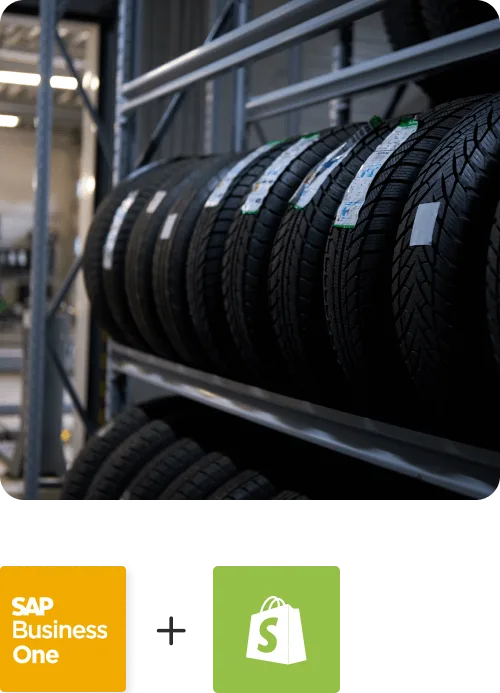
Proveedora PGP has firmly established itself as a prominent player in the Mexican ecommerce sector, with a focus on automotive tires for cars and trucks.
Read Case Study →
African American Expressions
African American Expressions Achieves Faster Business Growth with Real-Time Bi-Directional Data Sync Between their ERP, eCommerce, Marketplace, and Shipping Platforms with APPSeCONNECT.
Read Case Study →Related Resources
Articles and Guides to Help You With Your Integration and Automation Journey
Frequently Asked Questions
It is the automated exchange of orders, items, customers, inventory, shipments, and invoices between Dynamics GP (Great Plains) and connected eCommerce, CRM, and marketplace applications, usually run through an iPaaS like APPSeCONNECT.
Businesses use Microsoft Dynamics GP integration to reduce manual entry and improve data movement between ERP and connected systems. It helps teams avoid duplicate records, delayed order processing, stock mismatches, invoice gaps, and finance follow-up work.
APPSeCONNECT connects Microsoft Dynamics GP with other systems through configured ProcessFlows. Each flow defines the source app, target app, entity, connector action, mapping logic, validation rules, run mode, retry behavior, and monitoring path.
appse ai helps teams design workflows faster, detect issues earlier, and review exceptions with more context. It can support workflow design, issue detection, decision support, process signals, API orchestration, and workflow optimization.
Yes. Push stock from a single GP warehouse, a selected group, or a cumulative pool to keep storefront availability accurate.
Yes. Guest customers can sync to GP under a separate customer code so order and customer data stays complete.
Yes. APPSeCONNECT keeps a long-standing on-premises GP system connected to modern eCommerce and CRM apps without an expensive rebuild.
All transfers use AES-256 encryption and TLS, with full audit logs for governance.