




Acumatica and Shopify Integration
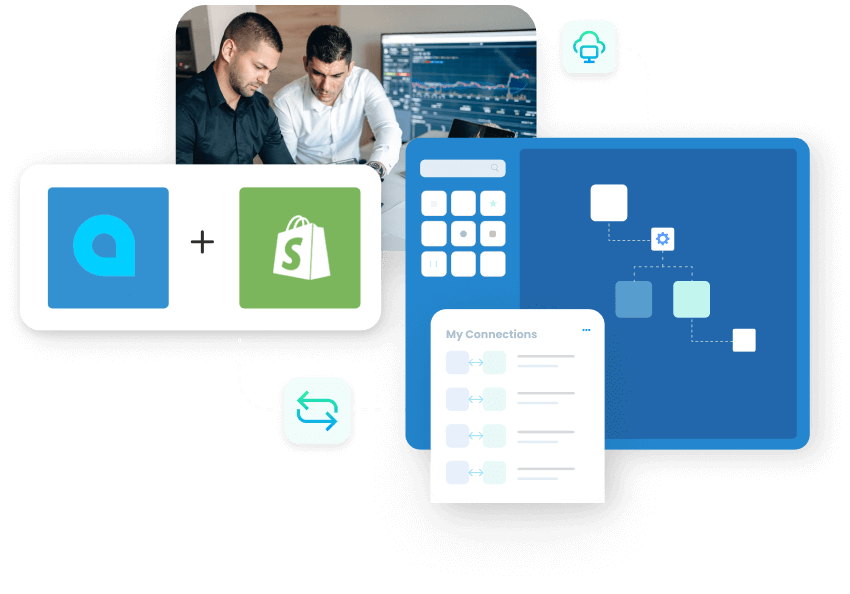
Connect Acumatica Cloud ERP to your Shopify store and run order-to-cash as one process. APPSeCONNECT keeps customers, products, inventory and orders in sync between the two systems automatically, so your store and back office always match and your team stops re-keying data.
Transforming over 1500 organizations across the globe





Shopify Acumatica Integration
APPSeCONNECT is a modern and intelligent iPaaS which can seamlessly connect your entire application stack through our shopify acumatica integration and streamline data flow across all your systems to eliminate silos, unify operations and drive alignment.
Acumatica & SHOPIFY
Integration Endpoints
- New Customer Web customer can register online. All the registration information like account information, contact information, billing & shipping address, etc. will be synchronized to Acumatica Cloud ERP under accounts receivable Customer section.
- Existing Customer Any existing web customer details can be downloaded to Acumatica automatically in real time.
- Guest Customer As per business requirement, the connector can be configured to sync guest customer information such as contact and address information, to Acumatica with a different B.P Code for easy tracking, merchants can plan further marketing activity to these guest customers based on their contact info.
- Shopify sales orders placed by the web customers will instantly be converted to Acumatica cloud ERP under cash sales section. Exact value mapping of tax and shipping charges are ensured for proper order total calculation while converting to Acumatica Sales.
- Products created in Shopify will sync back to Acumatica with all the details. APPSeCONNECT can modify product details back to Acumatica.
- Real-time stock update from Acumatica to maintain exact inventory level in the Shopify eCommerce store. Product stock will be synced from Acumatica to Shopify and there are options to choose multiple variants of the combination: In Stock – Committed In Stock In Stock – Committed + Ordered
- In Stock – Committed
- In Stock
- In Stock – Committed + Ordered
Popular Shopify Integrations












Integration Resources
ERP Integration Statistics and Trends You Need to Know in 2026
ERP integration is no longer only an IT concern. It determines whether sales, finance, commerce, fulfillment, and procurement teams act on the same business record.
Read More →
CRM ERP Integration Statistics and Trends You Need to Know in 2026
CRM ERP integration connects the customer-facing work managed in a CRM with the operational and financial work managed in an ERP. When the connection is
Read More →
What Is ERP Integration? A Complete Guide to Methods, Benefits and How It Works
ERP integration is the process of connecting your ERP system to the other applications your business runs on, so data moves between them automatically instead
Read More →
Organizations are Transforming Customer Experience Through Integration

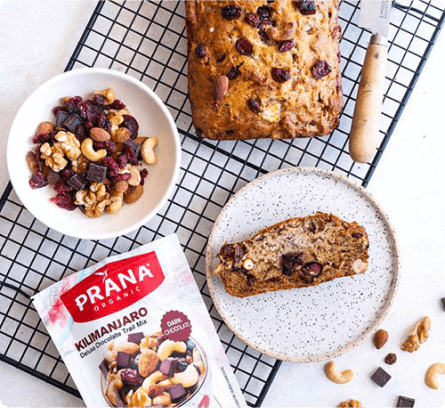

PRANA Organics successfully automated their entire business cycle by integrating their ERP with other applications and saved valuable time and effort.
Read Case Study →

Josie Maran Cosmetics efficiently managed thousands of orders per week and automated business processes with APPSeCONNECT’s seamless integration capabilities.
Read Case Study →

Richardson improved efficiency in sales and inventory management, streamlined their operation and unlocked efficient B2B integration through APPSeCONNECT.
Read Case Study →Unlock Efficient Business Automation with APPSeCONNECT!
Power and Flexibility
Full-Stack Integration and Automation provides a flexible architecture that seamlessly integrates a variety of software applications enabling businesses to adapt their workflow rapidly and cost-effectively to changing business ecosystems.
Launch Faster
Pre-concocted templates, for industry leading integrations that are time-tested and based on best integration practices reduce time to deploy by up to 65%.
Reliable and Secure
Handles data most delicately. The servers follow highly encrypted channels to communicate. Moreover, the security layer pre-built on the platform shields all the activities made through the platform.
Empower Teams
Low-Code Development environment is friendly to users from any level of technical expertise. It empowers every team within your organization to develop and implement integration at any level of the organization.
Accelerate Growth
Full-stack low-code intelligent automation enables businesses to deliver to the market faster and achieve 70% boost in business productivity.
Boost Revenue
Intelligent integration eliminates data silos across the organization which helps boost revenue and reduce costs to the company due to data errors and redundancies, manual labor, and lack of real-time data transfer.
Enterprise-friendly, lean, low code, future-proof automation
See why Capterra rates APPSeCONNECT Integration Platform 4.8 stars out of 5 with over 100+ positive customer reviews.


Frequently Asked Questions
Customers, products, inventory and orders sync between Acumatica and Shopify, along with fulfilments, billings, order cancellations and refunds depending on your setup. New, existing and guest Shopify customers map to the Acumatica accounts receivable Customer record, and Shopify orders convert to Acumatica cash sales with tax and shipping mapped.
Stock syncs in real time from Acumatica to Shopify, and you can choose which value to send: In Stock, In Stock minus Committed, or In Stock minus Committed plus Ordered. This keeps storefront availability accurate and prevents overselling.
It is bidirectional where it matters. Products created in Shopify sync back to Acumatica and can be edited from Acumatica, customers and orders flow from Shopify into Acumatica, and inventory and pricing flow from Acumatica out to Shopify.
Acumatica offers a native Commerce Connector built into its Retail Edition. APPSeCONNECT is an iPaaS, so beyond Acumatica and Shopify it can connect the same data to your CRM, marketplaces, accounting and shipping tools from one platform, with low-code workflows you control.
Yes. Guest customers can be synced to Acumatica under a separate B.P. Code, so their contact and address information is captured cleanly and you can plan marketing to them later.
Yes. The integration supports Shopify Plus and can connect multiple Shopify stores to one Acumatica instance, keeping orders, inventory and customers centralised.
Pre-built templates and best practices can cut deployment time by up to 65%. Exact timing depends on how many objects and custom rules you need, so contact APPSeCONNECT for a scope.