




WMS ERP Integration Services & Platform
APPSeCONNECT WMS integration services connect your warehouse system with the tools your teams already use. Orders, stock, shipment updates, and packing details stay aligned across the business. A disconnected WMS slows order flow, stock updates, and shipment visibility across the business. Order progress and shipping labels often fail to reach customer support or finance teams in a timely manner. APPSeCONNECT helps connect your WMS to a wider business flow led by ERP, POS, or accounting software, so warehouse updates reach the teams that need them. This includes support for warehouse and shipping flows involving platforms such as 3PL Central, ShipWorks, and Veeqo.
Understand Your WMS ERP Systems
What is WMS Integration?
WMS ERP integration connects your warehouse management system to your ERP so inventory, sales orders, purchase orders, and shipments stay in sync. The WMS runs the floor: receiving, putaway, picking, packing, and shipping. The ERP handles finance, procurement, and customer master data. Integration gives both a single source of truth.
Real-Time Inventory Sync
Stock counts update across WMS, ERP, and storefronts the moment they change.
Order and Shipment Visibility
Track each order from sales channel through pick, pack, ship, and ERP posting.
Warehouse and Finance Alignment
Auto-post cost of goods sold and landed costs to the ERP for clean financials.
Benefits of WMS ERP Integration
Why Businesses Need WMS Integration
When the WMS works in isolation, sales channels show wrong stock, finance waits days for COGS, and warehouse teams rekey orders. WMS and ERP integration fixes this with bi-directional, real-time sync.
Why APPSeCONNECT
Why Choose APPSeCONNECT for WMS ERP Integration & Automation?
APPSeCONNECT is built for production-grade WMS ERP integration: pre-built connectors, real-time sync, exception dashboards, and enterprise security on one low-code platform.
A Platform Built Around Connected Operations
APPSeCONNECT is built to connect ERP, eCommerce, marketplaces, CRM, WMS, and shipping in one managed flow. That is a good fit for warehouse integration because warehouse data always touches more than one team and more than one tool. You do not need a warehouse connection alone. You need a warehouse flow that works with the rest of the business.
Ready Warehouse-Related Connectors and Custom Options
APPSeCONNECT offers a 3PL Central connector and supports warehouse-related flows for tools such as ShipWorks and Veeqo. When a warehouse app is not listed, custom API-based integration can still be explored based on fit and scope.
Visual Flow Design and Easier Monitoring
APPSeCONNECT provides visual flow design, pre-built templates, dashboards, alerts, retries, and clear run history. For warehouse teams, that matters because order and shipment flows need to be easy to follow when something goes wrong. Clear monitoring saves time when the warehouse is busy.
Flexible Setup and Strong Data Protection
Warehouse projects often touch both cloud tools and older back-office systems. APPSeCONNECT supports cloud, on-premise, and hybrid setups, along with role-based access, multi-factor authentication, encryption, and audit trails, with alignment to GDPR, SOC 2, and ISO frameworks.
Our Services
WMS Integration Services We Offer
Each service runs on the same low-code WMS ERP integration platform with shared monitoring and support.
WMS and ERP Integration
Sync inventory, orders, receipts, and shipments between WMS and ERP.
WMS and eCommerce Integration
Push store orders to the WMS and update stock back to the storefront.
WMS and 3PL Integration
Connect outsourced warehouses for clean order and inventory visibility.
WMS and Shipping Carrier Integration
Generate labels and push tracking from FedEx, UPS, DHL, and USPS.
WMS and Marketplace Sync
Keep Amazon, eBay, and Walmart inventory aligned with warehouse stock.
WMS and CRM Integration
Share order and shipment status with sales and support reps.
Featured Integrations
Most Popular WMS Integration Use Cases
These are common WMS integration patterns that help warehouse teams move orders, stock updates, and shipment status more cleanly across the business. They focus on the movements warehouse teams deal with most often: orders in, stock updates out, and shipment status flowing back to the right systems.






Unlisted warehouse apps can use a custom HTTP-based integration path, and API-based WMS projects can also be handled when a ready connector is not listed.
See Business Benefits
Benefits of WMS ERP Integration
Once the POS system and ERP integration is live, daily ops run cleaner. Here are the outcomes our retail customers report.

More Accurate Inventory
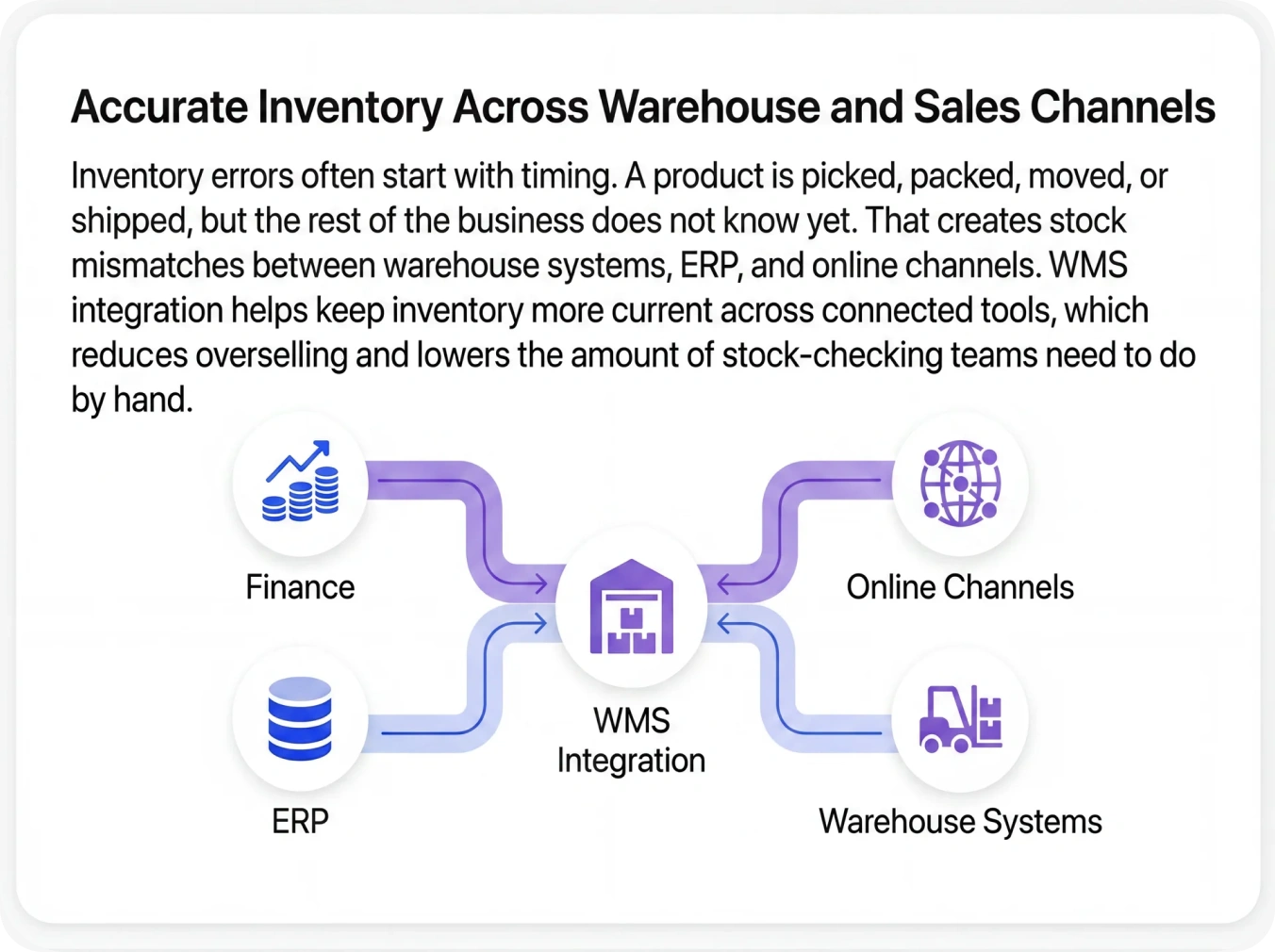
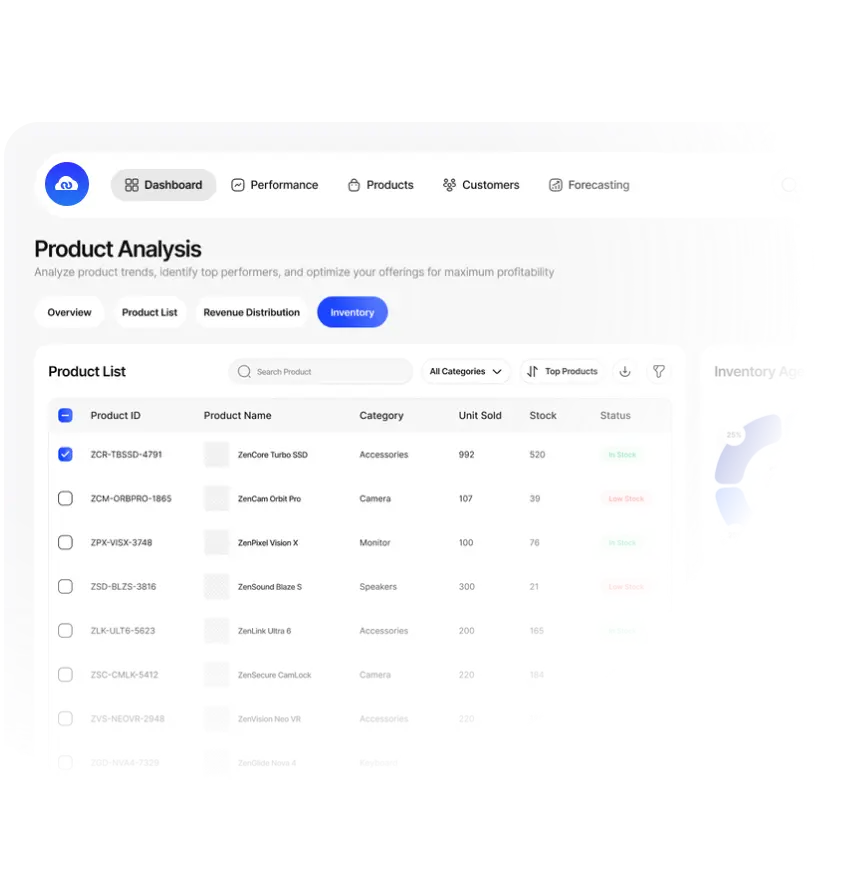
Inventory should not change in one place and stay wrong everywhere else. WMS integration helps stock movement reach ERP, stores, marketplaces, and customer teams faster. That reduces overselling, lowers stock mismatches, and gives warehouse and sales teams a better base for daily decisions.
Faster Fulfillment
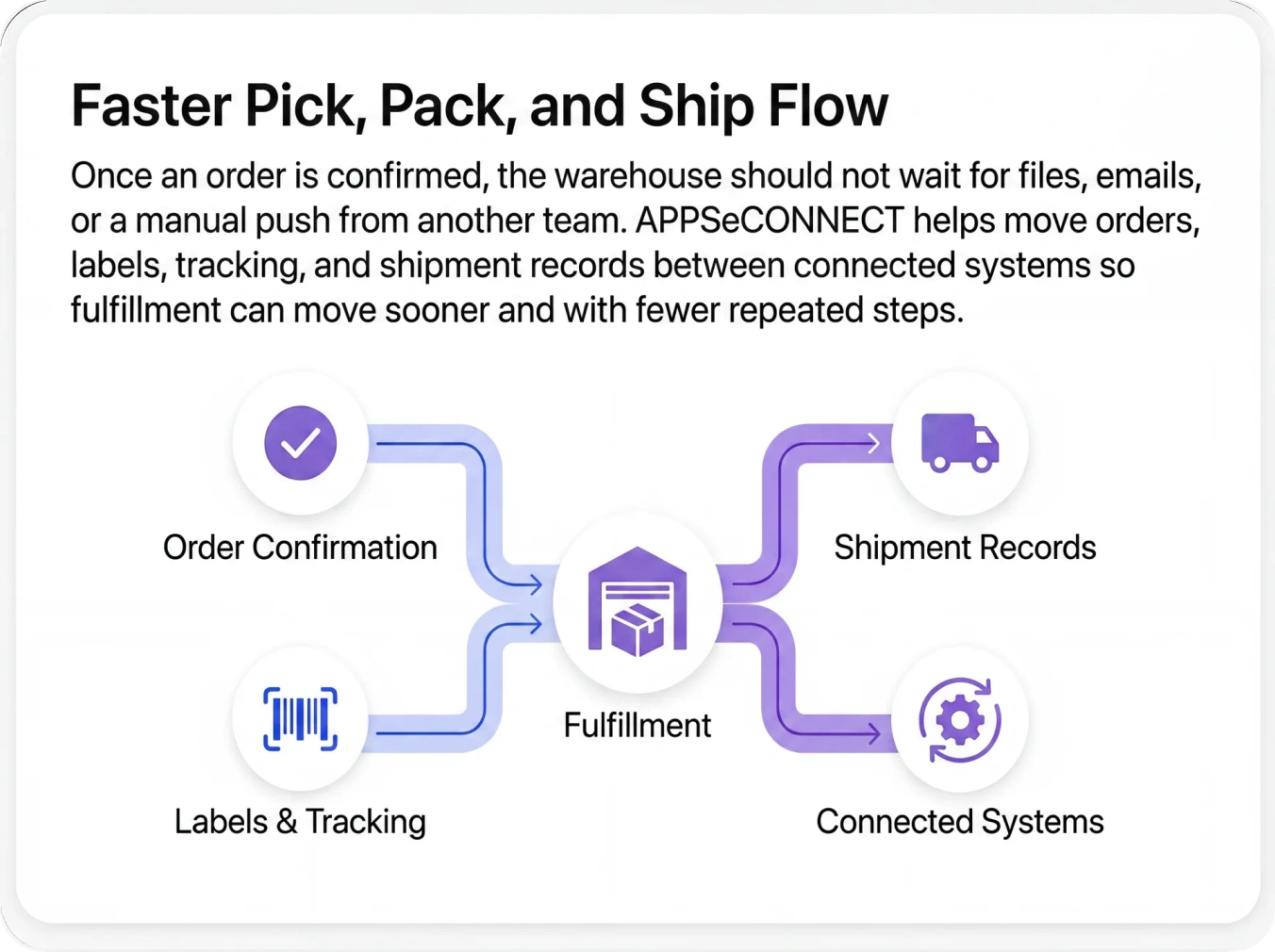
A smooth warehouse flow depends on clear handoffs. Orders should reach the warehouse without delay. Labels should be created when needed. Shipment status should flow back without another round of typing. WMS integration shortens the time between order capture and shipment confirmation.
Better Shipping Visibility
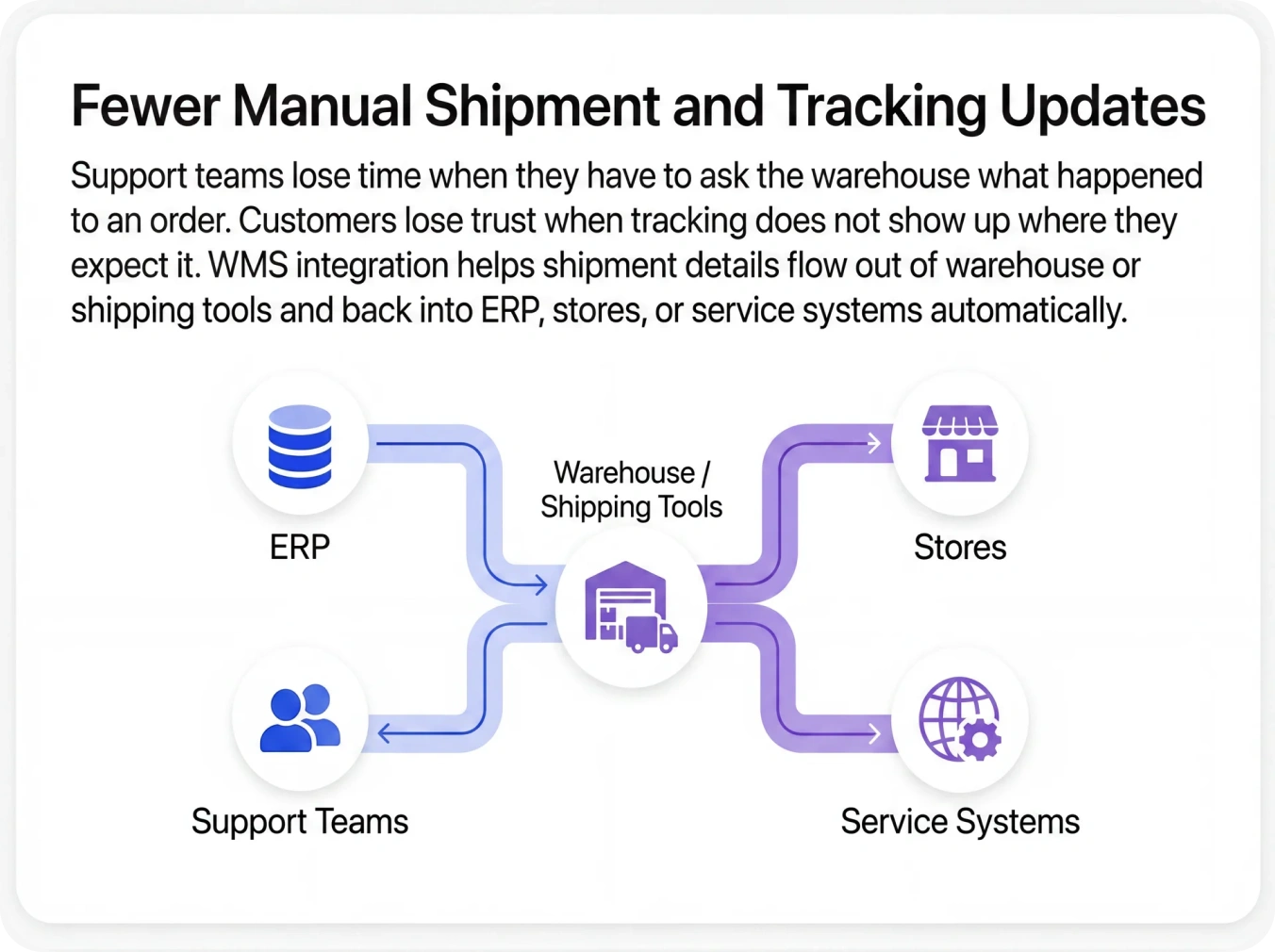
Teams work better when they can see what already happened. WMS integration helps support, operations, and account teams follow shipment status and tracking without chasing another system for answers. That improves response time and reduces order-status confusion.
Less Manual Reconciliation
Every manual export creates more work later. Warehouse data has to be checked again when it reaches ERP, the store, or the shipping tool. WMS integration removes many of those extra checks by moving the same update through the right path automatically.
Cleaner Customer Experience
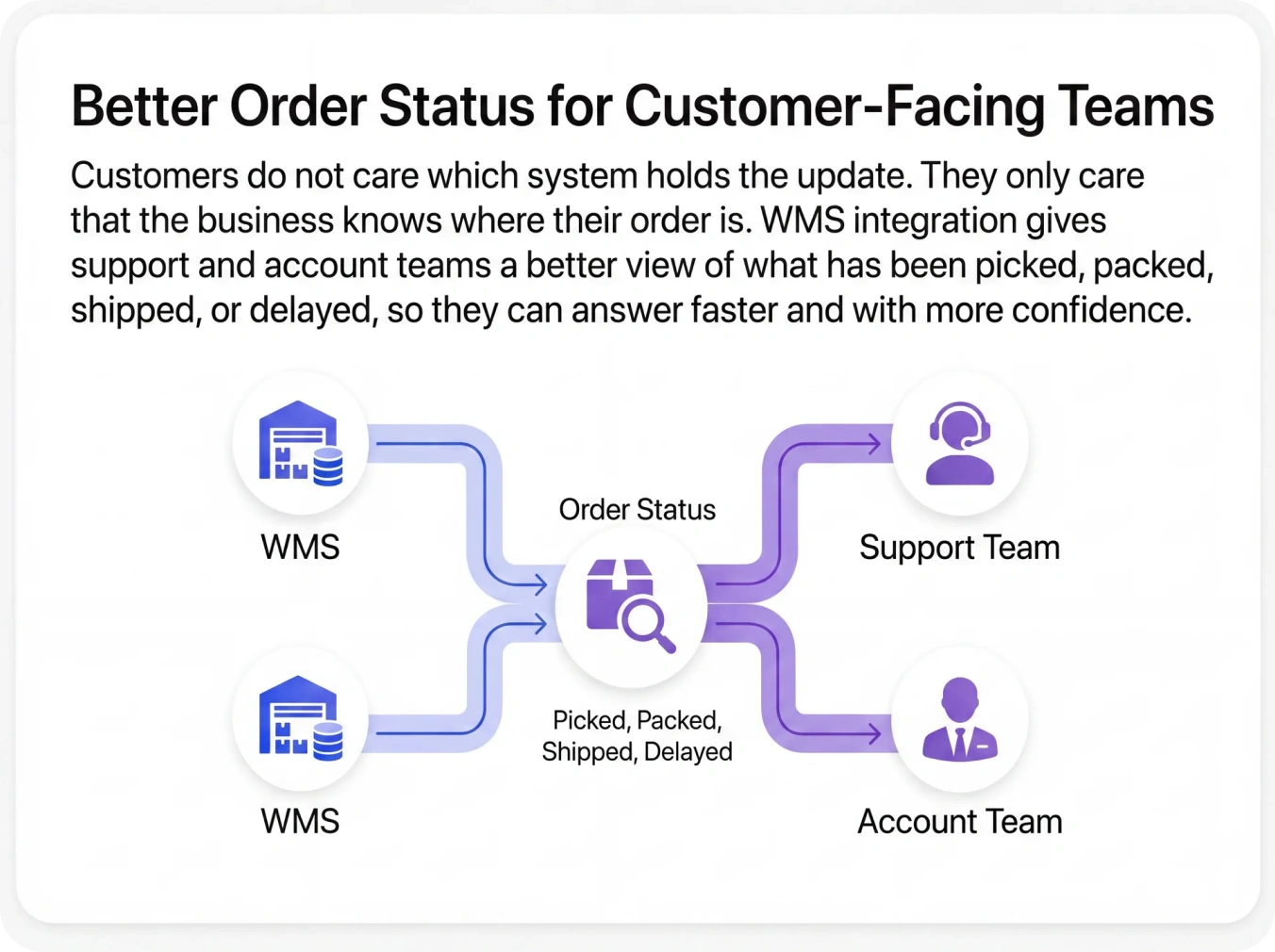
Customers notice when delivery status is missing or wrong. They notice when the store shows stock that does not exist. They notice when support cannot see the latest shipment update. WMS integration reduces those gaps by connecting what happens in the warehouse to what customers see outside it.
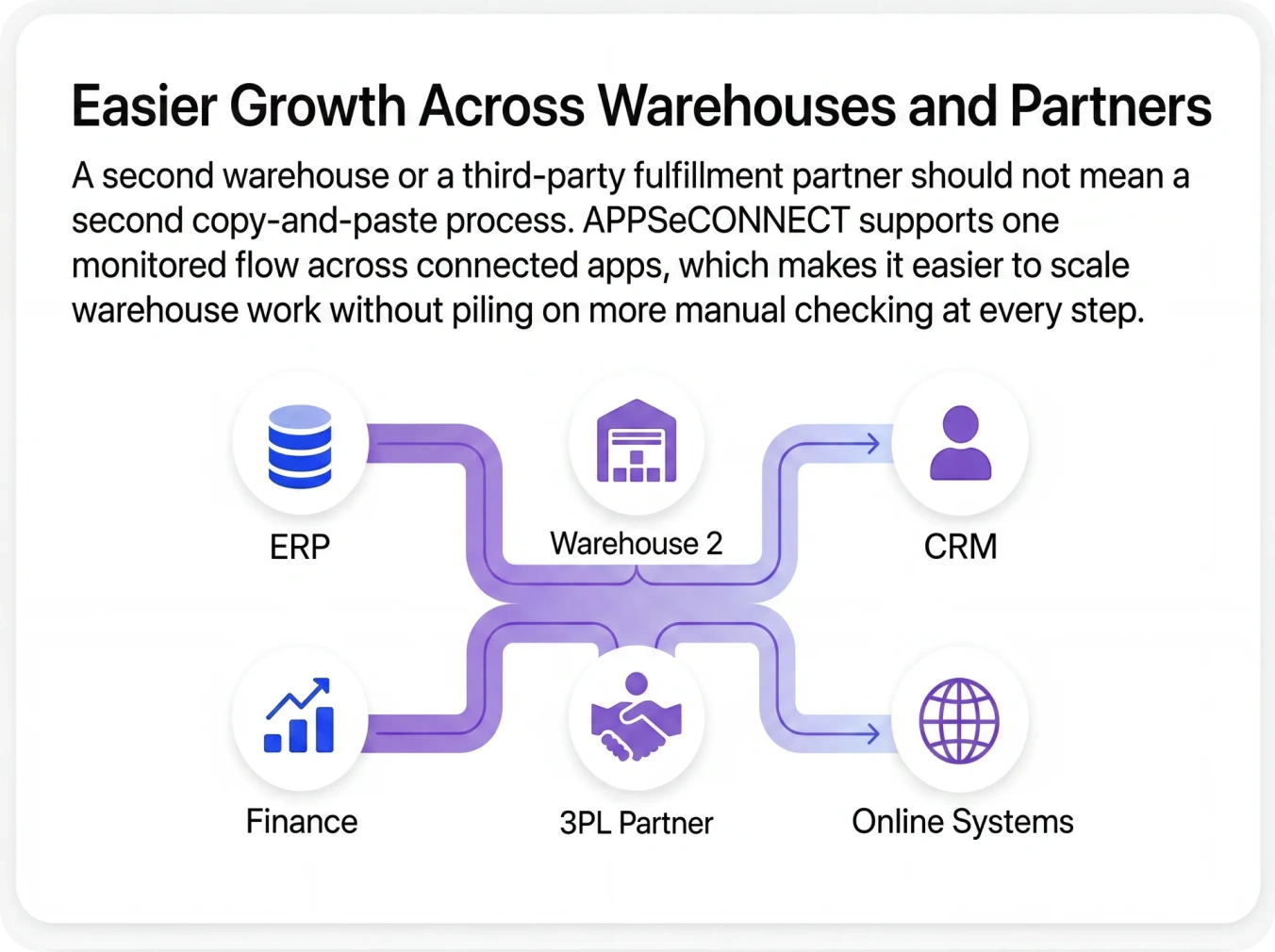
Easier Multi-Warehouse Growth
As soon as a business adds another warehouse, another region, or a 3PL partner, manual processes become harder to manage. WMS integration gives teams a repeatable model for connecting each new location to the same order, stock, and shipping flow.
Better Control During Busy Periods
Peak periods expose weak warehouse processes very quickly. When volumes rise, every manual step becomes a bottleneck. WMS integration helps teams handle more orders with less repeated entry and gives them clearer dashboards when they need to spot problems quickly.
Explore Our Process
WMS Integration Process Works
Warehouse projects go wrong when the basic rules are not decided early. Teams need to agree on which system owns inventory, which system sends the shipment update back, and how errors should be handled when the warehouse is under pressure. APPSeCONNECT supports visual flow design, alerts, dashboards, retries, and flexible timing, which fit a step-by-step warehouse rollout.
01
Map the Warehouse Ecosystem
Start by listing the warehouse system and the tools around it. That usually includes ERP, eCommerce, marketplaces, shipping, CRM, and support systems. Then decide which system owns each type of data, such as order status, stock quantity, tracking, and shipping cost.
02
Choose the First Warehouse Flows
Not every warehouse flow needs to be built first. Most teams begin with the flows that create the most daily work, such as order release, inventory updates, shipment status, tracking, and packing details. Starting with the high-value flows helps the business feel the change sooner.
03
Decide How Fast Each Update Should Move
Some updates should move right away, such as shipment status or stock changes. Others may work better on a schedule. APPSeCONNECT supports both immediate and scheduled patterns, which gives warehouse teams room to match each flow to the business need.
04
Map Fields and Add Warehouse Rules
Warehouse data often needs rules around item codes, locations, shipping methods, service levels, and channel handling. APPSeCONNECT’s visual flow design helps teams map those fields and set those rules clearly before the live data starts moving.
05
Go Live, Monitor, and Expand
Once the first warehouse flows are tested, the live setup can begin. APPSeCONNECT provides run history, alerts, retries, error visibility, and dashboards that help teams watch warehouse flows during the first days of live traffic. After that, new locations, channels, or partners can be added on the same core setup.
Explore Industry Use Cases
Industries That Rely on WMS Integration
WMS integration looks different from one business to another. A retailer moving online orders and store stock does not need the same setup as a wholesaler handling large shipments or a 3PL managing many client accounts. APPSeCONNECT supports both, with warehouse flows that match the systems, controls, and speed each industry depends on.
Retail businesses need orders, stock, returns, and shipment updates to move across stores, marketplaces, warehouse systems, and ERP. We help keep these records aligned so stock levels, fulfillment progress, and delivery status stay easier to manage.
Manufacturing teams depend on accurate warehouse data across raw materials, finished goods, production movement, and order dispatch. We help connect these updates so warehouse activity stays tied to planning, inventory, and shipping systems.
Wholesale and distribution businesses handle large order volumes, warehouse movement, supplier activity, and shipment updates every day. We help connect these systems so teams can reduce delays, avoid stock mismatches, and fulfill orders with better control.
3PL and logistics teams work across warehouse systems, shipping tools, client orders, and billing records. We help connect these flows so shipment updates, stock movements, and partner communication stay more accurate and easier to follow.
Food and beverage businesses need better control over stock movement, expiry tracking, warehouse dispatch, and order handling. We help connect these updates so warehouse and delivery records stay more dependable across the business.
Healthcare and life sciences businesses need accurate warehouse records across inventory, billing, reporting, and controlled stock movement. We help connect these data flows so teams can reduce manual handling and keep better control over sensitive items.
Testimonials
Client Success Stories
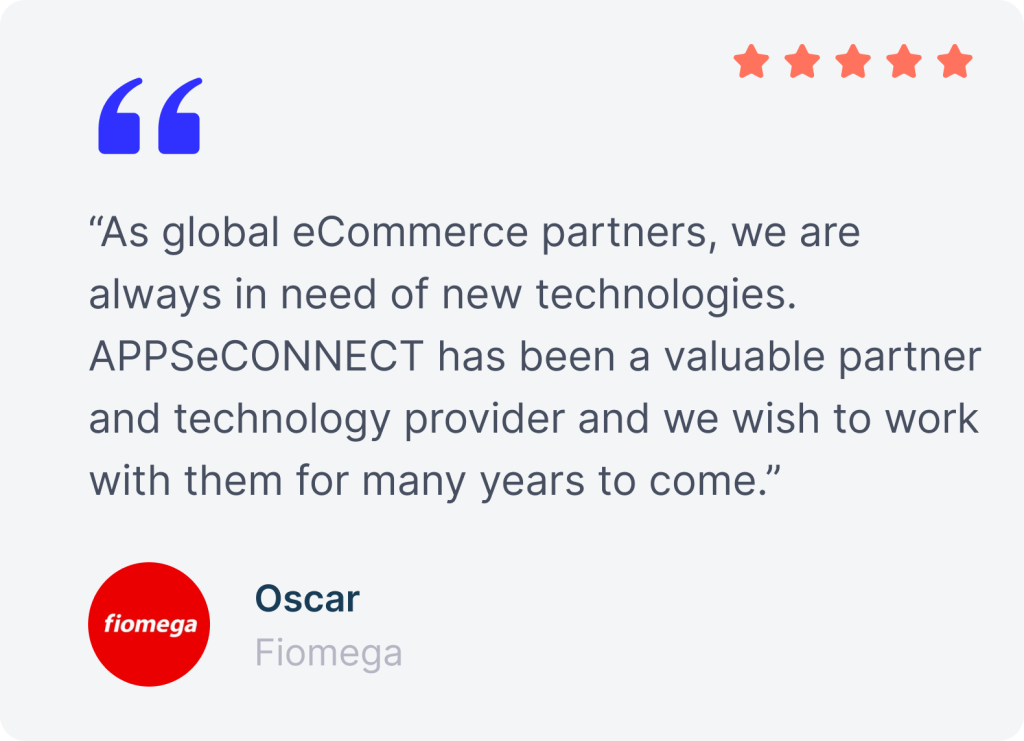
APPSeCONNECT has helped businesses across industries connect warehouse, fulfillment, and order-related data, so teams can reduce manual work and keep stock and shipment updates more accurate.
Connect Your WMS & Keep Fulfillment in Step
Get a personalized roadmap for your WMS ERP integration. We map your warehouse flows and show how APPSeCONNECT cuts mispicks, accelerates ship times, and cleans your inventory ledger.
FAQs
Frequently Asked Questions About WMS Integration
WMS integration connects your warehouse management system with ERP, eCommerce, shipping, CRM, and other tools, so stock, orders, and shipment updates move automatically instead of being entered again later.
APPSeCONNECT includes WMS as part of its platform coverage, lists a 3PL Central connector, and supports custom API-based or HTTP-based integration paths for unlisted warehouse apps.
A WMS can connect to ERP, POS, accounting software, eCommerce, marketplaces, shipping tools, CRM, and support systems. The exact setup depends on which systems create and use warehouse data daily.
WMS ERP integration keeps orders, stock movement, shipment status, and related updates tied to the main business record, which helps warehouse, finance, and operations teams work from cleaner information.
When warehouse stock changes reach ERP and storefronts faster, businesses reduce overselling, lower stock mismatches, and spend less time checking which system has the right number.
Unlisted warehouse apps can use a custom HTTP-based integration path, and API-based WMS projects can also be handled when a ready connector is not listed.
APPSeCONNECT supports warehouse-related shipping flows for ShipWorks and Veeqo, including orders, labels, tracking, delivery updates, and shipping costs.
Pre-built templates can reduce deployment time by up to 65%, though the actual timeline still depends on your systems, data rules, and process scope.
APPSeCONNECT supports role-based access, multi-factor authentication, encryption, audit trails, and alignment with GDPR, SOC 2, and ISO frameworks to help protect connected business data.
WMS integration helps customers see better stock availability and better shipment status because warehouse updates reach stores and support teams faster, which reduces delays and confusing order answers.