SAP S/4HANA Public Cloud and HubSpot Integration and Automation
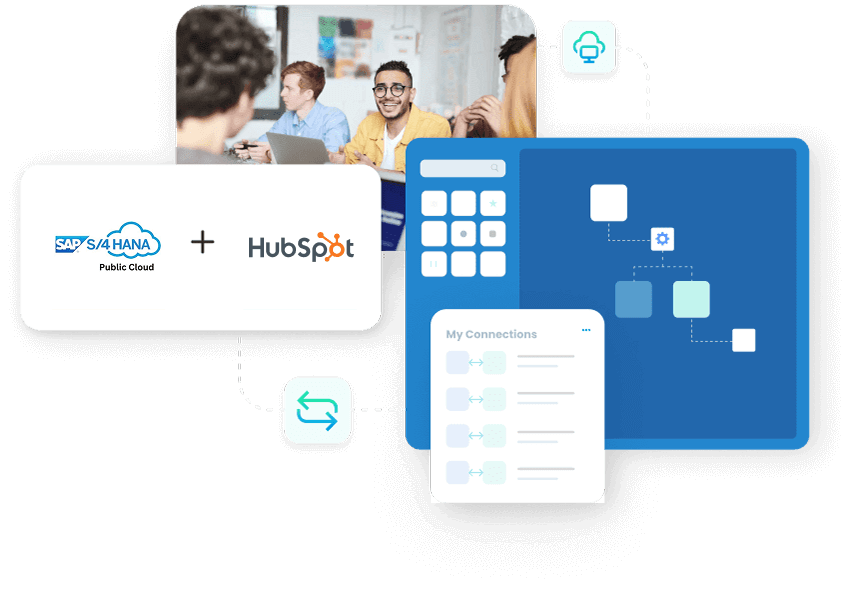
SAP S/4HANA Public Cloud and HubSpot integration connects CRM pipeline activity with the ERP records that control pricing, order processing, delivery, and billing, and APPSeCONNECT gives you a governed platform to move that data both ways without hand-built CPI iFlows. HubSpot deals become SAP sales orders, SAP business partners and price lists reach HubSpot, and delivery, invoice, and payment status flow back so sales, finance, and operations work from the same records.
Key Highlights
Why APPSeCONNECT Is the Gold Standard for SAP S/4HANA Public Cloud and HubSpot Integration
SAP S/4HANA Public Cloud and HubSpot work together through controlled integration workflows. The native path runs through SAP Open Connector, API Management, and Cloud Platform Integration, which teams can build and maintain themselves. APPSeCONNECT runs the same object flows through a managed layer with mapping control, run logs, and safe retries, so CRM activity stays connected to ERP records without repeated manual follow-up.

Turn Closed-Won Deals Into SAP Orders Without Re-Entry
Closed-won HubSpot deals can create SAP S/4HANA Public Cloud sales orders with line items, quantities, and totals, so operations does not rekey deals into the ERP.

Quote With ERP-Backed Pricing and Stock
SAP product, price list, and availability data can reach HubSpot so sales teams prepare quotes against current ERP pricing instead of stale figures.

Keep Business Partners Aligned Across Both Systems
Company and contact records can map to SAP business partners with roles and addresses, so account data stays consistent instead of being recreated differently in each system.

Give Sales Order and Delivery Visibility Inside HubSpot
SAP sales order, delivery, and shipment status can be shown in HubSpot, so account teams follow order progress without asking operations for every update.

Keep Invoice and Payment Status Close to Account Teams
Invoice, credit memo, due date, and payment status details can move from SAP into HubSpot, so collections and sales follow up with the right context.

Control Every Run With Mapping, Logs, and Retry
Field mappings, run history, auto-retry, and exception routing keep records moving with control and give teams an audit trail for every transaction.
Standard Features Covered in Our SAP S/4HANA Public Cloud and HubSpot Integration Template
APPSeCONNECT supports SAP S/4HANA Public Cloud and HubSpot integration across customer, deal, order, and billing workflows. The setup can follow your SAP S/4HANA Public Cloud configuration and HubSpot processes, using SAP OData, IDoc, and BAPI mechanisms with HubSpot REST where supported.
- HubSpot Companies and Contacts → SAP Business Partners New or updated HubSpot companies and contacts can create or update SAP business partner records with roles, addresses, and account references.
- SAP Business Partners → HubSpot Companies and Contacts Business partner changes from SAP can refresh HubSpot company and contact records, so CRM users work with current ERP-backed customer data.
- Partner Roles and Addresses Sold-to, ship-to, bill-to, and payer details can be reflected in HubSpot to give sales teams a clearer view of the customer structure.
- HubSpot Deals → SAP Sales Orders Closed-won deals can convert into SAP sales orders with line items, quantities, and totals, reducing re-entry when a deal is ready for ERP handling.
- SAP Pricing → HubSpot Quotes SAP material price, customer-specific pricing, discounts, tax, and currency values can support HubSpot quote preparation where required.
- SAP Sales Order Status → HubSpot Order number, line details, quantities, requested dates, and status can be made visible in HubSpot for sales and service follow-up.
- SAP Products and Price Lists → HubSpot Material data, SKUs, attributes, and price lists can update the HubSpot product library so quotes reference current catalog data.
- Product Matching Products selected in HubSpot can be matched to SAP material numbers to reduce errors when deals move into ERP order workflows.
- SAP Deliveries and Shipments → HubSpot Delivery number, dispatch status, and tracking references can post to HubSpot activities so buyers and account teams see fulfillment progress.
- SAP Invoices and Credit Memos → HubSpot Invoice number, amount, due date, open balance, and credit memo details can be shown on HubSpot records for account visibility.
- SAP Payments → HubSpot Payment status can update HubSpot so collections and sales stay aligned on follow-up timing.
- Run History and Auto-Retry Every run is tracked for audit and troubleshooting, transient failures are auto-retried, and exceptions can be routed to owners.
- Replay and Runtime Filters Records can be reprocessed by ID or date range, and filtered records can be replayed to verify fixes without rerunning everything.
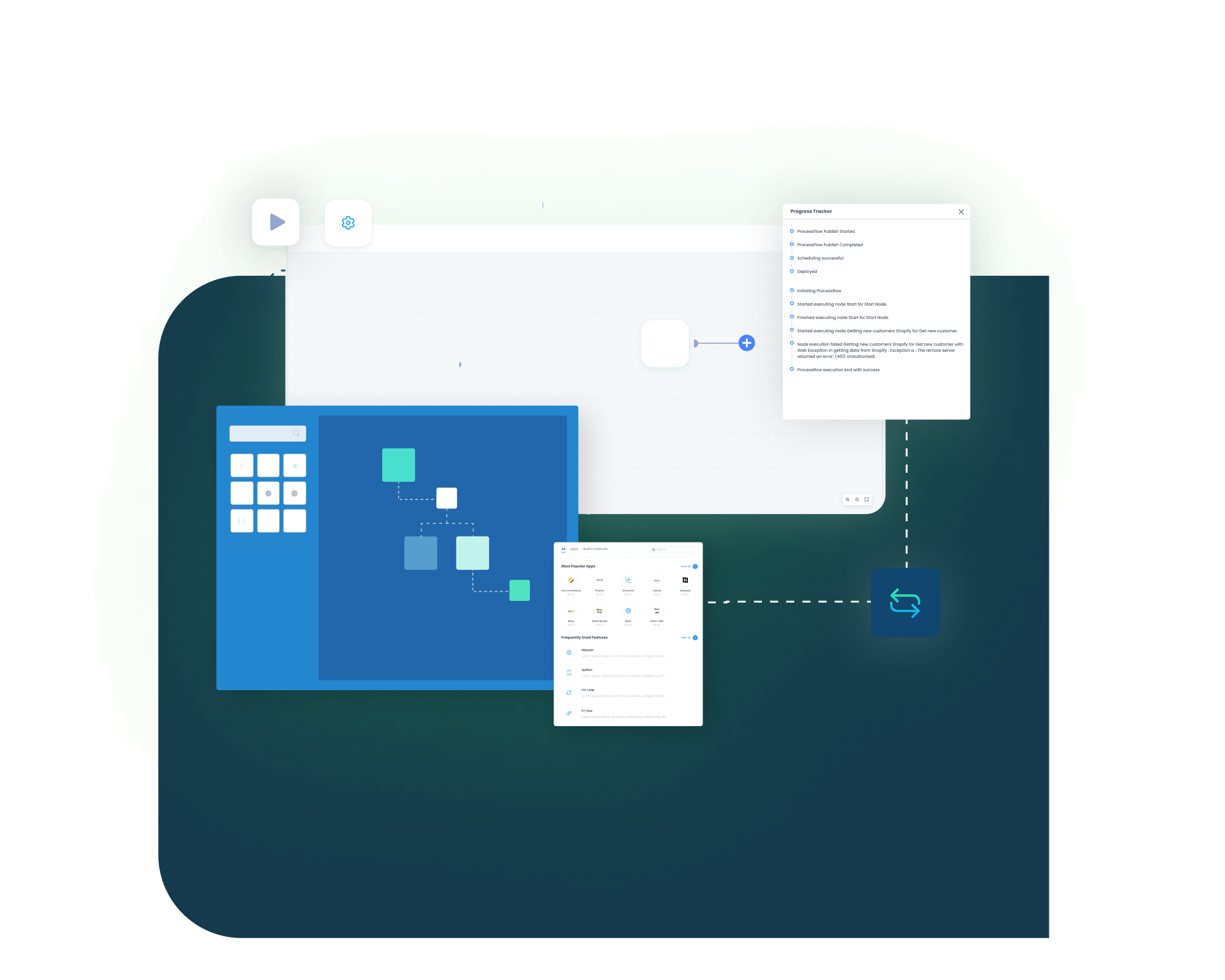
Popular SAP S/4HANA Public Cloud and HubSpot Integrations
SAP S/4HANA Public Cloud and HubSpot integration often becomes part of a larger revenue and operations stack. Businesses can connect eCommerce platforms, marketplaces, CPQ tools, service platforms, billing applications, reporting tools, and approved custom applications around the SAP and HubSpot workflow, with SAP S/4HANA Public Cloud remaining the ERP system of record.
Popular SAP S/4HANA Public Cloud Integrations
Our Integration Platform helps you seamlessly connect SAP S/4HANA Public Cloud with other Business Applications.




Looking for a Specific Integration?
Popular HubSpot Integrations
Our Integration Platform helps you seamlessly connect HubSpot with other Business Applications.




Looking for a Specific Integration?
INTEGRATION BROCHURE
Download the SAP S/4HANA Public Cloud and HubSpot Integration Brochure
Use the brochure to plan how SAP S/4HANA Public Cloud and HubSpot can exchange business partners, deal, order, product, delivery, invoice, and payment records. It helps teams decide which system should own each process and how to roll out the integration.
Learn more about:
- Integration Architecture: How SAP S/4HANA Public Cloud and HubSpot connect through SAP OData, IDoc, and BAPI mechanisms with HubSpot REST, and how records move between them.
- Mapping Examples: Reference mappings for business partners, deals, products, orders, invoices, and activities across both systems.
- Rollout Approach: Start with business partner and contact sync, then extend into deal-to-order, product and pricing, order and delivery status, and invoice and payment visibility.
- Error and Retry: How failures are tracked, retried, and replayed for audit and reconciliation.
- Security Notes: Access control, encryption in transit, deployment options, and audit logs for daily compliance review.

Real-world use cases
Use Cases
The SAP S/4HANA Public Cloud and HubSpot integration supports businesses that need customer-facing teams and ERP teams to work from connected records. It is useful for manufacturers, distributors, and B2B sellers using SAP S/4HANA Public Cloud as the ERP system and HubSpot as the CRM.
Scenario: Sales Teams Quote and Convert Deals With SAP Context
Sales teams working in HubSpot need reliable SAP product, price, and stock data before they quote or commit to a deal.
- HubSpot companies and contacts can stay aligned with SAP business partner records.
- SAP product and price list data can support HubSpot quote lines.
- Discount, tax, and currency details can be mapped into the quote process.
- Closed-won deals can convert into SAP sales orders.
What this integration handles
Synced
Business partner and contact data
Mapped
Product and price details
Checked
Tax and pricing rules
Prepared
Deal-to-order handoff
Supports field sales, inside sales, and quote-driven B2B teams.
Scenario: CRM Users See Invoice and Payment Context Without Asking Finance
Finance activity stays in SAP S/4HANA Public Cloud, while customer follow-up happens in HubSpot. Integration helps account teams view billing context before they discuss renewals or new orders.
- SAP invoices and credit memos can be visible in HubSpot.
- Payment status and due dates can support account follow-up.
- Open balances can help sales understand finance risk before moving forward.
- Billing documents can stay connected to the HubSpot record.
What this integration handles
Visible
Invoice and due date data
Shared
Payment and credit memo context
Flagged
Open balance signals
Reviewed
Billing follow-up details
Supports finance, collections, and account teams that need cleaner billing visibility.
Scenario: Service Teams Handle Cases With ERP Transaction Context
A service team in HubSpot may need SAP order, delivery, invoice, or product details to answer a customer question. Integration reduces time spent switching systems or waiting for updates.
- SAP sales order status can be shown in HubSpot.
- Delivery and tracking updates can help answer shipment questions.
- Invoice references can support billing-related cases.
- Business partner data can stay aligned across service and ERP teams.
What this integration handles
Shown
Order status details
Updated
Delivery and tracking information
Linked
Invoice references
Aligned
Partner and contact records
Supports customer service, account care, and post-sale service teams.
Scenario: Pipeline Activity Stays Connected With ERP Outcomes
Revenue teams need to see which deals became SAP orders, which orders moved forward, and which invoices were issued, not just pipeline movement in HubSpot.
- HubSpot deals can connect with SAP customer and order records.
- SAP sales orders can update HubSpot with execution status.
- Invoice and payment information can improve revenue visibility.
- Logs and snapshots can help operations teams review sync results.
What this integration handles
Connected
Pipeline and ERP records
Updated
Sales order status
Tracked
Invoice and payment signals
Auditable
Sync logs and snapshots
Supports revenue operations, sales leadership, and reporting teams.
Workflow
How Does the Workflow Run End-to-End
Our SAP S/4HANA Public Cloud and HubSpot integration runs through ProcessFlows. Each ProcessFlow defines where the record starts, how the source schema is read, how fields are mapped, which business checks are applied, how the target system responds, and how teams review the transaction afterward.
Validation and Business Rule Execution
The record is checked before it posts. The flow can validate partner matching, duplicate rules, material codes, pricing conditions, tax groups, and required fields.
Trigger and Source Connection
The flow can begin through a schedule, manual run, webhook where supported, or configured sync. The source can be SAP S/4HANA Public Cloud or HubSpot depending on the process.
Data Extraction and Schema Reading
The workflow reads the selected source entity and its schema. This may be a business partner, contact, deal, product, price list, sales order, delivery, invoice, or payment record.
Transformation and Field Mapping
Source data is converted into the target format. Business partner number, contact ID, deal ID, material number, price, tax, currency, order line, and status fields can be mapped.
Target Push and Response Handling
The prepared record is sent to SAP S/4HANA Public Cloud or HubSpot. The response is captured with success state, failure reason, system message, and sync status.
Monitoring, Retry, and Audit Logging
Logs, snapshots, node status, and retry controls help teams review issues and rerun records after correction.
Meet appse ai
How appse ai Helps Streamline SAP S/4HANA Public Cloud and HubSpot Integration
After SAP S/4HANA Public Cloud and HubSpot are connected, teams still manage failed records, mapping changes, process delays, and repeated checks. appse ai adds AI-assisted support around workflow design, exception review, and process signals while keeping SAP and HubSpot controls in place.
- Workflow Design: Help teams build or adjust automation flows with no-code tools and AI-assisted guidance.
- Issue Detection: Help teams identify failed records, failed runs, and repeated exception patterns across partner, deal, order, invoice, and product flows.
- Exception Review: Review missing fields, mapping gaps, validation errors, and system responses with clearer transaction context.
- Decision Support: Help apply routing and conditional checks when HubSpot activity depends on SAP pricing, tax, or partner rules.
- Process Signals: Help teams track where records slow down, fail often, or create extra follow-up for sales or finance.
- Teams Stay in Control: AI-assisted support helps the process while teams set the rules and decide how records move.

Ready to Launch Your SAP S/4HANA Public Cloud and HubSpot Integration Today?
SAP S/4HANA Public Cloud and HubSpot should not leave teams working from different versions of customer, deal, order, and invoice data. APPSeCONNECT helps connect HubSpot pipeline activity with SAP ERP records through structured workflows, so teams can reduce manual checks and improve visibility across the quote-to-cash lifecycle.

Frequently Asked Questions
SAP S/4HANA Public Cloud and HubSpot integration connects ERP and CRM records so customer, deal, order, and finance data can move between both systems. It can include business partners, contacts, deals, sales orders, products, price lists, deliveries, invoices, and payment status.
The native path uses SAP Open Connector, SAP API Management, and SAP Cloud Platform Integration, which your team builds and maintains. A third-party iPaaS like APPSeCONNECT runs the same object flows through prebuilt connectors, a visual ProcessFlow designer, mapping control, monitoring, and retry in one managed layer. The right choice depends on how many systems you connect and how much you want to maintain in custom iFlows.
Yes. Closed-won HubSpot deals can convert into SAP S/4HANA Public Cloud sales orders with line items, quantities, and totals, so operations does not rekey deal data into the ERP.
The integration can sync business partners, contacts, deals, products, price lists, sales orders, delivery status, invoices, credit memos, and payment status based on the configured process.
APPSeCONNECT connects the two systems through configured ProcessFlows using SAP OData, IDoc, and BAPI mechanisms with HubSpot REST. Each flow defines the source, target, entity, field mapping, validation rules, retry behavior, and monitoring path.
Custom fields and objects can be mapped and extended through supported APIs. Custom mappings, validation rules, and connector actions can be planned around the required SAP and HubSpot process.
Failed records can be reviewed through run history, logs, snapshots, and node status. Auto-retry handles transient failures, and teams can correct mapping or field issues and replay the affected records.
APPSeCONNECT can run through cloud, local agents, or both depending on your security needs. Confirm the deployment model that fits your environment during onboarding.
Companies automating their business through APPSeCONNECT







Customer Success Stories

Trimwel LTD
Integrated SAP Business One with Shopify, delivering real‑time orders, inventory, and customer‑specific pricing for faster fulfilment and fewer errors.
Read Case Study →
The Mako Group
The Mako Group is the exclusive importer and U.S. distributor of the best tactical equipment and weapon accessories via brands like FAB Defense, Meprolight, Front Line and E-Lander.
Read Case Study →Related Resources
Articles and Guides to Help You With Your Integration and Automation Journey