Salesforce and Dynamics AX Integration
- Automate
- Accelerate
- Align
Are your sales and finance teams living in two different worlds? When your CRM and ERP don’t talk, your business stutters. Manual data entry isn’t just a chore it’s a recipe for expensive errors and delayed shipments.
APPSeCONNECT delivers a modern, low-code iPaaS designed specifically for Salesforce Dynamics AX integration. We bridge the gap between Salesforce’s customer-centric data and the operational power of Microsoft Dynamics AX. By enabling a seamless Dynamics AX Salesforce integration, we help you eliminate data silos and deliver a unified, 360-degree view of your customer journey.
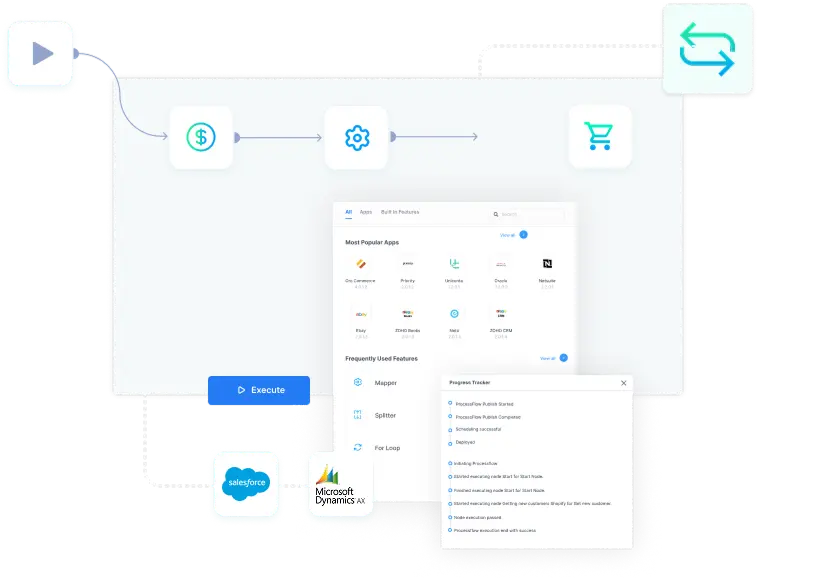
Key Highlights
Why APPSeCONNECT Is the Gold Standard for Salesforce Dynamics AX Integration

Real-Time Bidirectional Sync
Keep accounts, contacts, opportunities, and orders aligned instantly.

Quote-to-Cash Automation
Closed-won deals in Salesforce auto-convert to DYNAMICS AX sales orders.

Low-Code ProcessFlow Designer
Drag-and-drop workflow creation empowers IT and business users.

Enterprise-Grade Security
ISO 27001 & SOC 2 compliant, GDPR-ready, with role-based access and 2FA.

Pre-Built Templates
Launch in days using proven Salesforce–DYNAMICS AX integration blueprints.

Intelligent Error-Handling
Automatic retries and alerting keep data flowing smoothly.

What You Get
Salesforce Microsoft Dynamics AX integration Features
Account & Contact Sync
Bi-directional synchronization of customer records, hierarchies, and custom fields.
Opportunity & Quote Automation
Push Salesforce opportunities into AX as quotes; updates flow back automatically.

Sales Order Management
Convert won opportunities to AX sales orders with full line-item data.
Pricing & Product Catalog
Sync AX item master and price lists into Salesforce product catalog.

Inventory & Availability
Real-time stock levels update in Salesforce for accurate quoting.
Invoice & Payment Reconciliation
AX invoice creation and payment statuses flow back to Salesforce.
Error Tracking & Alerts
Detailed logs, auto-resync, and proactive notifications for failed transactions.
INTEGRATION BROCHURE
Download the Salesforce & Dynamics AX Integration Brochure
Our integration brochure is designed to help IT leaders and business stakeholders navigate the nuances of a Microsoft Dynamics AX Salesforce integration. From standardizing complex B2B pricing structures to automating high-volume order fulfillment, this guide covers the essential frameworks needed to simplify your entire data flow and maximize your ROI.
What is in Brochure?
- Integration Architecture
- Implementation Best Practices
- Customer Success Stories
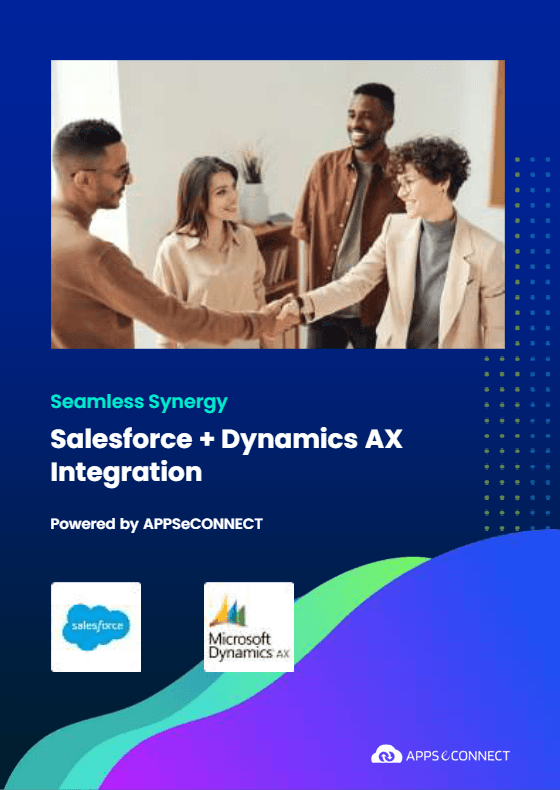
Workflows
How to Integrate Salesforce with Dynamics AX
Here’s how APPSeCONNECT simplifies the integration process between Salesforce and Dynamics AX
Connect Your Systems
Select Salesforce and Dynamics AX connectors from our library.
Map Your Data
Drag-and-drop fields—accounts, contacts, opps, orders—in our visual mapper.
Deploy & Schedule
Enable real-time or batch sync; configure retries and alerts.
Monitor & Optimize
Track performance, errors, and KPIs on unified dashboards; scale with ease.
INTELLIGENT DATA FLOW
How Our Intelligent Data Flows Supercharge Your Integration
ProcessFlow Designer
Wizard-based, drag-and-drop workflow creation.

Rule Engines & Webhooks
Near-real-time triggers from either application.

Advanced Retry Login
Auto-recover from API limits or network hiccups.

Scalable Microservices
Horizontal and vertical scaling for peak loads.
Easy Quote-to-Cash Lifecycle
Enjoy an end-to-end, error-free process from prospect to payment.
Lead/Opportunity Capture
Create opps in Salesforce.

Quote Generation
Push opps as quotes in AX.

Order Processing
Convert closed-won to AX sales orders.

Invoicing & Payments
Sync AX invoices and payment statuses back to SF.
Streamline All Your Integrations Today!
Stop toggling between tools with APPSeCONNECT, you can:
Synchronize
CRM, ERP, e-commerce, and finance in one interface
Scale
your infrastructure without rebuilding workflows
Secure
every data transfer with enterprise compliance
Popular Salesforce Integration
Connect Salesforce with other business applications.



Popular Dynamics AX Integrations
Connect Dynamics AX with other business applications.


Looking for a Specific Integration?
Frequently Asked Questions
To unify CRM and ERP, eliminate manual processes, and accelerate your quote-to-cash cycle.
Real-time data sync, automated order processing, accurate inventory visibility, and unified financials.
Using low-code ProcessFlows, data objects map and sync bi-directionally via our prebuilt connectors.
It reduces errors, speeds fulfillment, improves sales insights, and consolidates reporting across sales and finance.
“Seamless sync, instant visibility, and rapid deployment—our teams love the automation!”
Yes—customize flows, mapping, and rules with our drag-and-drop ProcessFlow designer.
Typical deployment in 3–6 weeks; pricing depends on volumes and custom workflows—contact for a quote.
Ready to Win? Unify Your Salesforce Dynamics AX Workflows Today
Eliminate spreadsheets and ad-hoc scripts partner with APPSeCONNECT for a strategic, scalable Salesforce Dynamics AX integration that grows with your business.

Companies automating their business through APPSeCONNECT







Customer Success Stories

Hernon
With APPSeCONNECT, Hernon achieved a zero business downtime and levaraged the power of a fully automated and integrated solution to ensure business growth.
Read Case Study →
Machinery Manufacturing Company
Discover how a world-leading industrial equipment manufacturing company leveraged APPSeCONNECT for company-wide automation of ERP, CRM, and eCommerce applications.
Read Case Study →Related Resources
Articles and Guides to Help You With Your Integration and Automation Journey