SAP Business One and Microsoft Dynamics 365 CRM Integration
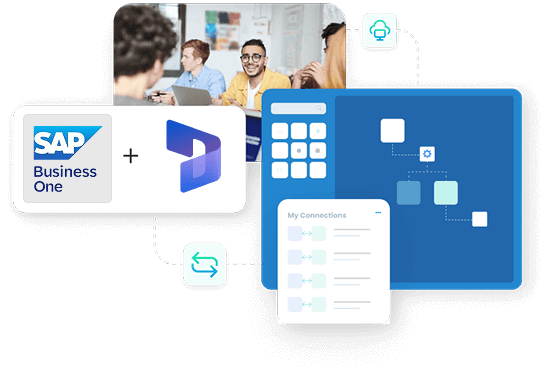
Keep sales in Dynamics 365 and operations in SAP Business One working from the same record. APPSeCONNECT syncs products, prices, accounts and contacts both ways, and turns Dynamics 365 CRM orders into SAP Business One sales orders the moment they are placed, so reps sell on current data and operations fulfil without re-keying.
















Why APPSeCONNECT Is the Gold Standard for SAP Business One & Dynamics 365 CRM Integration
When the deal in CRM does not match the order in ERP, the cost shows up everywhere. Lost upsells, wrong invoices, support agents who cannot answer “did my parcel ship”. Each item below is what gets fixed.

Reps quote off live B1 pricing inside Dynamics 365
B1 price lists, customer-specific contract pricing and special prices appear directly inside the Dynamics 365 opportunity, account and quote screens. Reps quote against today's data, not last quarter's export.

One customer record across CRM and ERP
A new Dynamics 365 account creates a clean Business Partner master in B1 with the right tax classification, payment terms and price list. The duplicate-record problem your AR team flags every quarter end disappears.

Won opportunities turn into B1 sales orders, untouched
The moment a Dynamics 365 opportunity moves to closed-won, B1 receives a structured sales order with line items, taxes, line-level discounts, currency and shipping method set. No customer service rep transcribes contracts by hand.

Customer Service agents see the full delivery picture
B1 deliveries, A/R invoices, return orders and credit memos flow into Dynamics 365 so Customer Service agents resolve queries on the first call without phoning operations.

AR position and credit limit in the account screen
B1 customer balance, credit limit, open invoices and ageing buckets push back to the Dynamics 365 account so reps and CSMs see the same financial picture the controller does.

Multi-company B1 and multi-environment Dynamics ready
A single APPSeCONNECT tenant connects multiple B1 companies (HANA or SQL) to multiple Dynamics 365 environments through rule-based routing.
Standard Features Covered in Our SAP Business One Dynamics 365 CRM Integration Template
The ready-to-deploy integration solution ships with the data flows most B1 and Dynamics 365 customers need on day one. Switch on what applies, customise the rest in the low-code ProcessFlow.
New Dynamics 365 accounts and contacts write to B1 as clean Business Partner records with billing, ship-to, tax classification and price list under the right B1 company.
B1 item master, descriptions, item groups, units of measure and active price list publish to the Dynamics 365 product catalogue so reps and customer service agents see live data.
Dynamics 365 opportunities and approved quotes turn into B1 sales orders the moment they close, with line items, taxes, line-level discounts, currency and shipping method preserved end to end.
B1 in-stock quantity per warehouse and committed quantity push to Dynamics 365 so reps stop committing stock the warehouse cannot ship.
B1 A/R invoices, due dates, paid amounts and ageing buckets push back to the Dynamics 365 account. Reps see collection status without phoning finance.
B1 deliveries, packing slip references, courier and tracking number land on Dynamics 365 cases and opportunities the moment B1 posts them.
Dynamics 365 service cases write B1 return orders. B1 A/R credit memos push back to the originating Dynamics 365 case so Customer Service sees resolution status without phoning finance.
Popular Microsoft Dynamics 365 CRM Integrations
Smart iPaaS Solution to streamline your business and increase efficiency. Seamlessly connect Microsoft Dynamics 365 CRM with other Business Applications


Looking for a Specific Integration?
Popular SAP Business One Integrations
Our Integration Platform helps you seamlessly connect SAP Business One with other Business Applications.


Looking for a Specific Integration?
Download the SAP Business One and Dynamics 365 CRM Integration Brochure
Built for revenue ops leads, IT teams and CFOs running B1 on the back and Dynamics 365 on the front. Architecture, deployment options and the IT review answers in one PDF.
- Integration topology: The brochure maps how APPSeCONNECT bridges SAP B1 and Dynamics 365 CRM as a governed iPaaS platform rather than DI-API scripts and Power Automate stitches.
- Field-by-field map: A complete mapping reference for every Business Partner, item, opportunity, sales order, A/R invoice and case field, with their B1 counterparts already named.
- Hosting and platform choices: B1 on HANA, B1 on SQL Server, on-premise and cloud-hosted variants behind Dynamics 365 Online, with the right deployment pattern for each.
- Dynamics 365 ecosystem coverage: Guidance for Dynamics 365 Sales, Customer Service, Customer Insights and Marketing apps running side by side, with how the connector handles each app's specific objects and workflows.
- What it replaces: A frank comparison against the alternatives most teams have tried: brittle Power Automate flows, custom DI-API scripts, scheduled file exports and ageing point-to-point connectors.
How Does the Workflow Run End-to-End?
Trace a single Dynamics 365 opportunity from the rep’s first save through to an A/R invoice posted in SAP B1. The same path runs for every record the integration platform handles.
Order Capture
A new Dynamics 365 account, contact, opportunity, quote or service case is captured the moment the rep or agent saves the record. Dynamics 365 workflows raise the trigger reliably.
Event Trigger
APPSeCONNECT receives the Dynamics 365 event securely, queues it in the right pipeline and starts processing. The integration platform respects Dynamics 365 API limits and applies adaptive batching.
Data Mapping
The mapping layer translates Dynamics 365 payloads into the entities B1 expects, including BP code, company, currency, tax codes, price list and item references. Mappings live in the low-code ProcessFlow designer.
Record Creation
SAP B1 writes the Business Partner, sales order, return order or A/R invoice under the right B1 company, ready to enter the standard order-to-cash process.
Back-Sync
The B1 sales order number, delivery, A/R invoice and payment status flow back into the originating Dynamics 365 opportunity, account and case.
Monitor and Improve
Every event, retry and failure shows on the platform dashboard with full payload audit. Mapping changes happen without a developer ticket.
Connect SAP Business One and Dynamics 365 CRM - Get Started With APPSeCONNECT
Give sales a current catalogue and accurate accounts, and let operations fulfil from SAP Business One, with a governed two-way SAP Business One and Dynamics 365 CRM integration. Book a demo to see APPSeCONNECT in action.

Frequently Asked Questions
No native bi-directional connector ships from SAP or Microsoft for B1 and Dynamics 365 CRM. APPSeCONNECT is purpose-built for this case as a packaged integration solution with pre-mapped templates for B1 (HANA and SQL) and Dynamics 365.
The established options are APPSeCONNECT, Celigo and custom Power Automate builds. APPSeCONNECT differentiates on pre-mapped B1 templates, native HANA and SQL support and pricing that scales with transaction volume rather than per-connector seats.
Yes. The same connector covers Dynamics 365 Sales, Customer Service, Customer Insights and the wider Customer Engagement app family, with the right object model applied at runtime.
Yes. The same APPSeCONNECT tenant connects to B1 on HANA and B1 on SQL Server, with the right deployment pattern applied at runtime.
Customers using the ready-to-deploy integration package go live in two to six weeks. Greenfield builds without a template typically run three to six months.
APPSeCONNECT’s ready-to-deploy integration packages start at $99 per month. Final pricing scales with transaction volume, B1 companies and Dynamics 365 environments connected.
Companies automating their business through APPSeCONNECT







Customer Success Stories
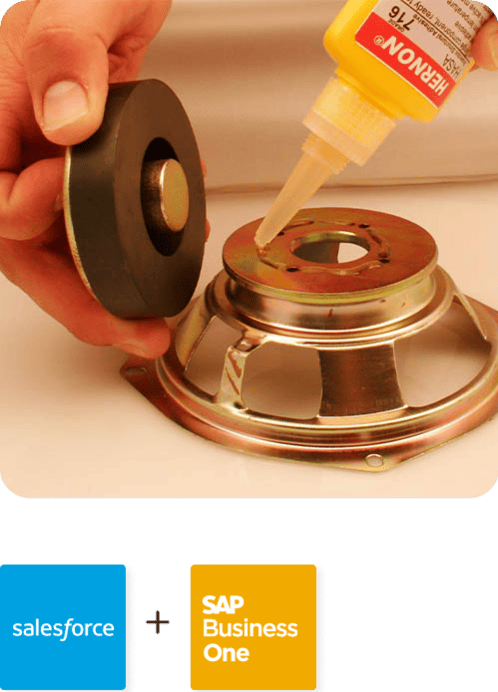
Hernon
With APPSeCONNECT, Hernon achieved a zero business downtime and levaraged the power of a fully automated and integrated solution to ensure business growth.
Read Case Study →
Machinery Manufacturing Company
Discover how a world-leading industrial equipment manufacturing company leveraged APPSeCONNECT for company-wide automation of ERP, CRM, and eCommerce applications.
Read Case Study →Related Resources
Articles and Guides to Help You With Your Integration and Automation Journey