SAP Business One with Zoho CRM Integration & Automation
- Automate
- Align
- Accelerate
Like to integrate Zoho CRM with SAP Business One and eliminate double data entry? APPSeCONNECT provides easier integration with SAP Business One and ZOHO CRM using an innovative iPaaS that links your CRM & ERP system. Automate all fundamental business processes with real-time sync—no coding needed.


















Why APPSeCONNECT is the golden standard integration choice for SAP Business One with Zoho CRM

Real-Time Syncing of Data
Sync leads, accounts, items, and orders in real-time to avoid data silos and outdated data.

Low-Code Environment
Business and IT teams can construct workflows with minimal coding easily, accelerating deployment and ROI.

Bi-Directional Flows
Zoho CRM to SAP Business One and vice versa to ensure data consistency in all operations.

Enterprise-Level Security
Use encrypted communication to protect your valuable CRM and end-to-end ERP data.
Data Compliance
Use GDPR-ready integration processes and adhering to ISO 27001 security standards—ensuring your customer data is handled with the highest levels of privacy.

Scalability & Flexibility
Expand or scale integration points with minimal overheads with your increased sales volumes.

Optimized Customer Lifecycle
Streamline the entire lead-to-cash process to improve productivity and allow teams to focus on growth.
Key Features of Our Zoho CRM SAP Business One Integration Package
SAP Business One and Zoho CRM integration allows businesses to sync leads, contacts, accounts, quotes, and orders across ERP and CRM systems in real time. This ensures consistent, error-free data and streamlined customer lifecycle management.
Zoho CRM → SAP B1: Leads get synchronized to SAP Business One as new business partners (Lead status). Automatic Conversion: As soon as leads get converted into accounts/contacts in Zoho CRM, SAP B1 changes the status from “Lead” to “Customer.”
Bi-Directional: New contacts/accounts in either system synchronize flawlessly. Add & Update Operations: Continuous alignment of core customer data, addresses and phone numbers.
SAP B1 → Zoho: Master data from SAP B1 populates automatically in Zoho CRM to avoid duplicate entries. Automated Updates: Price updates, description changes, or item code changes in SAP B1 automatically propagate to Zoho CRM.
Single & Multiple Price Lists: Default prices go to Zoho CRM and extra price lists synchronize to Zoho Price Books. Targeted Discounts: Assign custom price books to multiple resellers or to diversified customer segments.
Potentials in Zoho CRM: Are reflected in SAP B1 as Sales Opportunities. Real-Time Sync: Edits or changes in Zoho CRM sync to SAP B1 so that data inconsistencies don’t arise.
Bi-Directional: Quotes created or edited in Zoho CRM or SAP B1 synchronize in both directions. Complete Details: All figures and owner, date, items, and totals remain the same in all cases.
Zoho CRM ↔ SAP B1: Update or add orders in one system and they will immediately appear in the other. Reduce Errors: Keep item lines, prices, and taxes up to date at all times. Bill: Bills remain synchronized between both systems.
Bi-Directional: Zoho CRM invoices are pushed to SAP B1 and vice versa. Quicker Billing: Finance teams see real-time invoice statuses in CRM and ERP.
Endpoints For SAP Business One ↔ Zoho CRM Integration
Our connector supports the main touchpoints for this integration: customers, orders, products, stock figures and shipments. You can start with a small set and add more as your needs expand.
| Entity | Zoho → SAP B1 | SAP B1 → Zoho | Notes |
|---|---|---|---|
| Leads | ✓ | ✕ | Synced as Business Partners in SAP with "Lead" status |
| Accounts & Contacts | ✓ | ✓ | Bi-directional sync ensures consistent customer data |
| Items (Products) | ✕ | ✓ | Supports multiple price books for customer segments |
| Sales Opportunities | ✓ | ✕ | Zoho Potentials synced to SAP as Sales Opportunities |
| Sales Quotes | ✓ | ✓ | Bi-directional sync, keeping line items and totals aligned |
| Sales Orders | ✓ | ✓ | Orders from either side reflected in both systems |
| Invoices | ✓ | ✓ | Real-time sync ensures finance teams see accurate invoice status |
Popular SAP Business One Integrations
Connect SAP Business One with other business applications.
Popular Zoho CRM Integrations
Connect Zoho CRM with other business applications.
Looking for a Specific Integration?

Smooth Financial Cycles To Enhance Precision
APPSeCONNECT can manage:
Partial or Full Payment Updates
If your CRM includes billing steps, they might be captured in SAP B1.
Payment Terms & Conditions
Standard or custom terms can be aligned to ensure consistency in the sale funnels.
Download Our SAP Business One and Zoho CRM Integration Brochure
Need in-depth information about sap business one crm integration? Whether you’re evaluating integration options or actively planning your tech stack, our brochure is your starting point for Zoho CRM SAP integration for SMEs, startups, and growing businesses.
- Integration Architecture: Visualize the flow of leads, accounts, items, and orders between Zoho and SAP B1.
- Implementation Tricks: Apply best practices to enable smooth and quick go-lives.
- Customer Success Stories: Read about real companies that employed automated CRM-ERP integration to drive growth.
How to Integrate SAP Business One with Zoho CRM
Sign in to APPSeCONNECT and select SAP Business One and Zoho CRM as your integration platforms.
Connect Platforms
Sign in to APPSeCONNECT and select SAP Business One and Zoho CRM as your integration platforms.
Choose Your Data Entities
Select leads, accounts, items, quotes, sales orders, and invoices for real-time synchronization.
Use Visual Workflow
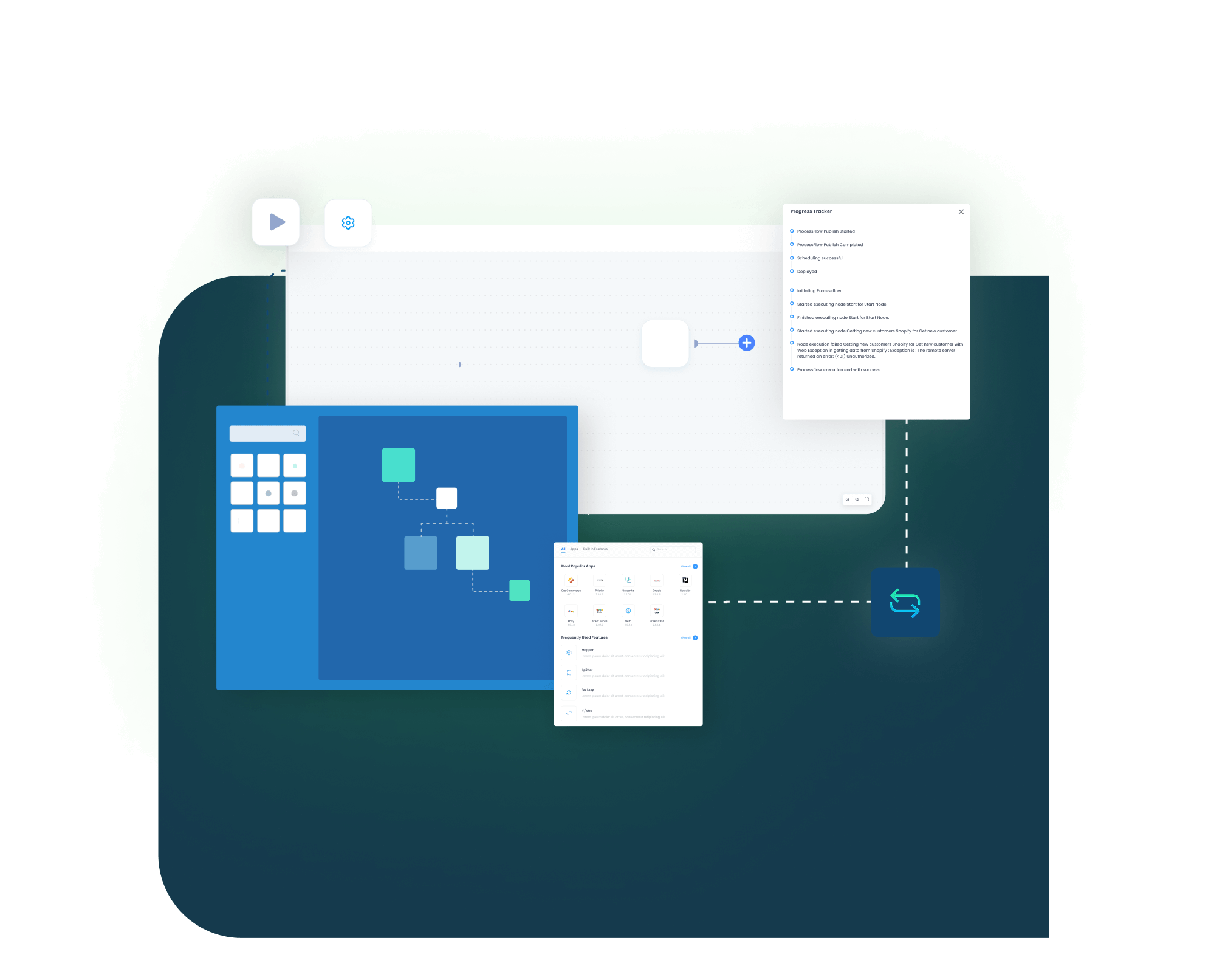
Configure logic with low-code drag-and-drop tools to define when and how records are synced.
Deploy and Schedule
Activate workflows with real-time triggers or scheduled syncs depending on your business needs.
Monitor and Resolve
Use APPSeCONNECT dashboards to track data flow and set alerts for failed syncs or mismatched records.
Scale and Customize
As your business grows, add more endpoints or refine workflows without starting from scratch.
How Our Intelligent Data Flows Supercharge SAP Business One Zoho CRM Integration
If you’re wondering how to connect SAP B1 with Zoho CRM without complex custom coding, APPSeCONNECT offers a low-code iPaaS that simplifies the entire process. This is especially beneficial for SMEs looking for Zoho CRM SAP integration to align their sales and finance operations efficiently. We go beyond simple synchronization. APPSeCONNECT synchronizes data to provide: This SAP ZOHO CRM integration strategy reduces repetition in manual work, enhances productivity, and provides an efficient flow of crucial data.

End-to-End Lead Management
Leverage leads in Zoho CRM and have them transition seamlessly into customers in SAP B1 with current statuses.

In-depth Item Data
Synchronize item attributes and price lists so that the sales teams quote the latest data—no second-guessing needed.

Bi-Directional Order Syncing
Place or modify an order in Zoho CRM and automatically have it reflected in SAP B1 in real-time with complete line items intact.
Complete Lifecycle Visibility
From capturing the very first leads to sending invoices, everything’s in sync in both ERP and CRM systems.
SAP Business One and Zoho CRM Integration Starting at Just $99/Month
FROM $99/MONTH

SAP Business One and Zoho CRM Integration Starting at Just $99/Month

Instant synchronization
of products, customers, orders and inventory
Pre-configured workflows
for rapid setup and deployment

No-code onboarding wizard
for self-service implementation

Enterprise-grade integration
accessible for growing businesses
No longer will you need to dedicate time to maintain independent platforms—APPSeCONNECT connects your SAP Business One CRM system.
Integrate SAP Business One and Zoho CRM with APPSeCONNECT - Automate Now!
Enjoy the benefits of SAP CRM integration with minimal inconvenience. APPSeCONNECT connects your entire sales cycle from capturing leads to invoice creation in ERP and CRM to maintain real-time data accuracy.
Frequently Asked Questions
SAP Business One CRM is a module to manage customer relations—leads, accounts, and pipeline—within the SAP platform.
It unites customer data, automates sales processes, and provides real-time visibility to enable seamless departmental collaboration.
SAP Business One is an enterprise resource planning solution with integrated CRM functionalities to manage integrated operations, finance, and sales.
The core features include lead management, opportunity tracking, customer profiling, pipeline analysis, and quote-to-cash workflows integration.
Yes. It can integrate with various CRMs—like Zoho CRM—through solutions like APPSeCONNECT’s iPaaS, ensuring seamless data exchange.
Use APPSeCONNECT’s iPaaS platform to integrate SAP B1 and Zoho CRM without writing custom code..
Companies automating their business through APPSeCONNECT







Customer Success Stories

Marble Trends
Discover how Marble Trend implemented APPSeCONNECT to automate their ERP, CRM, and accounting applications company-wide, to enhance efficiency.
Read Case Study →
Industrial Refrigerator Manufacturer
How APPSeCONNECT Revolutionized Order Management and Workflow Automation with Seamless ERP and CRM Integration
Read Case Study →Related Resources
Articles and Guides to Help You With Your Integration and Automation Journey