




SAP ECC and HubSpot Integration & Automation
- Automate
- Align
- Accelerate
SAP ECC and HubSpot integration gives CRM, sales, finance, and operations teams a governed way to share customer and revenue data. With APPSeCONNECT, companies, contacts, deals, products, quotes, orders, invoices, delivery updates, and service context can move through structured ProcessFlows instead of disconnected exports and manual re-entry.
HubSpot drives pipeline activity, customer engagement, task follow-up, and deal movement. SAP ECC controls customer master data, pricing rules, sales documents, billing, credit checks, and fulfillment status. When the two systems are not aligned, sales teams work with partial ERP context, finance teams spend time validating CRM inputs, and customer-facing teams lose visibility after a deal moves beyond the pipeline.
KEY BENEFITS
Why APPSeCONNECT Is the Gold Standard for SAP ECC and HubSpot Integration
This integration creates a controlled layer between HubSpot CRM activity and SAP ECC operational records. Customer data, contact details, deal information, product references, quote data, sales orders, invoices, payment status, delivery updates, and service records can move through defined workflows. HubSpot users can work with ERP-backed context, while SAP ECC continues to enforce rules for customers, materials, pricing, credit, billing, and order processing.

Deal Readiness Gaps
A HubSpot deal may be marked as ready before SAP ECC has the right customer, material, sales area, tax, and credit details. This creates rework before the quote or order can move forward.

Customer Data Splits
Company updates may happen in HubSpot while SAP ECC still holds an older customer master record. Teams then spend time checking which system has the correct account details.

Pricing Context Breaks
Sales users may prepare a deal using CRM values that do not match SAP ECC pricing conditions, discounts, or account rules. That gap can lead to quote corrections and approval delays.

Won Deals Stall
A closed-won deal in HubSpot still needs to become a usable SAP ECC document. Without a connected flow, order creation depends on copying, checking, and fixing data by hand.

Invoice Visibility Drops
Sales and account teams may not see billing status, due dates, open amounts, credit holds, or payment references from SAP ECC inside HubSpot. Customer conversations then happen without full finance context.

Service Follow-Up Fragments
Delivery questions, billing issues, and post-sale service needs often depend on SAP ECC data. If that context does not reach HubSpot, support and account follow-up becomes slower.
Standard Features Covered in Our SAP ECC and HubSpot Integration Template
This SAP ECC and HubSpot integration supports customer, sales, product, finance, and service workflows. The integration can be configured around SAP ECC sales organization rules, customer master structure, material codes, HubSpot pipelines, custom properties, approval stages, and reporting needs.
- Map HubSpot company data into SAP ECC customer creation or update workflows. Legal name, address, phone, email, lifecycle stage, and account owner fields can be included where the ERP process requires them.
- Send SAP ECC customer context back into HubSpot. Customer number, account status, payment terms, sales area, and customer classification can help CRM users work with cleaner account data.
- Update SAP ECC contact person records from HubSpot contact changes. Name, email, phone, job role, and linked company data can remain attached to the correct customer record.
- Move SAP ECC material or product information into HubSpot product records. Material number, SKU, description, unit of measure, active status, and product grouping can be mapped for sales use.
- Bring ERP pricing context into HubSpot where sales teams need it. Customer-specific conditions, discounts, price lists, and product values can support deal or quote preparation when configured.
- Convert qualified HubSpot deals into SAP ECC quote-related workflows. Customer, product, quantity, deal amount, expected close date, and approval status can move with the record.
- Create SAP ECC sales order workflows from approved HubSpot deals. The flow can carry customer mapping, material codes, line items, quantity, requested date, pricing context, and order header details.
- Deal movement in HubSpot can update mapped SAP ECC sales or reporting fields. This helps operations teams see pipeline progress without waiting for manual CRM reports.
- Quote approval, rejection, revision, or expiry status from SAP ECC can update HubSpot deal records. Sales users can then see where the ERP-side process stands.
- SAP ECC sales order status can return to HubSpot after order creation. This helps account teams track whether an order is open, blocked, released, delivered, or billed.
- Invoice number, billing date, due date, open amount, and payment reference data can be shown in HubSpot where finance visibility is part of the integration scope.
- Credit status, payment terms, outstanding balance, or account hold details can support HubSpot sales decisions. This is useful before moving a deal into order processing.
- HubSpot service tickets or tasks can be routed into SAP ECC-related review processes where back-office action is needed. Customer, order, invoice, or delivery references can support that handoff.
- HubSpot properties and SAP ECC fields can be mapped around your process. Sales organization, division, distribution channel, territory, account owner, lifecycle stage, and customer group logic can be included.
Popular SAP ECC Integrations
Connect SAP ECC with other business applications.



Looking for a Specific Integration?
Popular HubSpot Integrations
Connect HubSpot with other business applications.





Looking for a Specific Integration?
INTEGRATION BROCHURE
Download the SAP ECC and HubSpot Integration Brochure
Download the SAP ECC and HubSpot integration brochure to plan how CRM and ERP records should move across your business. The brochure covers company and contact sync, product data, deal handoff, quote creation, order processing, invoice visibility, payment context, delivery status, and service follow-up.
Inside You’ll Find:
- Integration Architecture: See where SAP ECC and HubSpot sit in the customer-to-cash process. Review how companies, contacts, products, deals, quotes, sales orders, invoices, payments, delivery updates, and service records can move between both systems.
- Flow Planning: Plan source-to-target movement for sales, finance, service, account management, and revenue operations teams. Each flow can be reviewed by record type and business trigger.
- Rollout Approach: Begin with the records that create the most manual work. Customer and deal sync can come first, followed by quotes, orders, invoices, delivery updates, and service workflows.
- Testing Checklist: Test customer matching, contact updates, product codes, deal stage triggers, quote fields, order posting, invoice visibility, payment references, and retry behavior before launch.
- Operational Readiness: Prepare teams to review run history, inspect failed records, use snapshots, and retry corrected transactions after the integration goes live.
Start Integration at just $99 per month with Shopify, Salesforce, HubSpot, Zoho, WooCommerce and more.
Enterprise-grade integration powered by hands-on support without enterprise pricing

INTEGRATION GUIDE
How Does the Workflow Run End-to-End
SAP ECC and HubSpot integration runs through ProcessFlows. A ProcessFlow defines where data starts, where it goes, which entity is moving, how the schema is read, which fields are mapped, how validation works, when the run executes, and how exceptions are monitored after execution.
Trigger & Source Connection
A ProcessFlow can begin through a schedule, webhook, manual run, or configured sync event. The source can be HubSpot or SAP ECC depending on whether the flow is moving CRM data into ERP or ERP context back into CRM.
Data Extraction & Schema Reading
The source record is read with its available schema. The flow may work with a company, contact, product, deal, quote, sales order, invoice, payment update, delivery status, ticket, or task.
Transformation & Field Mapping
Source values are prepared for the target system. HubSpot company IDs, emails, deal stages, product lines, and close dates can be translated into SAP ECC customer, material, pricing, sales document, and billing fields.
Validation & Business Rule Execution
The flow checks the record before it is posted. It can validate customer matches, duplicate contacts, material codes, sales area values, required order fields, tax logic, payment terms, credit status, and SAP ECC response rules.
Target Posting and Response Handling
The prepared record is sent to SAP ECC or HubSpot. The integration layer records the response, sync result, success status, and failure reason so teams can review the outcome of each transaction.
Monitoring, Retry & Audit Logging
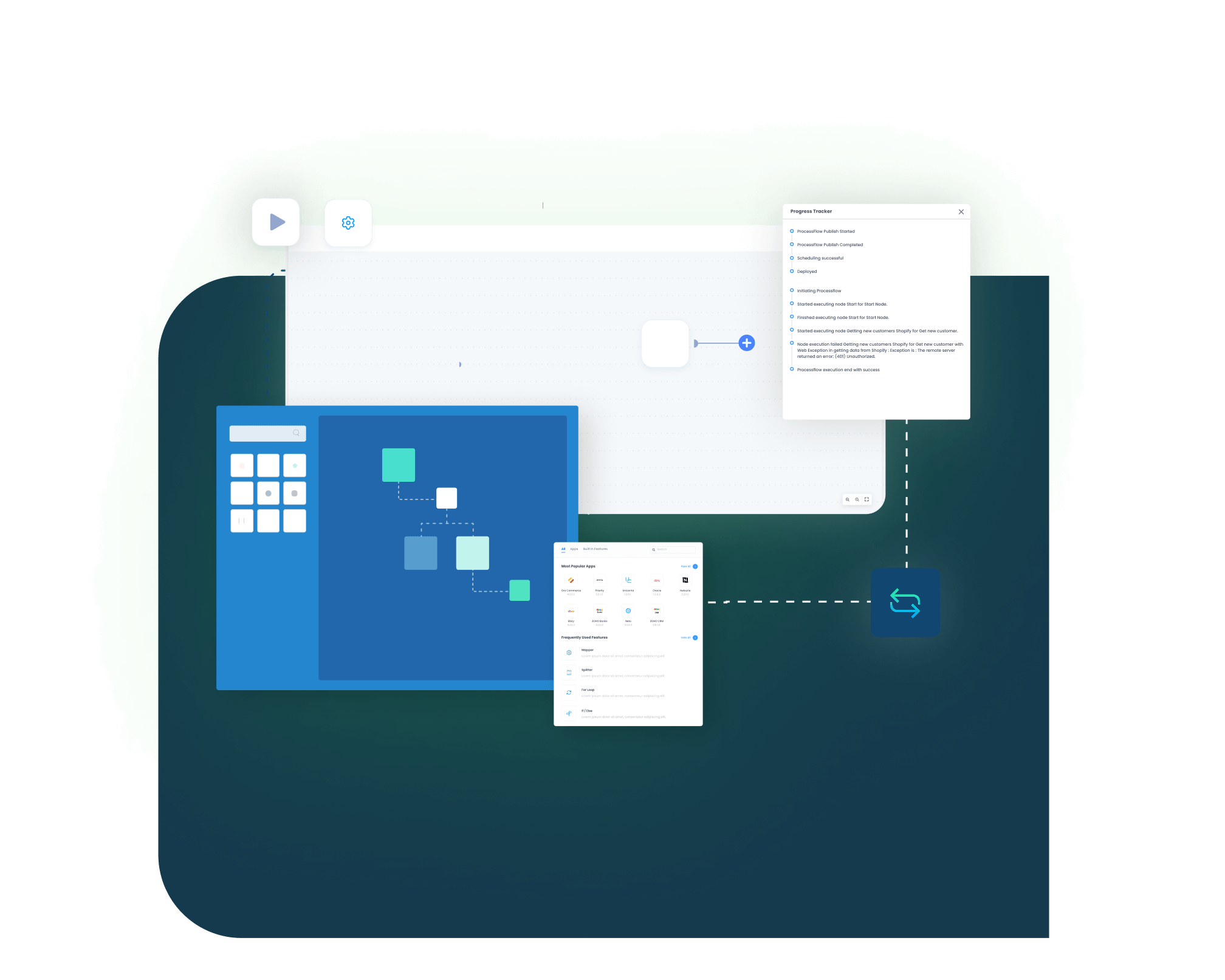
Logs, snapshots, node status, transaction details, and retry controls help teams investigate failed records. Corrected records can then be rerun without rebuilding the entire flow manually.
Real-world use cases
Use Cases
The SAP ECC and HubSpot integration supports teams that need CRM activity and ERP records to stay aligned. It is useful for sales, finance, service, revenue operations, manufacturing, distribution, B2B account management, and customer support teams.
HubSpot deals become SAP ECC-ready sales records
Sales teams work deals in HubSpot, but SAP ECC must validate the data before quoting, order creation, billing, or fulfillment can proceed. The integration helps move approved deal context into ERP workflows without asking users to recreate the same information.
- HubSpot deals can feed SAP ECC quote or sales order workflows when configured.
- Customer and contact data can be checked before ERP document creation.
- Product, quantity, price context, and deal stage can move with the sales record.
- SAP ECC quote or order updates can return to HubSpot for follow-up.
What this integration handles
Moved
Deal-to-ERP handoff
Checked
Customer and product data
Created
Quotes or sales orders
Returned
SAP ECC status updates
Supports sales teams that need HubSpot pipeline movement to connect with SAP ECC execution.
CRM company records stay aligned with SAP ECC customer data
Account teams use HubSpot to manage relationships, while SAP ECC remains the source for customer numbers, payment terms, sales area, and operational account status. The integration helps both views stay aligned, so users do not depend on manual lookups before customer conversations.
- HubSpot companies can create or update mapped SAP ECC customer records.
- SAP ECC customer numbers and account details can return to HubSpot.
- HubSpot contacts can update SAP ECC contact person records.
- Payment terms, customer group, and sales classification can support CRM context.
What this integration handles
Synced
Companies and contacts
Matched
Customer master details
Updated
Contact person records
Shown
ERP account context
Supports account managers, inside sales teams, and customer teams that need ERP-backed account visibility.
CRM revenue activity connects with SAP ECC billing context
Finance and revenue teams need HubSpot pipeline values to line up with SAP ECC sales documents, invoices, open balances, and payment context. A connected flow reduces the manual checks that happen after a deal moves into quoting, order processing, or billing.
- HubSpot deal data can support SAP ECC sales document creation.
- Approved deal stages can trigger quote or order workflows.
- Invoice status and payment context can appear in HubSpot when scoped.
- Logs and snapshots can help finance teams review transaction history.
What this integration handles
Aligned
Pipeline and ERP records
Triggered
Quote or order workflows
Visible
Invoice and payment context
Reviewed
Logs and snapshots
Supports finance, revenue operations, sales leadership, and reporting teams that need cleaner CRM-to-ERP traceability.
HubSpot users see more SAP ECC context after the sale
Customer questions may start in HubSpot, but the answer often depends on SAP ECC order, delivery, billing, or payment data. The integration gives service and account teams a better view of ERP-side activity during follow-up.
- SAP ECC delivery or billing updates can support HubSpot records.
- HubSpot tickets can carry customer, order, invoice, or delivery references.
- Account teams can work from shared sales, finance, and service context.
- Failed updates can be reviewed through monitoring and retry controls.
What this integration handles
Updated
Delivery and billing context
Linked
Tickets and ERP references
Shared
Sales and service visibility
Retried
Failed follow-up records
Supports service teams, account managers, order coordinators, and companies with post-sale support workflows.
Meet appse ai
How appse ai Helps Streamline SAP ECC and HubSpot Integration
Once SAP ECC and HubSpot are connected, teams still need help managing failed records, repeated exceptions, slow reviews, and workflow improvements. appse ai brings AI-assisted support to CRM and ERP automation, helping teams understand where issues occur and how integration flows can be improved over time.
- Workflow Design: Plan, build, or adjust SAP ECC and HubSpot automation flows using no-code tools and AI-assisted guidance.
- Issue Detection: Help teams identify failed company, contact, deal, quote, order, invoice, payment, delivery, or ticket syncs earlier in the process.
- Exception Review: Review missing customer IDs, invalid material codes, unmapped HubSpot properties, rejected SAP ECC responses, and stage mismatches with more context.
- Decision Support: Add conditional routing where the flow depends on deal stage, customer group, sales organization, account owner, credit status, or order readiness.
- Process Signals: Review repeated failure points across CRM and ERP workflows. Teams can see which records, stages, or mappings slow down the process most often.
- API Orchestration: Extend automation beyond SAP ECC and HubSpot to finance, commerce, support, reporting, and custom apps when those systems support the ERP-led workflow.
- Workflow Optimization: Help teams find where the integration slows, where exceptions repeat, and where the flow design needs improvement.

Ready to Plan Your SAP ECC and HubSpot Integration?
SAP ECC and HubSpot should not run as two separate views of the same customer journey. APPSeCONNECT helps connect CRM activity with ERP records through structured integration flows, so teams can reduce duplicate work across customer data, deals, quotes, orders, invoices, payments, delivery updates, and service follow-up.

Companies automating their business through APPSeCONNECT







Customer Success Stories

Piovan Group North America
Piovan Group designs and manufactures automation systems used to store, convey, and process polymers, powders, and food ingredients.
Read Case Study →
Industrial Refrigerator Manufacturer
How APPSeCONNECT Revolutionized Order Management and Workflow Automation with Seamless ERP and CRM Integration, the organization is a global leader in manufacturing commercial refrigeration appliances. ---- SAP ECC, SAP ERP, ZOHO DESK, ZOHO CRM
Read Case Study →
Kyocera
Kyocera International Inc. is a leading manufacturer of high-quality ceramic cutlery, kitchen tools, and cookware.
Read Case Study →Related Resources
Articles and Guides to Help You With Your Integration and Automation Journey
Frequently Asked Questions
SAP ECC and HubSpot integration connects ERP and CRM data so sales, finance, service, and operations teams can work from a more consistent record set. It can support customer, contact, deal, product, quote, order, invoice, payment, delivery, and service-related workflows.
Businesses use SAP ECC and HubSpot integration to reduce manual handoffs between sales and back-office teams. It helps avoid stale account data, delayed order creation, quote rework, missing invoice context, and incomplete customer follow-up.
APPSeCONNECT uses configured ProcessFlows to connect SAP ECC and HubSpot. Each ProcessFlow defines the source, target, entity, mapping logic, validation rules, run mode, retry behavior, and monitoring path.
SAP ECC and HubSpot can sync customer, company, contact, product, deal, quote, sales order, invoice, payment, delivery, ticket, and task-related data. The final scope depends on your SAP ECC configuration, HubSpot object model, and business rules.
HubSpot deals can move into SAP ECC quote or sales order workflows where configured. The flow can include customer mapping, product codes, quantities, price context, deal stage, close date, and approval status.
SAP ECC customer master data can update HubSpot company records when CRM users need ERP-backed account context. Customer number, account status, address, payment terms, sales area, and customer classification can be mapped.
HubSpot contacts can update SAP ECC contact person records when that flow is part of the setup. Email, phone, name, role, and linked company details can move into the mapped ERP contact structure.
SAP ECC material or product data can sync into HubSpot product records for sales use. Material number, SKU, item description, unit of measure, product status, and related item details can be mapped based on the sales process.
SAP ECC pricing can support HubSpot deal or quote preparation when configured. Price lists, customer-specific conditions, discounts, and product-level pricing rules can be brought into the CRM process where needed.
A closed-won or approved HubSpot deal can trigger SAP ECC sales order creation when the flow is configured. The integration can check customer, product, quantity, price, tax, and required order fields before posting.
SAP ECC invoice details can appear in HubSpot when invoice visibility is included in scope. Invoice number, billing date, due date, open amount, and payment reference fields can help account teams follow up with better context.
Payment terms, outstanding balance, credit status, or account hold details from SAP ECC can be mapped into HubSpot. This helps sales users review account health before advancing a deal or contacting a customer.
SAP ECC delivery or shipment updates can sync back to HubSpot where post-order visibility is required. Delivery status, shipment reference, and fulfillment notes can support sales and service conversations.
SAP ECC and HubSpot integration can support service workflows when customer follow-up depends on ERP data. HubSpot tickets or tasks can be connected with customer, order, invoice, delivery, or service-related references.
If a sync fails, APPSeCONNECT provides logs, snapshots, node status, and transaction details. Teams can review missing fields, mapping errors, API responses, credential issues, or SAP ECC validation errors before retrying the record.
appse ai adds AI-assisted support around the integration workflow. It can help teams review issues, find repeated exceptions, understand process signals, support decisions, and improve CRM-to-ERP automation over time.
Start with the flows that remove the most manual work. Common first flows include company sync, contact sync, deal-to-quote, deal-to-order, product sync, invoice visibility, and order status updates. From there, the integration can be configured, tested, monitored, and expanded.