Dynamics 365 F&O and Shopify Plus Integration & Automation
- Automate
- Align
- Accelerate
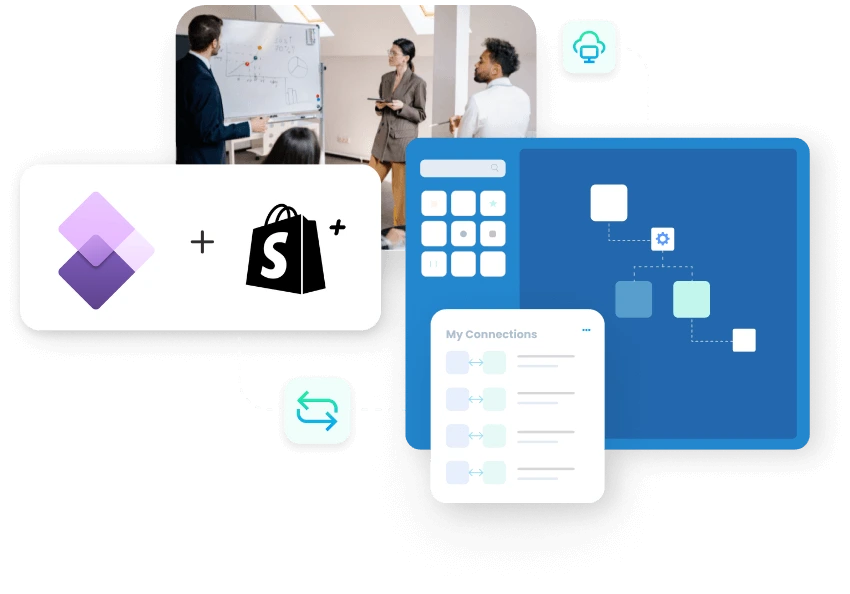
APPSeCONNECT helps you run Dynamics 365 F&O and Shopify Plus integration so buyers, pricing, orders, stock, and shipment updates stay aligned.
Shopify Plus powers the customer experience and account activity, whereas Dynamics 365 Finance and Operations controls pricing, fulfillment, and business logic. When the two drift apart, teams waste hours fixing item details and order gaps. This integration keeps those records aligned, so your front-end and back-office teams work from the same information.
KEY BENEFITS
Why is APPSeCONNECT The Gold Standard for Dynamics 365 F&O and Shopify Plus Integration
The storefront moves quickly, and the ERP needs structure. Trouble starts when buyer details, stock, pricing, and order updates stop matching across both sides. APPSeCONNECT makes that handoff easier to manage, so teams spend less time correcting records after checkout and more time handling the work that actually matters.

Buyer Account Continuity
Company buyers, locations, and account details stay easier to track as Shopify Plus activity moves into Dynamics 365 F&O.

Reliable Price Lists
Dynamics 365 F&O pricing can reach Shopify Plus buyers, helping each account see the right prices before checkout.

Refined Stock Management
Apply ERP stock rules to your storefront to avoid fulfilling orders for out-of-stock items.

Automated Order Transfers
Sync paid orders to Dynamics 365 F&O to trigger faster fulfillment and billing cycles.

Automated Catalog Updates
Keep Shopify Plus item details and variants in sync with your latest ERP product data.

Shipping Status Updates
Push tracking information back to the storefront so buyers can monitor their orders independently.
Standard Features Covered in Our Dynamics 365 F&O Shopify Plus Integration and Automation Template
- Shopify Plus ↔ Dynamics 365 F&O (As Configured) Create or update customer, company, and account profile details between Shopify Plus and Dynamics 365 F&O based on the way your sales process is set up. The flow can carry core buyer details, company information, and selected account-level fields needed for downstream order handling.
- Shopify Plus to Dynamics 365 F&O Sync buyer and location details from Shopify Plus into Dynamics 365 F&O, so account-based orders can follow the right company, delivery, and business-reference logic inside the ERP.
- Dynamics 365 F&O to Shopify Plus Publish product details, variants, and price lists from Dynamics 365 F&O to Shopify Plus, so buyers see current catalog data and account-based pricing on the storefront.
- Dynamics 365 F&O to Shopify Plus Sync stock and availability from Dynamics 365 F&O to Shopify Plus, helping the storefront reflect what your business is actually ready to sell based on ERP-led inventory rules.
- Shopify Plus to Dynamics 365 F&O Create sales orders in Dynamics 365 F&O from Shopify Plus orders with mapped buyer details, company references, location data, item lines, prices, taxes, shipping values, and order notes. The same flow can also support order qualification rules before ERP posting when your business separates B2B and standard orders.
- Dynamics 365 F&O to Shopify Plus Sync invoice numbers, billing references, and related billing status from Dynamics 365 F&O back to Shopify Plus, so buyers, account teams, and support staff can review order progress more easily.
- Dynamics 365 F&O to Shopify Plus Sync shipment status and tracking details from Dynamics 365 F&O to Shopify Plus after dispatch, so buyers can follow delivery progress from the storefront without extra follow-up.
Popular Dynamics 365 F&O Integrations
Connect Dynamics 365 F&O with other business applications.




Looking for a Specific Integration?
Popular Shopify Plus Integrations
Connect Shopify Plus with other business applications.




Looking for a Specific Integration?
Feature Highlights
Features You Get With Our Dynamics 365 F&O and Shopify Plus Integration
Effective automation feels like a permanent part of your operations, rather than a project that becomes hard to manage. It requires transparent mapping and run logs so teams can isolate and correct specific errors quickly. A flexible framework like this allows you to scale and modify your processes whenever your business requirements change.

Buyer Mapping Controls
Match company, contact, location, and tax-related fields so buyer records land where Dynamics 365 F&O expects them.

Price And Catalog Publishing
Send product details, variants, and price lists from Dynamics 365 F&O into Shopify Plus.

Order Qualification Rules
Separate B2B and standard orders before ERP posting, using the business fields your team chooses.
Shipment Update Flows
Return dispatch status and tracking details to Shopify Plus after warehouse work completes in Dynamics 365 F&O.

Invoice Return Flow
Share invoice references and billing status with Shopify Plus for clearer account history and support work.

Visual Mapping View
Review field logic in one place, so business rules do not disappear inside custom scripts.
INTEGRATION BROCHURE
Download the Dynamics 365 F&O and Shopify Plus Integration Brochure
Use this brochure to check whether your Dynamics 365 F&O and Shopify Plus setup is ready for production. It explains how to map B2B buyer accounts and online orders, what to validate during testing, and how to review early run histories to catch gaps before go-live.
LEARN MORE ABOUT:
- Flow Diagrams: See how buyer accounts, prices, orders, invoices, and shipment updates move across both systems.
- Rollout Notes: Review field mapping, buyer locations, and order ownership before your team moves to production.
- ERP Setup Tips: See when teams use business events, scheduled runs, or standard ERP services for the flow.

INTEGRATION GUIDE
How Does the Workflow Runs End-to-End
Begin with high-impact order flows before introducing pricing and shipping automation. A staged rollout makes validation easier and limits the scope of early errors. This strategy allows your team to master one workflow before expanding the integration further.
Connect Systems
Select Shopify Plus and Dynamics 365 F&O, then confirm the access method that fits your ERP setup.
Map Business Fields
Match company accounts, buyer locations, item codes, prices, and order references carefully before testing.
Test Core Flows
Run sample B2B orders, price checks, stock changes, and shipment updates in a safe test environment.
Go Live In Stages
Turn on production flows, review the first runs, then expand once the basics stay clean.
Frequently Asked Questions
The integration connects Shopify Plus and Dynamics 365 F&O so buyer data, pricing, orders, invoices, and shipment updates stay aligned.
Businesses connect them to keep storefront activity, pricing, stock, and order handling aligned, reducing manual follow-up across sales, finance, and operations.
Company names, buyer details, and selected location fields from Shopify Plus can move into Dynamics 365 F&O for cleaner order handling.
Dynamics 365 F&O pricing rules can feed Shopify Plus, so approved buyers see the right prices and account-based values during checkout.
Common flows include company profiles, buyer locations, products, price lists, stock, orders, invoice references, shipment status, and tracking.
Shopify Plus orders are picked up by the integration, mapped into ERP fields, and then posted as sales orders.
ERP stock and availability values can update Shopify Plus, helping buyers see what your business is actually ready to sell.
Shipment status and tracking numbers can return from Dynamics 365 F&O to Shopify Plus, giving buyers clearer delivery updates.
Most changes use visual mapping, guided setup, and simple rule control, so teams avoid turning every update into a coding project.
Start by connecting both systems, mapping the main business fields, testing core flows, and then moving to production carefully.
Ready To Launch Your Dynamics 365 F&O and Shopify Plus Integration Today?
Avoid the friction of your storefront and ERP moving at different speeds. By connecting buyer data, pricing, and shipment updates, your team spends less time fixing errors after a sale. Begin with the workflows that impact daily orders, then build out the rest of the integration as your confidence in the data grows.

Companies automating their business through APPSeCONNECT







Customer Success Stories

Proveedora PGP
Founded in 2005, Proveedora PGP has solidified its position as a leading ecommerce business in Mexico, specializing in car and truck tires.
Read Case Study →
African American Expressions
African American Expressions, founded by Gregory Perkins in 1991 in Sacramento, California, has been on a remarkable journey of growth and success.
Read Case Study →Related Resources
Articles and Guides to Help You With Your Integration and Automation Journey