Dynamics 365 F&O and Zoho CRM Integration & Automation
- Automate
- Align
- Accelerate
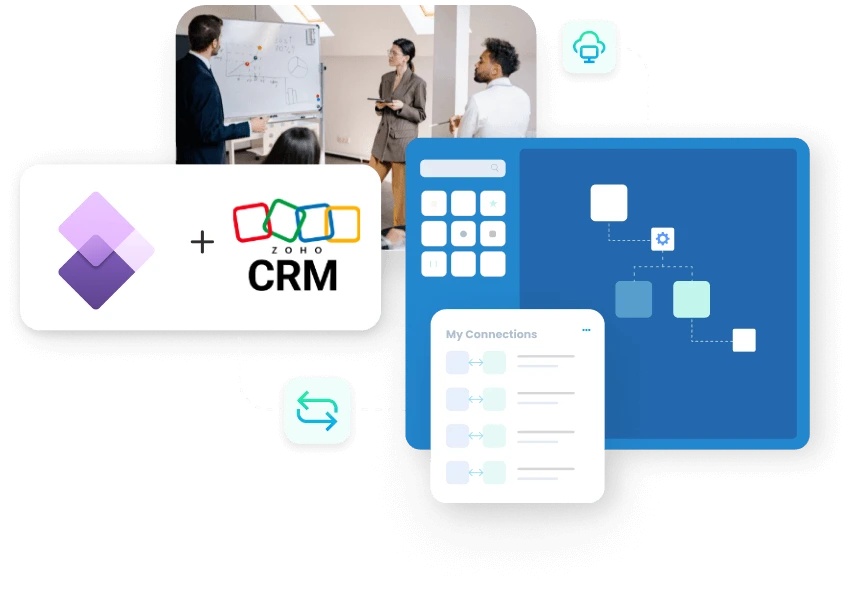
APPSeCONNECT helps you run Dynamics 365 F&O and Zoho CRM integration so sales, finance, and account data stay aligned across both systems.
The customer journey often begins in the CRM. Once work starts moving, the ERP becomes the system operations and finance depend on. If the two systems fall out of sync, sales sees one version while billing, order management, and account teams see something else. Zoho CRM is used for leads, contacts, accounts, deals, and follow-up work. Dynamics 365 F&O steps in when businesses need better control over pricing, customer setup, orders, invoices, and payment status. This integration keeps the handoff clean and helps teams avoid repeating the same work later.
KEY BENEFITS
Why is APPSeCONNECT The Gold Standard for Dynamics 365 F&O and Zoho CRM Integration
The real problem is not lack of software. It is lack of continuity between teams once a deal moves forward. A salesperson updates Zoho CRM, but someone still has to rebuild the customer or order context inside the ERP. APPSeCONNECT reduces that repeat work and makes the handoff easier to review later.

Cleaner Lead Conversion
Move approved leads, accounts, and contacts into Dynamics 365 F&O with the business details sales already collected.

Better Deal Visibility
Make closed deal information easier to trace once pricing, order, or billing work moves into the ERP.

Product Context In CRM
Publish items and selected price details from Dynamics 365 F&O so Zoho CRM users work with better product and pricing context.

Faster Order Handoffs
Carry the right deal, account, and customer details forward without rebuilding the record from scratch later.

Clearer Invoice Follow-Up
Return invoice numbers and billing progress to Zoho CRM so account teams can respond with better information.

Payment Status Awareness
Share selected payment updates back to Zoho CRM for cleaner account review before outreach happens.
Standard Features Covered in Our Dynamics 365 F&O Zoho CRM Integration and Automation Template
- Zoho CRM to Dynamics 365 F&O Move qualified leads and account records from Zoho CRM into Dynamics 365 F&O to create or update ERP customer records. The flow can carry the business details your team already collected in CRM, so downstream teams do not have to rebuild the same customer context again.
- Zoho CRM to Dynamics 365 F&O Sync contact records from Zoho CRM to Dynamics 365 F&O with names, roles, email IDs, phone numbers, addresses, and related account references. This helps ERP users work with cleaner customer information during later billing, order, or account activity.
- Zoho CRM to Dynamics 365 F&O Move approved deal or opportunity details into Dynamics 365 F&O with key values, record references, owner context, and important sales notes. This helps the ERP side start downstream processing with better commercial context already in place.
- Dynamics 365 F&O to Zoho CRM Publish item details and selected pricing from Dynamics 365 F&O to Zoho CRM, so sales teams can view current product context, support quoting work better, and speak to customers with more accurate information.
- Dynamics 365 F&O to Zoho CRM Send invoice numbers and billing status back from Dynamics 365 F&O to Zoho CRM, so account and service teams can review billing progress without leaving the CRM.
- Dynamics 365 F&O to Zoho CRM Return selected payment references and account status details from Dynamics 365 F&O to Zoho CRM, helping sales and account teams plan follow-up with better visibility into the customer’s latest payment position.
- Bi-directional / As Configured Sync additional business fields and custom module data between Zoho CRM and Dynamics 365 F&O when your process needs more than the standard entities. This gives teams more flexibility without forcing every workflow into the same default structure.
Popular Dynamics 365 F&O Integrations
Connect Dynamics 365 F&O with other business applications.



Looking for a Specific Integration?
Popular Zoho CRM Integrations
Connect Zoho CRM with other business applications.


Looking for a Specific Integration?
What You Get
Features You Get With Our Dynamics 365 F&O and Zoho CRM Integration
A successful integration makes sense to your staff long after the go-live day. This requires obvious data connections, easily trackable sync records, and the ability to fix one broken entry without stopping the entire system. It also needs to adapt as your inventory, company structure, or processes evolve. This setup helps the integration stay useful as your data, teams, and processes change over time.

Lead Qualification Rules
Move only the Zoho CRM leads or accounts that meet the conditions your business actually uses.

Customer Record Controls
Create or update Dynamics 365 F&O customers using the matching fields your team already trusts.

Deal And Quote Mapping
Carry approved deal values, references, and sales context into the ERP without rebuilding them manually.
Product Publishing Tools
Push items, selected price data, and selling details from Dynamics 365 F&O into Zoho CRM.

Invoice Return Flow
Bring invoice numbers and billing status back into Zoho CRM for clearer account conversations later.

Payment Update Visibility
Show selected payment references in Zoho CRM so account teams can plan follow-up more carefully.
INTEGRATION BROCHURE
Download the Dynamics 365 F&O and Zoho CRM Integration Brochure
Use the brochure when your team wants a simpler rollout view before changing live settings. It covers CRM-to-ERP handoff logic, field mapping, testing ideas, and review points in a format that business and technical users can both follow. That makes it easier to agree on what should move first and what should stay for a later phase.
Inside you will find:
- Flow Diagrams: See how leads, accounts, deals, invoices, and payment updates move between CRM and ERP.
- Mapping Notes: Review customer keys, deal references, product fields, and billing identifiers before testing starts.
- Rollout Checklist: Check sample records, posting rules, and return updates before you move into production.

INTEGRATION GUIDE
How Does the Workflow Runs End-to-End
The best rollout does not begin with everything at once. Start with the records that affect handoff quality the most, then widen the setup once those first flows stay steady. That usually means customer records, deals, products, invoice visibility, and payment-related updates. A phased approach gives your team better control over testing, review, and rollout timing.
Connect Systems
Select Zoho CRM and Dynamics 365 F&O, then confirm the access method that fits your ERP setup.
Map Business Fields
Match accounts, contacts, deal references, product details, invoice identifiers, and payment fields carefully before testing.
Test Core Flows
Run sample records in a safe environment and confirm the right values land in the right places.
Go Live In Stages
Turn on production flows, review early results, and then add more entities once the initial flows are stable.
Frequently Asked Questions
It connects Zoho CRM and Dynamics 365 F&O so sales, customer, billing, and account data can move between both systems with less manual work.
They connect both systems so sales, finance, and account teams work from related records instead of rebuilding the same customer details.
Common flows include leads, accounts, contacts, approved deal details, customer references, and other business fields your team chooses.
Item details and selected pricing from Dynamics 365 F&O can appear in Zoho CRM for quoting support and better sales visibility.
Approved deal data from Zoho CRM can move into Dynamics 365 F&O to support customer setup and later transaction processing.
Invoice numbers and billing progress can return to Zoho CRM, helping account teams answer customer questions with better context.
Selected payment references can appear in Zoho CRM, so account teams review customer status before the next outreach happens.
Most teams start with visual mapping, guided setup, and rule-based control instead of turning every update into a coding project.
Private or local Dynamics 365 F&O environments can connect through the access method that fits your technical setup.
Start by connecting both systems, mapping the main business fields, testing sample records, and moving into production in stages.
Start by connecting both systems, mapping the main business fields, testing sample records, and moving into production in stages.
Start by connecting both systems, mapping the main business fields, testing sample records, and moving into production in stages.
Ready To Launch Your Dynamics 365 F&O and Zoho CRM Integration Today?
Running Zoho CRM and Dynamics 365 F&O with mismatched customer records creates internal confusion. Syncing them helps sales and finance teams work from the same customer context, invoice status, and payment information without chasing updates across systems. Start with the most important daily workflows, confirm they are stable, and then expand the integration in phases.

Companies automating their business through APPSeCONNECT







Customer Success Stories

Proveedora PGP
Founded in 2005, Proveedora PGP has solidified its position as a leading ecommerce business in Mexico, specializing in car and truck tires.
Read Case Study →
African American Expressions
African American Expressions, founded by Gregory Perkins in 1991 in Sacramento, California, has been on a remarkable journey of growth and success.
Read Case Study →Related Resources
Articles and Guides to Help You With Your Integration and Automation Journey