SAP ECC and Amazon Seller Central Integration
SAP Amazon seller Central integrations made easy with APPSeCONNECT’s modern iPaaS. The SAP Amazon integration connector can automate critical business processes and streamline your organizational data efficiently.


















Companies automating their business through APPSeCONNECT







Endpoints for SAP ERP Amazon Seller Central Integration


Supports These Amazon Services

Amazon FBA Integration (Fulfillment by Amazon)

Amazon FBM Integration (Fulfillment by Merchant)
Standard Features Covered in Our SAP ERP and Amazon Seller Central Integration Template
Through our SAP Amazon Seller Central Integration, Customer data from Amazon Seller Central, sourced from Order Information, is seamlessly synced to SAP ECC. This integration creates standalone customer records, ensuring data privacy and compliance. For FBM (Fulfilled by Merchant) orders, phone numbers are included, while FBA (Fulfilled by Amazon) orders omit this detail. Address Information is efficiently stored in SAP ECC, harmonizing the individual order synchronization process.
Effortlessly manage your Amazon Marketplace Store structure and product listings, all from within SAP ECC. Product Listing: Seamlessly list your products with details such as pricing, weight, descriptions, specifications, etc. From SAP ECC to Amazon Seller Central categories and subcategories. Product prices are extracted through the pricing procedure set up in SAP ECC. Maintain relationships between simple and variant products with the convenience of APPSeCONNECT. Price Updates: Updates to any item price are synced in real-time from SAP ECC to Amazon and showcased on Seller Central’s frontend. Incorporate special seasonal or volume-based discounts calculated within SAP ECC, promptly displayed to customers on Amazon Seller Central. Price Updates in Items are synced from SAP ECC to Amazon and the mapping is based on Amazon ASIN and SAP Item Code. Images: Images can be uploaded in SAP ECC and synced to Amazon Seller Central. Product custom URLs if maintained in SAP can also be embedded into the Amazon Product Information page.
Experience seamless order synchronization from Amazon Seller Central to SAP ECC. These orders are methodically transmitted from Amazon in predefined intervals, ensuring a consistent flow of data. APPSeCONNECT carefully assesses essential order aspects before seamlessly integrating them into SAP ECC. This includes: Determining the order’s status. Determining the order’s Shipping Status. Determining crucial dates: Create Date, Update Date, Shipping Date. Identifying Prime and Non-prime orders. Passing over any Amazon Seller Central-calculated discounts to SAP. Imprinting the Amazon Seller Central order number within the Purchase Order field of the corresponding SAP order. APPSeCONNECT seamlessly synchronizes order and item information, including: Item details Item quantity Item price Discounts Total order cost Customer payment method Tax information Order total calculation: Precise value mapping of tax and shipping methods guarantees accurate order total calculation during the conversion of web orders into SAP ECC sales orders. Web order status update: For offline payments, SAP generates the invoice, triggering APPSeCONNECT’s sync to Amazon Seller Central through IDOCs/PO/PI.
FBA (Fulfilled by Amazon): Amazon Seller Central receives real-time updates of stock values from SAP ECC. Inventory is based on the unrestricted quantity in the designated plant and storage location within SAP, aligned with the Amazon store. FBM (Fulfilled by Merchant): Inventory availability for Fulfillment by Merchant (FBM) can be seamlessly managed, irrespective of whether sales occur on Amazon’s website or other retail platforms. Inventory Reconciliation Inventory Reconciliation Report is synced from Amazon FBA to SAP. This report will contain details of the inventory such as: Current available inventory as per SAP Current available inventory in Amazon Inventory sent based in STO Inventory in transit Inventory received Sell in Amazon Return in Amazon
FBM (Fulfilled by Merchant): Shipment/order fulfillment is manageable within SAP ECC, and these details can be synchronized back to Amazon Seller Central with Tracking Number and Carrier information. FBA (Fulfilled by Amazon): Shipping Labels and FBA fees can be printed, and Inventory Reports are synchronized from Amazon to SAP upon the shipment’s arrival at Amazon Seller Central Warehouses. APPSeCONNECT periodically checks Amazon FBA for shipment notices tied to orders sent to FBA. Options include daily every three hours, every eight hours, and every twelve hours. During the scheduled check, shipment reports from FBA are pulled into SAP, with tracking details applied to relevant orders.
The Financial Events and Transactions is fetched from Amazon Seller Central and posted to SAP ECC according to the specific business requirements so that the accounting and tax system can be maintained correctly Payment Reconciliation Report is synced from Amazon to SAP based on the Amazon sales. This report will show the Order-wise Amazon Fees and Calculations.
SAP ECC Integration with Amazon Seller Central
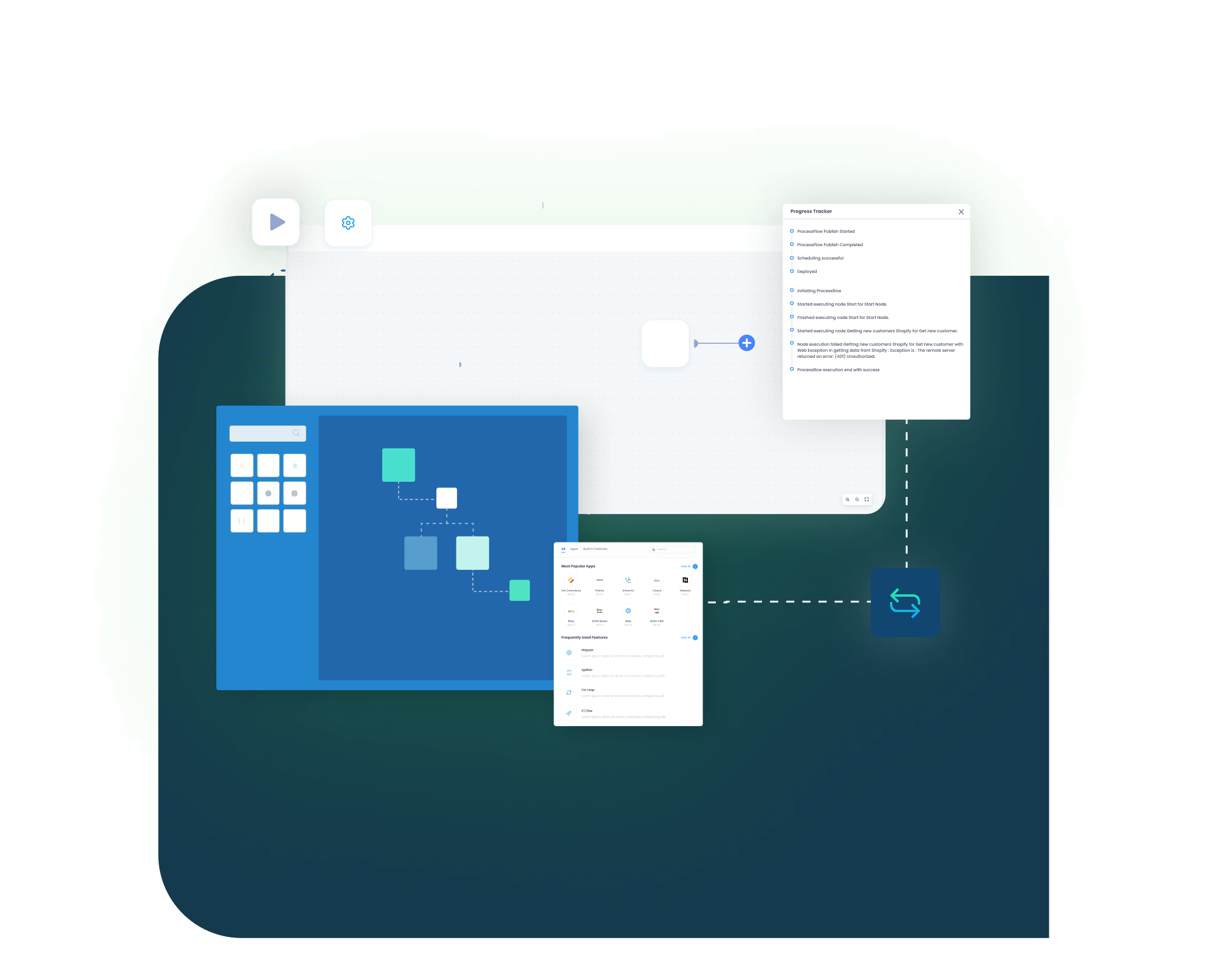
APPSeCONNECT is a modern and intelligent Integration Platform as a Service (iPaaS) which can seamlessly connect SAP ECC to Amazon Seller Central and streamline data flow across all your systems to eliminate silos, unify operations and drive alignment.
Popular Amazon Integrations
Connect Amazon with other business applications.





Popular SAP ECC Integrations
Connect SAP ECC with other business applications.





Looking for a Specific Integration?
Frequently Asked Questions
Handling marketplace orders, stock, and pricing by hand is slow and easy to get wrong, especially at Amazon volumes. An APPSeCONNECT integration keeps customers, orders, listings, prices, inventory, and even financial events moving between the two systems automatically, so SAP ECC remains the single source of truth while the storefront stays current.
Seller Central is for businesses selling directly to customers on the marketplace, so the integration revolves around sales orders, listings, pricing, stock, and FBA or FBM fulfillment. Vendor Central is Amazon’s invite-only wholesale model, where Amazon buys your products through purchase orders and resells them, so that integration centers on POs, invoices, and shipment notices instead. APPSeCONNECT’s SAP ECC connector described on this page is built for the Seller Central model.
Yes. Products are listed under the right Amazon categories straight from SAP ECC, complete with pricing, weight, descriptions, and specifications, and product images uploaded in SAP can be synced to the listing. Prices are calculated by simulating the pricing procedure set up in SAP ECC, so seasonal or volume discounts show up on Amazon in real time, and simple and variant product relationships are maintained too.
Orders are pulled from Seller Central and created in SAP ECC as sales orders on a periodic schedule, carrying the items, totals, taxes, discounts, shipping details, and the Amazon order number in the purchase order field. The frequency is configurable; FBA shipment checks, for example, can be set to run once a day or every three, eight, or twelve hours.

Customer Success Stories

African American Expressions
African American Expressions Achieves Faster Business Growth with Real-Time Bi-Directional Data Sync Between their ERP, eCommerce, Marketplace, and Shipping Platforms with APPSeCONNECT.
Read Case Study →
US Tobacco
U.S. Tobacco Achieves a Fully Automated eCommerce Business with APPSeCONNECT’s End-to-End Business Process Automation Solution.
Read Case Study →
Related Resources
Articles and Guides to Help You With Your Integration and Automation Journey