




Square POS and Dynamics 365 CRM Integration & Automation
- Automate
- Align
- Accelerate
Square POS and Dynamics 365 CRM integration brings counter sales, customer profiles, payment activity, and CRM follow-up into one connected workflow. Instead of leaving store transactions inside the POS and relationship history inside CRM, the integration helps store and CRM teams work from connected customer data.
Square POS records what happens at checkout. Dynamics 365 CRM records who the customer is, how the relationship is managed, and what the next action should be. This integration is best suited for businesses where Square POS, an ERP, or an accounting system is part of the operating stack. When Square POS and Dynamics 365 CRM stay separate, store purchases are hard to use in sales conversations, support teams lack payment context, and duplicate customer records can affect everyday decisions.
KEY BENEFITS
Why APPSeCONNECT Is the Gold Standard for Square POS and Dynamics 365 CRM Integration
APPSeCONNECT adds a structured automation layer between Square POS and Dynamics 365 CRM, so store activity can support customer-facing work inside CRM. Customer profiles, POS orders, payment references, refunds, items, store locations, leads, contacts, activities, and custom CRM records can move through configured ProcessFlows where teams need them.

Store History Gaps
CRM users may speak with a customer without knowing recent in-store purchases. That gap weakens sales follow-up, support accuracy, and account-level visibility.

Customer Profile Drift
A phone number, email, or address can change in Square while Dynamics 365 CRM keeps the older value. Without matching and update rules, teams end up trusting different versions of the same customer.

Payment Context Gaps
Payment IDs, tender details, refund references, and receipt data often stay with the POS team. CRM users then need separate checks before they can answer billing or support questions.

Weak Lead Signals
Repeat store visits and high-value purchases can show intent. If that Square activity does not reach Dynamics 365 CRM, lead scoring and follow-up rules miss useful buying behavior.

Location Ownership Gaps
Multi-store businesses need CRM records to reflect where the customer bought, returned, or engaged. Missing location mapping makes territory routing and store-level reporting harder to trust.

Sync Failure Delays
Failed records can leave customers, orders, refunds, or follow-up tasks half-updated. Teams need clear logs, snapshots, API responses, and retry controls before data issues affect customer work.
Standard Features Covered in Our Square POS and Dynamics 365 CRM Integration Template
Square POS and Dynamics 365 CRM integration can be configured around how your store and CRM teams already work. The setup may start with customer and transaction visibility, then extend into lead routing, refund context, location mapping, campaign segmentation, and support workflows.
- Create or update CRM contacts from Square customer profiles. Email, phone, name, address, Square customer ID, and CRM reference fields can support matching.
- Move Square order details into Dynamics 365 CRM as order records, activities, or custom transaction objects. Line items, taxes, discounts, receipt references, and location data can be mapped.
- Carry payment status, payment ID, tender type, receipt link, and related order ID into CRM. Sales and support users can review the transaction trail from the customer record.
- Reflect Square refunds against the linked CRM customer, order, transaction, or service record. Amount, refund date, reason, and Square reference fields can move with the update.
- Map Square location IDs to CRM branches, territories, account owners, or custom segmentation fields. This helps route follow-up by store, region, or sales team.
- Bring selected item details, SKUs, categories, and purchase data into CRM. This helps teams understand buying interest without forcing the full POS catalog into the CRM model.
- Send approved CRM contact updates back to Square customer profiles where bidirectional sync is enabled. Ownership rules can define which system controls each field.
- Create or update Dynamics 365 CRM leads from selected Square events. First purchase, repeat purchase, store visit, item category, or order value can be used as triggers.
- Route qualified POS activity into CRM opportunities, activities, or follow-up tasks. Store location, basket value, customer type, and product category can guide the action.
- Use Square purchase behavior to support CRM lists or campaign audiences. Segments can follow location, order value, visit frequency, category interest, or recent activity.
- Link refund and transaction data to CRM service workflows. Support teams can review the original sale and refund trail before responding to a customer.
- Review failed customer, order, payment, refund, lead, or contact syncs. Logs, snapshots, node status, API responses, and retry settings help teams resolve the issue.
Popular Square POS Integrations
Our Integration Platform helps you seamlessly connect Square POS with other Business Applications.





Looking for a Specific Integration?
Popular Microsoft Dynamics CRM Integrations
Smart iPaaS Solution to streamline your business and increase efficiency. Seamlessly connect Microsoft Dynamics CRM with other Business Applications




Looking for a Specific Integration?
Start Integration at just $99 per month with Shopify, Salesforce, HubSpot, Zoho, WooCommerce and more.
Enterprise-grade integration powered by hands-on support without enterprise pricing

INTEGRATION GUIDE
How Does the Workflow Run End-to-End
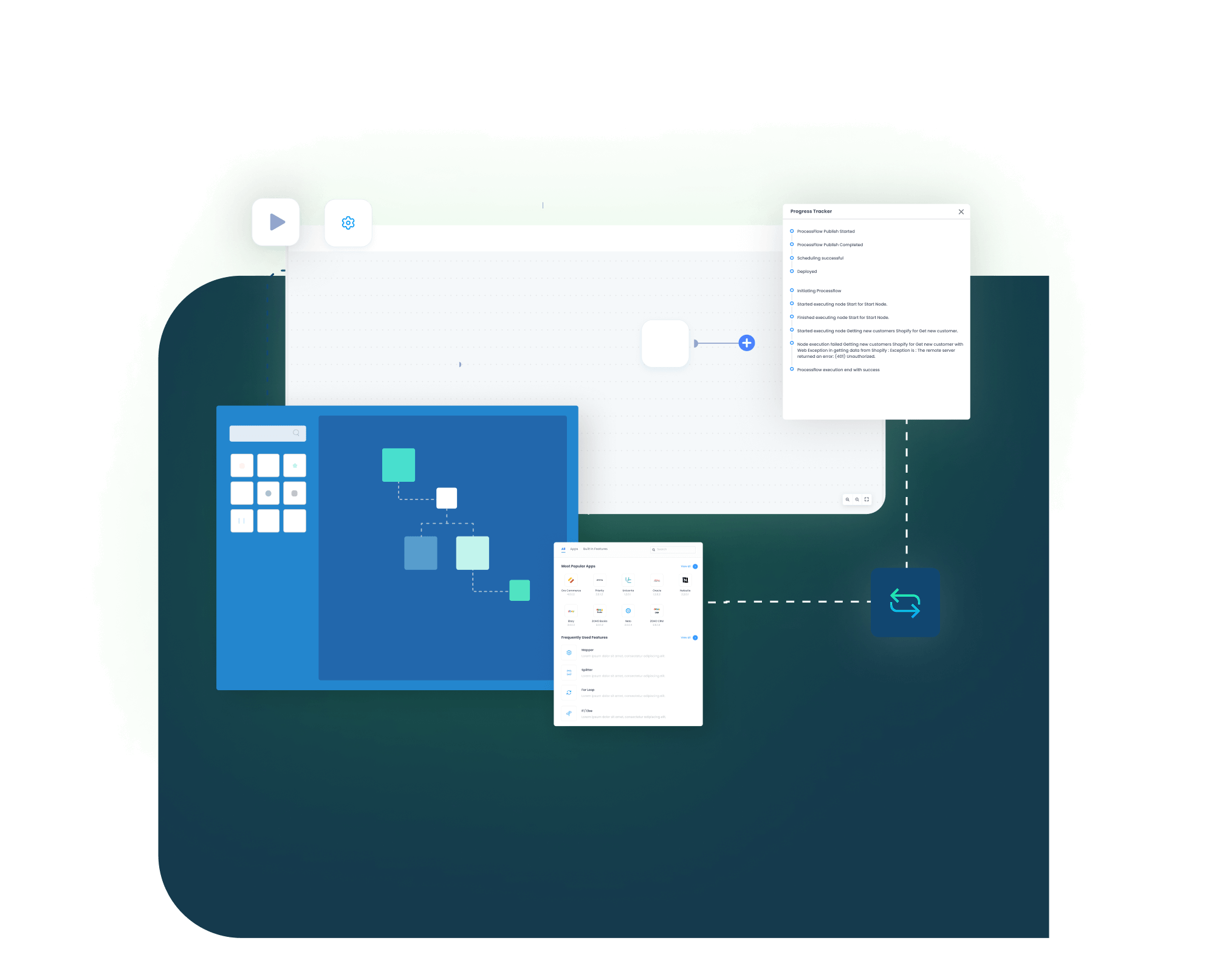
Square POS and Dynamics 365 CRM integration runs through APPSeCONNECT ProcessFlows built for the selected source, target, entity, connector action, schema, mapping, validation, run mode, retry behavior, and monitoring path. Each ProcessFlow controls how a POS or CRM record is read, prepared, checked, posted, and tracked.
See How This Would Run in Your Business
Square POS and Dynamics 365 CRM integration workflow
Trigger & Source Connection
A Square webhook, scheduled sync, manual run, or configured CRM event can start the flow. The source may be a customer profile, POS order, payment, refund, item, location, contact, lead, activity, or custom object.
Data Extraction & Schema Reading
The source record is read with its available fields and schema. Square records may include customer, order, payment, refund, catalog, and location data. CRM records may include contacts, leads, accounts, activities, opportunities, or custom entities.
Transformation & Field Mapping
Source fields are converted into the target structure. Square customer ID, CRM contact ID, email, phone, order ID, payment reference, refund ID, item data, location, owner, and follow-up status can be mapped.
Validation & Business Rule Execution
The flow checks the record before it reaches the target system. It can validate duplicate rules, required fields, customer matching, phone format, email format, location mapping, CRM owner logic, and custom field requirements.
Target Push & Response Handling
The prepared record is posted into Square POS or Dynamics 365 CRM. The integration captures the API response, sync state, success status, failure reason, and record-level transaction details.
Monitoring, Retry & Audit Logging
Users can review logs, node status, snapshots, and transaction details after each run. Retry controls help teams rerun records after missing fields, mapping issues, API errors, or validation failures are corrected.
Real-world use cases
Use Cases
APPSeCONNECT’s Square POS and Dynamics 365 CRM integration supports teams that need store activity to influence customer engagement. Retail, sales, support, loyalty, and multi-location teams can use Square data inside Dynamics 365 CRM without depending on manual exports or delayed updates.
Store purchases reach CRM without spreadsheet handoffs
A retail team using Square POS needs CRM users to see what happened at the counter. When customer purchases, payment references, and refunds flow into Dynamics 365 CRM, store activity becomes useful beyond the register.
- Square POS orders can update CRM transaction or customer history.
- Payment references can attach to the related customer record.
- Store location can support territory, branch, or owner mapping.
- Refund updates can appear with the linked customer or service context.
What this integration handles
Synced
POS sales history
Mapped
Store location
Linked
Payment trails
Visible
Refund activity
Supports retailers, franchise teams, pop-up stores, and multi-location Square POS operations.
Square buying signals help CRM teams act faster
Sales users in Dynamics 365 CRM need more than contact details. Repeat purchases, high basket value, and category interest from Square can help decide when to create a task, update a lead, or route an opportunity.
- Square customer profiles can create or update CRM contacts.
- Selected purchases can trigger CRM tasks or lead updates.
- High-value orders can support opportunity routing.
- Item category data can show customer interest areas.
What this integration handles
Synced
Customer profiles
Triggered
CRM follow-up
Routed
Sales signals
Captured
Buying interest
Supports sales teams, account managers, revenue operations, and customer engagement teams.
Agents see the sale before handling the issue
Support teams often need the original POS sale before they can answer a customer complaint. Square transaction and refund data inside Dynamics 365 CRM helps agents respond with the right context.
- Square order details can sit against the CRM customer record.
- Refund data can support case review.
- Payment references can help agents verify transaction status.
- Customer matching can reduce duplicate support records.
What this integration handles
Available
Transaction history
Updated
Refund status
Verified
Payment context
Reduced
Duplicate records
Supports customer service teams, store support desks, call centers, and account support teams.
POS behavior improves CRM segmentation
Marketing teams can use Square purchase activity to build more relevant CRM audiences. Store location, visit frequency, item category, and recent order value can help shape campaigns without waiting for offline reports.
- Square purchase behavior can support CRM lists or segments.
- Location data can help create store-specific campaigns.
- Item categories can show product interest.
- Customer profile updates can keep campaign records cleaner.
What this integration handles
Segmented
Purchase patterns
Created
Store audiences
Mapped
Category interest
Cleaned
Contact records
Supports loyalty teams, CRM marketers, retail campaign teams, and customer retention programs.
Meet appse ai
How appse ai Helps Streamline Square POS and Dynamics 365 CRM Integration
After Square POS and Dynamics 365 CRM are connected, the next challenge is keeping the flow clean as store activity grows. appse ai can help teams review exceptions, understand repeated failures, and improve automation around customer records, payment references, refunds, lead signals, and CRM follow-up.
- Workflow Design: Helps teams shape Square-to-CRM flows for customers, transactions, refunds, payment context, lead routing, and support visibility.
- Issue Detection: Helps surface failed runs, repeated mapping issues, missing CRM fields, duplicate customer patterns, and rejected API responses.
- Exception Review: Adds clearer context around why a customer, order, payment, refund, or CRM activity did not process as expected.
- Decision Support: Supports routing logic for CRM follow-up. Rules can consider store location, purchase value, customer type, refund status, or CRM owner.
- Process Signals: Highlights slow points and repeated failures across Square and Dynamics 365 CRM workflows. Teams can review where record volume or validation issues are building up.
- API Orchestration: Helps coordinate automation across POS, CRM, loyalty, support, marketing, reporting, finance, ERP, accounting, and approved custom systems through connected workflows.
- Workflow Optimization: Helps identify where mappings, validations, retry rules, or flow sequencing should be adjusted after the integration goes live.

Ready to Launch Your Square POS and Dynamics 365 CRM Integration Today?
Square POS and Dynamics 365 CRM should not leave store teams, sales users, and support agents working from different customer records. With structured integration flows, Square activity can inform CRM records, CRM updates can follow defined ownership rules, and teams can manage exceptions before they turn into customer-facing gaps.

Companies automating their business through APPSeCONNECT







Customer Success Stories

Rustic Cuts
Rustic Cuts is a fast expanding chain of high quality butcheries that deal in farm fresh meats and upscale cuts.
Read Case Study →
Apotheca Beauty
Apotheca Beauty is a cosmetic and personal care company, bringing the best beauty products and services from around the globe to consumers in the GCC region. Microsoft Dynamics AX, Shopify
Read Case Study →
ElRyan case study
With APPSeCONNECT, El Ryan has streamlined and automated their business processes and saved a lot if time and effort by syncing all the necessary data between applications. Magento, Microsoft Dynamics AX
Read Case Study →Related Resources
Articles and Guides to Help You With Your Integration and Automation Journey

Frequently Asked Questions
Square POS and Dynamics 365 CRM integration connects store sales activity with CRM customer records. It can help move customer profiles, POS orders, payment references, refunds, item details, store locations, and CRM follow-up data through configured flows.
Businesses use Square POS and Dynamics 365 CRM integration to give CRM users better visibility into in-store customer activity. It helps reduce duplicate records, delayed follow-up, missing payment context, and manual POS exports.
APPSeCONNECT uses configured ProcessFlows to connect Square POS and Dynamics 365 CRM. Each flow defines the entity, source, target, mapping logic, validation rules, run mode, retry settings, and monitoring path.
Customer profiles, contacts, POS orders, payment references, refunds, item details, store locations, leads, accounts, activities, opportunities, and custom CRM records can sync where the setup supports them. Final scope depends on the CRM data model and Square configuration.
Square customer profiles can create or update Dynamics 365 CRM contacts. Matching can use email, phone, Square customer ID, CRM contact ID, or another configured reference field.
CRM contact updates can update Square customer profiles when bidirectional sync is configured. Many teams define field ownership first, so Square and CRM do not overwrite each other incorrectly.
Square POS orders can appear as CRM orders, custom transaction records, activities, or customer history records. The flow can map order ID, line items, tax, discount, receipt reference, payment details, and store location.
Payment status, payment ID, tender type, receipt reference, and related order ID can be mapped into CRM. This gives sales and support users better transaction context.
Square refund data can update the related customer, order, transaction, or case record in Dynamics 365 CRM. Refund amount, date, reason, and Square reference fields can be included.
Square location data can map to CRM territories, branches, owners, segments, or custom fields. This helps teams review activity by store, region, or sales responsibility.
Square item, SKU, category, and purchase details can sync to CRM where product interest or transaction history needs them. The CRM setup can decide whether this becomes product data, activity context, or custom field data.
Selected Square events can create or update leads in Dynamics 365 CRM. Common triggers include first purchase, repeat purchase, high-value purchase, specific item category, or location-based activity.
Square purchase activity can support CRM segmentation when the data model allows it. Teams can segment by store location, order value, visit frequency, item category, or recent purchase behavior.
APPSeCONNECT provides logs, snapshots, node status, API responses, and retry controls. Teams can review the failure, correct missing or invalid data, and rerun the affected record.
Many flows can be configured through ProcessFlows, connector actions, field mapping, and validation rules. Custom CRM entities, custom fields, or unusual routing rules may need additional configuration.
appse ai can help teams review workflow design, issue patterns, exception context, process signals, and optimization opportunities. It can support better decisions around customer matching, payment visibility, refund handling, and CRM follow-up.
Start by confirming that Square POS is part of your operating stack, along with any ERP or accounting system involved in downstream workflows. Then choose the records your teams need most. Common first flows include customer sync, POS order history, payment references, refund updates, location mapping, and CRM follow-up tasks. The integration can then be configured, tested, monitored, and expanded.