Square POS Integration & Automation
- Connect
- Streamline
- Secure
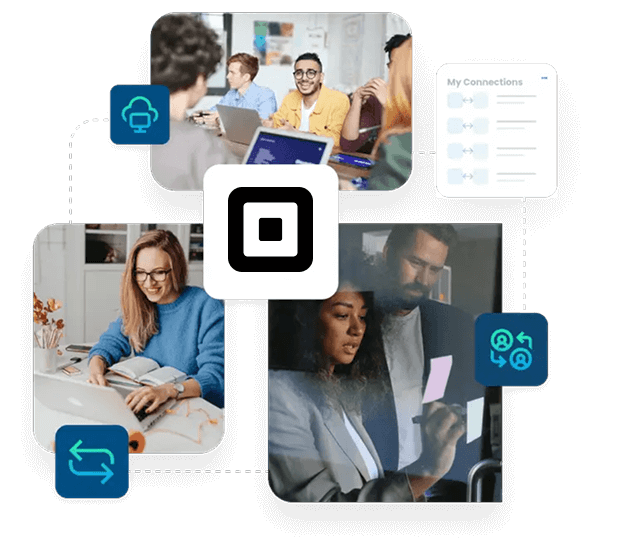
Square POS runs the sale at the counter and records the full transaction. A Square POS integration pushes that transaction data into the systems your business relies on.
APPSeCONNECT supports Square POS integration with ERP, eCommerce, CRM, and finance systems. Data moves with rules, logs, and retries so teams don’t re-enter the same data.
Key Advantages
Why APPSeCONNECT is the Gold Standard for Square POS Integration
APPSeCONNECT helps you run Square POS integration from one place instead of scattered scripts. You can keep store activity clear for finance, inventory, and operations.

Less Manual Work
Replace exports and re-entry with guided daily automation for teams.

Cleaner Data
Keep orders and items consistent across every connected system each day.

Faster Review
Give finance clear references for payments, fees, and refunds daily.

Fewer Stock Errors
Update on-hand values so stores do not oversell popular items.

Better Close
Post daily totals in a structured way for faster reporting.

Room To Grow
Add stores and products without rebuilding each integration again later.

Square API Coverage
Use Orders, Catalog, Customers, Payments, and Inventory objects together safely.
Event Or Schedule
Use webhooks for events or runs for batch updates per flow.

Field Mapping
Map types, formats, and custom fields with visual steps quickly.
Rules And Validation
Validate required fields before creating downstream records.
Targeted Reprocessing
Save time by isolating and retrying only the failed records.
Operational History
A clear trail for every sync, making troubleshooting much faster.
Role-Based Security
Protect your logic by locking down flow edits and log access.
Agent Flexibility
Run the integration in the cloud or on-premises, based on your setup.
Certified Controls
Follow ISO 27001 and SOC 2 Type II practices for audits.

What You Get
Features You Get with Our Square POS Integration
APPSeCONNECT provides building blocks you can tailor for Square POS integration. Configure flows once, monitor centrally, and adjust rules without rewriting the design.

Order Capture
Receive sales details with items, discounts, and tax lines included

Refund Handling
Record returns with references to the original sale for review

Tender Mapping
Map cash, card, and gift tenders to posting rules properly
Fee Tracking
Separate fees from gross sales for cleaner reporting work later

Payout Support
Store payout references for bank matching and review tasks daily

Catalog Publishing
Push items, variants, and prices to Square locations quickly and safely

Inventory Updates
Share on-hand changes and adjustment reasons when updates occur
Duplicate Controls
Match customers by keys to avoid repeated profiles during imports
Rate Limits
Queue requests to respect Square limits during peak periods safely

Error Recovery
Hold failed records, show the cause, and retry safely
INTEGRATION BROCHURE
Download the Square POS Integration Guide
Download the brochure to see how a Square POS integration is planned and rolled out. It includes flow diagrams, mapping notes, and practical checklists. You will also find setup steps, testing scripts, and cutover guidance. Use it to align store teams, operations, and finance early.
Learn more about:
- Flow Diagrams : Review sales, payments, refunds, and inventory flows in one view
- Mapping Workbook : Align tenders, taxes, and stores with clear rules early
- Testing Checklist : Verify your logic early by running sample receipts, refunds, and payouts before go-live
- Deployment Options : Choose cloud or on-premises based on security and access requirements
Popular Square POS Integrations
Our Integration Platform helps you seamlessly connect Square POS with other Business Applications.









Looking for a Specific Integration?
INTEGRATION GUIDE
How Does the Workflow Run End-to-End?
A clear workflow makes Square POS integration easier to support. Each step keeps the record traceable from the register to the destination system.
Sale Event
Square POS records the sale with items and tender details
Event Capture
The integration receives the event from webhooks or scheduled runs
Data Mapping
Fields are transformed to match each system’s required formats
Validation Step
Rules confirm taxes, stores, and accounts are present before posting
Record Creation
Target systems create or update the required records
Monitoring
Logs and alerts show successes, failures, and retries clearly
INTELLIGENT DATA FLOW
How Do Intelligent Data Flows Boost Your ROI?
ROI comes from fewer manual steps and fewer posting errors. Square POS integration supports that by keeping work visible, structured, and recoverable.
Fewer Exports
Reduce spreadsheet work tied to daily store sales entry tasks
Cleaner Books
Post fees and tenders with clear accounting references every time

Faster Close
Reduce time spent fixing missing or unclear postings during close

Better Stock
Update on-hand values so buying decisions improve during replenishment planning

Less Firefighting
Use logs and retries to resolve issues quickly without panic
Streamlined Order-to-Cash Lifecycle
Retail order-to-cash includes the sale and the later bank activity. Square POS integration helps finance track the full story.
Sales Capture
Record items, taxes, discounts, and tender information clearly each time.

Posting Step
Create finance entries using clear rules for each store daily.

Payout Review
Match deposits and fees using payout references during reconciliation work.

Refund Handling
Post refunds with links to original sales records for review.
One Platform, Endless Integrations
Square POS is often one part of a larger stack. A single platform helps you expand Square POS integration without adding fragile point tools.
Single Console
View runs, failures, and retries across integrations in one place.
Shared Standards
Use the same mapping rules across new integrations as you grow.
Consistent Security
Apply encryption and role-based access across environments.
Store Expansion
Add new locations using the same tested patterns as you grow.
More Systems
Extend to new apps without rebuilding the base design later.
Frequently Asked Questions
It moves sales and payments, refunds, customers, items, and inventory updates into other systems so teams avoid manual entry daily.
Updates can run through webhooks for key events or scheduled runs for bulk activity, based on store needs each day.
Yes, you can route data by location, apply shared rules, and keep each store’s records separate for reporting and audits.
The integration carries tax lines, fees, and tender types, then maps them to the right codes for posting each time.
Yes, catalog records can include variants and barcodes, with mappings that keep item identity consistent across systems for every location.
Failed records are held with context, retries can run automatically, and you can reprocess only the affected record after fixes.
Matching rules use email or phone keys, then update existing profiles instead of creating new ones during imports for review.
Yes, an agent can run on-premises so store data stays local while central monitoring remains available for IT teams.
Common objects include Orders, Catalog, Customers, Payments, and Inventory, plus webhooks when event capture is needed for updates in stores.
It should use OAuth 2.0, encrypted transport, encrypted secrets, and audit logs so access and changes stay traceable for audits.
Ready to Transform Your Square POS Integration Today?
Remove manual exports and reduce gaps between store activity and reporting. Square POS integration can keep sales, inventory, and finance records consistent.

Companies automating their business through APPSeCONNECT







Customer Success Stories

Proveedora PGP
Founded in 2005, Proveedora PGP has solidified its position as a leading ecommerce business in Mexico, specializing in car and truck tires.
Read Case Study →
African American Expressions
African American Expressions, founded by Gregory Perkins in 1991 in Sacramento, California, has been on a remarkable journey of growth and success.
Read Case Study →Related Resources
Articles and Guides to Help You With Your Integration and Automation Journey