


Businesses relying on manual processes often face human errors, delayed stock updates, and inconsistent product information, making it nearly impossible to maintain accurate, real-time inventory control.
As a trusted, iPaaS provider, APPSeCONNECT eliminates these challenges by seamlessly integrating SAP Business One with BigCommerce. This option is highly lucrative for eCommerce Managers, Operations Heads, and Finance Teams, BigCommerce+ SAP B1.
Through this integration, every key inventory and order detail flows automatically between the two systems.
Let us quickly examine how APPSeCONNECT automates inventory management with SAP Business One & BigCommerce Integration.
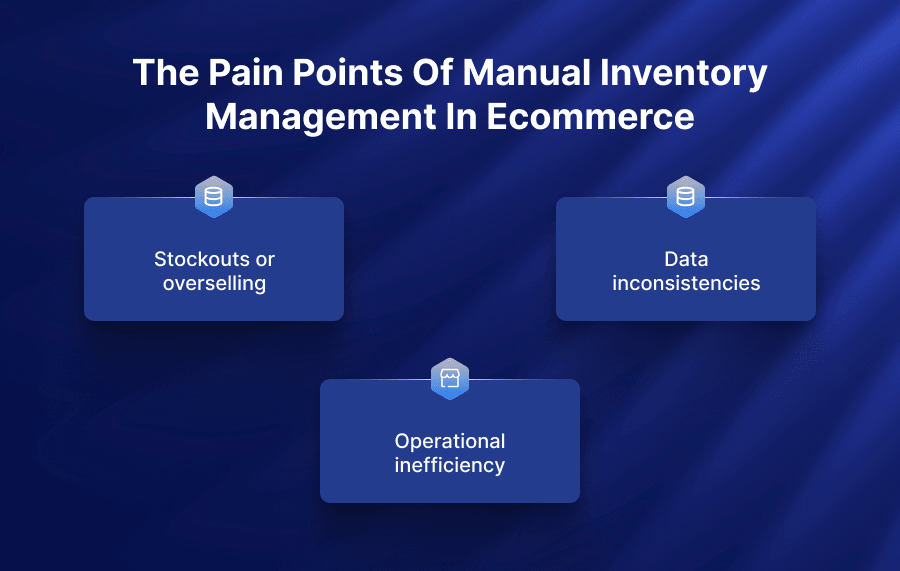
The pain points of manual inventory management in ecommerce
Imagine overflowing clearance racks filled with unwanted products, and shoppers leaving empty-handed, unable to find the correct item. That’s inventory distortion in action.
Whether it’s a lack of real-time visibility across locations or manual processes that result in lost time and increased errors, most e-commerce businesses deal with the pain of inventory management at some point.
Stockouts or overselling
Manual inventory management relies on spreadsheets or guesswork, which means inventory updates are slow, error-prone, and disconnected across sales channels. Reorder points are often set by “gut feeling” instead of real data, so replenishment happens too late.
Repeated stockouts or overselling are signs of poor brand reliability and directly impact customer trust. Consistent unavailability or overselling makes a brand seem disorganized or poorly managed, signaling to customers that their needs are not a priority.
Integrating your eCommerce platform (BigCommerce) with your ERP (SAP B1) through APPSeCONNECT replaces these manual gaps with accurate, real-time data, helping you consistently hit the inventory sweet spot and avoid costly stockouts or overselling.
Data inconsistencies
Manual data collection methods, such as paper-based processes or data entry into spreadsheets, are common in many warehouses despite their inefficiencies. These methods are prone to errors and can cost your business customers’ trust and millions of dollars.
Automated workflows ensure data is updated across systems in real time, reducing the risk of errors and discrepancies.
For instance, with APPSeCONNECT’s BigCommerce and SAP B1 integration, any change made to the platforms, whether related to inventory, customer information or product listings, is updated simultaneously.
So, there are no data inconsistencies between systems.
Operational inefficiency
Businesses that rely on manual inventory management spend excessive time on repetitive tasks such as data entry, stock counts, and reconciliations.
Companies run better when they know what products they have in stock and where those products are located. In fact, the entire supply chain benefits from a shorter sales cycle with minimal to no manual tasks that can disrupt production, distribution, and fulfillment.
For example, a global packaging maker cut manual order entry by 85% in eight weeks using APPSeCONNECT’s zero-code flows.
As a result, the manufacturer experienced faster order processing, improved operational efficiency, and enhanced customer satisfaction, eliminating manual, resource-intensive workflows.
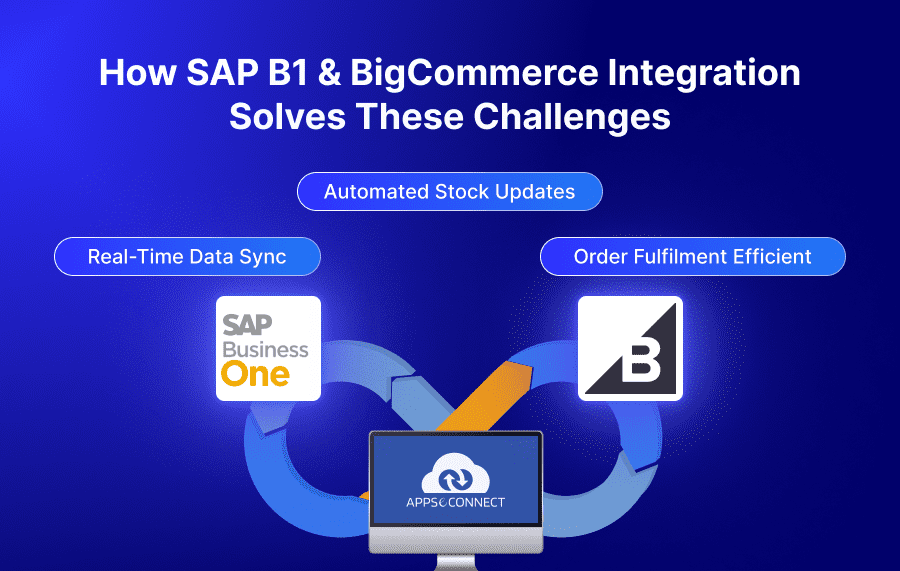
How SAP B1 & BigCommerce integration solves these challenges
At APPSeCONNECT, we understand the complexities of inventory management in e-commerce. With our expertise in SAP B1 integration, we have helped many e-commerce business owners streamline their operations, improve channel visibility, and make data-driven decisions.
Now, let’s explore how SAP Business One addresses the most pressing challenges faced by e-commerce owners today:
Real-time data sync
For an e-commerce business, all the activities from the customer’s end happen on the website, which is powered and managed by the e-commerce business.
However, most of the company’s backend activities are managed within the ERP system. So, without integration, businesses will lack two powerful but desperate systems.
For instance, every order placed on your BigCommerce must be manually added into SAP B1. If it’s a first-time customer’s details, it must also be added to your ERP, followed by checking inventory levels.
And, these are just a few common eCommerce operations.
On the other hand, integrating SAP B1 with your BigCommerce can automate all the above processes. For example, all orders on the Shopify store will automatically be created in the ERP, and any pricing or inventory changes made in your SAP B1 will also be automatically reflected in the web shop immediately.
Simply put, your entire sales cycle starts running on autopilot, start to finish.
But just don’t take our word for it. Check out some of the top SAP integration case studies, where APPSeCONNECT has helped businesses like yours overcome various operational challenges in integrating SAP B1 with your favorite ecommerce site.
Automated stock updates
Running out of stock during peak season or when a customer needs something urgently. That’s a nightmare.
SAP Business One prevents this with automated reordering rules and seamless eCommerce integration.
You can set reorder points for every product — for example:
Minimum stock level: 50
Preferred stock level: 100
So, once your stock reaches a minimum, SAP sends a reminder or even creates a draft purchase to reorder the product.
Such integration through APPSeCONNECT syncs data in real time with your online store, reducing the chances of stockouts, last-minute panic buying, overordering, or underordering.
Order fulfilment efficient
A flawless customer experience heavily relies on order fulfilment and clear communication. SAP B1 and BigCommerce integration is ensured by streamlining the entire process.
Imagine each web sale instantly creating an ERP order and updating your CRM with the same data.
- New orders in BigCommerce become sales orders in your ERP with full tax, discount, and shipping details.
- Stock levels update live, so you never oversell or undersell across channels.
- Customer profiles—new or returning—flow to your CRM for a unified 360° view
APPSeCONNECT automates the entire order fulfilment process, from orders to products, inventory, customers, and invoices. By reducing errors in order processing, businesses can ensure customers receive the right products on time.
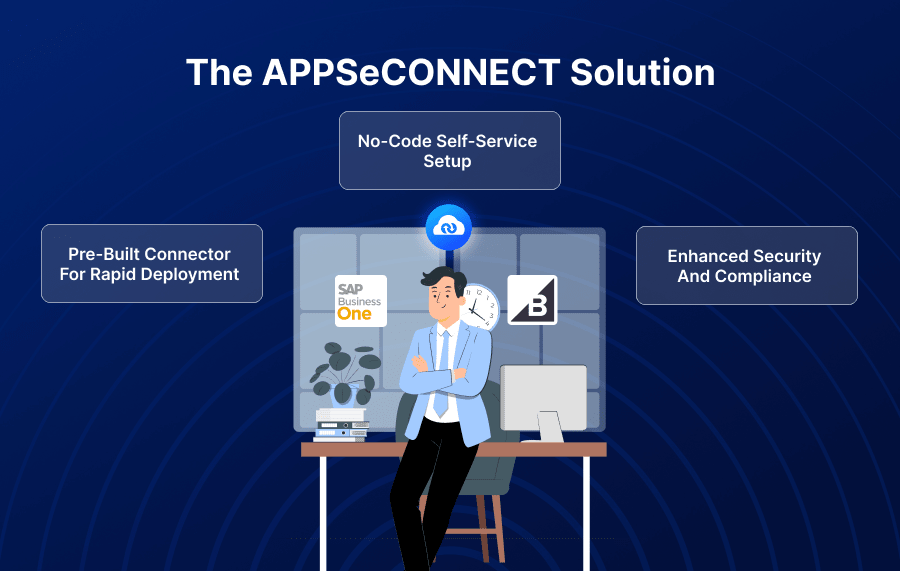
The APPSeCONNECT Solution
APPSeCONNECT is a leading iPaaS integration solution provider for enterprises looking to effortlessly connect SAP B1 with BigCommerce. Integration’s primary goal is to move the right business data to the right system at the right time without brittle handoffs.
Pre-Built Connector For Rapid Deployment
To reduce the typical 3-6 months to go-live cycles of SAP integration, APPSeCONNECT is heavily investing in industry-specific integration templates.
The connector comes with pre-mapped workflows designed explicitly for SAP B1 and BigCommerce. Core processes such as product listings, inventory updates, order creation, customer data syncing, and pricing or promotions are already configured. This eliminates the need to start from scratch, saving weeks of planning and development.
These pre-built connectors include:
- Product & Inventory Sync ensures that product details, stock levels, and descriptions remain consistent across all channels in real time, eliminating manual updates and the risk of overselling.
- The Order & Customer Data Sync automatically transfers order information, shipping details, and customer profiles between systems, ensuring accurate fulfillment and a unified view of every customer interaction.
- Through the Price Updates and Promotional Sync, any changes to product pricing, seasonal discounts, or promotional offers are instantly reflected across platforms, helping businesses stay competitive without the delays of manual edits.
- The Return & Refund Workflows simplify the post-purchase process by seamlessly syncing return requests and refund statuses, improving customer satisfaction and reducing administrative overhead.
No-code self-service setup
APPSeCONNECT offers a no-code, drag-and-drop interface where you map data fields, set up workflows, and define business rules through simple point-and-click actions. This means you can configure and manage integrations without writing a single line of code or relying heavily on IT teams.
To achieve scalability, APPSeCONNECT users can use:
- Guided Prompts: Simplify each onboarding step.
- Drag-and-Drop Mapping: Map fields with a click.
- Instant Validation: Confirm connections in real time.
- Visual Progress Bar: Track your setup status.
- Automated Error Alerts: Retry syncs without manual work.
In under thirty minutes, you map fields, validate connections, and finish integration without writing manual code.
For example, a growing boutique can use APPSeCONNECT to launch integration faster than any method.
Enhanced security and compliance
All communication in the APPSeCONNECT follows a centralized security system that encrypts data and uses a protected plug.
APPSeCONNECT’s Enhanced Security & Compliance Measures:
- Role-based access
- 2-Factor authentication
- SOC2-level monitoring
- Secure authentication
- GDPR and CCPA compliance
- APPSeCONNECT also provides HIPAA and CLOUD ACT-compliant integration solutions for handling sensitive data in the US.
It also adheres to US-specific compliance requirements like:
- ISO 27001 certified
- SOC 2 (Type II) certified
- GDPR Compliance
- Encryption at Rest and in transit (256-bit AES)
Real-world success: How APPSeCONNECT has transformed businesses
Nothing showcases a platform’s true impact like real-world case studies. APPSeCONNECT’s evolution is not just theoretical. It’s actively transforming how companies operate, scale, and innovate.
From retail to manufacturing, from North America to APAC, APPSeCONNECT has enabled hundreds of businesses to automate intelligently, cut operational costs, and accelerate time-to-market.
Let’s explore some standout success stories reflecting how customers benefit from the evolved platform.
Advancing Eyecare: Streamlining operations with BigCommerce and SAP B1 integration
Advancing Eyecare is the industry leader in the eyecare instrumentation marketplace. They used SAP B1 as their ERP system and Salesforce as their CRM. They recently went digital to an online store and employed BigCommerce as their ecommerce storefront.
The disjointed data flow between SAP B1, Salesforce and CRM creates inefficiencies and hinders the seamless management of orders and inventory for Advancing Eyecare.
APPSeCONNECT integration streamlined the sync of orders from BigCommerce to Salesforce and Salesforce to SAP Business One for centralized control. This bidirectional integration ensured that data flowed seamlessly across all platforms, enabling real-time tracking of order statuses for customers.

WaterTech Corp: High volume sync without errors
WaterTech Corp. faced significant operational challenges due to manual processes and a lack of integration between its ERP system (SAP Business One) and e-commerce platform. It had no real-time visibility across multiple warehouses, leading to stockouts or overselling situations.
The lack of automation was a massive bottleneck, preventing WaterTech from scaling operations as demand increased.
When collaborating with APPSeCONNECT, WaterTech implemented an integration solution that connected their ERP system (SAP B1) with their e-commerce platforms (Amazon, BigCommerce, Shopify, and others).
This enabled automated order synchronization between the platforms and the ERP system, eliminating the need for manual data entry and dramatically reducing errors in order processing.
Machinery Manufacturing Company: Synchronized abandoned carts with SAP B1+Magento + Salesforce
A global machine manufacturing company faced significant issues with keeping its data organized in real time. They struggled with integrating crucial business data in real time, such as Orders, Prices, B2B Customer Credit limits, Inventory, Ships, and Invoices. They were also facing high cart abandonment, leading to significant revenue loss.
Building a custom integration was also not a better option due to their highly customized system. That’s when APPSeCONNECT entered the picture as the perfect automation platform by building powerful connectors between SAP ECC, Magento, and Salesforce.
Moreover, APPSeCONNECT successfully synchronized cart abandonments in Magento as Tasks in Salesforce, enabling them to better communicate with their potential customers, reduce cart abandonments, and improve sales conversion.
How to get started with APPSeCONNECT’s SAP B1 + BigCommerce Integration
Setting up the BigCommerce and SAP Business One integration takes just 30 minutes. Follow these steps to go live without writing code or involving developers.
Step 1: Sign Up and Start Your 14-Day Trial
Create an APPSeCONNECT account with your work email, confirm it, and select the BigCommerce–SAP B1 integration package to begin the self-serve onboarding.
- Account Setup: Use your work email and create a secure password to start the free trial.
- Email Confirmation: Click the verification link sent to your inbox to activate your account and sign in.
- Trial Start: Choose the BigCommerce–SAP B1 connector to launch the 14-day trial.
- No Payment Needed: The trial begins without requiring a credit card.
- Dashboard Access: After login, you’ll be taken directly to the integration console for configuration.
Step 2: Connect BigCommerce and SAP B1 Credentials
Enter your BigCommerce store URL and API credentials, then add the SAP Business One Service Layer details—the wizard will validate everything within seconds.
- API Credentials: Paste the BigCommerce API key and secret from your admin settings.
- Store URL: Enter your BigCommerce domain (for example, yourstore.mybigcommerce.com).
- SAP B1 Service Layer: Provide the endpoint where SAP B1 is hosted, whether on-premise or in the cloud.
- SAP B1 Login: Supply a SAP B1 username and password with the necessary integration rights.
- Verify Connections: Click Test Connection to confirm that both platforms communicate correctly.
Step 3: Configure Data Sync Preferences via Visual Dashboard
Use the visual mapper to link BigCommerce fields with SAP B1 objects, then fine-tune mappings, filters, and scheduling to fit your business requirements.
- Field Mapping: Drag and drop BigCommerce order, product, and customer fields onto the corresponding SAP B1 entities.
- Filter Conditions: Define rules such as syncing only orders with status “Paid” or amounts above $10.
- Sync Schedule: Select real-time triggers or set batch intervals (for example, every five minutes).
- Data Transformations: Apply adjustments like joining first and last names or converting currency codes.
- Save & Preview: Review the mapping preview to confirm the data flows correctly before going live.
Step 4: Test Integration with Sample Data
Before going live, perform a test sync using sample orders to ensure everything transfers to SAP B1 correctly.
- Create Sample Order: Place a dummy order in BigCommerce with test products, customer details, and payment info.
- Initiate Sync: Manually start the sync job from the dashboard to send data to SAP B1.
- Check in SAP B1: Confirm that the sales order, customer record, and inventory updates appear as expected.
- Review Logs: Inspect any errors in the log and adjust mappings or filters as necessary.
- Retry if Needed: Re-run the sync to process only the corrected records without duplicating successful ones.
Step 5: Go Live and Automate Operations
After successful testing, enable Live mode so orders, inventory, and customer data sync automatically without manual effort.
- Enable Live Mode: Toggle the Live switch in the integration console to start continuous syncing.
- Monitor in Real Time: Use the dashboard to track sync activity and quickly spot any issues.
- Set Up Alerts: Configure email or Slack notifications for critical errors or threshold breaches.
- Use Support Resources: Refer to the Help Center’s guides and video tutorials for post–go-live questions.
- Optimize Regularly: Review logs and adjust mappings as your business requirements change.
Overcoming common integration challenges: APPSeCONNECT’s proven approach
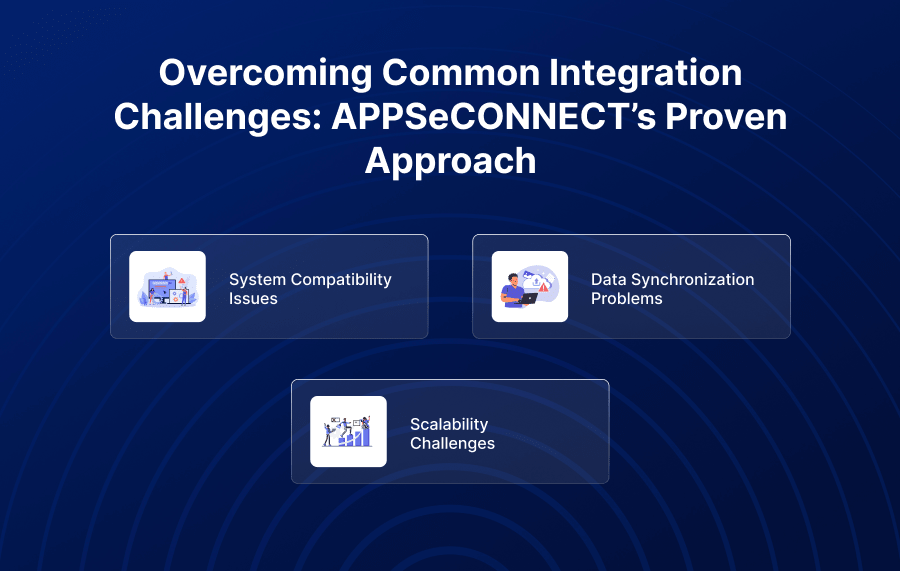
challenges, including compatibility concerns, data synchronization difficulties, and scalability restrictions.
And, tackling these challenges is crucial for optimizing your ERP and CRM integration:
System compatibility issues
One of the primary hurdles of ERP e-commerce integration solutions is compatibility between various platforms, such as ERP, CRM, or payment gateways. Many systems use different formats or APIs, making integration error-prone and complex.
For example, a CRM might use XML data while the ecommerce platform requires JSON, leading to technical constraints.
How APPSeCONNECT Solves It:
APPSeCONNECT provides pre-built connectors and workflows that normalize data across formats and APIs. Its low-code/no-code environment lets teams configure mappings without deep coding, ensuring seamless communication between diverse systems.
Data synchronization problems
Real-time data updates are crucial for inventory, orders, and customer details. Poor synchronization between systems can result in overselling, delayed shipments and incorrect customer records.
How APPSeCONNECT Solves It:
APPSeCONNECT offers real-time bi-directional syncing and automated error handling. This keeps product, order, and customer information accurate across ERP, CRM, and ecommerce platforms, reducing manual intervention and costly discrepancies.
Scalability challenges
As a business scales, its operational requirements become more complex. Functional integrations for smaller operations might not work for more intricate or extensive workflows. The scalability limitation can hinder expansion without a robust ecommerce integration software.
How APPSeCONNECT Solves It:
APPSeCONNECT’s scalable architecture and pre-built workflows allow businesses to add new endpoints or processes with minimal rework. The low-code/no-code setup supports rapid expansion to new markets or channels without disrupting existing integrations.
Unlock the full potential of your business with seamless integration
Manual inventory management can lead to stockouts or excess stocks, missed sales opportunities and cash flow issues, ultimately affecting your business’s profitability. Investing in a robust integration platform can significantly boost your business operations.
The best way to do it? Use an iPaaS solution like APPSeCONNECT, which excels in CRM and e-commerce integration. From ready-to-use connectors to complex custom integrations, our platform is built for everything you’ll need to connect top CRMs like SAP B1 with your e-commerce platform, like BigCommerce.
Frequently Asked Questions
Integrating SAP B1 with BigCommerce using APPSeCONNECT automates inventory updates, order management, and customer data flow. It ensures real-time, accurate data across platforms, reduces manual tasks, and improves operational efficiency and customer satisfaction.
Using APPSeCONNECT’s no-code, drag-and-drop interface, you can set up the integration in under 30 minutes. Pre-built connectors and guided prompts simplify the setup without requiring developers or coding knowledge.
Yes. Automated stock updates, reorder rules, and real-time syncing between SAP B1 and BigCommerce ensure your inventory levels are accurate across all sales channels, preventing stockouts and overselling.
Absolutely. APPSeCONNECT automates order creation in SAP B1, updates customer profiles in your CRM, and synchronizes invoices, shipping details, and product data for a seamless, end-to-end process.
Yes. APPSeCONNECT offers role-based access controls, 2-factor authentication, encrypted data transfers, and compliance with ISO 27001, SOC II, GDPR, HIPAA, and CCPA standards.