



S/4HANA Service is SAP’s solution for managing service operations like field service, customer support, maintenance, and warranty management. Companies use it because it handles service orders, technician scheduling, and parts inventory with precision at an enterprise scale.
But service operations don’t exist in isolation.
- Your service team needs customer data from Salesforce.
- Technicians require real-time inventory from your warehouse system.
- Your support desk runs on ServiceNow.
- Billing needs data from multiple sources.
Without integration, critical workflows break. A customer calls about warranty service, but your team can’t access purchase history. Technicians arrive without the right parts because systems didn’t sync. Service data stays trapped in S/4HANA while billing waits, delaying invoices.
This guide explains why S/4HANA Service must connect with other systems, which integrations deliver the most value, and how to build an ecosystem where service data flows seamlessly across your business.
TL;DR
- S/4HANA Service excels at core operations still depends on integrations for complete service workflows.
- Native SAP tools handle SAP systems well struggle with non-SAP apps scalability maintenance.
- Third-party iPaaS platforms connect CRM commerce HR logistics faster with lower risk consistently.
- Integrated service data improves response times billing accuracy customer experience measurable ROI outcomes.
What Is S/4HANA Service?
S/4HANA Service refers to the service management capabilities within SAP S/4HANA, the fourth-generation business suite built on the SAP HANA in-memory database. This system handles everything from financial management and supply chain operations to customer service and asset management.
The platform processes transactions in real time, eliminates data redundancy, and provides instant insights that older ERP systems simply cannot match.
Organizations worldwide have migrated or are planning to migrate to S/4HANA before the 2027 deadline when SAP ends mainstream support for its legacy ECC system.
S/4HANA Service delivers several game-changing features:
- Real-time data processing that eliminates batch processing delays
- Predictive analytics that forecast service needs before issues arise
- Mobile accessibility enabling field service teams to work anywhere
- Embedded artificial intelligence that automates routine decisions
- Simplified data structure reducing system complexity and improving performance
These capabilities make S/4HANA powerful, but they operate within the SAP ecosystem. The moment your business needs to connect with non-SAP applications, you face integration challenges that native tools struggle to address efficiently.
Why Native S/4HANA Service Is not Enough
S/4HANA Service is powerful within its domain, but modern service operations span far beyond what any single platform can handle.
S/4HANA Service was not designed to replace these systems, and it should not. Forcing everything into a single platform means sacrificing the specialized capabilities that make each tool valuable.
The Growing Use of Non-SAP Systems
Research from the German-speaking SAP user association DSAG reveals 70% of S/4HANA integration work involves connecting non-SAP systems. This means the majority of your integration effort focuses on third-party applications, not SAP-to-SAP connections.
Your business likely runs on dozens of specialized applications. You might use Salesforce for CRM, Shopify for e-commerce, Workday for HR, ServiceNow for IT service management, and various industry-specific tools.
S/4HANA excels at core ERP functions, but it was not designed to replace every application in your technology stack.
For service-led organizations, these limitations surface quickly.
S/4HANA Service does not natively orchestrate field technician apps, third-party logistics visibility, customer-facing portals, or external contract systems. As a result, service workflows fragment across tools.
A service request may exist in S/4HANA, technician availability in a separate FSM tool, and spare parts visibility in a warehouse system. Without integration, these systems operate in parallel, not in sequence.
The Importance of Best-of-Breed
Modern businesses embrace a best-of-breed strategy where they select specialized applications that excel in specific functions.
| A best-of-breed approach means selecting the top-performing application for each business function rather than using an all-in-one suite. Organizations choose specialized tools that excel in their domain, then integrate them to create a unified system. |
This approach delivers:
- Superior functionality for specialized business needs
- Faster adoption of innovative features from agile vendors
- Greater negotiating power and reduced vendor lock-in
- Flexibility to switch tools as requirements evolve
S/4HANA provides the strong backbone, but your CRM specialist handles customer relationships better, your e-commerce platform creates superior shopping experiences, and your marketing automation tool drives campaigns more effectively than any single ERP module could.
Technical Limitations of Native Integration
S/4HANA offers several native integration tools, including APIs, IDocs, and BAPIs. However, these tools present significant challenges:
- Complexity Barriers: Native integration requires deep technical expertise in SAP technologies. Your team needs to understand ABAP programming, SAP NetWeaver, and various SAP-specific protocols. This specialized knowledge is expensive and difficult to find.
- Development Time: Building custom integrations using native SAP tools typically takes months. Each connection requires extensive coding, testing, and documentation. Simple data flows that should take days stretch into multi-month projects.
- Maintenance Burden: Every custom integration becomes a maintenance liability. When S/4HANA updates its APIs or your third-party application changes its data structure, your IT team must modify and retest the integration. Multiply this by dozens of connections, and maintenance becomes overwhelming.
- Limited Pre-Built Connectors: SAP provides some pre-built connectors, but coverage for non-SAP applications remains limited. You will likely need custom development for many critical business applications.
Read more: 5 Things to Know Before You Integrate S/4HANA with External Systems
Top Third-Party Integration Points with S/4HANA Service
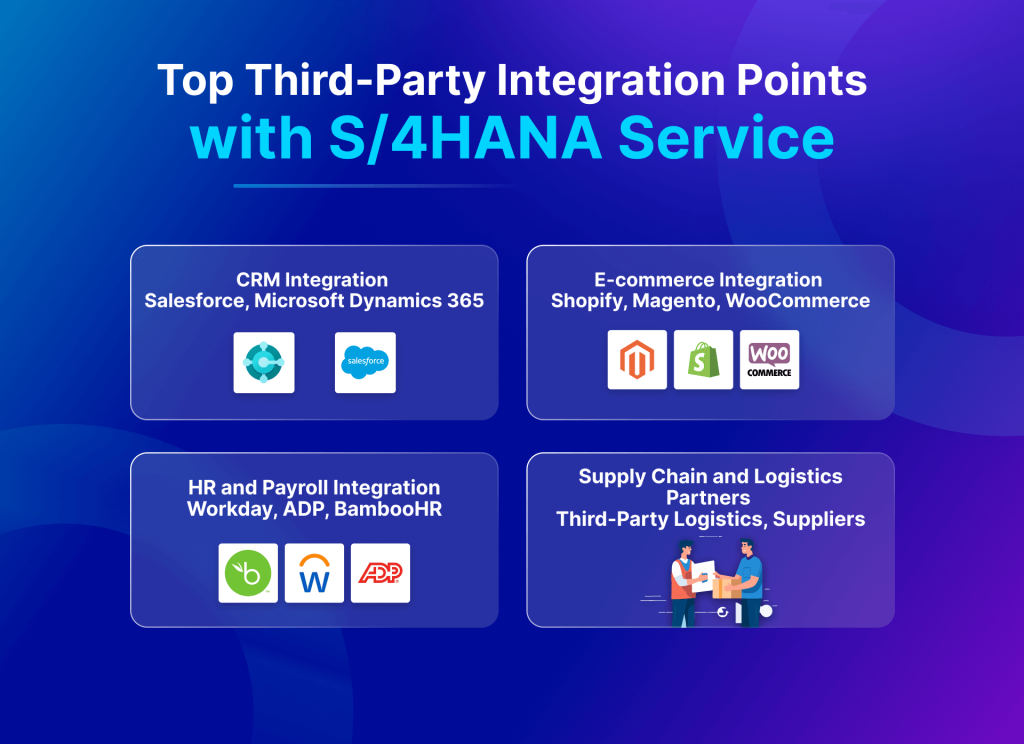
Understanding where S/4HANA needs to connect with external systems helps you prioritize integration efforts. Here are the most critical integration points for modern businesses.
For service organizations, integration priority should follow the service lifecycle.
- Customer context first.
- Inventory and parts visibility second.
- Execution and billing last.
This sequencing ensures service teams act with complete information rather than reacting to system gaps.
CRM Integration (Salesforce, Microsoft Dynamics 365)
Your sales team uses a CRM while financial data resides in S/4HANA. Without integration, these systems create conflicting versions of truth. Some of the critical data flows include:
- Customer master data synchronized bidirectionally
- Sales orders flowing from CRM to ERP for fulfillment
- Invoice and payment status updating back to CRM
- Product pricing and availability feeding into CRM quotes
- Service tickets connecting to warranty and asset information
| Note: For service teams, this integration ensures warranty eligibility, installed base history, and service entitlements are visible before dispatch. This prevents unnecessary site visits and warranty disputes. |
Business Impact: Sales representatives access real-time pricing, inventory availability, and customer credit status without leaving Salesforce. Finance teams see complete customer history without switching systems. Quote-to-cash cycles accelerate dramatically.
E-commerce Integration (Shopify, Magento, WooCommerce)
Online stores need constant communication with your ERP to deliver accurate information and seamless order processing. Essential synchronization include:
- Real-time inventory levels preventing overselling
- Product catalogs with accurate descriptions and pricing
- Order data flowing automatically into S/4HANA for fulfillment
- Shipment tracking updating customer order status
- Returns processing updating inventory and financials
Business Impact: Customers see accurate stock availability. Your warehouse team receives orders instantly. Financial reconciliation happens automatically. Customer satisfaction improves while operational costs decrease.
HR and Payroll Integration (Workday, ADP, BambooHR)
Human resources data needs to flow between specialized HR systems and your ERP for payroll, cost accounting, and organizational management. Key integration points include:
- Employee master data maintaining consistency across systems
- Organizational structures supporting cost center allocation
- Time and attendance data feeding payroll calculations
- Benefits information coordinating with financial planning
- Recruitment data linking to position management
Business Impact: New employees onboard faster with automated provisioning. Payroll processes run smoothly without manual data entry. Cost accounting accurately allocates personnel expenses to projects and departments.
Supply Chain and Logistics Partners (Third-Party Logistics, Suppliers)
B2B integration connects your S/4HANA system with suppliers, distributors, and logistics providers. Critical B2B Exchanges include:
- Purchase orders sent to suppliers automatically
- Advanced shipping notices updating inbound logistics
- Invoices received and processed electronically
- Inventory levels shared with distribution partners
- Demand forecasts coordinating with supplier planning
Business Impact: Supply chain visibility improves dramatically. Order processing costs drop. Payment cycles accelerate through automated invoice matching. Supplier relationships strengthen through better communication.
Business Impact of Not Integrating
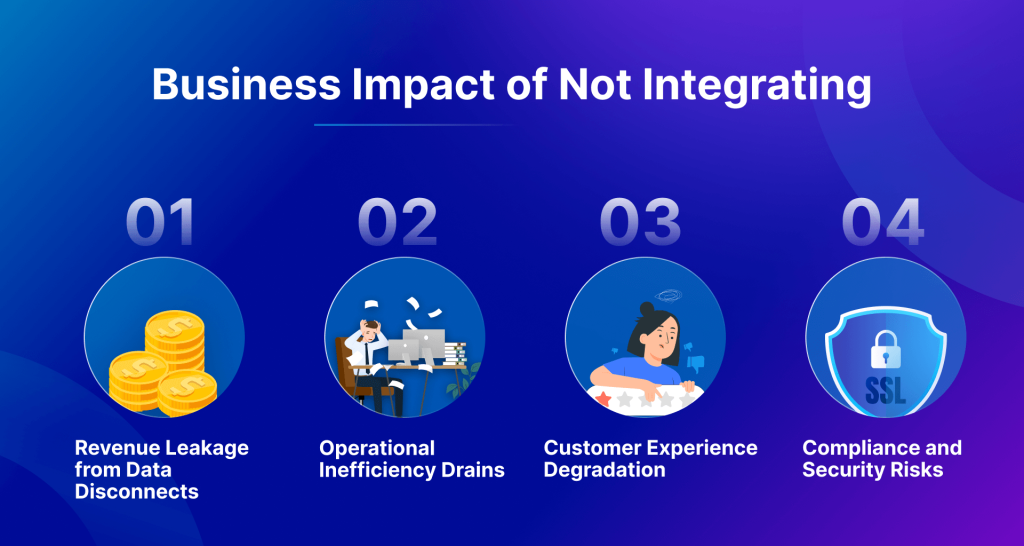
The cost of isolated systems extends far beyond IT inconvenience. Let’s examine the real business consequences.
Revenue Leakage from Data Disconnects
When systems don’t share data, money slips through the cracks:
- Overselling: Your e-commerce site sells products that S/4HANA knows are sold out. You cancel orders, refund payments, and lose customers to competitors. Each incident costs you immediate revenue plus long-term customer lifetime value.
- Missed Upsell Opportunities: Sales representatives lack visibility into customer purchase history, installed equipment, and service contracts. They miss cross-sell and upsell opportunities because critical information sits trapped in S/4HANA while they work in Salesforce.
- Pricing Errors: Manual price updates between systems lead to inconsistent pricing. Some customers pay outdated rates. Others see incorrect discounts. Revenue optimization becomes impossible without synchronized pricing data.
Operational Inefficiency Drains
Manual processes waste time and money across your organization:
- Data Entry Multiplication: Staff enter the same information multiple times. Orders typed into the e-commerce admin panel get manually entered into S/4HANA. Customer updates in the CRM require separate updates in the ERP. According to industry research, manual data entry consumes up to 45% of operational time in disconnected environments.
- Reconciliation Nightmares: Month-end closing extends for days as finance teams reconcile conflicting data between systems. Discrepancies require investigation. Corrections demand additional entries. The process ties up skilled staff in tedious work that integrated systems eliminate entirely.
- Communication Breakdowns: Without integration, departments develop their own processes and workarounds. Sales creates spreadsheets to track inventory. Operations maintains separate customer lists. These shadow systems create confusion, errors, and wasted effort.
Customer Experience Degradation
Today’s customers expect seamless experiences, but disconnected systems deliver frustration:
- Inconsistent Information: A customer checks your website and sees a product in stock. They call to confirm, but the representative checking S/4HANA sees the item unavailable. Confusion damages trust and often loses the sale.
- Slow Response Times: Customer service representatives toggle between multiple systems to answer simple questions. What should take 30 seconds stretches to 5 minutes. Customers wait. Satisfaction scores drop. Competitors gain advantage.
- Order Visibility Gaps: Customers want order tracking from purchase through delivery. When your e-commerce platform, warehouse system, and S/4HANA don’t communicate, you cannot provide accurate status updates. Customers call repeatedly, overwhelming your support team.
Compliance and Security Risks
Data silos create governance nightmares:
- Audit Challenges: Auditors require complete transaction trails. When data lives in disconnected systems, reconstructing audit trails requires extensive manual work. Compliance teams struggle to demonstrate regulatory adherence.
- Data Privacy Complications: GDPR and similar regulations require businesses to locate and manage all customer data. Disconnected systems make it nearly impossible to fulfill data subject requests completely and promptly.
- Security Vulnerabilities: Each manual data transfer or export creates security exposure. Spreadsheets shared via email contain sensitive data without proper encryption or access controls. Integration reduces these risky manual processes.
How iPaaS Makes Integration Smarter, Not Harder
Integration Platform as a Service (iPaaS) solves the connectivity problems that S/4HANA’s native tools can’t handle alone. Here’s why iPaaS makes S/4HANA integrations actually work for real businesses.
| iPaaS is a cloud-based platform that enables organizations to connect applications, data, and processes across cloud and on-premises environments. iPaaS provides pre-built connectors, visual workflow builders, and management tools that simplify integration without extensive coding. |
Unlike native SAP integration approaches, iPaaS platforms are designed for heterogeneous environments. They abstract SAP-specific complexity while supporting non-SAP APIs, files, and legacy protocols.
This allows service organizations to integrate faster without extending ABAP development cycles or increasing technical debt. Here’s how:
Pre-Built Connectors Accelerate Deployment
iPaaS platforms offer extensive libraries of pre-built connectors for popular applications.
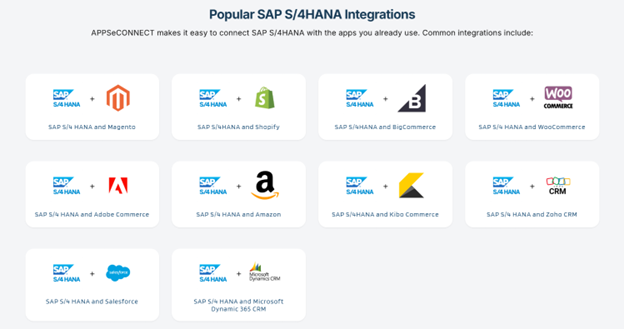
Instead of spending months developing custom integrations, you can:
Step 1: Select the connector for your target application (Salesforce, Shopify, Workday, etc.)
Step 2: Configure authentication and connection parameters
Step 3: Map data fields between systems using visual tools
Step 4: Test the integration with sample data
Step 5: Deploy to production with monitoring and error handling
This process reduces deployment time up to 90% compared to custom development. What took six months now takes 30 minutes to a few hours.
Low-Code Development Democratizes Integration
Modern iPaaS platforms use visual, drag-and-drop interfaces that business analysts can operate:
- Visual Workflow Designers let users create integration flows without writing code
- Data Transformation Tools enable field mapping through intuitive interfaces
- Template Libraries provide starting points for common integration scenarios
- Testing Environments allow safe experimentation before production deployment
Your business teams can build and modify integrations without waiting for scarce IT resources. Technical teams focus on complex requirements while business users handle routine integration tasks.
Built-In Intelligence and Automation
Advanced iPaaS platforms incorporate artificial intelligence and automation capabilities:
- Automatic Error Handling: The system detects failed transactions, logs details, and retries based on configurable rules. Many transient errors resolve automatically without human intervention.
- Smart Data Mapping: AI-powered mapping suggestions analyze source and target fields, recommending likely matches. This accelerates configuration and reduces mapping errors.
- Performance Optimization: The platform monitors integration performance, identifies bottlenecks, and optimizes data flows automatically. Your integrations run faster without manual tuning.
- Anomaly Detection: Machine learning identifies unusual patterns in data flows, alerting administrators to potential issues before they impact operations.
Centralized Monitoring and Management
iPaaS provides single-pane-of-glass visibility across all integrations:
- Real-Time Dashboards showing transaction volumes, success rates, and performance metrics
- Alert Systems notifying administrators of failures or performance degradation
- Audit Trails documenting every transaction for compliance and troubleshooting
- Version Control tracking integration changes and enabling rollback when needed
Your IT team manages dozens of integrations from one console instead of logging into multiple systems or parsing through custom code.
Scalability Without Infrastructure Headaches
Cloud-based iPaaS scales automatically to handle peak loads:
During holiday shopping seasons, your e-commerce integration processes 10x normal order volumes without manual intervention. The platform automatically allocates additional resources and scales as traffic normalizes. You pay only for what you use without provisioning servers or managing infrastructure.
Checklist: Does Your Service Stack Need Integration?
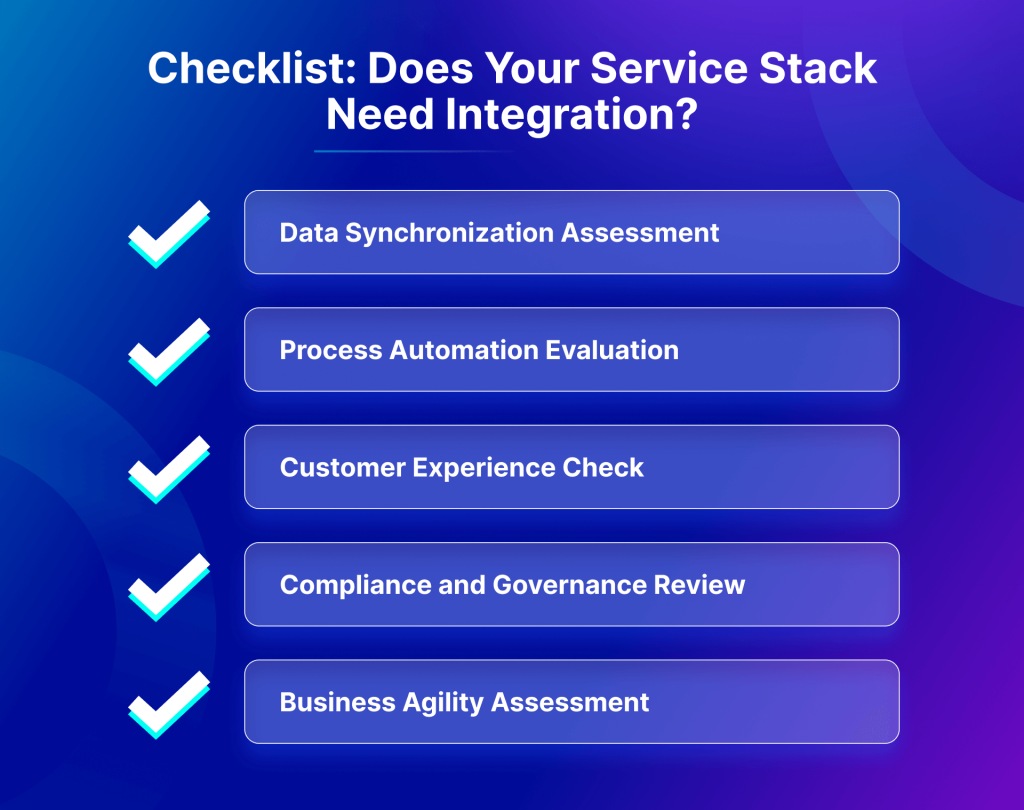
Use this checklist to assess integration needs and prioritize.
Data Synchronization Assessment
□ Do you manually enter data that exists in another system?
□ Does your team maintain spreadsheets with information from multiple systems?
□ Have you experienced inventory overselling or stock-out surprises?
□ Do employees complain about switching between multiple systems?
□ Does month-end closing take longer than 3 business days?
If you checked two or more boxes, data synchronization integration should be your top priority. Real-time data flows eliminate manual entry and reconciliation challenges.
Process Automation Evaluation
□ Do orders require manual transfer between systems?
□ Does customer service manually create service tickets in multiple places?
□ Do sales representatives manually check inventory before quoting?
□ Does your team copy invoices or purchase orders between systems?
□ Do you spend significant time resolving duplicate customer records?
If you checked two or more boxes, process automation through integration can dramatically improve efficiency and reduce errors.
Customer Experience Check
□ Do customers report inconsistent information across channels?
□ Can customers not track orders from purchase through delivery?
□ Do customer service calls take longer than 3 minutes on average?
□ Have you received complaints about outdated information on your website?
□ Does your sales team lack complete customer history during calls?
If you checked two or more boxes, integration will directly improve customer satisfaction and retention by providing consistent, accurate information across all touchpoints.
Compliance and Governance Review
□ Do audits require extensive manual report preparation?
□ Can you locate all customer data within 24 hours for privacy requests?
□ Do different systems show conflicting financial data?
□ Have you failed internal controls audits due to data inconsistencies?
□ Do employees share sensitive data via email or spreadsheets?
If you checked two or more boxes, integration is essential for compliance and security. Automated data flows with audit trails strengthen governance while reducing risk.
Business Agility Assessment
□ Does adding a new sales channel take more than one month?
□ Can you launch promotions across all channels simultaneously?
□ Do new product launches require updates in more than 3 systems?
□ Does expanding to new markets require significant IT work?
□ Can you implement process changes in under a week?
If you checked two or more boxes, integration enables the agility modern businesses require. Connected systems adapt quickly to changing requirements.
Conclusion: Integration Unlocks the Real Power of S/4HANA Service
S/4HANA Service delivers incredible capabilities, but its true power emerges only when connected to your broader technology ecosystem.
Success requires seamless integration with specialized third-party applications that handle CRM, e-commerce, HR, and other critical functions.
Modern iPaaS platforms like APPSeCONNECT change integration from a months-long coding project into a days-long configuration task. Pre-built connectors, visual workflows, and intelligent automation eliminate technical barriers while delivering measurable business results.
Organizations that embrace integration see 50% efficiency gains, 45% error reduction, and dramatically improved customer experiences.
For organizations scaling service operations, delaying integration compounds risk. Every manual workaround increases response time, error rates, and customer dissatisfaction. Early integration creates a service foundation that scales without operational friction.
The question isn’t whether to integrate but when to start.
Frequently Asked Questions
S/4HANA Service operates in real time and supports service-specific objects like service orders, warranties, and installed base data, making integration timing and accuracy critical. However, most integrations still involve non-SAP systems requiring specialized connectors. The in-memory architecture enables faster data synchronization, but connectivity to third-party applications remains equally important for business success.
iPaaS solutions reduce integration time by 65% over custom development. Simple integrations deploy in days, while complex multi-system projects complete in weeks instead of months. Pre-built connectors, templates, and low-code tools accelerate every phase from design through testing and deployment for faster results.
Businesses of all sizes benefit from integration. Modern iPaaS platforms offer scalable pricing starting under $100 monthly, making integration accessible to small companies. The efficiency gains, error reduction, and improved customer experience deliver ROI regardless of organization size, often paying back investment within months.
Choose iPaaS providers with enterprise-grade security including encryption, SOC 2 compliance, and ISO 27001 certification. Verify support for secure authentication methods like OAuth and API keys. Ensure audit logging tracks all data access. Proper integration actually improves security by reducing manual data transfers and spreadsheet sharing.
Modern iPaaS platforms use low-code visual tools that business analysts can operate without deep SAP knowledge. Pre-built connectors handle SAP-specific protocols automatically. While SAP understanding helps, many organizations successfully manage integrations with general IT skills and platform-specific training provided by iPaaS vendors.
Well-designed integrations have minimal performance impact. iPaaS platforms optimize data flows, batch non-critical updates, and use asynchronous processing where appropriate. Modern S/4HANA infrastructure handles integration traffic easily. Most organizations see performance improvements overall because real-time data eliminates resource-intensive batch jobs and reconciliation processes.
Quality iPaaS providers maintain connectors to accommodate S/4HANA updates automatically. When SAP releases new versions or API changes, the iPaaS vendor updates connectors transparently. Your integrations continue working without code changes. This managed approach contrasts sharply with custom integrations requiring manual updates and testing.
Yes, comprehensive iPaaS platforms support multiple connectivity methods, including file-based integration, database connections, and legacy protocols. Many organizations successfully integrate S/4HANA with older systems using scheduled file transfers or database replication. The iPaaS handles protocol translation, making modern and legacy systems work together seamlessly.
nt
Track metrics, including time saved on manual processes, reduction in data errors, faster order processing, improved customer satisfaction scores, and decreased IT maintenance burden. Most organizations see positive ROI within 6-12 months through eliminated manual work, prevented revenue leakage, and improved operational efficiency clearly visible in metrics.
S/4HANA Cloud uses standardized APIs, making integration somewhat simpler, while on-premises deployments may have custom modifications requiring additional configuration. However, quality iPaaS platforms support both deployment models equally well. The integration approach, benefits, and business outcomes remain consistent regardless of whether S/4HANA runs in cloud or on-premises.