




SAP S/4HANA and BigCommerce Integration
- Connect
- Streamline
- Secure
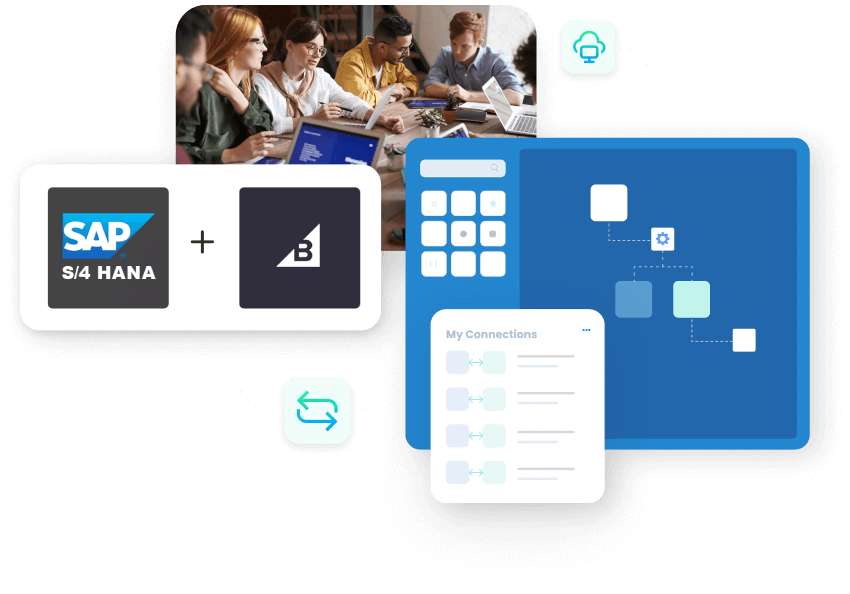
SAP S/4HANA and BigCommerce integration helps your online store and back office stay in step. Product data, customer records, and web orders remain synchronized across both systems, eliminating data siloes.
With our connector, SAP S/4HANA remains the place where you manage items, prices, stock, taxes and billing. BigCommerce stays focused on catalogue pages, carts, checkout and customer accounts. The connector keeps information moving between them in a steady two-way sync, so changes recorded in one system show up in the other.
Key Benefits
Why APPSeCONNECT Is the Gold Standard for SAP S/4HANA & BigCommerce Automation
Running an online store without a clear connection to ERP creates extra work. A shopper updates their address on the site, but the back office still sees an older version. A new price is set in SAP S/4HANA but the storefront carries the previous amount. Orders are copied into spreadsheets before finance can work with them. Teams eliminate the need to manually transfer order lines and trust the information in front of them.

Aligned Customer Data
Shopper profiles from the store connect to the customer records used for invoicing and reporting.

Reliable Web Orders
Online orders follow one clear path into ERP documents, with correct items and totals preserved.

Less Manual Work
Teams no longer waste hours transferring order lines and contact details between separate screens.

Current Catalogue Online
Store pages present descriptions and item details that reflect the latest information held in the ERP.

Stable Pricing
Central price updates feed into checkout so shoppers and finance see the same figures.

Quicker Customer Support
Service teams respond faster because order and account details are easier to find and match.

Clearer Performance Insight
Sales and finance use combined store and ERP data instead of building reports from scattered exports.

Fewer Clean-Ups
Reducing mismatched information leads to fewer refunds, adjustments and last-minute corrections.

Scalable Setup
As traffic and order volumes increase, automation takes on more routine work instead of adding pressure to staff.
B2B AUTOMATION
Where SAP S/4HANA Meets BigCommerce Automation
BigCommerce manages the buying experience: catalogue views, search, carts, checkout and storefront accounts. SAP S/4HANA manages the operational reality behind that experience: item definitions, stock positions, pricing, tax logic, invoices and financial postings. Integration helps both sides act like one joined system. APPSeCONNECT stands between store and ERP and guides how records move. That keeps updates predictable and makes it easier to understand what changed and when.
Product Information
Item details from the ERP keep catalogue entries consistent and easier to maintain across categories and channels.
Customer Alignment
People who buy or register on the store map to customers that back-office teams recognise in daily work.
Order Handling
Confirmed orders raised online become sales documents that operations and finance can process and track.

Fulfilment Updates
Shipping and delivery progress recorded in the ERP appears inside store accounts and order history views.

Simple Oversight
Administrators review mappings, schedules and behaviour in one integration console rather than several separate tools.
Real-World Use Cases of the Integration
Direct-To-Consumer Stores
Online orders appear promptly in ERP so warehouse teams can pick, pack and send without waiting for manual exports.
Mixed B2B And B2C Selling
Trade buyers and end customers use the same storefront while contract terms and tax behaviour still follow ERP settings.
Growing Product Lines
New items are added once in ERP and then used consistently across store categories and campaigns.
Customer-Facing Teams
People handling chats, calls or emails see order and account information without switching through many separate views.
Features You Get With Our Connector

Visual Designer
Integration logic appears as clear steps, helping technical and non-technical users see how data moves.

Standard Templates
The main touchpoints for this pair, products, customers, stock, orders, invoices, prices and fulfilment updates, are available as starting patterns.
Change-Driven Runs
Each run focuses on records that have changed, helping jobs complete in a reasonable time window.

Filter Controls
Administrators can focus on particular stores, ranges or record types when configuring behaviour.
Error Insights
Problem cases show readable messages so teams know what went wrong and where to correct it.
Central Monitoring
Run history and alerts appear in one place, making regular checks and investigations simpler.
Access Management
Only authorised users can change integration settings or reprocess records, supporting internal control expectations.





Popular SAP S/4HANA Integrations


INTEGRATION BROCHURE
Download The Full Integration Guide | ISO 27001 Secured
- Landscape Views: Simple diagrams show how the store, ERP and integration platform relate to one another.
- Process Overviews: Core flows, such as product updates, customer sync and order posting, are described in everyday language.
- Before-Go-Live Checks: A short list of checks helps ensure test cases, mappings and schedules are ready for live use.
System flow
How Does the Workflow Run End-to-End?
Browse and Decide
Shoppers view products, add items to carts and check information based on data maintained in the ERP.
Confirm Online Order
Once the shopper confirms, the web order is recorded and sent to the ERP as a sales document.
Process Internally
Warehouse and operations work through picking, packing and despatch using documents and rules defined in ERP.
Record Billing
Finance teams raise invoices and complete related steps against the order within the same system.
Share the Record
Both store and ERP hold a clear record of what was ordered, what was shipped and what was billed.
How To Get Started With APPSeCONNECT?
Identify First Areas
Turn on Connectors
Map Key Fields
Exercise Test Cases
Move Into Daily Use
Our Integration Is Developer Friendly
Configuration-Led
Most behaviour is controlled by configuration, which is easier to review and share across the team.
Structured Environments
Changes can move from development through testing into production in a deliberate sequence.
Traceable Records
Logs show how individual records moved, which makes investigations and explanations more straightforward.
Safe Adjustments
Extra checks or steps can be added where needed while keeping the overall connector supported.
Troubleshooting Quicklist
Check Basic Links
Confirm that systems are reachable and credentials used for integration are still valid.
Review Recent Edits
Look at mapping or rule changes if problems started shortly after configuration updates.
Follow One Example
Take a single customer, product or order and trace its path through the integration logs.

Observe System Load
Keep an eye on how each connected system behaves during high-activity periods such as promotions.
Retry Specific Items
Re-run integration only for records that failed instead of repeating large batches.
INTELLIGENT DATA FLOW
How Do Intelligent Data Flows Boost Your ROI?
Eliminate Redundant Entry
Automated synchronization removes the need for duplicate data input across disparate systems.
Fewer Conflicting Views
Staff and shoppers see matching order and account details, reducing confusion and disputes.
Better Planning Inputs
Sales, operations and finance work from figures that reflect both store activity and ERP records.
Quicker Responses
Questions about orders, charges or delivery progress can be answered sooner and with more confidence.
More Focus on Growth
Saved time can be redirected to campaigns, site improvements and new lines rather than routine fixes.
Streamlined Order-to-Cash Process
Interest and Cart
Shoppers explore items and add them to carts based on information that mirrors ERP records.
Order Confirmation
Confirmed orders reach the ERP in a form that supports picking, packing and billing steps.
Operational Activity
Warehouse and logistics work with ERP documents, while the store reflects current order stages.
Financial Completion
Payments and final postings are recorded in ERP, closing the loop for each transaction.
Joined History
Teams can review the entire journey for any order without stitching information together by hand.
One Platform, Endless Integrations

Central Coordination

Reusable Ideas

Expanding Channels

Shared Practices
Ready To Streamline Your SAP S/4HANA and BigCommerce Integration Today?

Related Resources
Articles and Guides to Help You With Your Integration and Automation Journey
Let’s start integrating!
Ready to Get Started?
Book a personalized demo or start your 30-day free trial. Our integration experts will reach out.