
Order-to-cash automation connects the systems behind every sale, from the moment a customer places an order to the moment cash lands in your account, so data moves between them without manual re-entry. Instead of staff copying orders from an eCommerce platform into an ERP and then into accounting, each step triggers the next automatically.
The payoff is a faster, cleaner revenue cycle: shorter cash conversion times, fewer billing errors, and far less manual reconciliation. When the order-to-cash process runs across disconnected systems, work moves slowly, data gets duplicated, and finance teams lose hours matching payments to invoices. Automation closes those gaps.
For most businesses the question is no longer whether to automate, but which stages create the most friction and how to connect the systems that own them.
Key Takeaways
|
What Is Order-to-Cash Automation?
Order-to-cash, often shortened to O2C, is the full process that begins when a customer places an order and ends when their payment is received and recorded. Order-to-cash automation applies software and system integration to that process so each stage passes data to the next without manual intervention.
It is easy to think of O2C as a single process, but it is really a chain of separate processes owned by different teams: sales, fulfillment, warehouse, and finance. Those teams typically work across several systems, including an eCommerce platform or point-of-sale system, an ERP, a warehouse management system, and one or more payment processors.
A few related cycles are easy to confuse with O2C. Invoice-to-cash focuses on the billing-and-collection tail end of the process. Quote-to-cash starts earlier, with the sales quote and configuration, before flowing into order and payment. Order-to-cash sits in the middle of these, covering order through collection.
The Stages of the Order-to-Cash Cycle
A typical order-to-cash cycle moves through these stages:
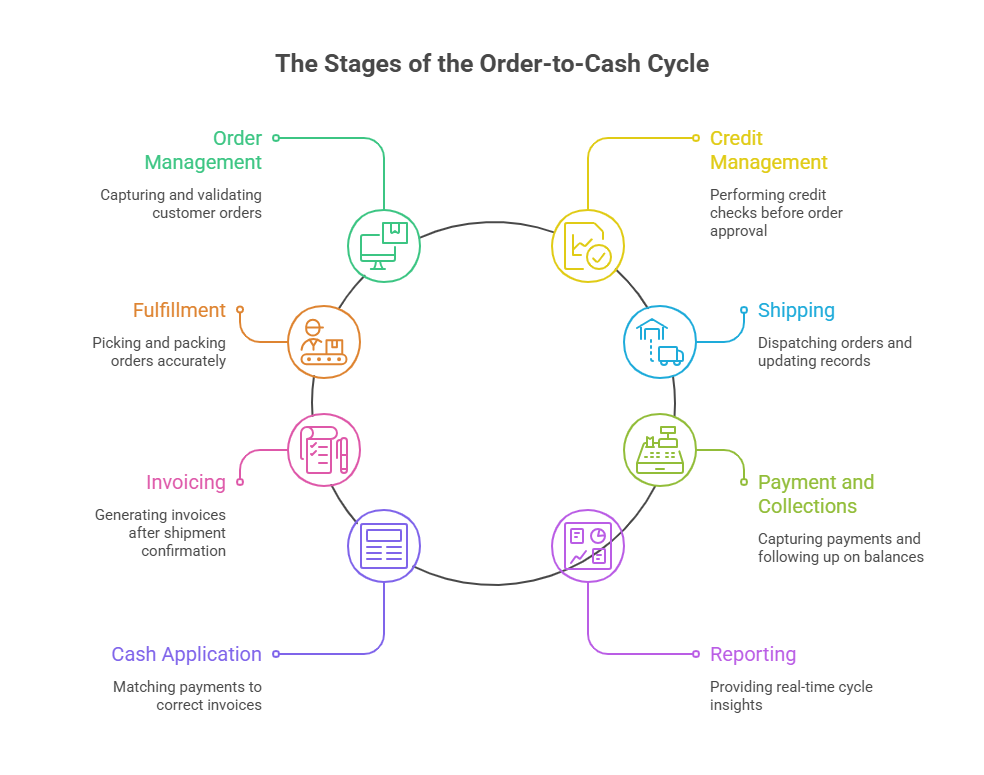
- Order Management: A customer order is captured from any channel and validated.
- Credit Management: Credit checks run against predefined rules before the order proceeds.
- Fulfillment: The warehouse receives accurate picking and packing information.
- Shipping: Dispatch details flow back to the customer and into the finance record.
- Invoicing: An invoice is generated once shipment is confirmed.
- Payment and Collections: Incoming payments are captured and outstanding balances are followed up.
- Cash Application: Payments are matched to the correct invoices.
- Reporting: Management gains a real-time view of the entire cycle.
Each stage is usually owned by a different team and often lives in a different system, which is exactly why manual handoffs between stages cause delays and errors.
How Does the Order-to-Cash Process Work Across Systems?
In a connected setup, an order placed on a storefront or marketplace is captured and validated automatically, then routed to the ERP where customer, item, and pricing data are matched. Fulfillment information passes to the warehouse, shipping confirmation triggers invoicing, and payment data flows back to be matched against the open invoice. The result is one continuous flow rather than a series of manual exports and imports.
Manual vs Automated Order-to-Cash
The difference between a manual and an automated cycle shows up at every stage:
Stage | Manual Order-to-Cash | Automated Order-to-Cash |
|---|---|---|
Order capture | Staff re-key orders between systems | Orders flow automatically from every channel into the ERP |
Credit checks | Checked ad hoc or skipped under pressure | Rules run automatically before the order proceeds |
Inventory | Stock levels drift between store and ERP | Real-time or scheduled sync keeps channels aligned |
Invoicing | Invoices created days after shipment | Invoices generate on shipment confirmation |
Cash application | Finance matches payments by hand | Payments matched to invoices automatically |
Visibility | No single view of order status | Real-time status across the full cycle |
Manual processes are a reasonable starting point for a new business, but they rarely scale. As order volume grows, re-keying, reconciliation, and status chasing turn into a permanent drag on the team.
How Automation Transforms Each Stage
Automation does not just speed up the existing process; it removes the handoffs that slow it down.
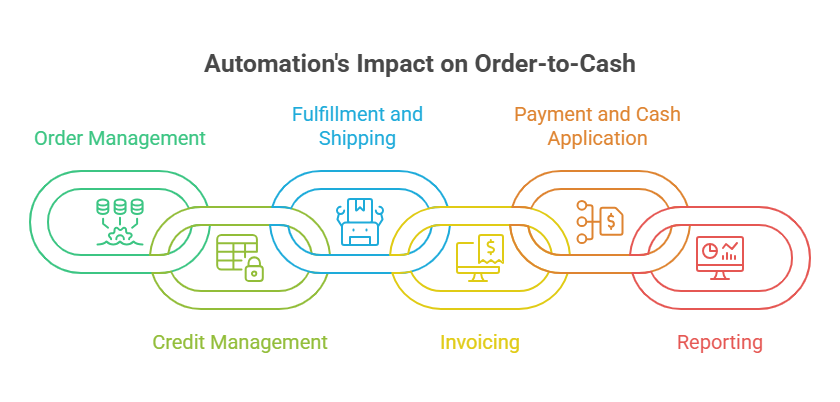
- Order Management: Orders from web stores, marketplaces, and point-of-sale systems are captured and routed into the ERP with line, price, tax, and customer details mapped, removing manual order entry.
- Credit Management: Credit limits and payment terms can be checked automatically against ERP rules before an order is confirmed, so risky orders are flagged early.
- Fulfillment and Shipping: Validated orders pass to the warehouse with accurate picking data, and shipment confirmations flow back into the finance record to trigger the next step.
- Invoicing: Once a shipment is confirmed, the invoice is generated in the ERP or accounting system with the correct customer and order data, so billing no longer lags behind delivery.
- Payment and Cash Application: Incoming payments are matched to open invoices automatically, reducing the manual matching that consumes finance team time and creating an audit trail that traces each payment back to its order.
- Reporting: With every stage connected, management gains a real-time view of where orders, inventory, and payments stand, which supports better decisions.
Underpinning all of this is system integration. Automation only works when the eCommerce platform, ERP, warehouse system, and payment processors can exchange data reliably, which is why the integration layer matters as much as the workflow itself.
Benefits of Order-to-Cash Automation
A connected, automated order-to-cash workflow delivers operational outcomes that compound as volume grows:
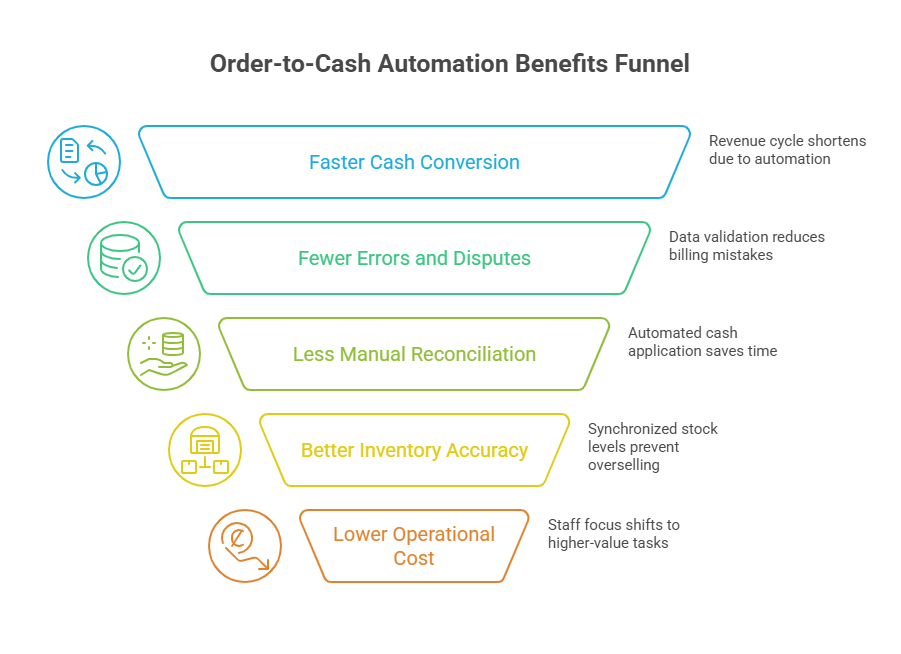
- Faster cash conversion: Orders move to invoice and payment without waiting on manual steps, shortening the revenue cycle.
- Fewer errors and disputes: Mapped, validated data reduces duplicate records and billing mistakes that lead to payment disputes.
- Less manual reconciliation: Automated cash application cuts the time finance spends matching payments to invoices.
- Better inventory accuracy: Synchronized stock levels reduce overselling, backorders, and disappointed customers.
- Lower operational cost: Removing repetitive data entry frees staff for higher-value work.
- Clearer visibility: A single, current view of order status supports customer service and strategic decisions.
Common Challenges and How to Avoid Them
Automating order-to-cash brings real efficiency, but a few challenges are worth planning for.
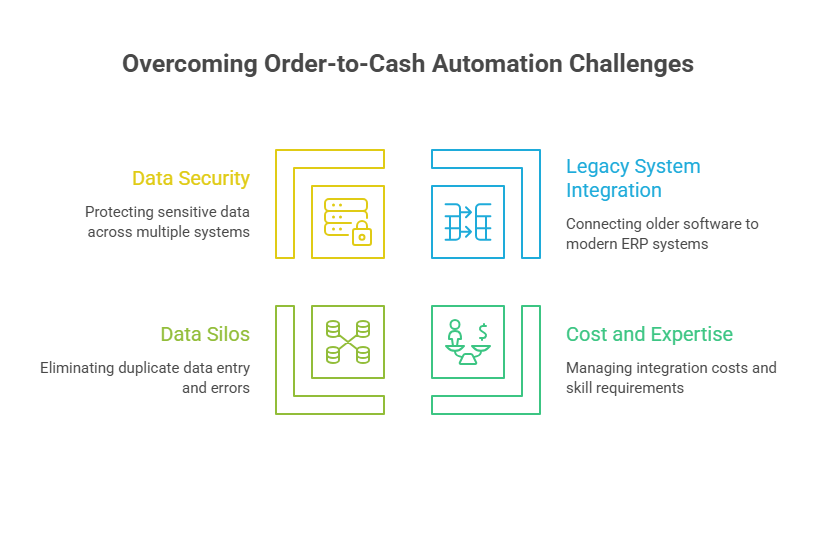
- Connecting legacy systems: Newer businesses rarely struggle here, but established companies running older software and databases can find it harder to connect those systems to a modern ERP. Choosing an integration approach with proven connectors for your specific systems reduces this risk.
- Cost and expertise: Custom integration can be expensive and depends on skilled engineers. A low-code or no-code integration platform reduces that dependence and the ongoing maintenance burden.
- Data silos and duplicate entry: When systems are not tightly connected, teams re-enter the same order and customer data in multiple places, wasting time and introducing errors. Bidirectional sync addresses this directly.
- Data security: Connecting multiple systems that handle order, customer, and financial data widens the potential attack surface. Using a secure integration platform with proper access and encryption controls, and handling API connections carefully, is essential.
Essential Features of an Order-to-Cash Automation Solution
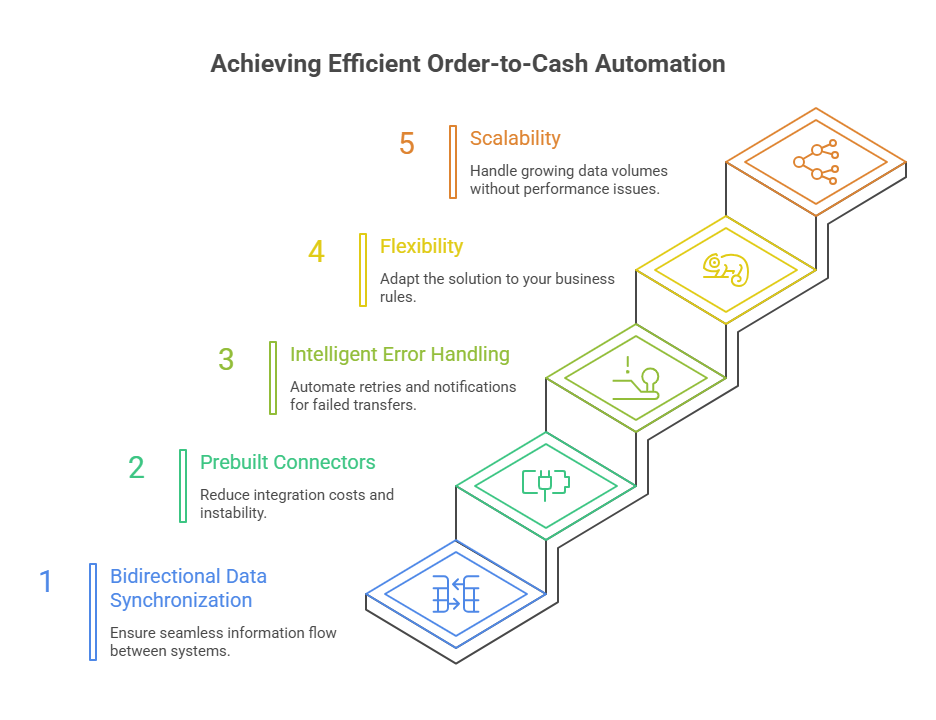
Not every integration tool fits every order-to-cash process. When evaluating options, weigh these capabilities against how your data actually needs to move:
Not every integration tool fits every order-to-cash process. When evaluating options, weigh these capabilities against how your data actually needs to move:
- Bidirectional data synchronization: Information often needs to flow both ways. When inventory changes in the ERP it should update the storefront; when a customer updates their details, that change should reach connected systems.
- Prebuilt connectors: Ready-made connectors for the systems you already run reduce cost and instability compared with fully custom builds.
- Intelligent error handling: The platform should retry failed transfers, apply fallback logic, and notify your team when a record cannot be processed.
- Flexibility: The solution should adapt to your business rules rather than forcing you to change your processes to fit the software.
- Scalability: It should handle growing volume without performance degradation as the business expands.
How to Get Started With Order-to-Cash Automation
A practical rollout starts small and expands once each stage is proven.
- Assess your systems: Identify every system in your O2C workflow and check what your ERP can connect to natively versus what needs an integration platform.
- Plan the architecture: Map the source and target for each flow, and decide which system owns each record.
- Connect high-friction stages first: Begin with the records that create the most manual work, often order sync, customer sync, inventory updates, and invoice or payment references.
- Test thoroughly: Validate sample orders, customers, items, and payment scenarios, including failure and retry cases, before going live.
- Deploy and monitor: Go live, then watch runs, review logs, and resync any failed records as you extend coverage to more systems.
How APPSeCONNECT and appse ai Support Order-to-Cash Automation
APPSeCONNECT is built to connect business applicationssuch as ERPs, eCommerce platforms, marketplaces, and accounting systems. For an order-to-cash workflow, it captures orders from connected channels and routes them into the ERP, keeps inventory aligned across selling channels, and connects invoicing and payment data, using prebuilt connectors and a visual ProcessFlow designer rather than custom code.
Each ProcessFlow defines the source system, target system, entity, field mapping, validation rules, run mode, retry behavior, and monitoring path, so records move with control. A Sync Info view tracks success and error rates, auto-retry handles transient failures, and missed records can be resynced after the cause is corrected.
appse ai adds AI-assisted support on top of a running integration: helping shape workflows when new systems or entities are added, spotting broken flows and error patterns before they become daily cleanup, and making order, inventory, and finance updates easier to review. Teams set the rules and decide how records move; the AI assists rather than replaces that control.
Take Control of Your Revenue Cycle
Slow, manual order-to-cash processes are not just inefficient; they hold back cash flow and pull teams away from higher-value work. The path forward is to map your current cycle, find the stages where data gets stuck or re-entered, and connect the systems that own them so information moves on its own.
Start by listing the systems in your O2C workflow and the handoffs that cost your team the most time. That short exercise usually makes the highest-value automation obvious, and it is the right first step whether you build the integration in-house or use a platform to get there faster.
If you want to know how APPSeCONNECT can automate your order-to-cash workflows, book a demo to know more.
Frequently Asked Questions
The order-to-cash process covers every step from when a customer places an order to when their payment is received and recorded. It typically includes order management, credit checks, fulfillment, shipping, invoicing, payment and collections, cash application, and reporting, often spanning several systems and teams.
The common steps are order capture and validation, credit management, fulfillment, shipping, invoicing, payment collection, cash application, and reporting. Each step usually involves a different team and system, which is why automation focuses on connecting them.
Automation connects the systems that own each stage so data flows between them automatically. An order captured on a storefront is routed to the ERP, fulfillment data reaches the warehouse, shipment confirmation triggers invoicing, and payments are matched back to invoices, with no manual re-entry between steps.
Order-to-cash covers the full cycle from order through payment. Invoice-to-cash focuses on the later billing-and-collection portion of that cycle, from issuing the invoice to applying the payment.
Quote-to-cash begins earlier, with the sales quote and product configuration, then continues into order, fulfillment, and payment. Order-to-cash starts at the order itself and runs through to collection.
Yes. Order-to-cash automation typically relies on integration between your existing eCommerce, ERP, warehouse, and payment systems. Prebuilt connectors and a configurable integration platform let most businesses connect current systems without replacing them, though legacy systems may need extra planning.
There is no single best ERP for this; the right fit depends on your systems, order volume, and processes. Most major ERPs can support an automated order-to-cash cycle when paired with an integration platform that has reliable connectors for your specific eCommerce, warehouse, and payment tools.
Accordion Content