





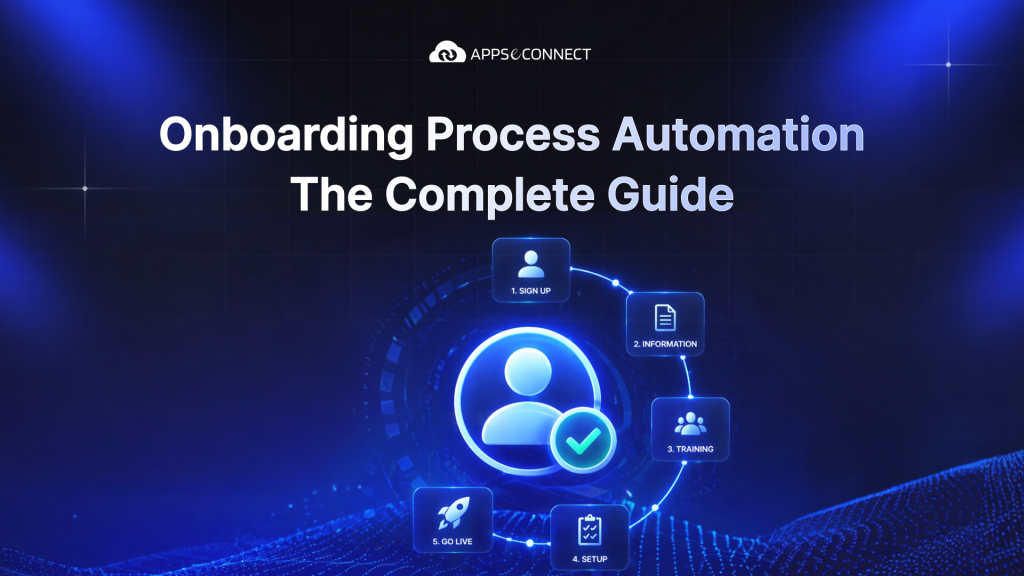
Onboarding process automation helps a business move forms, access setup, training, and team tasks in the right order without chasing every step by hand. When someone is hired, the right actions can start on time across HR, IT, managers, and other teams. That gives new hires a smoother start while giving the business a cleaner way to handle growth.
Only 12% of employees rate their company’s onboarding as excellent According to Gallup’s workplace research, just 1 in 8 employees strongly agree their organization does a great job onboarding new hires — making the case for a structured approach hard to ignore. |
Why Manual Onboarding Holds Organizations Back
Manual onboarding often looks fine when hiring is slow. HR sends emails, managers share notes, IT gets a request, and someone keeps track of documents in a spreadsheet. But once hiring grows, that same process starts to crack. Too many steps depend on memory, inboxes, and follow-up. At scale, manual onboarding can become impersonal, slow, and difficult to manage.
The first problem is delay. A new hire may be confirmed, but their employee record is still missing, their app access is not ready, and nobody is fully sure which forms are complete. Manual onboarding is chaotic, inefficient, and error-prone for exactly this reason. The work is spread across too many people and too many systems.
The second problem is inconsistency. One team may run onboarding well because one manager is organized. Another team may miss steps because the process depends too much on whoever happens to be available. That means two new hires can have very different first-week experiences even inside the same company. Integrated tools and shared workflows help reduce this kind of uneven experience.
The third problem is repeat work. HR sends the same reminders. IT handles the same setup requests. Managers answer the same first-week questions. This is easy to see in the repeated access setup, orientation, welcome messages, and follow-up tasks that often recur for every new hire. When this work stays manual, teams spend too much time pushing the process instead of improving the person’s start.
The last problem is risk. When forms, training, access, and approvals move in scattered ways, it becomes easier to miss required steps. Delayed paperwork and access mistakes are common problems in manual onboarding. Regular audits and monitoring help teams see which steps are complete and which are still missing.
What Is Onboarding Process Automation?
Onboarding process automation means using connected systems to move onboarding work forward without relying on manual follow-up at every step.
The onboarding automation process begins when an important event occurs, such as a candidate being marked as hired. From there, the system can generate records, send forms, notify IT, assign training, and notify managers in the proper order. People still stay involved, but they no longer need to act as messengers between every step.
That is why HR onboarding automation is useful. It supports the human side of onboarding by removing the repeat admin work around it. HR can spend less time chasing forms and more time helping new hires settle in. Managers can focus less on reminders and more on support. IT can receive cleaner requests instead of surprise setup work on day one.
The same idea also works outside employee setup. The same workflow logic can support client onboarding automation and a vendor onboarding automation process when those journeys include forms, approvals, account setup, and team handoffs. That is why many companies also look at onboarding process automation services in a wider business sense, not only in HR.
Related Read What is Workflow Automation? A Complete Guide Our definitive guide explains what workflow automation means, how it works, and how AI-driven platforms appse ai take it further. |
Which Onboarding Tasks Can Be Automated?
A lot of onboarding work can be automated if the steps are repeatable and follow clear rules. Common examples include creating employee profiles, setting up accounts, sending welcome emails, scheduling meetings, collecting feedback, routing forms, assigning training, coordinating internal handoffs, and updating systems.
Preboarding is often the easiest place to start. Once someone is marked as hired, the business can send welcome emails, create records, request equipment, and notify the right teams before the person’s first day. A hiring event can trigger HR, IT, and communication tasks at the same time.
Document work is another strong fit. Offer letters, policy forms, tax forms, and acknowledgments can be sent, signed, stored, and tracked in a more structured way. Document systems, e-signatures, access controls, and audit trails are important parts of automated onboarding because they remove much of the paper-heavy admin burden.
Access setup can be automated too. A hiring event can start app provisioning, IT tickets, and manager approvals in the right order. That is useful because first-day delays often happen when the person has joined on paper but cannot use the tools they need to do the job. A connected workflow helps reduce that gap.
Training is another common area. Learning systems can automate training creation, enrollment, delivery, and progress tracking. That means the business can assign the right learning based on role, team, or location instead of asking managers or HR to remember every step each time.
Communication can also be automated in a smart way. Orientation invites, shared channels for new hires, lunch meetings, and feedback requests can all be built into the flow. This matters because a good onboarding experience is not only about forms and systems. It is also about helping people feel expected, informed, and connected from the start.
The same thinking supports client onboarding process automation for faster onboarding. If a new client needs contracts, account setup, kickoff steps, and internal notifications, those tasks can also move in a clear flow. The same goes for vendor onboarding automation, where document checks, approvals, and setup work often depend on several teams moving in the right order.
Core Tools and Technologies for Onboarding Automation
Onboarding automation works best when the main systems involved can work together. The process is stronger when it connects the ATS, HRIS, payroll system, LMS, and other HR tools. The same is true for IT, communication, and document systems. In simple terms, no single app handles everything well on its own.
Applicant Tracking System (ATS)
The ATS is the hiring system. It is often where onboarding begins because it marks the point at which a candidate becomes a hire. Once that status changes, the next onboarding steps can start. In most automated onboarding flows, the ATS acts as the first trigger point.
This matters because the ATS already holds critical data such as the new hire’s name, role, team, location, manager, and start date. If that data moves forward automatically, HR does not need to enter it again just to launch onboarding. That makes the handoff cleaner and faster.
When teams think about the best tools for automating employee onboarding workflows, the ATS is usually the starting point because it acts as the first signal that onboarding should begin. Without that solid link, the entire process starts later than it should.
Human Resources Information System (HRIS)
The HRIS is the main employee record system. It usually holds the person’s core employment details after they are hired. That makes it one of the most important tools in onboarding because many later steps depend on that employee record being created properly.
If the HRIS record is delayed or incomplete, other steps can stall. Payroll setup, reporting, policy tasks, and downstream notifications often rely on that record. This is why ATS-to-HRIS flow is such a big part of HR onboarding automation. It is one of the first important handoffs in the whole process.
A good onboarding setup makes sure the HRIS is updated early and accurately. That gives the rest of the workflow a stable base to work from.
Workflow Automation Platform
A workflow automation platform is the system that moves work forward between tools. It does more than pass data between systems. It defines what should happen next, who needs to be notified, and what should wait for approval. It listens for business events and triggers actions across apps and teams.
This is the clearest answer to how workflow automation platforms streamline onboarding processes. They turn scattered tasks into one flow. Without a workflow layer, companies often own good tools that still do not work together well. HR may know one step is done, but IT may still be waiting for a message, and the manager may still have no idea what is pending.
A workflow tool helps fix that. It routes work, applies rules, sends reminders, and keeps progress visible. That is why it often becomes the central piece in an onboarding automation process.
Document Management and e-Signature Tools
Document tools are important because onboarding usually includes contracts, handbooks, tax forms, acknowledgements, and other required records. When those are handled by hand, teams spend too much time sending files, checking signatures, and looking for the latest version.
Document systems, e-signature tools, audit trails, and access controls are important parts of onboarding automation. These tools send the right forms, capture signatures, store final records, and show which tasks are still pending. That removes a large amount of avoidable manual back-and-forth.
This also helps the business keep better records. Teams can see which documents were sent, which were signed, and what still needs a reminder. That is much easier than depending on email threads and manual checks.
Learning Management System (LMS)
The LMS is the training system. Learning systems can automate training creation, enrollment, delivery, and progress tracking. That is useful because training is one of the easiest parts of onboarding to forget when everything else is moving quickly.
When the LMS is connected, the right learning can be assigned based on role, department, or location. That means the person gets the right starting material without waiting for HR or the manager to remember every step. It also helps the business see who has completed what.
This makes training more consistent. One new hire should not miss an important learning step simply because one manager is organized and another is too busy.
IT Service Management (ITSM) Platform
The ITSM platform is the system that helps handle device requests, software access, and support setup. It helps create and track the IT work that new hires need before day one. This matters because first-day problems often come from IT work not starting early enough.
If a new hire lacks the correct laptop, login, or app access, the first week becomes harder than it needs to be. A connected ITSM flow can trigger those setup steps as soon as the hiring event happens instead of waiting for manual HR emails. That makes onboarding smoother for both the new hire and the IT team. IT receives clearer requests, and the new person gets what they need sooner.
Business Communication Platforms
Communication tools help keep onboarding visible and human. New-hire channels, orientation invites, team lunches, and approval messages can all support the process. These tools are not only for sending updates. They help keep people connected to the process.
This matters because onboarding is not only admin work. It is also a person joining a team. Good communication helps remove uncertainty. It tells the person what happens next, when meetings are happening, and where to go for help. It also helps managers know when they need to step in.
The best onboarding flows use communication tools to support the human side of the process, not replace it. The workflow must still include regular manager check-ins and meaningful human contact.
How modern ATS platforms trigger onboarding iCIMS breaks down how automated onboarding flows start from a single hiring event, sending welcome emails, assigning training, and notifying relevant teams without manual intervention. |
Related Read How SaaS Workflow Automation Drives Digital Transformation Learn how building a connected SaaS automation stack removes bottlenecks and turns your onboarding and HR tools into one seamless, AI-powered flow. |
Step-by-Step Implementation Guide
Start with a clear, repeatable workflow instead of a large all-at-once rollout across the organization.
Step 1: Map Your Current Onboarding Process
Begin by documenting exactly what happens in the current onboarding workflow. Audit every single step from the hired status to first-week setup. Include HR, IT, managers, documents, training, and critical system communication.
Identify exactly where the process begins, who owns each step, and where delays usually happen. This step matters because teams often try to automate before they fully understand the existing process. If the current flow is broken, automation will only move those errors faster.
Step 2: Prioritize Which Workflows to Automate First
Do not automate everything at once. Start with the workflows that create the most delay or the most repeat work. That often means employee record creation, document routing, app access requests, manager notifications, or training assignment.
This approach works because early wins build trust. If the first automation saves significant time or solves a real issue, staff are much more willing to support growth. A smaller first step is always better than a large rollout that becomes hard to control.
Step 3: Select the Right Technology Stack
Once priorities are clear, choose the tools that support them. The onboarding system should connect with the ATS, HRIS, payroll, and LMS. The right stack is not always the biggest one. The business must use tools that can easily share data, pass tasks, and support the workflow it needs to build. That matters far more than buying software that does not connect well with the rest of the stack.
Step 4: Design and Document Each Workflow
After choosing the stack, design each workflow clearly. Decide what starts it, what data is needed, who owns each step, what approvals matter, and what should happen if something is missing. Write those rules down.
This is important because onboarding often looks simple from a distance, but it contains many small dependencies. A manager task may depend on role data being complete. A training step may need to wait until the HRIS record exists. A device request may need a team approval. Clear workflow design keeps these steps from colliding later.
Step 5: Configure Systems and Build Integrations
This is the stage where the plan becomes real. The team sets triggers, maps fields, routes documents, creates notifications, and connects the systems involved. This step can include APIs or third-party tools when needed, but the real focus is getting the systems to work together cleanly.
This phase demands more care. A wrong field, weak trigger, or missing permission will break a workflow that only looks perfect on paper. The team should check not only whether the automation runs, but whether it works in the way the business actually needs.
Step 6: Test With a Pilot Group
Before full launch, test the workflow with a focused pilot group. A phased rollout helps teams catch issues early.
A pilot helps the team catch what planning missed. Maybe a reminder is too late. Maybe a manager’s task is unclear. Maybe one system does not pass the right field. It is better to see that early than after the workflow becomes the standard for everyone.
Step 7: Train Staff and Manage the Transition
Automation still needs people to understand it. The workflow only works well if staff understand how to use it. This means HR, managers, IT, and other teams must understand what changed, what they own, and where to look when the system fails.
This step is also about buy-in. Some people worry that automation makes onboarding feel cold or harder to follow. The best answer is to show that the new flow removes admin work so people have more time for welcome calls, support, and first-week guidance.
Step 8: Launch, Monitor, and Iterate
After training, launch with proper monitoring. Teams must track the performance of the automated workflow, look for bottlenecks, and iterate if results are not where they should be.
This matters because the first version of a workflow is rarely flawless. As teams use the workflow, they will see where timing fails, where tasks are unclear, or where a step is still manual. Small improvements made early can have a major impact on the overall process.
Benefits of Automating Your Onboarding Process
The benefits of onboarding process automation for HR teams and the wider business are easy to see when you compare life before and after automation. Before automation, people chase steps. After automation, they manage progress. Before automation, data gets entered more than once. After automation, it moves in a clearer way. Common outcomes include time savings, lower admin burden, better consistency, and a stronger new-hire experience.
Time Savings for Managers
Managers often spend too much time checking whether forms are complete, access is ready, and meetings are scheduled. A well-designed workflow can handle much of this through triggered tasks and reminders instead of manual follow-up.
That saved time matters because managers should spend more energy helping the new person settle into the role, not chasing setup tasks. A smoother process gives them more room for real support.
Fewer Compliance Risks
Required forms, policy checks, and training steps are easier to manage when the workflow keeps them visible. Regular audits, completion tracking, and training history all support strong onboarding governance. Missed paperwork can also create real business problems.
This does not mean automation removes all risk. It means the business gets a clearer way to track what was completed, what is still missing, and what needs a reminder. That is much safer than relying on scattered manual checks.
Consistent Experiences Regardless of Scale
A growing company needs a process that does not fall apart as volume rises. Automated onboarding helps maintain repeatable workflows for meetings, setup, training, and communication as hiring volume increases.
That matters because a new hire in one team should not get a much better experience than a new hire in another team simply because one manager is more organized. Automation helps keep the basics steady even as the business grows.
Faster Time to Productivity
When access, training, and key setup work happen on time, the new hire can start real work sooner. Better automated onboarding shortens time to productivity by moving preboarding, access setup, and orientation forward before the first day.
This is one of the clearest onboarding process automation benefits because it affects both the new hire and the team around them. Less waiting means a smoother first week.
Stronger Retention Outcomes
A better first experience helps people feel more confident about joining the company. Good onboarding does more than shorten time to productivity. It also helps employees feel supported early, which can improve retention over time.
Retention depends on many things, but onboarding still sets the tone. A clearer start creates trust earlier. That is one reason strong onboarding matters so much.
A Scalable Foundation for Growth
Automation helps the company grow without adding the same amount of admin work for every new hire. Scalable workflows and reusable templates make it easier to support rising hiring volume without losing control of the process.
That makes onboarding easier to support as hiring grows. It also makes it easier to use the same workflow logic in client onboarding automation or vendor onboarding automation when those journeys begin to expand too.
| Brandon Hall Group drops into the retention section as primary research. Organizations with strong onboarding improve new hire retention by 82% and productivity by over 70% |
Measuring Onboarding Automation Success
Success should be measured by what actually gets better, not only by whether the workflow is live. The right approach is to track results after launch and look for bottlenecks if the process is not delivering the expected outcome.
A useful set of measures usually includes onboarding completion time, document completion, access readiness, training completion, and first-week feedback. These are easy to understand and directly tied to what the process is supposed to improve.
It also helps to measure the experience of HR and managers. Are they spending less time on reminders? Are fewer tasks slipping through? Is the first-week experience more stable across teams? These questions show whether the workflow is helping the people who run it, not only the people going through it.
The best approach is to start with a few simple measures and review them often. Metrics should help the team learn what still needs to improve. They should not become another pile of admin work.
SHRM’s guidance on onboarding metrics that matter SHRM recommends evaluating onboarding with metrics like time-to-productivity, retention thresholds, new-hire surveys, employee satisfaction, and performance benchmarks, a practical framework to validate your automation’s impact. |
Best Practices for Long-Term Automation Success
Long-term success depends on five core practices: personalizing the experience, auditing required steps, building scalable workflows, using feedback loops, and protecting the human side of onboarding.
Personalize at Scale
Not every new hire needs the exact same flow. Role, location, team, and work setup all matter. Information such as department, role, and location can be used to personalize the onboarding experience while keeping the core process consistent.
This helps the business stay both organized and relevant. A remote hire may need different steps than an office-based hire. A manager may need different learning than a junior employee. Personalization keeps the process useful instead of generic.
Keep the Human Element Intentional
Automation should support the human side of onboarding, not replace it. Networking, orientations, welcome moments, and manager check-ins should stay part of the process even when the admin work becomes more automated.
This matters because onboarding is still a personal experience. A person can receive every form and every login on time and still feel disconnected if no one makes the welcome feel real. Good automation leaves room for people to do the human parts better.
Build in Feedback Loops
Feedback helps the process improve. Surveys, stakeholder feedback, and regular reviews all help teams improve onboarding over time. This is important because no first version is perfect. The people using the workflow will always notice details that planning missed.
New hires can flag confusion. Managers can highlight timing issues. HR can point out steps that still feel too manual. Feedback makes those problems visible early, before they become habits.
Conduct Regular Workflow Audits
A workflow that worked six months ago may not fit the business today. Regular audits help teams review data handling, documentation completion, and the wider health of the process.
This is useful because onboarding changes as teams grow, tools change, and policies shift. Regular audits help remove old steps, catch duplicate work, and make sure the workflow still matches the real business.
Track Compliance Continuously
Required forms, training, and policy steps should be checked throughout the process, not only at the end. Frequent reports and regular audits help the business see completion status clearly.
Continuous tracking makes the process safer and easier to manage. The team can fix gaps earlier instead of discovering them after the start date has passed. That reduces last-minute stress and keeps onboarding cleaner.
Related Read Top Workflow Automation Benefits for Businesses in 2026 Beyond onboarding, discover how appse ai’s workflow automation delivers measurable ROI across HR, sales, operations, and supply chain with real business data. |
How APPSeCONNECT Powers Smarter Onboarding?
APPSeCONNECT helps connect the systems used in onboarding so the process does not stay split across HR, IT, document, training, and communication tools. Instead of relying on manual follow-up between teams, businesses can build one connected flow that moves data and tasks in the right order.
That means a hiring event can start the next steps automatically. Records can be created, forms can be routed, IT requests can be created, and communication steps can begin in the right order. The goal is simple: less repeat work, fewer missed steps, and a smoother first-day experience.
This same model can support more than employee onboarding. It can also support client onboarding process automation and a vendor onboarding automation process when those journeys demand approvals, forms, records, and team handoffs across several business systems.
Final Thoughts
Onboarding process automation works best when it stays simple. The goal is not to make onboarding feel robotic. The goal is to remove delay, cut repeat work, and give people a better start. When the workflow is clear, the systems are connected, and the human side stays strong, onboarding process automation becomes much easier to trust.
Frequently Asked Questions
Onboarding process automation is the use of connected systems to move hiring, forms, setup, training, and communication steps forward in the right order.
Employee record creation, form routing, device requests, app access, training assignment, and manager notifications are usually the best first steps.
Start by mapping the current process, prioritize the first workflows to automate, choose connected tools, test with a pilot, then launch and improve.
HR teams save time, reduce repeat admin work, improve visibility, and create a more consistent first-week experience for new hires.
The main tools usually include the ATS, HRIS, workflow platform, document tools, LMS, IT service tools, and communication tools.
The same model can support client onboarding automation and vendor onboarding automation when those journeys also depend on forms, approvals, and system updates.
They connect the steps between systems, apply rules, send reminders, and keep the full onboarding automation process moving without manual chasing.





