Microsoft Dynamics 365 Business Central and HubSpot Integration & Automation
- Automate
- Align
- Accelerate
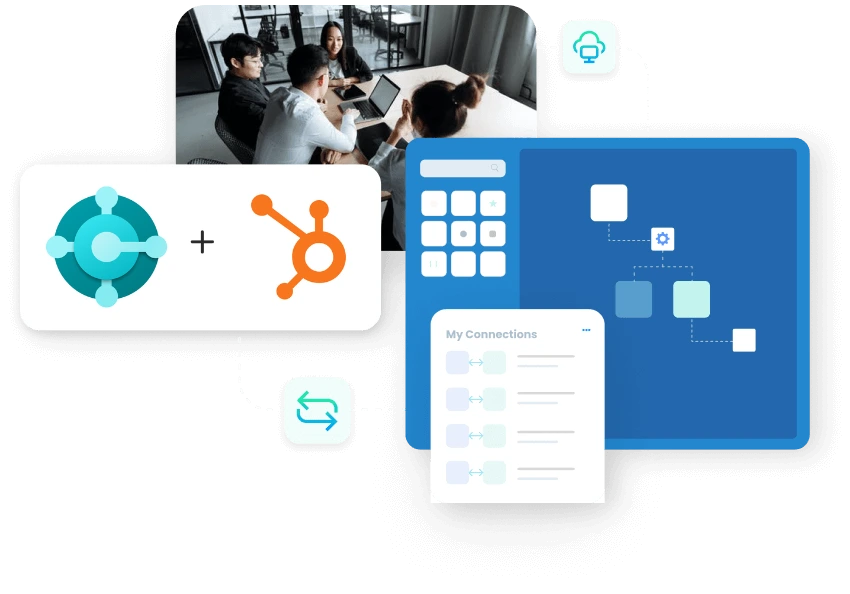
APPSeCONNECT helps you run Microsoft Dynamics 365 Business Central and HubSpot integration, so contacts, companies, deals, orders, invoices, and payment updates move between teams without repeat entry.
The gap usually appears after a lead moves into active sales and finance work. Sales sees one story in HubSpot. Finance sees another in Business Central. Teams then recheck contact details, deal values, order status, invoice numbers, and payment notes by hand. This integration keeps both systems aligned, so sales, finance, and support can work from the same customer picture.
Key Highlights
Why APPSeCONNECT Is the Gold Standard for Microsoft Dynamics 365 Business Central and HubSpot Integration
Real-Time Updates
Customer and deal changes reach Business Central with fewer gaps between the CRM and ERP records.
Field Accuracy
Map required fields so posting steps do not stall later and records land correctly in Business Central.
Low-Code Control
Adjust mappings and rules without long development cycles for business changes across both systems.
Clean Data Flow
Stop duplicate records by matching keys across both systems to keep customer data consistent and reliable.
Error Recovery
Log failures, fix inputs, and retry records from one place without rebuilding integration flows from scratch.
Audit Visibility
Track what moved, when it moved, and which mapping version was used during each integration run.

Popular Microsoft Dynamics 365 Business Central Integrations
Looking for a Specific Integration?
Visit All Microsoft Dynamics 365 Business Central Integrations
Popular HubSpot Integrations
Connect HubSpot with other business applications.
Looking for a Specific Integration?
Visit All HubSpot Integrations
Feature Highlights
What You Get With Our Microsoft Dynamics 365 Business Central and HubSpot Integration Package
This is not just a basic handoff between two apps. Your team needs a working setup that is easy to review, adjust, and manage after go-live. APPSeCONNECT gives that control in a simpler way, so changes do not turn into a long technical project every time.
Customer Updates
Keep customer profiles aligned across CRM and ERP records for accurate billing and order creation.
Price And Catalog
Publish items and prices to HubSpot for cleaner quoting workflows and accurate order entry in CRM.
Sales Order Creation
Turn HubSpot deals into Business Central sales orders with correct line items and addresses.
Invoice Transfer
Bring invoice details into Business Central for billing posting and finance reporting team workflows.
Rules And Validation
Catch missing fields before records reach Business Central for posting and finance reconciliation steps.
Logging And Audit
Review run history and payloads to resolve issues quickly and maintain clear records for teams.
Retry Handling
Reprocess failed records after fixes without rebuilding flows or remapping fields from scratch.
Access Control
Limit editing and deployment using roles, approvals, and scoped access for safe integration governance.
Visual Flow Designer
Build and adjust integration flows with visual steps and guided setup without heavy custom coding.
Low-Code Management
Business teams can manage common changes and monitor runs without depending on IT for every update.

INTEGRATION BROCHURE
Download the Microsoft Dynamics 365 Business Central and HubSpot Integration Brochure
LEARN MORE ABOUT:
- Integration Architecture: See the main objects and flow direction in one clear view.
- Deployment Tips: Use staged rollout steps for safer testing and launch.
- Operational Control: Review logs, retries, and alerts for smoother ongoing support.
INTEGRATION GUIDE
How To Integrate Microsoft Dynamics 365 Business Central and HubSpot
01
Connect Systems
02
Map Business Fields
03
Test Core Flows
04
Go Live In Stages
It connects HubSpot and Business Central, so customer, deal, order, invoice, and payment data can move between both systems without repeat manual work.
They want sales and finance teams to work from the same customer picture instead of checking and correcting records across separate systems.
Common flows include contacts, companies, deals, products, pricing, orders, invoices, payment status, and custom business fields that teams already use.
A qualified or won deal can move forward for customer, quote, order, or billing work inside Business Central once rules are set.
Important account changes, order details, invoice references, and payment updates can return to HubSpot for stronger follow-up and account visibility.
Form submissions can create or update records, which removes repeat entry work and shortens the gap between inquiry and action.
Most changes use visual mapping, guided setup, and simple rules, so teams avoid turning every update into a custom build.
Custom fields can be matched across both systems, so your setup fits existing sales and finance processes without forcing awkward workarounds.
They give HubSpot users better item and pricing context during conversations, quotes, follow-up, and later account discussions with prospects.
Invoice references, due amounts, and payment updates can return, which helps account teams follow up with better timing and context.
Failed records are logged with the reason, so teams can fix the issue and replay only those records afterward.
Important flows can run when records change, while broader updates can stay on a schedule that suits your business.
Sales gets better post-sale visibility, while finance receives cleaner upstream customers and deals information through the same integration setup.
Start by connecting both systems, mapping the main fields, testing core flows, and then moving live in planned stages.
Ready To Launch Your Microsoft Dynamics 365 Business Central and HubSpot Integration Today?
Companies automating their business through APPSeCONNECT
Customer Success Stories
Related Resources
Articles and Guides to Help You With Your Integration and Automation Journey