Microsoft Dynamics 365 Business Central and Zoho Commerce Integration
- Automate
- Align
- Accelerate
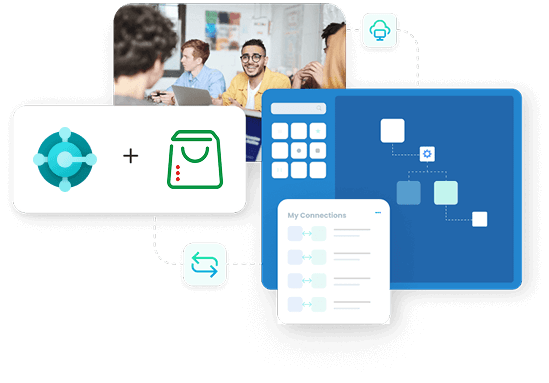
Run your Zoho Commerce store and your Business Central ERP on one set of numbers. APPSeCONNECT sends every Zoho Commerce order into Business Central as a sales order, pushes your products, prices and live stock back out to the store, and keeps shipments and customers in step, so the storefront and the back office never disagree.
Business Value
Why APPSeCONNECT Is the Gold Standard for Business Central and Zoho Commerce Integration
APPSeCONNECT connects Microsoft Dynamics 365 Business Central and Zoho Commerce in real time, without manual work. One governed platform built for merchants who run a Zoho Commerce store on top of Business Central as the system of record.

Store orders re-keyed into Business Central
Zoho Commerce orders are typed into Business Central by hand, with items, taxes, shipping and payment details copied one by one as volume grows.

Stock drifts between store and ERP
The latest stock in Business Central never reaches the Zoho Commerce store in time, so shoppers buy items that cannot ship.

Listings fall behind the ERP
Product details, categories, prices and specifications change in Business Central but do not reach the store, so listings go stale.

Customer records split in two
A registered shopper in Zoho Commerce is not captured cleanly in Business Central, so customer and address data is fragmented.

Shipment status stuck in the ERP
Fulfilment and tracking created in Business Central do not flow back to the store, so buyers chase updates support cannot give.

Growth means more manual work
Every new product line or order spike adds re-keying and reconciliation instead of smooth growth across store and ERP.
Standard Features Covered in Our Business Central and Zoho Commerce Integration Template
The seven core workflows the template covers, taken from the live integration and kept exactly as they work today.
- Registered Zoho Commerce customers, with general information and address details, sync to Business Central, and updates sync back to the store.
- B2C buyers are supported under a generic or one-time customer in Business Central, while individual customer and address details are still captured for accurate records.
- Zoho Commerce orders sync to the Business Central Sales Order section with order status, customer and item details, total order cost, payment method, tax information and order number.
- Tax and shipping methods are value-mapped exactly between the two systems for correct order calculation.
- Products sync from Business Central to the Zoho Commerce store with their categories and subcategories, weight, description, short description and other specifications.
- Business Central pricing syncs as the standard item price in Zoho Commerce, and the latest stock value syncs from Business Central to the store.
- A shipment created in Business Central syncs to Zoho Commerce as a completed shipment, with Business Central tracking captured as a Delivery Note.
INTEGRATION BROCHURE
Download the Business Central & Zoho Commerce Integration Brochure
Get the full picture on data flows, setup steps, and common rollout checks. The brochure helps IT and operations teams plan the integration and avoid last-minute surprises during go-live.
Learn more about:
- Integration Architecture: See data flows and key endpoints across both systems.
- Deployment Tips: Learn setup steps, testing checks, and go-live basics.
- Field Mapping Guide: Review what maps where, and what stays optional.
- Customer Stories: Read how teams reduce rework and speed order handling.
Popular Microsoft Dynamics 365 Business Central Integrations
Our Integration Platform helps you seamlessly connect Microsoft Dynamics 365 Business Central Integrations with other Business Applications.



Looking for a Specific Integration?
Popular Zoho Commerce Integrations
Smart iPaaS Solution to streamline your business and increase efficiency. Seamlessly connect Zoho Commerce with other Business Applications

Looking for a Specific Integration?
Workflow
How Does the Workflow Run End-to-End?
Here is how a typical Business Central and Zoho Commerce integration runs, from store order to fulfilment and back.
Order Capture
A shopper places an order on the Zoho Commerce store, including items, taxes, shipping and payment method.
Event Trigger
APPSeCONNECT detects the new order the moment it happens, checks it, and starts the workflow.
Data Mapping
The order maps to Business Central fields, applying order status, tax and shipping value mapping, item and customer matching.
Back-Sync
Business Central products, categories, prices and the latest stock push to the store, and shipments sync as completed orders with tracking as a Delivery Note.
Record Creation
A Sales Order is created in Business Central with full customer, item, cost, payment, tax and order-number detail.
Monitor and Improve
Run history, retry logs and alerts surface exceptions, and your team reprocesses failed records without losing the audit trail.
Frequently Asked Questions
Customers, products, categories and subcategories, prices, stock, orders, tax and shipping mapping, and shipment fulfilment can sync. Orders flow from Zoho Commerce into Business Central as sales orders, and products, prices and stock flow from Business Central to the store.
B2C buyers are supported under a generic or one-time customer in Business Central, while each shopper’s individual information and address details are still captured, so records stay accurate without creating clutter in the ERP.
Yes. The latest stock value syncs from Business Central to Zoho Commerce, so storefront availability reflects real ERP stock and the store does not oversell.
Tax and shipping methods are value-mapped exactly between Zoho Commerce and Business Central, so order totals calculate correctly in the ERP.
Yes. A shipment created in Business Central syncs to Zoho Commerce as a completed shipment, and Business Central tracking is captured as a Delivery Note.
Yes. The connector provides a secure, bi-directional, automated exchange of customers, items, stock, sales orders and shipping details between Zoho Commerce and Business Central.
Pre-built templates and ready packages, starting at $99 per month, let most merchants go live quickly. Exact timing depends on how many objects and custom rules you need, so contact APPSeCONNECT for a scope.
Ready to Unify Business Central and Zoho Commerce Today?
Replace manual order entry, mismatched stock and stale listings with a governed Business Central and Zoho Commerce integration that keeps your store and ERP on the same data, from product listing to fulfilment. Book a demo to see APPSeCONNECT in action, or start a free trial today.

Companies automating their business through APPSeCONNECT







Customer Success Stories
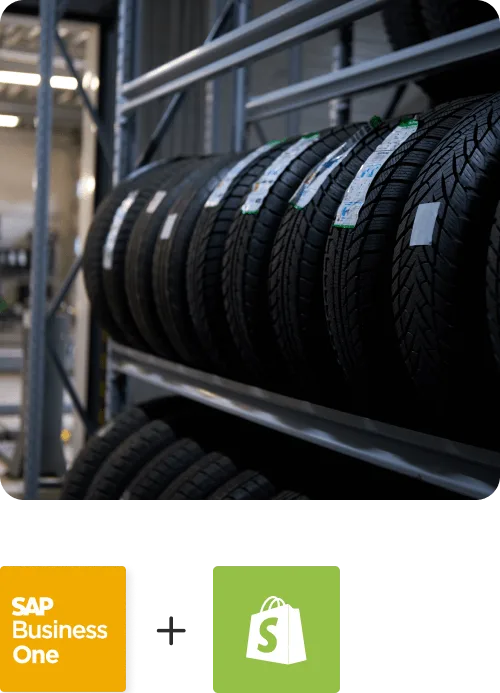
Proveedora PGP
Founded in 2005, Proveedora PGP has solidified its position as a leading ecommerce business in Mexico, specializing in car and truck tires.
Read Case Study →
African American Expressions
African American Expressions, founded by Gregory Perkins in 1991 in Sacramento, California, has been on a remarkable journey of growth and success.
Read Case Study →Related Resources
Articles and Guides to Help You With Your Integration and Automation Journey