Microsoft Dynamics NAV and Magento (Adobe Commerce) Integration & Automation
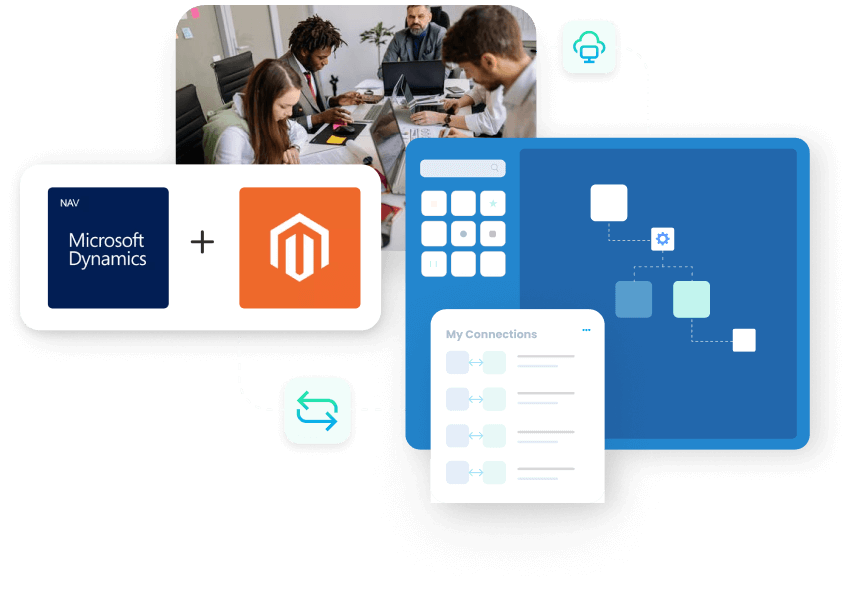
Dynamics NAV & Magento integration connects your ERP and storefront so product, order, and customer data stay in sync. Teams see the same information in both systems and avoid manual updates.
Use our Magento Dynamics NAV integration to move online orders straight into the ERP, keep stock accurate, and update customers faster. Data flows cleanly between Magento and Microsoft Dynamics NAV without copy-paste work. Integrate once and keep every Magento order, price change, and customer profile aligned with your financial and inventory records in Dynamics NAV.
Key Benefits
Why APPSeCONNECT Is the Gold Standard for Microsoft Dynamics NAV & Magento Integration
Online channels should not break your ERP process. With Magento Microsoft Dynamics NAV integration, every sale, return, and product update follows one clean flow. The platform reduces errors, keeps product and price data aligned, and supports Dynamics NAV ERP integration with Magento as your business grows.

Faster Order Handling
Push confirmed web orders into ERP without retyping line items or customer details.

Fewer Data Errors
Cut mistakes from manual imports, spreadsheets, and repeated updates between systems.

Aligned Catalog
Keep item names, SKUs, tax groups, and visibility flags synchronized across channels.

Stock Accuracy
Reflect ERP stock changes on the storefront so customers see reliable availability.

Price Control
Maintain central price lists and discounts inside ERP while storefront shows correct values.
Customer Clarity
Store contact and address information in one system and reuse it everywhere.

Clear Reporting
Join online and offline sales data for better revenue and margin analysis.
Flexible Promotions
Support coupons, discounts, and special catalogs without breaking ERP rules.
Stable Peak Seasons
Handle busy sales periods without constant manual cleanup or fire-fighting.
Happier Teams
Free staff from repetitive entry so they can focus on service and growth.

Real-World Use Cases of the Integration
Microsoft Dynamics NAV and Magento support many selling styles without forcing you to change your core business flows. You can introduce automation gradually and keep working with your existing tools.
Direct-to-Consumer Brands
Sync rich product content and inventory, then bring all web orders into ERP for billing and fulfilment.
Wholesale and B2B Sellers
Use ERP rules for credit limits, payment terms, and contract pricing while the web portal collects orders.
Multi-Channel Retailers
Combine marketplace, store, and call-center orders into one ERP view for planning and execution.
Global Stores
Manage currencies, taxes, and warehouse stock centrally while regional sites present local experiences.
Features You Get with Our Microsoft Dynamics NAV and Magento Integration Package
The connector uses APPSeCONNECT’s modern iPaaS engine to control data movement between ERP and storefront. Visual flows, mappings, and monitoring keep integration easy to manage every day. You can start with standard flows and later extend them with your own rules and fields.

Visual Designer
Configure field mappings through a drag-and-drop interface instead of custom scripts.
Reusable Templates
Start from best-practice flows for product, customer, and order synchronization.
Incremental Sync
Move only changes since the last run so jobs finish quickly and reliably.
Smart Filters
Restrict flows by store view, warehouse, or date range when needed.

Error Handling
Capture failed records, notify owners, and allow guided reprocessing.

Hybrid Setup
Support cloud, hosted, or on-premises ERP through secure agents.

Flow Monitoring
Track run statistics, latency, and exceptions from a central console.
Data Protection
Apply encryption, access control, and audit logging across integration components.
Popular Microsoft Dynamics Nav Integrations
Smart iPaaS Solution to streamline your business and increase efficiency. Seamlessly connect Microsoft Dynamics Nav with other Business Applications.



Looking for a Specific Integration?
Popular Magento Integration
Connect Magento with other business applications.





Looking for a Specific Integration?
INTEGRATION BROCHURE
Download The Full Integration Guide | ISO 27001 Secured
Get a focused integration guide that explains how Microsoft Dynamics NAV and Magento work together for daily operations. See where the connector fits into your architecture and what you need to reach go-live.
- Flow Diagrams: View key data paths across products, customers, orders, and fulfilment steps.
- Launch Checklists: Follow a clear plan for testing key scenarios before production.
- Admin Tips: Learn how to monitor jobs, handle exceptions, and plan future changes safely.
System flow
How Does the Workflow Run End-to-End? Secure calls keep both systems aligned. You can mix event-based and scheduled flows depending on volume and process design. These mappings support a single fulfilment story so sales, operations, and support teams all work from the same facts.
Event Starts
A customer places or edits an order on the Magento storefront.

Flow Start
APPSeCONNECT detects the change and reads relevant customer and cart details.
Data Mapping
Fields convert into ERP structures, including items, taxes, shipping, and payment information.
Record Creation
ERP creates the sales order and links it with the correct customer and price lists.
Back-Sync
Subsequent invoice, shipment, and payment documents update status and history in the store.

Monitor & Improve
Dashboards show job health while retry logic handles temporary API or network issues.
How to Get Started With APPSeCONNECT?
How to Get Started With APPSeCONNECT?
You can begin with core order and product flows, then expand into promotions, multi-store, and custom entities. The platform supports both guided and self-service rollouts.
Choose Apps
Select Microsoft Dynamics NAV and Magento from the APPSeCONNECT catalog.
Select Connector
Enable the prebuilt connector and review standard flows for your edition.
Map Fields
Adjust mappings for products, customers, orders, taxes, and other key entities.
Test Flows
Validate in a sandbox using real-world data and representative traffic.
Go Live
Promote to production, then add channels, markets, or extra flows as you scale.
Our Integration Is Developer Friendly
Technical teams keep full control while still following supported patterns. They can extend delivered flows instead of building ad-hoc scripts. Use the connector as a ready foundation, then apply custom business logic where it matters.
Guided Connectors
Work with structured endpoints and SDKs instead of raw HTTP calls.
Versioned Changes
Move configuration safely between development, test, and production stages.
Clear Logging
Capture identifiers, payload references, and error messages for quick investigation.
Custom Rules
Add routing, validation, and transformation rules that follow your business policies.
Troubleshooting Quicklist
Most integration issues come from configuration gaps, data mapping differences, or temporary API limits. The platform helps you find and fix the root cause quickly so sales keep moving.

Check Access
Confirm ERP, storefront, and connector credentials are valid and current.

Review Filters
Make sure store views, websites, and date filters match your intent.

Watch Limits
Monitor API and rate limits when you run large catalog or order jobs.

Use Retries
Let managed retries handle short-term timeouts and connectivity glitches.

Check Mappings
Validate recent mapping changes before large deployments or structural updates.
INTELLIGENT DATA FLOW
How Do Intelligent Data Flows Boost Your ROI?
Intelligent data flows remove waste across catalog management, order entry, and support. Your teams spend less time fixing mismatched records. The result is a more predictable online operation that still relies on your existing Microsoft Dynamics NAV investment.

Less Manual Work
Automate end-to-end data movement instead of exporting and importing files.

Single View
Give teams one place to confirm orders, customers, and inventory.
Faster Recovery
Detect issues quickly and reprocess only affected records.

Store-Friendly
Improve the storefront experience without replacing proven systems.
Higher-Value Work
Let staff focus on merchandising, service, and growth activities.
Streamlined Order-To-Delivery Process
The integration supports the complete path from browsing to fulfilment. Every step uses shared data instead of isolated tools. You keep better visibility for customers and internal teams while continuing to use Microsoft Dynamics NAV as the core system of record.

Order Capture
Customers place orders on the store using current catalog and pricing.

Review & Release
Teams check payment, tax, and stock levels before releasing orders.

Pick, Pack & Dispatch
Warehouse teams follow ERP documents to prepare and ship goods.
Update & Notify
Shipment details and statuses are reflected online and shared with buyers.

Measure & Improve
Combine data for performance analysis and process refinement.
One Platform, Endless Integrations
Commerce is just one piece of your application landscape. APPSeCONNECT connects ERP, storefronts, marketplaces, CRM, and more on the same platform. You avoid a web of point-to-point links and gain a cleaner way to grow.
Unified Console
Monitor this connector and other automation flows from one place.
Future-Ready
Add new sales channels without rewriting core ERP connections.
End-to-End View
Extend from commerce into service, marketing, and returns management.
Consistent Control
Keep security, access, and audit practices common across integrations.
Ready To Launch Your Microsoft Dynamics NAV and Magento Integration Today?
Launch your connector with APPSeCONNECT to reduce errors, simplify operations, and give every team clear visibility from browsing to final delivery.

Frequently Asked Questions
It connects ERP and storefront so products, customers, orders, and fulfilment data always stay synchronized across systems.
It reduces manual entry, avoids inconsistent data, improves order accuracy, and speeds fulfilment and reporting across teams.
Typical flows cover products, prices, stock levels, customers, orders, invoices, shipments, and order status history.
Yes, frequent sync cycles keep catalog, stock, and order status aligned so customers see accurate storefront information.
Yes, mappings and filters can separate store views, websites, currencies, and languages as required.
Yes, it supports customer accounts, guest checkout, negotiated pricing, and recurring orders for diverse selling models.
Data moves through encrypted channels with managed access, logging, and compliance-friendly deployment options.
Timelines depend on scope, but prebuilt flows often help teams reach production within a few weeks.
No, visual tools, dashboards, alerts, and guided configuration keep daily operations manageable for business teams.
Yes, a secure agent connects on-premises ERP with cloud services without opening inbound firewall ports.
Requests queue safely, retry automatically, and keep a clear log so no records are silently lost.
Yes, advanced users can add mappings, conditions, and flows while still following supported patterns.
Companies automating their business through APPSeCONNECT







Customer Success Stories

Hernon
With APPSeCONNECT, Hernon achieved a zero business downtime and levaraged the power of a fully automated and integrated solution to ensure business growth.
Read Case Study →
Machinery Manufacturing Company
Discover how a world-leading industrial equipment manufacturing company leveraged APPSeCONNECT for company-wide automation of ERP, CRM, and eCommerce applications.
Read Case Study →Related Resources
Articles and Guides to Help You With Your Integration and Automation Journey