SAP Business One and ShipWorks Integration
Turn a confirmed SAP Business One order into a printed label without typing it twice. APPSeCONNECT sends orders, customers and addresses to ShipWorks for label printing and carrier selection, then syncs tracking numbers, shipping costs and delivery confirmations back to SAP Business One, so every package stays tied to the right order.
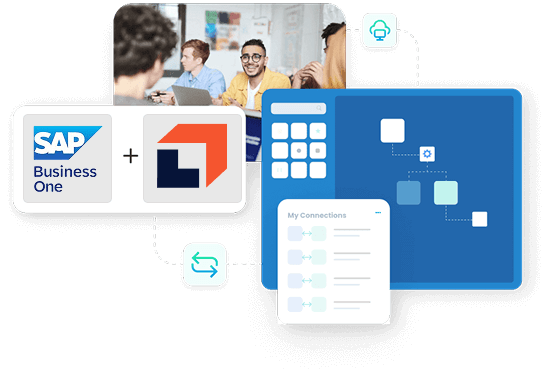
















Why APPSeCONNECT Is the Gold Standard for SAP Business One and ShipWorks Integration
APPSeCONNECT connects SAP Business One and ShipWorks in real time, without manual work. One governed platform built for warehouse, fulfilment and 3PL teams that ship high volumes from SAP Business One.

Order details re-typed into ShipWorks
Confirmed SAP Business One orders are copied into ShipWorks by hand, so label printing waits on re-keyed items and addresses and errors creep in.

Tracking trapped in the shipping tool
Tracking numbers and delivery status live only in ShipWorks, so support and account teams cannot answer where is my order from inside SAP.

Shipping costs never reach the ERP
Actual shipping costs stay in the shipping system and never post back to the SAP Business One delivery, so margin per order is guesswork.

Customer and address mismatches
Names, contacts and shipping addresses drift between SAP and ShipWorks, so packages go to the wrong place and returns rise.

Carrier and service data not aligned
Carrier selections and service levels are not mapped between systems, so rate analysis and reporting cannot be trusted.

Volume growth needs more staff
Without automation, every extra shipment adds export, import and manual steps, so peak seasons force overtime instead of scaling cleanly.
Features You Get With Our SAP Business One and ShipWorks Integration Package
The seven core workflows the template covers, taken from the live integration and kept exactly as they work today.
Order sync
Confirmed SAP Business One sales orders appear in ShipWorks with items, addresses and the shipment details needed to fulfil them.

Label and shipment creation
ShipWorks generates multi-carrier shipping labels and shipment records, using SAP Business One as the source of truth.
Delivery write-back
Completed shipments create or update SAP Business One delivery records with tracking numbers, dates and actual shipping costs.

Tracking and status sync
Status and tracking updates flow back into SAP Business One so support and account teams see shipment progress.
Customer and address alignment
Customer names, contact details and shipping addresses stay aligned across the ERP and ShipWorks orders.

Carrier and service mapping
Carrier selections and service levels map between systems for reporting and carrier rate analysis.
Rules and observability
Visual flows, pre-built mappings, retry logic and run dashboards keep shipping automation easy to manage, and you can add your own carrier and warehouse rules.
How Does the Workflow Run End-to-End?
Here is how a typical SAP Business One and ShipWorks integration runs, from order to label to back-synced delivery.
Event Starts
A sales order is created or updated in SAP Business One.
Flow Start
APPSeCONNECT picks the right ProcessFlow and reads the order and customer data.
Data Mapping
Order fields convert into ShipWorks format, including items, addresses and service preferences.
Shipment Creation
ShipWorks generates labels and shipment records, using SAP Business One as the source of truth.
Back-Sync
Tracking numbers and shipping costs return to SAP Business One and update the delivery records.
Monitor and Improve
Dashboards show runs, and retry logic handles temporary issues with ShipWorks APIs or carriers.
Download The Full Integration Guide | ISO 27001 Secured
Get a compact integration guide that explains how SAP Business One and ShipWorks work together for everyday shipping operations. See where the SAP B1 ShipWorks connector fits in your existing stack and what it takes to go live.
- Flow Diagrams : Showcase SAP Business One shipping integration across orders, deliveries, and tracking.
- Launch Checklists : Guide for testing of label printing and ShipWorks automation before going live.
- Admin Tips : Monitoring, handling exceptions, and planning future improvements.
Frequently Asked Questions
Sales orders, customers and addresses, deliveries and shipments, tracking and status, and carrier and service codes can sync. Orders flow from SAP Business One to ShipWorks, and shipments, tracking and shipping costs flow back to SAP Business One.
A confirmed SAP Business One sales order is mapped into ShipWorks format with items, addresses and service preferences, and ShipWorks generates the label and shipment record, using SAP Business One as the source of truth.
Yes. Completed shipments create or update SAP Business One delivery records with tracking numbers, dates and actual shipping costs, so finance and support work from the same facts.
Yes. ShipWorks handles multi-carrier label printing, and carrier selections and service levels map between systems so you can analyse rates and pick the best service.
It uses the SAP Business One Service Layer and the ShipWorks APIs through guided connectors, so teams avoid raw HTTP while keeping full control over rules and mappings.
Yes. Flows process in batches with retry logic for temporary carrier or API limits, so teams handle more shipments without adding staff.
Yes. It supports 3PL and warehouse shipping without custom scripts, and keeps each package tied to the right SAP Business One order across channels.
Ready To Launch Your SAP Business One And ShipWorks Integration Today?
Launch ShipWorks SAP Business One integration with APPSeCONNECT to reduce shipping errors, simplify operations, and give every team complete visibility from order creation to final delivery.

Companies automating their business through APPSeCONNECT







Customer Success Stories
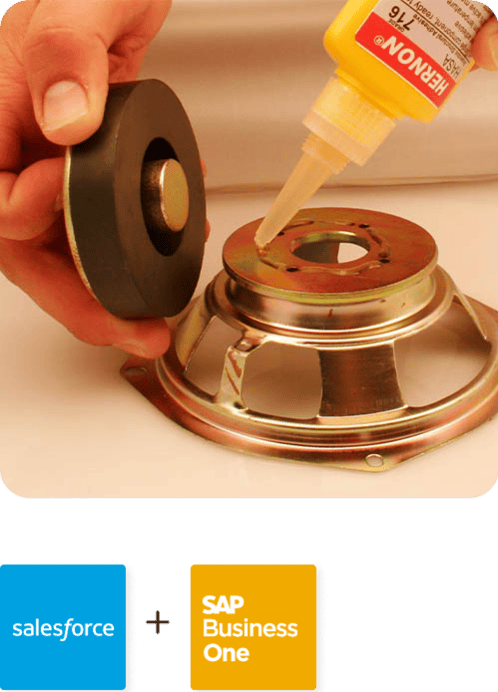
Hernon
With APPSeCONNECT, Hernon achieved a zero business downtime and levaraged the power of a fully automated and integrated solution to ensure business growth.
Read Case Study →
Machinery Manufacturing Company
Discover how a world-leading industrial equipment manufacturing company leveraged APPSeCONNECT for company-wide automation of ERP, CRM, and eCommerce applications.
Read Case Study →Related Resources
Articles and Guides to Help You With Your Integration and Automation Journey