




Microsoft Dynamics 365 Business Central and PrestaShop Integration & Automation
- Automate
- Align
- Accelerate
Microsoft Dynamics 365 Business Central and PrestaShop integration helps the online store and ERP stay aligned across daily commerce operations. APPSeCONNECT links storefront activity with Business Central workflows, so orders, products, customers, inventory, payments, fulfillment updates, invoices, and tax details can move through governed automation.
PrestaShop manages catalog browsing, carts, checkout, promotions, customer accounts, and order status on the storefront side. Business Central manages sales documents, stock, finance, tax setup, fulfillment records, and posting rules. When updates remain separate, teams spend extra time checking orders, correcting availability, matching payments, and explaining delayed customer updates.
KEY BENEFITS
Why APPSeCONNECT Is the Gold Standard for Microsoft Dynamics 365 Business Central and PrestaShop Integration
The platform gives Microsoft Dynamics 365 Business Central and PrestaShop a controlled layer between web commerce and ERP operations. PrestaShop can keep handling shopping and checkout, while Business Central remains the system that governs inventory, sales processing, finance, taxes, and fulfillment. The integration helps both systems exchange the records that matter without forcing teams to rebuild the same transaction in two places.

Order Posting Delays
PrestaShop can receive confirmed demand before Business Central has the sales order. That delay affects warehouse release, finance review, and customer service follow-up.

Stock Promise Gaps
Storefront availability can become unreliable when Business Central stock changes do not reach PrestaShop on time. This becomes more visible with fast-moving items, multiple locations, or frequent manual adjustments.

Catalog Drift
Product names, SKUs, combinations, prices, categories, and active status can fall out of step. Buyers may see an outdated product view even after the ERP record has changed.

Account Pricing Breaks
B2B buyers may depend on customer groups, specific prices, VAT rules, and order references. If these details are handled manually, repeat orders can carry the wrong commercial terms.

Reconciliation Drag
Finance teams need payment references, tax values, refunds, discounts, and invoice context to line up with the Business Central sales record. Disconnected data slows the review process.

Status Blind Spots
Store, warehouse, finance, and support teams may each see a different stage of the order. Connected updates help them trace what happened from checkout to fulfillment.
Standard Features Covered in Our Microsoft Dynamics 365 Business Central and PrestaShop Integration Setup
- Item records in Business Central can publish into PrestaShop as storefront products. The flow can map SKU and product name first, then include description, status, category, image reference, and other storefront fields where needed.
- Business Central item variants or attributes can be mapped into PrestaShop combinations. This helps size, color, option values, variant SKUs, and related price differences follow the product structure used online.
- Stock availability from Business Central can update PrestaShop by SKU. The setup can use one location, selected locations, or a combined availability rule based on the warehouse model.
- ERP-managed prices can update the PrestaShop catalog. Base price can be handled first, while sale pricing, currency rules, and specific price logic can be added where the storefront requires them.
- Confirmed PrestaShop orders can create sales orders in Business Central. Customer details, item lines, quantities, discounts, tax values, shipping charges, payment method, and order references can move with the order.
- Registered customers and order-based buyer details can create or update Business Central customer records. Guest checkout can follow a defined customer rule when the business wants a cleaner posting model.
- Payment method, transaction reference, order total, shipping charge, discount value, and tax amount can move into Business Central fields used by finance teams.
- Shipment updates from Business Central can return to PrestaShop after fulfillment processing. Carrier, tracking number, shipment status, and partial shipment details can be included in the update.
- Return or refund activity from PrestaShop can be connected with Business Central return, credit memo, or adjustment workflows. The setup can keep the refund reference linked to the original order.
- Business Central customer records can be mapped to PrestaShop customer groups or account structures. This helps B2B buyers follow the right pricing, tax, and ordering rules.
- Account pricing, group pricing, or contract-style pricing can update PrestaShop specific prices. Quantity rules and currency treatment can be included when the data model supports them.
- Product access can be controlled for selected buyer groups where the store setup supports it. Active item status, restricted categories, and customer-level catalog rules can guide what each group sees online.
- Purchase order numbers, buyer notes, approval references, or custom checkout fields can be carried into Business Central sales orders when B2B checkout needs them.
- Invoice status or document references from Business Central can return to PrestaShop where account buyers need order progress or billing visibility.
- PrestaShop tax lines, VAT logic, customer exemptions, and tax rules can be mapped into Business Central posting logic. The setup should be tested against the company’s tax structure before go-live.
Popular Microsoft Dynamics 365 Business Central Integrations
Connect Microsoft Dynamics 365 Business Central with other business applications.




Looking for a Specific Integration?
Popular PrestaShop Integrations
Connect PrestaShop with other business applications.


Looking for a Specific Integration?
INTEGRATION BROCHURE
Download the Microsoft Dynamics 365 Business Central and PrestaShop Integration Brochure
Get the full brochure for planning a Microsoft Dynamics 365 Business Central and PrestaShop integration across storefront, ERP, warehouse, finance, and customer workflows. It covers the main records that usually need alignment, including products, stock, orders, customers, payments, shipments, returns, invoices, and tax details.
Inside You’ll Find:
- Integration Architecture: See how Business Central and PrestaShop can work together across product publishing, order capture, customer updates, inventory refresh, fulfillment status, returns, invoices, and tax mapping.
- Flow Planning: Review which system should start each flow and how the target system should receive the data. This is useful for retail, wholesale, multishop, finance, and warehouse teams.
- Rollout Approach: Begin with the flows that reduce daily manual work first. Product, stock, customer, and order sync can come first, followed by pricing, shipping, refunds, invoices, and B2B rules.
- Testing Checklist: Test item mapping, product combinations, customer matching, payment references, shipping methods, tax rules, location logic, order status, returns, and retry scenarios before launch.
- Operational Readiness: Prepare teams to review runs, inspect logs, check failed records, retry transactions, and support the integration after it goes live.

Start Integration at just $99 per month with Shopify, Salesforce, HubSpot, Zoho, WooCommerce and more.
Enterprise-grade integration powered by hands-on support without enterprise pricing

INTEGRATION GUIDE
How Does the Workflow Run End-to-End
A Microsoft Dynamics 365 Business Central and PrestaShop integration runs through ProcessFlows. Each ProcessFlow defines where the data starts, where it needs to go, which entity is being processed, how fields are mapped, which rules must be checked, how the run is triggered, and how errors are monitored.
See It in Action
Microsoft Dynamics 365 Business Central and PrestaShop integration workflow
Trigger & Source Connection
A new PrestaShop order, a customer update, a product change, a stock adjustment, or a scheduled job can start the flow. Teams can also run a process manually during testing or exception review.
Data Extraction & Schema Reading
The flow reads the source record and its structure before mapping begins. The record may be a product, combination, customer, stock entry, order, payment reference, shipment update, invoice-related record, return, or tax rule.
Transformation & Field Mapping
Source fields are shaped for the target system. SKU and item number usually come first, followed by fields such as address, tax, price, discount, warehouse, carrier, payment method, customer group, and order reference when required.
Validation & Business Rule Execution
The flow checks whether the record is ready to move into the target system. It can validate SKU matching, duplicate order rules, customer handling, tax setup, stock location logic, payment method mapping, price rules, and required Business Central fields.
Target Push & Response Handling
The prepared record is sent into Business Central or PrestaShop. The platform captures the API response, sync result, success status, and failure reason for each transaction.
Monitoring, Retry & Audit Logging
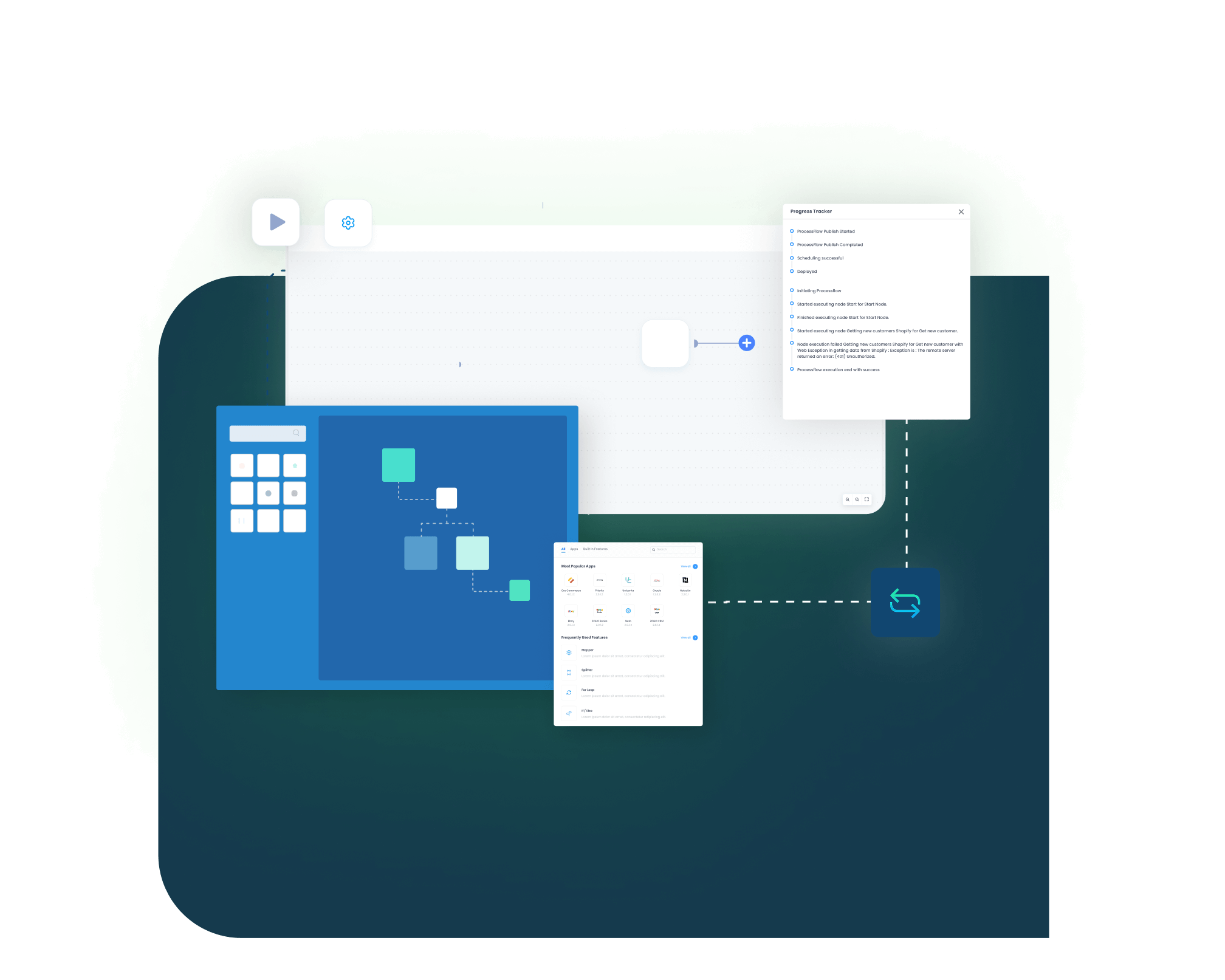
Logs, snapshots, node status, and transaction details help teams understand each run. After a field issue, credential error, API response, or mapping problem is corrected, the affected record can be retried.
Real-world use cases
Use Cases
This Microsoft Dynamics 365 Business Central and PrestaShop integration is designed for businesses that need online commerce and ERP operations to move together. It fits retail, distribution, wholesale, multishop, warehouse-led, and finance-heavy commerce models where manual data handling slows daily work.
Web orders move into ERP processing with less delay
A retailer using PrestaShop for online sales and Business Central for back-office control needs the store order to reach ERP teams quickly. The integration reduces the gap between checkout, stock review, fulfillment, and finance processing.
- PrestaShop orders can create Business Central sales orders with mapped buyer, item, tax, and delivery details.
- Business Central stock can refresh online availability for mapped products.
- Product and price updates can move from ERP records into the storefront.
- Shipment status and tracking information can return to the customer-facing order.
Supports retailers that want online checkout and ERP operations to stay connected without rebuilding orders by hand.
What this integration handles
Created
Store orders
Updated
Stock visibility
Mapped
Tax and customer fields
Returned
Tracking updates
Dealer and distributor orders follow Business Central rules
Manufacturers and distributors may use PrestaShop as a dealer portal or ordering channel while Business Central manages items, availability, finance, and fulfillment. The integration helps online demand reach the ERP record with the details needed for processing.
- PrestaShop order lines can move into Business Central with item numbers, quantities, account details, and order references.
- Business Central stock can update the storefront based on selected location logic.
- Item records can guide product data shown online.
- Shipment progress and invoice-related updates can support service and finance teams.
Supports manufacturers, distributors, and catalog-heavy sellers using PrestaShop as a connected ordering channel.
What this integration handles
Created
Sales orders
Aligned
Product data
Checked
Location stock
Shared
Fulfillment progress
Customer group pricing can stay closer to ERP logic
Wholesale sellers often need buyer groups, specific prices, PO references, VAT logic, and invoice visibility to match the Business Central record. The integration helps PrestaShop support account-based ordering without pushing teams into manual price and order checks.
- Business Central customer records can map to PrestaShop groups or account structures.
- Customer-specific prices can update PrestaShop specific price rules where configured
- PO numbers and buyer references can pass into Business Central sales orders.
- Invoice status or document references can return for account-level visibility.
Supports wholesalers, B2B sellers, and distributors that use PrestaShop for repeat account ordering.
What this integration handles
Grouped
B2B buyers
Priced
Account rules
Captured
PO references
Visible
Invoice status
Web transactions remain traceable inside Business Central
Finance teams need the PrestaShop order to carry enough context for review inside Business Central. Payment references, tax values, discounts, refunds, invoices, and credit activity should remain connected to the original order path.
- PrestaShop payment and tax data can move into Business Central review fields.
- Refunds and returns can stay linked to the source transaction where configured.
- Invoice-related updates can return to the storefront when the process requires them.
- Logs and snapshots can help finance and audit teams review transaction history.
Supports finance, accounting, tax, audit, and operations teams that need clearer storefront-to-ERP traceability.
What this integration handles
Matched
Payment details
Mapped
Tax values
Linked
Refund records
Traceable
Run history
Meet appse ai
How appse ai Helps Streamline Microsoft Dynamics 365 Business Central and PrestaShop Integration
After the basic Business Central and PrestaShop flows are active, teams still need to manage exceptions, volume changes, mapping updates, and recurring failures. appse ai supports the integration lifecycle with AI-assisted design, review, and optimization, while business rules and approval paths remain under team control.
- Workflow Design: Build or refine flows around PrestaShop orders, Business Central items, customers, stock, payments, and fulfillment records with guided automation support.
- Issue Detection: Identify repeated failures across order posting, stock updates, product mapping, customer creation, payment references, or shipping updates.
- Exception Review: Review missing fields, invalid SKUs, tax mismatches, address problems, and unmapped PrestaShop values with clearer context.
- Decision Support: Add conditional logic where the process needs more control. This can support guest checkout rules, warehouse selection, customer group handling, B2B pricing, or order status routing.
- Process Signals: Track where flows slow down or fail most often. Signals can come from customer sync, product publishing, inventory refresh, order creation, fulfillment updates, returns, or invoice-related activity.
- API Orchestration: Extend connected workflows around Business Central, PrestaShop, CRM, warehouse, marketplace, finance, and custom systems through the same automation layer.
- Workflow Optimization: Use run patterns and exception history to decide where mappings, schedules, validations, or process design need improvement.

Ready to Launch Your Microsoft Dynamics 365 Business Central and PrestaShop Integration Today?
Microsoft Dynamics 365 Business Central and PrestaShop should work as connected parts of the same commerce process. With the right integration in place, orders, stock, prices, taxes, fulfillment, returns, and finance records can move between the store and ERP with fewer manual checks.

Companies automating their business through APPSeCONNECT







Customer Success Stories

TELCOMDIS TECNOLOGIA
TELCOMDIS TECNOLOGÍA, S.L.U. is one of the leading distributors of consumer goods in the lifestyle, health, and technology industries.
Read Case Study →
Rustic Cuts
Rustic Cuts is a fast expanding chain of high quality butcheries that deal in farm fresh meats and upscale cuts.
Read Case Study →
Ednie Flower Bulbs
Ednie Flower Bulbs is a company that dominates the horticulture sector, and has a favorable reputation with its high-quality flower bulbs, crates, and gardening tools.
Read Case Study →Related Resources
Articles and Guides to Help You With Your Integration and Automation Journey

Frequently Asked Questions
Microsoft Dynamics 365 Business Central and PrestaShop integration connects the ERP with the online store so data can move between both systems. It can keep orders, customers, products, inventory, prices, payments, shipments, returns, invoices, and tax-related records aligned through configured automation.
Businesses use Business Central PrestaShop integration to reduce manual order entry, stock errors, price drift, and delayed finance review. It helps store, warehouse, support, and accounting teams work from records that are closer to the same source of truth.
APPSeCONNECT connects Microsoft Dynamics 365 Business Central with PrestaShop through configured ProcessFlows. Each flow defines the source system, target system, entity, mapping rules, validation checks, run mode, retry behavior, and monitoring path.
The integration can sync customers, products, variants or combinations, inventory, pricing, orders, payment references, fulfillment updates, tracking details, returns, refunds, invoices, and tax data. The final scope depends on the workflow design and available fields.
Confirmed PrestaShop orders can create Business Central sales orders. The flow can include customer details, item lines, SKU, quantity, discounts, taxes, shipping address, billing address, carrier, payment method, and external order reference.
Business Central inventory can update PrestaShop stock availability by SKU or mapped item record. The flow can use a single location, selected locations, or a combined stock rule depending on how the business wants online availability to appear.
Business Central item data can update PrestaShop product records when product sync is configured. Product name, SKU, status, description, category, price, and combination-related fields can be mapped based on the catalog setup.
Registered buyers and order-based customer details can create or update customer cards in Business Central. Guest checkout orders can follow a separate customer rule when the business does not want every guest buyer created as a new customer card.
PrestaShop combinations can be mapped from Business Central item variants or attribute logic. SKU, option value, price, and stock handling should be tested carefully because combination structures can vary by catalog.
Business Central pricing can update PrestaShop as base pricing or mapped storefront pricing. Customer group pricing, specific prices, sale pricing, and currency rules can also be supported when the required fields are included in the setup.
APPSeCONNECT can support B2B workflows where PrestaShop uses customer groups, specific prices, custom checkout fields, or B2B modules. Business Central customer accounts, pricing rules, PO references, tax handling, and invoice status can be mapped where configured.
After shipment processing in Business Central, fulfillment updates can move back to PrestaShop. Carrier, tracking number, shipment status, and order status can update the storefront when those fields are part of the ProcessFlow.
Returns and refunds can be connected through configured workflows. PrestaShop return or refund activity can map to Business Central return handling, credit memo processing, or adjustment workflows based on how finance and inventory are managed.
Tax handling can be mapped between PrestaShop tax lines or tax rules and Business Central tax or VAT setup. Teams should validate tax groups, customer exemptions, jurisdiction rules, and posted totals before go-live.
If a sync fails, the platform provides logs, snapshots, node status, transaction details, and error context. Teams can review missing fields, mapping issues, API responses, credential errors, or validation failures before retrying the affected record.
appse ai supports workflow design, issue detection, exception review, process signals, and optimization. It helps teams understand recurring errors and review failed records with more context while keeping business decisions under team control.
Start by choosing the first flows that remove the most manual work. Product sync, inventory sync, customer sync, order sync, payment mapping, and fulfillment updates are common starting points. Pricing, B2B rules, returns, invoices, and tax handling can follow after the core flow is stable.