Integrate QuickBooks Desktop with SAP Business One
Automate Your Financial and Operational Workflows
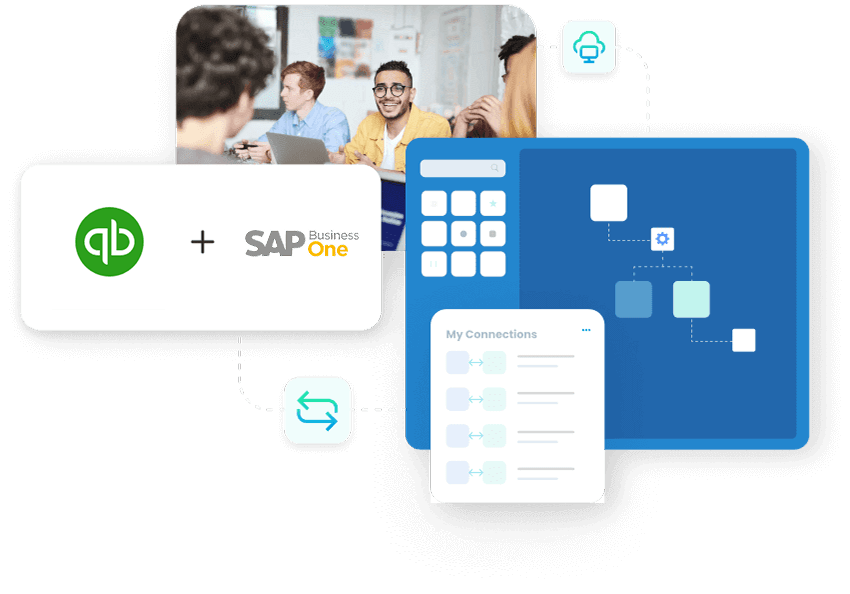
Master business workflows and improve efficiency with automated sub-minute sync across finance and operations. Remove manual tasks syncing orders, invoices, inventory, customers, and vendors. Visual suggestion: infographic showing bidirectional sync of customers, orders, invoices, inventory, and payments between QuickBooks Desktop and SAP Business One (alt: quickbooks desktop to sap business one data sync diagram).
















Key Features of APPSeCONNECT’s QuickBooks Desktop & SAP Business One Integration

Automated Invoice & Payment Syncing
Keep your financial data perfectly in sync. Set your own rules for invoices and payments, while our system automatically catches errors and reconciles your accounts for a faster, more accurate closing.

Real-Time Inventory Management
Mirror item master changes and stock movements (receipts, issues, picks, shipments) so availability stays accurate everywhere. Multi‑warehouse quantities and bin locations stay in step across both systems and connected sales channels.

Sales Order and Purchase Order Automation
Convert eCommerce/CRM orders into SAP B1 sales orders and post corresponding documents in QuickBooks Desktop. Auto‑create POs for backordered items and update order status through fulfillment.

Customer & Vendor Data Synchronization
Keep accounts, contacts, credit limits, and addresses consistent. De‑duplicate records with rules for master data ownership, and sync customer/vendor portal activity (orders, invoices, payments) for a complete view.

Multi-Currency & Multi-Language Support
Handle global transactions with currency codes, exchange‑rate fields, localized names/addresses, and date/number formats through flexible mappings and transformations.

Customizable Integration Workflows
Tailor flows with a visual designer, transformations, filters, and schedules (real‑time/near real‑time or batch). Event‑style triggers based on change flags keep sync efficient, and comprehensive audit logs track every record.

Key Highlights of Our QuickBooks Desktop & SAP Business One Integration
AI Automation Powered Sync
Synchronize Invoices, payments, and journals post with traceable references for faster reconciliation.

Immediate Inventory Sync
Interact with item information and multi‑warehouse stocks correctly with almost instant sync across QuickBooks Desktop, SAP Business One, as well as connected channels.

Simplified Order Execution
Handle order capture, fulfillment, invoicing, and status updates end‑to‑end—no swivel‑chair work.

Zero Downtime During Setup
Deployment patterns and phased cutovers reduce operational impact while you roll out flows.

Flexible Multi-Platform Support
Use hosted agents or on‑site agents with IP allowlisting to fit your IT and compliance requirements.
How the APPSeCONNECT Integration Between QuickBooks Desktop & SAP Business One Works

Initial Setup & Configuration
Connect both systems, pick templates, validate endpoints and credentials, and confirm security settings.

Data Mapping
Map masters and transactions, customers, items, pricing, taxes, orders, invoices using a visual mapper and transformation nodes.

Set Sync Intervals
Choose real time/near real time with change‑flag detection, minute‑interval schedules, or batch windows to fit your processes and volumes.

Monitoring & Managing the Integration
Measure success, mistakes, and retries from a dashboard. Leverage audit logs, analytics/alerts, and email notifications. Durable queues and reprocessing guard against transient outages.

Share Your Workflows
Export/import configurations and use sandbox environments to protect and recover your integration setup.
Download the Full Integration Brochure
Real-World Applications of QuickBooks Desktop & SAP Business One Integration Get a comprehensive overview of setup options, data flows, and best practices for QuickBooks Desktop and SAP Business One.
- For Small-to-Medium Businesses: Replace swivel-chair tasks, reduce reconciliation time, and ensure customer and item data matches across accounting and ERP.
- For Manufacturers: Keep multi‑warehouse stock accurate, push purchase recommendations, and align production issues/receipts with order demand.
- For E‑Commerce: Send orders from your online store to SAP B1 for your team to ship. Next, update QuickBooks Desktop with the latest inventory, shipping details, and bills.
Popular QuickBooks Integrations
Our Integration Platform helps you seamlessly connect QuickBooks with other Business Applications.
Popular SAP Business One Integrations
Connect SAP Business One with other business applications.





Looking for a Specific Integration?
How Your Business Benefits from QuickBooks Desktop & SAP Business One Integration

Fewer Errors & Saved Hours
Through AI powered automation remove manual tasks and spreadsheet handoffs.

Improve Decision-Making Instant Data
Financials and operations sync together, so reports show the updated info and stock.
Greater Operational Efficiency
Capturing orders, syncing, and invoicing, every step runs on consistent, validated data.

More Business Agility
Introduce fresh channels and partners fast with reusable flows and templates.

Lesser Operational Costs
Lesser manual activities, fewer corrections, and quicker closes reduce your cost to serve.
Frequently Asked Questions
Typically a few weeks, depending on data complexity, environments, custom fields, and whether you choose templates or bespoke flows.
Yes. Use mappings, transformations, filters, and rules to model processes. Visual tools reduce scripting while preserving flexibility and control.
We provide priority ticket support with defined response windows; confirm coverage hours and escalation paths with your account team.
Yes. Quantities per warehouse/bin are synchronized so availability and allocations stay accurate across locations and channels.
Tax codes, jurisdictions, and currency fields are mapped and synchronized as part of order and invoice flows. Calculations remain in your source system; results are preserved across both platforms.
Yes. Use on‑prem agents behind your network or hosted agents with IP allowlisting. No inbound ports need to be opened to the internet.
Failed records automatically retry based on your schedule. You’ll see details in Sync Info, receive email alerts, and can reprocess with one click.
Yes. Run one‑time initial loads and staged batch jobs to bring over masters and transactional history, testing safely in sandbox first.
Yes. Model milestones, timesheets, and phase‑based billing with custom objects, transformations, and rules tailored to your process.
Configuration export/import, sandbox environments, and durable processing queues help protect your setup. In the event of an outage, reprocessing and alerts assist rapid recovery.
Start Your Integration Journey with APPSeCONNECT Today!
Ready to unify finance and operations with QuickBooks Desktop and SAP Business One integration? Get a personalized walkthrough and next steps.

Companies automating their business through APPSeCONNECT







Customer Success Stories

Hernon
With APPSeCONNECT, Hernon achieved a zero business downtime and levaraged the power of a fully automated and integrated solution to ensure business growth.
Read Case Study →
Machinery Manufacturing Company
Discover how a world-leading industrial equipment manufacturing company leveraged APPSeCONNECT for company-wide automation of ERP, CRM, and eCommerce applications.
Read Case Study →Related Resources
Articles and Guides to Help You With Your Integration and Automation Journey