Microsoft Dynamics 365 Business Central and Shopify Plus Integration & Automation
- Automate
- Align
- Accelerate
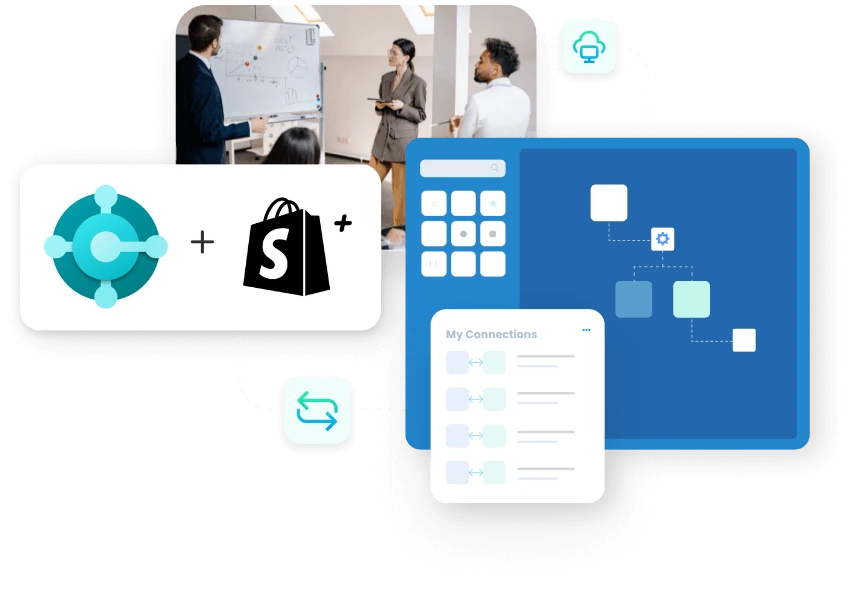
APPSeCONNECT’s Microsoft Dynamics 365 Business Central and Shopify Plus integration keeps products, prices, stock, orders, payments, and fulfillment updates synced across both systems.
Shopify Plus supports larger storefronts, broader catalogs, and account-based selling. Business Central handles the finance and operations side with tighter business rules. When the two do not stay aligned, teams lose time fixing order issues, checking stock, and answering billing questions. This integration keeps that work cleaner from checkout through fulfillment.
KEY BENEFITS
Why is APPSeCONNECT the Gold Standard for Microsoft Dynamics 365 Business Central and Shopify Plus Integration
A fast storefront needs a steady ERP behind it. APPSeCONNECT helps Shopify Plus data reach Business Central in a cleaner format, while Business Central sends back the updates buyers and teams need to see.

Faster Order Posting
Shopify Plus orders enter Business Central with clean item, tax, shipping, and customer details.

Stronger Price Accuracy
Business Central pricing and discounts update Shopify Plus so buyers see reliable selling values.

Better Stock Confidence
Store availability reflects Business Central stock rules, reducing overselling during busy selling periods.

Cleaner Customer Records
Buyer details move with fewer gaps, helping teams avoid duplicate accounts and address issues.

Clearer Payment Visibility
Payment and refund details can return to Business Central for easier finance review and follow-up.

Quicker Fulfillment Answers
Shipment status and tracking details return to Shopify Plus after dispatch is completed.
Standard Features Covered in Our Microsoft Dynamics 365 Business Central Shopify Plus Integration and Automation Template
- Shopify Plus to Business Central Create or update customer and company account records in Business Central from Shopify Plus buyer details. The sync can carry contact information, addresses, account-based fields, and company buyer context so downstream order processing starts with cleaner B2B and standard customer records.
- Business Central to Shopify Plus Publish product names, descriptions, item codes, variants, and selected catalog fields from Business Central to Shopify Plus, so storefront listings stay closer to current ERP-managed product data.
- Business Central to Shopify Plus Send pricing and discount rules from Business Central to Shopify Plus, so buyers see cleaner selling values and customer-specific pricing stays easier to manage for account-based selling.
- Business Central to Shopify Plus Sync stock from Business Central to Shopify Plus by using the warehouse view your business wants buyers to see online, helping the store reflect what can actually be sold.
- Shopify Plus to Business Central Create Business Central sales orders from Shopify Plus orders with items, taxes, shipping details, order references, buyer information, and related posting values needed for cleaner ERP order handling.
- Shopify Plus to Business Central Bring payment details and refund updates from Shopify Plus into Business Central, so finance teams can review storefront activity, matching, and follow-up with better visibility.
- Business Central to Shopify Plus Return shipment status and tracking details from Business Central to Shopify Plus after dispatch is completed, so buyers and support teams can review order progress more clearly.
- As Configured Add return and credit flows based on the way your team handles post-sale work, so the integration can support broader refund and after-sales processes without changing the core order flow.
Popular Microsoft Dynamics 365 Business Central Integrations
Connect Microsoft Dynamics 365 Business Central with other business applications.





Looking for a Specific Integration?
Popular Shopify Plus Integrations
Connect Shopify Plus with other business applications.





Looking for a Specific Integration?
What You Get
Feature You Get With Our Microsoft Dynamics 365 Business Central and Shopify Plus Integration
A reliable integration needs more than a connection between two applications. Your team also needs review points, safer mapping changes, and enough visibility to understand what moved, what failed, and what needs attention next.

Field Mapping Workspace
Review how customer, item, tax, and order fields line up before live data moves.

Store-to-ERP Order Logic
Send Shopify Plus orders into Business Central with cleaner posting values and references.

Customer Group Handling
Carry account-based fields and customer logic in a way Business Central can use.
Catalog Publish Controls
Push product names, descriptions, prices, and variants from Business Central to Shopify Plus.

Discount Rule Support
Keep selling prices and discount values aligned without manual store updates every day.

Warehouse Stock Options
Publish inventory from the warehouse view your business wants buyers to see online.

Payment And Refund Return
Bring payment status and refund updates back for clearer order and finance visibility.
Shipment Update Paths
Return fulfillment status and tracking details after Business Central completes the dispatch step.

Replay And Recovery Tools
Fix and resend failed records without disturbing the updates that already worked.

Run Timing Controls
Choose fast event runs or planned update windows based on business volume and urgency.
INTEGRATION BROCHURE
Download the Microsoft Dynamics 365 Business Central and Shopify Plus Integration Brochure
Download our brochure to discover how Microsoft Dynamics 365 Business Central and Shopify Plus perform together for daily store and back-office operations. Study the main flows, the rollout steps, and the checks that matter before go-live.
Inside you will find:
- Flow Diagrams: See how products, prices, stock, orders, payments, and shipments move between both systems.
- Rollout Notes: Review mapping, testing, and cutover steps that help teams avoid rework later.
- Success Examples: See how businesses improve order handling, stock visibility, and finance follow-up after launch.


INTEGRATION GUIDE
How Does The Workflow Runs End-To-End
The best rollout starts with the flows that affect daily business first. Once orders, prices, and stock are flowing reliably, your team can add payment, refund, and broader account logic with much less risk.
Connect Systems
Select Shopify Plus and Business Central, then confirm access for both applications clearly.
Map Core Records
Match customers, item codes, prices, taxes, shipping, and order references before testing.
Test Key Scenarios
Run sample orders, stock changes, refunds, and fulfillment updates in a safe environment.
Go Live In Stages
Turn on production flows, review the first runs, and expand once the basics stay stable.
Frequently Asked Questions
It connects Shopify Plus and Business Central so products, pricing, stock, orders, payments, refunds, and fulfillment updates can move between both systems without repeated typing, file exports, or manual follow-up work.
They connect both systems to reduce manual work, keep store activity closer to Business Central records, speed up order handling, and make finance, support, and operations work from cleaner data.
Common flows include customers, company accounts, products, variants, pricing, discounts, stock, sales orders, payments, refunds, shipment status, and selected returns or credit records based on your setup.
Orders are picked up by the integration, mapped into Business Central fields, checked against your business rules, and then posted with the item, customer, tax, discount, and shipping details attached.
Product names, descriptions, item codes, variants, prices, and discount values can move from Business Central into Shopify Plus so the storefront stays closer to your current ERP-controlled business data.
Stock updates can move soon after changes or on a schedule, helping Shopify Plus reflect current availability more clearly and lowering the risk of overselling during busy periods.
Shopify Plus B2B structures can work with Business Central when the right customer, account, and price fields are mapped clearly for order handling, approvals, and downstream business processing.
Payment and refund details can move into Business Central so finance teams can review transaction activity more clearly and keep the order record closer to the actual storefront status.
Shipment records from Business Central can send delivery status and tracking details back to Shopify Plus, helping buyers and support teams review order progress more easily.
The failed record is logged with the reason, and your team can fix the issue and replay only that record without rerunning the successful updates around it.
Business users can manage many daily tasks through mapping screens, logs, and retry tools, while technical specialists only need to step in for more advanced rules or changes.
Start by connecting both systems, mapping the main business records, testing the key flows, and then moving to production in stages once the first runs stay clean.
Ready To Launch Your Microsoft Dynamics 365 Business Central and Shopify Plus Integration Today?
Shopify Plus should not create more cleanup for your ERP team at the end of the day. This integration keeps pricing, stock, orders, payments, and fulfillment updates closer together so your teams can scale with fewer corrections.

Companies automating their business through APPSeCONNECT







Customer Success Stories

Proveedora PGP
Founded in 2005, Proveedora PGP has solidified its position as a leading ecommerce business in Mexico, specializing in car and truck tires.
Read Case Study →
African American Expressions
African American Expressions, founded by Gregory Perkins in 1991 in Sacramento, California, has been on a remarkable journey of growth and success.
Read Case Study →Related Resources
Articles and Guides to Help You With Your Integration and Automation Journey