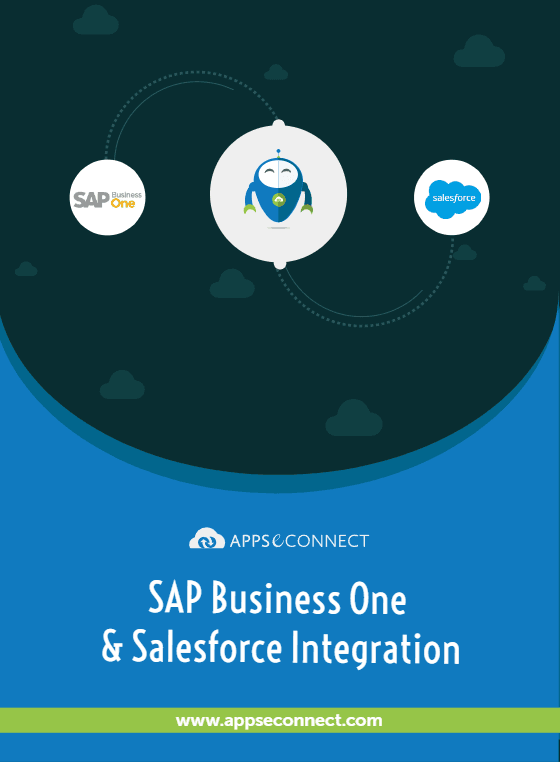
SAP Business One and Salesforce Integration
- Automate
- Align
- Accelerate
APPSeCONNECT is a low-code integration platform that helps you connect SAP Business One to Salesforce, so reps quote, finance bills and operations ships from the same data. The packaged integration solution replaces fragile DI-API scripts, custom Apex callouts and weekly CSV jobs with one governed iPaaS layer.
Built for SMB and mid-market teams running SAP B1 as the back-office, alongside Salesforce Sales Cloud, Service Cloud and CPQ. Deploy the integration software in days with ready-mapped templates and a low-code ProcessFlow your CRM admin or IT lead can extend in-house.


















Why APPSeCONNECT Is the Gold Standard for SAP Business One & Salesforce Integration
Reasons mid-market manufacturers, distributors and importers choose APPSeCONNECT to connect SAP B1 to Salesforce, instead of stitched-together code and scripts.

Reps quote off live SAP Business One pricing
B1 price lists, customer-specific contract pricing and active special prices flow into the Salesforce opportunity, account and CPQ quote screens. Reps quote against today's data, not a stale catalogue export.

One customer record across CRM and ERP
A new Salesforce account creates a clean Business Partner master in B1 with the right tax classification, payment terms and price list. Existing accounts update in place, so the duplicate-BP-record problem your AR team flags every quarter end disappears.

Won opportunities turn into B1 sales orders, untouched
The moment a Salesforce opportunity moves to closed-won (or a CPQ quote is approved), B1 receives a structured sales order with line items, taxes, line-level discounts, currency and shipping method already set. No customer service rep transcribes contracts by hand.

Service Cloud agents see the full delivery picture
B1 deliveries, A/R invoices, return orders and credit memos flow into the Salesforce account so Service Cloud agents resolve queries on the first call. The integration solution closes the visibility gap that costs CSAT score quarter after quarter.

AR position and credit limit in the account screen
B1 customer balance, credit limit, open invoices and ageing buckets push back to the Salesforce account. Reps and CSMs see the same financial picture the controller does.

Built for HANA, SQL and multi-company B1 estates
A single APPSeCONNECT tenant connects multiple SAP B1 companies (HANA or SQL) to multiple Salesforce orgs through rule-based routing. The integration platform grows with the business instead of being rebuilt every two years.
Standard Features Covered in Our SAP Business One Salesforce Integration Template
The ready-to-deploy integration solution ships with the data flows most B1 and Salesforce customers need on day one. Switch on what applies, customise the rest in the low-code ProcessFlow.
New Salesforce accounts and contacts write to B1 as clean Business Partner records with billing, ship-to, tax classification and price list under the right B1 company. Returning accounts update the existing BP record.
B1 item master, item description, units of measure, item groups and active price list publish to the Salesforce product library. Salesforce CPQ users see the same SKUs and prices the operations team uses.
Salesforce opportunities and CPQ-approved quotes turn into B1 sales orders the moment they close, with line items, taxes, line-level discounts, currency and shipping method preserved end to end.
B1 in-stock quantity per warehouse, plus committed and ordered quantities, pushes to Salesforce so reps stop committing stock the warehouse cannot ship.
B1 A/R invoices, due dates, paid amounts and ageing buckets push back to the Salesforce account. Reps see collection status without phoning finance.
B1 deliveries, packing slip references, courier and tracking information land on Salesforce cases and opportunities the moment B1 posts them.
Salesforce return cases write B1 return orders. B1 A/R credit memos and refund references push back to the originating Salesforce case so support agents see resolution status without phoning finance.
Popular SAP Business One Integrations
Connect SAP Business One with other business applications.


Looking for a Specific Integration?
Popular Salesforce Integrations
Connect Salesforce with other business applications.

Looking for a Specific Integration?
KEY CAPABILITIES
Accounts / Business Partners
- Bi-Directional Sync Add or update accounts in either or both systems to synchronize changes in both CRM and ERP.
- Key Fields Account Name, SAP Customer Number, Address, Phone, Industry.
Contacts
- Associated with the Correct Account Keep contact details (name, email, phone) current everywhere.
- Bi-Directional Updates The modifications in either system are reflected in the other.
Pricebook
- Price Lists from SAP to Salesforce Convert them to Price Books in Salesforce to quote with accuracy.
- Single Currency Supported Ideal for straightforward pricing structures (optional multi-currency add-on).
Item Sync
- Product Details Product Name, Code, Description, and multiple price-book entries.
- One-Way Sync (SAP→Salesforce) Maintain product information in SAP while ensuring Salesforce is up to date.
Quotes
- Salesforce to SAP Non-zero value quotes that are “ready to sync” are synced automatically into SAP with required fields (e.g., validity, reference number).
- Header & Line Items Customer, Owner, Product, Quantity, Remarks - all the same.
Sales Orders
- New sales orders sync to Salesforce for greater visibility - order number, date, line items, etc.
Invoice
- Generate an invoice in SAP and instantly update it in Salesforce, along with line item information (price, quantity).
Download our SAP Business One with Salesforce Integration Brochure
Are you integrating your business operations with SAP Business One & Salesforce? Discover how our Salesforce integration with SAP simplifies back-office functions, supports real-time data synchronization, and promotes growth through low-code flexibility and enterprise-level security. Download our comprehensive brochure to find out how APPSeCONNECT connects SAP Business One and Salesforce and provides a future-oriented solution that saves time and cuts costs while driving profitability
Download our full brochure to find out
- Full Feature Roundup: Accounts, items, quotes, orders, invoices, and more.
- Implementation Best Practices: Learn how to implement with minimal effort and maximal ROI.
- Customer Success Stories: Discover how businesses overcame growth obstacles with automated SAP–Salesforce processes.
How Does the Workflow Run End-to-End?
From a Salesforce opportunity hitting closed-won to SAP B1 posting an A/R invoice in six clean stages.
Order Capture
A new Salesforce account, contact, opportunity, CPQ quote or service case is captured the moment the rep or agent saves the record. Salesforce workflow rules and platform events raise the trigger reliably.
Event Trigger
APPSeCONNECT receives the Salesforce event securely, queues it in the right pipeline and starts processing. The integration platform respects Salesforce API limits and applies adaptive batching.
Data Mapping
The mapping layer translates Salesforce payloads into the entities B1 expects, including BP code, company, currency, tax codes, price list and item references. Mappings live in the low-code ProcessFlow designer.
Record Creation
SAP B1 writes the Business Partner, sales order, return order or A/R invoice under the right B1 company, ready to enter the standard order-to-cash process. Idempotency and retry logic prevent duplicate orders.
Back-Sync
The B1 sales order number, delivery, A/R invoice and payment status flow back into the originating Salesforce opportunity, account and case.
Monitor and Improve
Every event, retry and failure shows on the platform dashboard with full payload audit and replay. Mapping changes happen without a developer ticket.
Begin Your B2B Sales Cycle Automation Journey Now!
Eliminate inefficient, redundant, error-prone data exchange with enterprise-level security. APPSeCONNECT’s new-generation iPaaS connects your eCommerce and ERP data flow
Reduce manual data entry, minimize errors, and free up teams for higher value activities.
Maintain a real-time pulse on payments, orders, and inventory.
Easily add or modify workflows as your business grows.
Integrate SAP Business One & Salesforce. Start Using APPSeCONNECT Today!
Eliminate data silos, reduce manual overhead, and deliver an environment that is closely integrated for sales, fulfillment, and finance teams.

Frequently Asked Questions
Accounts and business partners, contacts, price books, items, quotes, sales orders and invoices sync as standard, with optional add-ons for multi-currency, inventory, customer addresses, order and invoice updates, and after-sales service (assets, service calls, activities).
Accounts, contacts and, as add-ons, customer addresses, service calls and activities sync bi-directionally. Price books, items, sales orders and invoices sync from SAP Business One to Salesforce, and quotes sync from Salesforce to SAP Business One with the SAP quote number written back.
A salesperson marks a non-zero quote as ready, it syncs to SAP Business One with header and line detail, and the SAP quote number is written back to Salesforce so both systems stay linked.
Yes. Price books and item prices sync to Salesforce as standard, and an inventory add-on shows committed and on-hand stock by warehouse, so reps quote accurately.
A multi-currency add-on syncs prices in the correct currencies, and the platform is built for GDPR and CCPA readiness with US sales tax and EU VAT handling for global Salesforce accounts.
A ready-to-deploy package starts at $99 per month with a no-code onboarding wizard, and can go live in under 30 minutes for standard scenarios.
Reported outcomes include up to 25% faster sales cycles, around 30% better quote-to-cash efficiency, and up to 20% fewer order fulfilment errors.
Companies automating their business through APPSeCONNECT







Customer Success Stories

Hernon
With APPSeCONNECT, Hernon achieved a zero-business downtime and leveraged the power of a fully automated and integrated solution to ensure business growth.
Read Case Study →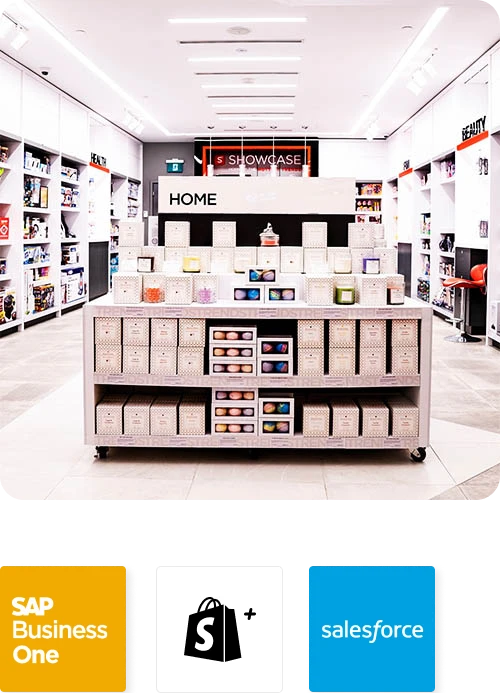
Showcase
Showcase managed to sync their inventory seamlessly with the help of APPSeCONNECT and provide the best-in-class products to 100+ stores across North America.
Read Case Study →Related Resources
Articles and Guides to Help You With Your Integration and Automation Journey