




Square POS and SAP S/4HANA Integration
- Automate
- Align
- Accelerate
Square POS and SAP S/4HANA integration connects checkout activity from physical stores with the ERP processes that finance and operations depend on. With APPSeCONNECT, sales, tender, refund, customer, product, and inventory records can move through governed flows instead of being reconstructed after each business day.
Square POS captures what happens at the counter. SAP S/4HANA holds the posting, stock, tax, reconciliation, and reporting controls behind the business. When both systems stay disconnected, daily close takes longer, payment totals need manual proof, stock corrections lag behind store activity, and store managers wait for reliable numbers.
KEY BENEFITS
Why APPSeCONNECT Is the Gold Standard for Square POS and SAP S/4HANA Integration
The integration gives a structured automation layer between Square POS and SAP S/4HANA, so store transactions do not have to travel through spreadsheets, exports, or manual posting work. Sales, payments, refunds, customers, items, stock changes, tax lines, fees, payout references, and finance records can move through mapped ProcessFlows with validation, monitoring, and retry controls.

Delayed Daily Close
Store transactions may finish quickly in Square, but finance still needs SAP-ready sales, tax, tender, and refund data. When that movement is late, close work shifts into manual checking and correction.

Tender Matching Gaps
Cash, cards, gift cards, fees, refunds, and payouts must line up with SAP clearing and reconciliation rules. Missing references make it harder to explain the gap between gross sales, fees, refunds, and bank deposits.

Stale Stock Counts
Square sales and returns change store inventory throughout the day. If SAP S/4HANA does not receive those signals on time, replenishment, transfers, and stock reporting depend on outdated figures.

Refund Trail Breaks
A refund at the POS needs to stay connected to the original transaction, tax reversal, payment reference, and inventory impact. Without that link, finance and store teams spend time tracing what happened after the return.

Location Posting Errors
Each Square location may need to map to a specific SAP company code, plant, storage location, profit center, or reporting dimension. Weak location mapping creates posting issues after the sale is already complete.

Expansion Close Delays
New stores, pop-ups, and checkout lanes increase transaction volume. Without reusable integration logic, each added location creates another reconciliation path for finance and operations teams.
Standard Features Covered in Our Square POS and SAP S/4HANA Integration Template
The Square POS and SAP S/4HANA integration template can be shaped around store, finance, and inventory responsibilities. Configuration can account for Square location IDs, SAP company codes, plants, tax codes, payment methods, clearing rules, posting logic, and reporting dimensions.
- Completed Square sales can move into SAP S/4HANA with item lines, quantities, discounts, taxes, business date, and store location context.
- Square payment types can map to SAP payment methods, clearing accounts, or settlement rules. Cash, card, gift card, and other tenders can follow separate logic.
- Buyer records from Square can be used to create or update SAP customer references where customer matching is part of the process. Matching can use email, phone, customer ID, or configured keys.
- Refunds and returns can move with original transaction references. Tax reversal, restocking review, and finance posting can stay tied to the same retail event.
- Square location data can route sales, refunds, tenders, and taxes into the right SAP organizational setup. This is useful for multi-store reporting and store-level accounting.
- Fee details, payout IDs, and deposit references can support SAP reconciliation flows. Finance teams can compare Square settlement activity with bank and ledger records.
- SAP-managed item data can publish into Square POS. SKU, item name, variation, category, status, and pricing fields can be mapped based on the approved catalog flow.
- Price updates from SAP S/4HANA can move into Square where SAP remains the pricing source. Store-specific or item-specific rules can be handled during configuration.
- SAP inventory can update Square stock views by item and location where the business needs POS stock visibility to follow ERP records.
- Store count changes from Square can move into SAP review flows with reason codes, item references, and location details.
- SAP document numbers, posting status, or journal references can be captured in the integration trail where teams need transaction-level traceability.
- Records that fail because of missing fields, mapping issues, API errors, or validation rules can be reviewed through logs and snapshots before retry.
Popular Square POS Integrations
Businesses connecting Square POS with SAP S/4HANA often add supporting systems around the same ERP-led retail stack. These may include tax, inventory, finance, reporting, eCommerce, loyalty, payment, warehouse, and customer engagement applications that depend on clean SAP and POS data. Connect Square POS with other business applications.





Looking for a Specific Integration?
Popular SAP S/4HANA Integrations
Connect SAP S/4HANA with other business applications.





Looking for a Specific Integration?
INTEGRATION GUIDE
How Does the Workflow Run End-to-End
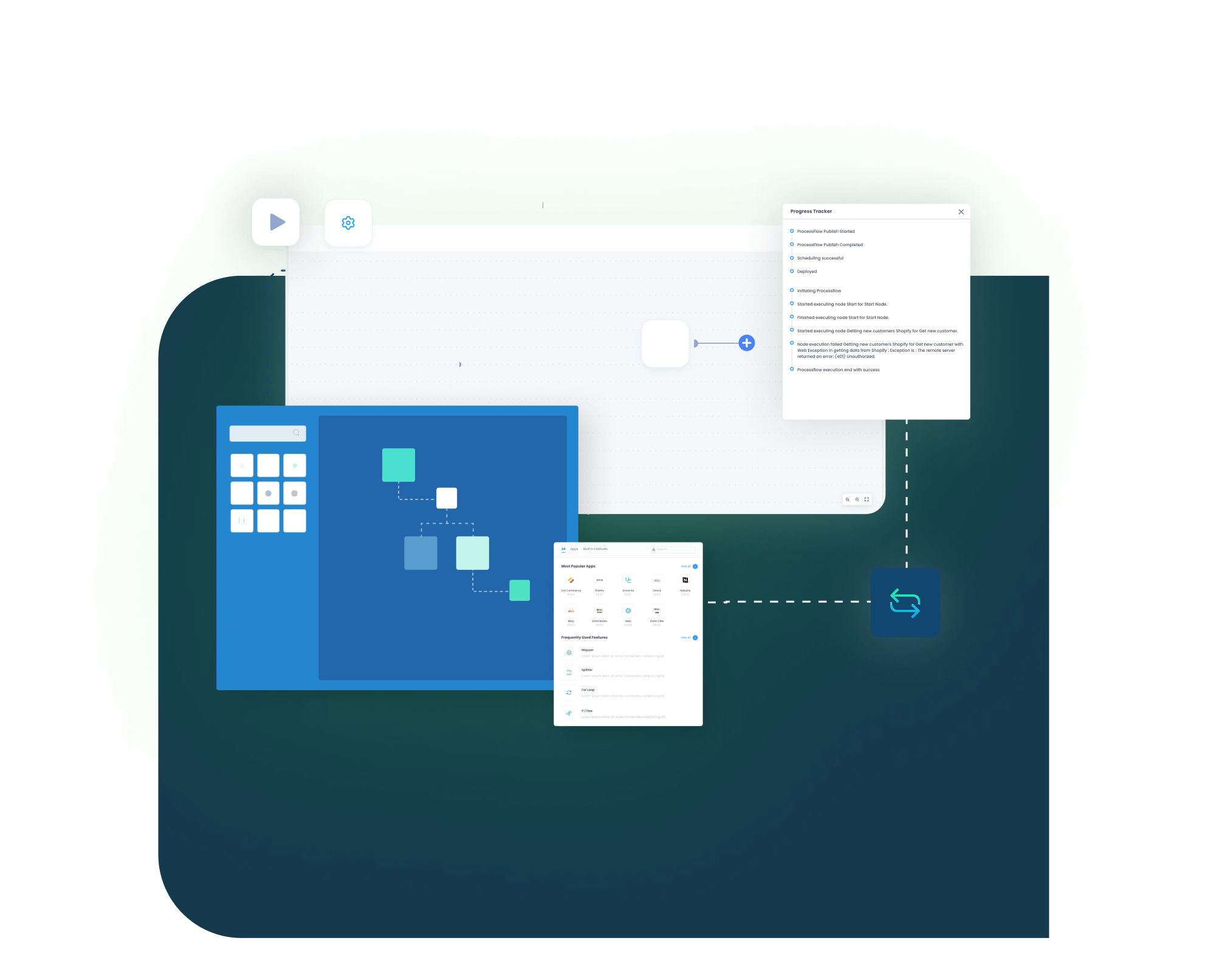
A Square POS and SAP S/4HANA integration runs through ProcessFlows. Each ProcessFlow controls where data is read, how the record is shaped, which validation checks run before posting, and how the target system response is captured after the action is complete.
Trigger & Source Connection
A Square event, schedule, manual run, or configured sync can start the flow. The source may be Square POS or SAP S/4HANA depending on whether the process is moving sales, refunds, customers, catalog data, stock, or posting status.
Data Extraction & Schema Reading
The flow reads the source entity and its schema before transformation begins. This may include a Square order, payment, refund, customer, catalog item, inventory record, payout reference, or SAP document.
Transformation & Field Mapping
Source data is converted into the target format. SKU, Square location, SAP plant, tax code, payment method, clearing account, discount, fee, customer key, and document reference can be mapped as needed.
Validation & Business Rule Execution
The ProcessFlow checks whether the record is ready to post. It can validate item mapping, duplicate customer logic, tax code rules, tender mapping, refund references, inventory location, posting period, and required SAP fields.
Target Push & Response Handling
The prepared record is pushed into Square POS or SAP S/4HANA through the configured connector action. The response captures success status, error details, document number, sync result, or API message.
Monitoring, Retry & Audit Logging
Run logs, node status, snapshots, and transaction details show what happened in each step. Teams can correct failed records and retry sales, refunds, item updates, inventory changes, or SAP postings.
Real-world use cases
Use Cases
The Square POS and SAP S/4HANA integration is designed for businesses that need store activity to reach ERP teams in a usable format. It supports retail stores, finance teams, inventory planners, accountants, and operations leaders who need a cleaner path from checkout to posting.
Store sales reach SAP S/4HANA with less close-day cleanup
A retailer using Square POS across multiple stores needs each location’s sales, tenders, refunds, discounts, and taxes to reach SAP S/4HANA in a consistent structure. The integration lets store teams keep using Square at checkout while finance and operations receive cleaner ERP-ready data.
- Square POS sales can move into SAP S/4HANA with transaction and line-level detail.
- Square location IDs can map to SAP plants, storage locations, profit centers, or reporting dimensions.
- Tax and tender details can follow the posting logic defined in SAP.
- Failed records can be reviewed and retried without rebuilding the full day manually.
What this integration handles
Posted
Store sales flow
Mapped
Location routing
Checked
Tax and tender rules
Recovered
Failed transaction retry
Supports retailers, franchises, pop-up stores, and store networks using Square POS with SAP S/4HANA as the ERP.
Square payment activity stays connected to SAP finance review
Finance teams need to review more than the sale total. Card payments, cash activity, gift cards, refunds, fees, and payout references all need enough detail to support SAP reconciliation and bank matching.
- Square payment types can map to SAP payment or clearing logic.
- Fees and payout references can move with the transaction trail.
- Refunds can stay linked to the original Square sale.
- Logs and snapshots can support reconciliation and audit work.
What this integration handles
Matched
Payment references
Separated
Fees and deposits
Routed
Clearing logic
Audited
Transaction trail
Supports finance, accounting, treasury, audit, and shared services teams that need clearer Square-to-SAP traceability.
Store-level movement stays closer to the SAP stock record
Retail stock changes whenever a product is sold, returned, counted, transferred, or adjusted in the store. The integration helps Square POS activity and SAP S/4HANA stock records stay closer, so replenishment and reporting teams are not working from delayed signals.
- SAP item data can publish into Square catalog flows where SAP owns product setup.
- Square sales can support ERP inventory review by item and location.
- Store adjustments can move with reason codes and location references.
- Returns can keep refund and restocking details connected to the original transaction.
What this integration handles
Synced
Item and SKU data
Updated
Store stock signals
Linked
Returns and refunds
Reviewed
Inventory exceptions
Supports store inventory teams, replenishment planners, warehouse teams, and retail operations managers.
SAP users get cleaner store data for finance and operations reporting
Retail leaders need sales, tender, tax, refund, and location-level performance without waiting for spreadsheet consolidation. The integration helps SAP S/4HANA receive POS activity in a format that is easier to post, review, and report.
- Square transaction data can move with location and business-date context.
- Discount, tender, tax, and refund details can support reporting accuracy.
- SAP document references can be captured in the integration trail where required.
- Delayed or failed records can be reviewed before close activity is blocked.
What this integration handles
Visible
Store performance data
Segmented
Location reporting
Captured
SAP document references
Monitored
Close exceptions
Supports retail leadership, finance reporting, store operations, and IT teams responsible for store-to-ERP data quality.
Meet appse ai
How appse ai Helps Streamline Square POS and SAP S/4HANA Integration
After the POS-to-ERP sync starts running, teams still need context around exceptions, not just a pass or fail status. appse ai supports the ongoing automation layer by helping teams design flows, spot repeated failures, review store-to-SAP issues, and improve the way transaction data moves across connected systems.
- Workflow Design: Build or adjust sales, refund, inventory, payout, item, and posting flows with no-code and AI-assisted tools.
- Issue Detection: Identify failed transactions, repeated mapping errors, interrupted runs, missing SAP fields, and delayed sync activity earlier.
- Exception Review: Review tender mismatches, tax code gaps, invalid item mappings, wrong location routing, and SAP posting errors with clearer context.
- Decision Support: Add conditional logic for store location, tender type, refund status, tax group, document type, or posting path where the flow requires it.
- Process Signals: Track slow points across sales posting, refund handling, stock updates, payout review, and daily close activity.
- API Orchestration: Extend the automation layer across Square POS, SAP S/4HANA, finance tools, eCommerce systems, loyalty apps, and custom retail applications in the ERP-led retail stack.
- Workflow Optimization: See where records fail often, where manual review increases, and where validation should be redesigned before transaction volume grows.

Ready to Launch Your Square POS and SAP S/4HANA Integration Today?
Square POS and SAP S/4HANA need a reliable path between checkout activity and ERP control. APPSeCONNECT helps move sales, tenders, taxes, refunds, inventory updates, and posting details through structured integration flows, so retailers can reduce manual reconciliation while keeping store operations moving.

Companies automating their business through APPSeCONNECT







Customer Success Stories

Rustic Cuts
Rustic Cuts is a fast expanding chain of high quality butcheries that deal in farm fresh meats and upscale cuts.
Read Case Study →
U.S. Tobacco Case
U.S. Tobacco is a global supplier of premium flue-cured tobacco. U.S. Tobacco is known for its quality and consistency, using best-in-class flue-cured tobacco production. woocommerce, sap s4 hana
Read Case Study →
ElRyan case study
With APPSeCONNECT, El Ryan has streamlined and automated their business processes and saved a lot if time and effort by syncing all the necessary data between applications. Magento, Microsoft Dynamics AX
Read Case Study →Related Resources
Articles and Guides to Help You With Your Integration and Automation Journey

Frequently Asked Questions
Square POS and SAP S/4HANA integration connects store checkout activity with ERP finance, inventory, tax, and reporting processes. It can move sales, payments, refunds, customers, item data, tax lines, fees, inventory updates, and payout references based on the configured flow.
Businesses use Square POS and SAP S/4HANA integration to reduce manual posting, delayed close activity, tender mismatch, refund tracing issues, and inventory reporting gaps. The platform helps automate these flows with mapping, validation, monitoring, and retry controls.
The integration connects Square POS with SAP S/4HANA through ProcessFlows. Each flow defines the source and target system, the entity being moved, the field mapping, validation rules, run mode, retry behavior, and monitoring path.
The integration can sync Square sales, line items, payments, tenders, refunds, customers, tax lines, fees, payout references, catalog data, and inventory activity. SAP item data, stock records, posting status, document numbers, and finance references can also move where configured.
Square POS sales can sync to SAP S/4HANA as sales, journal, or finance records depending on the posting design. The sync can include item lines, quantity, discount, tax, tender, customer, location, and business-date details.
Square tender types such as cash, card, gift card, and other payment methods can map to SAP payment methods, clearing accounts, or reconciliation rules. The final setup depends on how SAP finance is configured.
Square fees and payout references can move into SAP reconciliation or finance review flows. This helps finance compare gross sales, refunds, processing fees, net deposits, and bank activity with better transaction context.
Square refunds and return details can sync with references to the original sale. The flow can support tax reversal, restocking review, payment reference tracking, and SAP posting logic where required.
SAP S/4HANA inventory can update Square POS stock views by item and location where the business uses SAP as the inventory source. Square sales, returns, and adjustments can also feed SAP inventory review flows.
SAP S/4HANA item data can publish to the Square catalog when SAP owns product setup. SKU, item name, variation, category, status, and price data can be mapped based on the agreed catalog flow.
Square locations can map to SAP company codes, plants, storage locations, profit centers, or reporting dimensions where the business requires location-level posting and reporting.
Square tax lines can map to SAP tax codes or tax posting logic. The setup should be tested with normal sales, refunds, exempt transactions, and location-specific tax scenarios before go-live.
The integration can use event-based triggers, scheduled runs, manual runs, or configured sync intervals depending on the flow and system limits. High-volume sales and reconciliation flows are often planned differently from item, inventory, or posting-status updates.
If a sync fails, the platform provides logs, snapshots, node status, transaction details, and retry controls. Teams can review missing fields, mapping errors, SAP validation failures, API responses, credential issues, or system errors before rerunning the record.
appse ai can help with AI-assisted workflow design, issue detection, exception review, decision support, and process signals. It gives teams more context around repeated failures, missing mappings, slow flows, and store-to-SAP exceptions.
Start by deciding which flows should go live first. Common starting points include sales posting, tender mapping, tax mapping, refund sync, payout reconciliation, catalog publishing, and inventory updates. APPSeCONNECT can then help map, configure, test, monitor, and expand the integration.