Microsoft Dynamics 365 CRM Integration And Automation
- Automate
- Optimize
- Scale
Unify sales, finance, and fulfilment with APPSeCONNECT’s low-code platform built for Microsoft Dynamics CRM ERP integration. It connects Dynamics 365 CRM to your ERP, eCommerce, and other core systems so teams work from one accurate source of customer, order, and payment data.
With Dynamics CRM ERP integration, leads, opportunities, orders, inventory, and invoicing updates can flow automatically in real time reducing manual entry, preventing mismatches, and keeping your lead-to-cash process moving end to end.
Key Benefits
Why APPSeCONNECT is The Gold Standard for Microsoft Dynamics ERP CRM Integration
APPSeCONNECT provides a Dynamics CRM ERP integration platform that balances low-code control with accelerators. Connect Dynamics 365 CRM with ERP & eCommerce using patterns that match mid-market and enterprise complexity Ready to eliminate manual data work?

Low-code setup
Anyone can build and tweak flows—low-code integration for Dynamics 365 CRM and business systems.

Real-time CRM sync
Contacts, leads, and deals update instantly for real-time Dynamics 365 CRM integration across teams.

Enterprise security
Encrypted traffic, role-based access, and compliance-ready controls for sensitive Dynamics 365 CRM data.

Scales on demand
Add more workflows and systems without rewriting integrations or ballooning costs.

Integration options
Pick native connectors, API-led flows, or managed Dynamics 365 CRM integration services with governance.

API integration
Extend scenarios using Microsoft Dynamics 365 integration API for custom processes and edge cases.
Microsoft Dynamics 365 CRM features built in
Go live faster with ProcessFlows, CRM templates, and managed Dynamics 365 CRM integration service.
Error recovery
Auto-retry and alerts keep data moving when connected systems slow or fail.
Central view
See CRM, ERP, and eCommerce data in one console—ideal for Dynamics 365 CRM integration with ERP & eCommerce.
Unleash Seamless Microsoft Dynamics CRM ERP Automation with APPSeCONNECT
- Integrate Dynamics 365 CRM with ERP (SAP S/4HANA, SAP Business One), eCommerce (Shopify, WooCommerce, Magento), scheduling tools (Calendly), and others.
- Manage synchronization of contacts, leads, opportunities, orders, and finances in real time.
- Convert CRM leads into eCommerce orders or ERP sales orders in real time.
- Integrate communication tools like Microsoft Teams with CRM data to facilitate instant, context-aware collaboration.
- High level of encryption and compliance with regulations like GDPR, securing customer data.
- Built-in security shield that protects every aspect of the integration process.
- Enable any team member to develop or tailor workflows with minimal technical assistance.
- Limitless scalability across departments and regions—with none of the conventional challenges of enterprise-scale integrations.
- Solve problems up to 65% faster using tried-and-true, plug-and-play connectors.
- Streamline data handling manually and reduce expenses in record time.

What You Get
Features You Get with Our Connector
APPSeCONNECT provides Microsoft Dynamics CRM integration across ERP, eCommerce, and analytics systems
End-to-end sync
An end-to-end Dynamics 365 CRM integration and automation platform delivering Dynamics 365 CRM customer-360 integration across contacts, leads, opportunities, orders, and payments.
Multi-app connect
Integrate Dynamics 365 CRM with ERP & eCommerce, scheduling, and productivity tools from a single hub.
Prebuilt ProcessFlows
Templates for Shopify, WooCommerce, Magento, SAP, and more, tuned for Dynamics 365 CRM automation integration.

Custom rules
Set triggers by event or schedule to automate Dynamics 365 CRM workflows safely.

Visual mapper
Drag-and-drop field mappings across CRM, ERP, and commerce objects.
Cloud or on-prem
Use our cloud or a local agent behind firewalls for hybrid Dynamics 365 CRM integration.
SDK support
Build new adapters when you need niche or legacy systems supported.
Popular Microsoft Dynamics CRM Integrations
Smart iPaaS Solution to streamline your business and increase efficiency. Seamlessly connect Microsoft Dynamics CRM with other Business Applications








Looking for a Specific Integration?
How Does the Workflow Run End-to-End ?
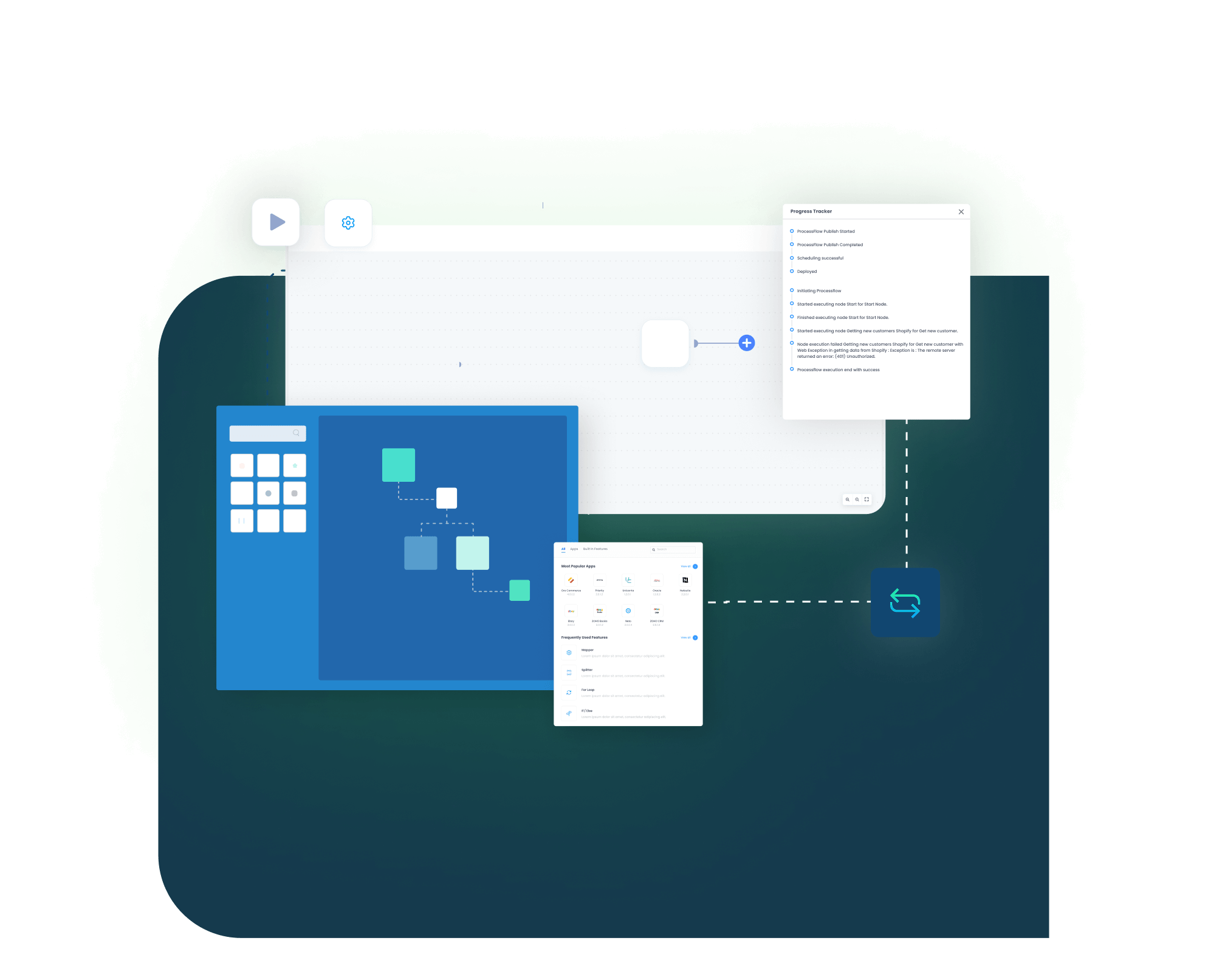
APPSeCONNECT powers Microsoft Dynamics CRM ERP integration with event-driven ProcessFlows. So, updates in Dynamics 365 CRM automatically trigger the right actions in your ERP and eCommerce systems. You get real-time sync with built-in mapping, retries, and monitoring to keep data accurate and workflows reliable.
Data Flow Architecture
- Event triggers and webhooks fire instantly on changes in Dynamics 365 CRM
- ProcessFlow orchestration routes requests through our microservices fabric
- API calls (REST to CRM, SOAP to ERP/eCom) exchange JSON/XML payloads in tight cycles.
Field Mapping & Customization
- Select Source Object: for example, contact in Dynamics 365 CRM.
- Choose Target Entity: for example, customer in your ERP.
- Map Fields Visually: drag contact.firstname → customer.givenName.
- Apply Transformations: format dates, concatenate values, and set conditional defaults.
- Add Custom Adapters: extend via our SDK for niche or legacy systems.
Error Handling & Auto-Recovery
- Auto-Retry Logic: Transient errors are retried up to your configured threshold.
- Dead-Letter Queue: Persistent failures move to a dedicated queue for review.
- Alerts & Dashboards: See failures in real time; configure email or SMS notifications.
Monitoring & Auditing
- Unified Dashboard: View throughput, latency, success, and error rates per ProcessFlow.
- Audit Logs: Every API call, mapping, and user action is timestamped and stored.
- SLAs & Health Checks: Alerts on SLA breaches keep you ahead of issues and highlight challenges in your Microsoft Dynamics 365 CRM integration.
INTEGRATION BROCHURE
Download the Dynamics 365 CRM Integration Brochure
Inside you’ll find Dynamics 365 CRM ERP integration for growing mid-market businesses, integration diagrams, quick start steps, security details, and case studies.
Inside you’ll find:
- Flow Diagrams: Visual guides for customer, order, and inventory data movement.
- Launch Steps: An easy checklist to prepare, test, and go live smoothly.
- Best Practices: Tips for handling taxes, guest users, and complex pricing.
INTEGRATION GUIDE
How to Get Started With APPSeCONNECT?
Launching Microsoft Dynamics CRM ERP integration doesn’t have to be complex. With APPSeCONNECT’s low-code iPaaS, you can connect Dynamics CRM with your ERP, eCommerce, and key business tools using guided setup, visual mapping, and built-in monitoring so data stays consistent from lead to cash. Follow these simple steps to launch your end-to-end data sync fast:
Select Connectors
Choose Dynamics 365 CRM plus your ERP or eCommerce apps.
Map Fields Visually
Drag-and-drop key data like orders, stock, and customers.
Deploy & Test
Activate real-time or batch sync, then run a sample record.
Monitor & Scale
View success and failure rates, then add more flows or apps as needed.
INTELLIGENT DATA FLOW
How Our Intelligent Data Flows Supercharge Your Integration
Our smart ProcessFlows give you control and visibility. They adapt as your business changes and scale when traffic spikes. Spot errors quickly and fix them with a click, sustaining lead-to-cash automation across applications and business process orchestration with Dynamics 365 CRM and APPSeCONNECT.
ProcessFlow Designer
Build custom flows without code.

Event Triggers & Webhooks
Near-live sync from Dynamics 365 CRM events.

Retry & Alert Logic
Auto-retry failures and send notifications.

Parallel Processing
Handle large batches at peak times.

Data Transformation Nodes
Clean and convert data on the fly.
Audit Trail
Track every sync with full details.

Role-Based Access
Control who can view or edit each workflow.
“APPSeCONNECT fantastic efforts throughout. We are projected to be Top rated because of APPSeCONNECT. Thank you for continued effort to make eBay and Amazon Marketplace such strong and growing accounts” – Vincent Lieng, Swann Communications.”
–
Simple Lead-to-Cash Lifecycle
Choosing the right integration with Microsoft Dynamics CRM depends on your architecture and business goals. Keep every step from first touch to payment connected through Dynamics 365 CRM integration for B2B and B2C workflows.
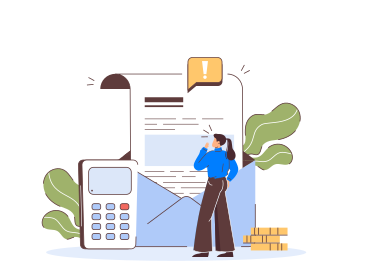
Lead Capture
New lead enters your CRM.

Opportunity
Qualify and push to ERP as a sales order.
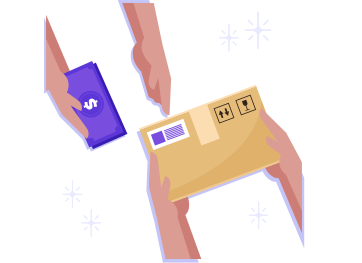
Fulfillment
ERP ships items and updates CRM

Invoicing & Payment
Payments sync back to CRM

Frequently Asked Questions
Microsoft Dynamics 365 CRM integration connects CRM with ERP, eCommerce, and tools, centralizing data, automating workflows, and enabling real-time synchronization.
Benefits of Dynamics 365 CRM integration include fewer errors, faster lead-to-cash, unified reporting, decisions, and scalable automation for growing businesses.
You can integrate Dynamics 365 CRM with ERP, eCommerce, marketplaces, accounting, POS, logistics, marketing automation, systems, BI, and data lakes.
Dynamics 365 CRM data sync covers accounts, contacts, leads, opportunities, orders, products, invoices, lists, inventory, service tickets, and custom entities.
Yes, real-time bi-directional sync Dynamics 365 CRM orders, inventory, customers is supported using webhooks, APIs, event-driven flows, and configurable schedules.
Yes, Dynamics 365 CRM integration for B2B and B2C workflows covers quoting, subscriptions, retail orders, pricing, approvals, and post-sales service.
Data exchange uses AES-256 encryption, TLS, role-based access, audit logs, agents, and governance to support GDPR, SOC2, and data residency.
Yes, integration works with cloud, on-premise, and hybrid Dynamics 365 CRM deployments using secure agents, firewalled connectors, and encrypted tunnels.
APPSeCONNECT is a Dynamics 365 CRM integration platform offering Dynamics 365 CRM integration options, ERP coverage, self-healing automation, and analytics.
Most Dynamics 365 CRM integration projects implement in two to four weeks using prebuilt ProcessFlows, with multi-system scenarios taking longer.
Yes, you can embed AI nodes and agentic workflows into Dynamics 365 CRM automation integration using APPSeCONNECT orchestration and monitoring.
APPSeCONNECT supports Dynamics 365 CRM custom entities and fields, letting you configure mappings, transformations, and logic visually without custom code.
Unified customer view with Dynamics 365 CRM integration speeds responses, personalizes journeys, reduces friction, and significantly improves retention across channels.
Pricing for Microsoft Dynamics 365 CRM integration is tiered; plans start near $99 per month, with enterprise options for automation.
Yes, Dynamics 365 CRM integration supports multi-region tax when your ERP calculates VAT, GST, and jurisdiction rules for supported countries.
You can stream Dynamics 365 CRM data into Synapse, Azure Data Lake, Snowflake, BigQuery, Redshift, CDPs, or Power BI dashboards.
Yes, Microsoft Dynamics 365 CRM connector integrates with retail POS and field service platforms, syncing visits, tickets, assets, and activities.
Dynamics 365 is a Microsoft suite combining CRM and ERP apps, including Sales, Customer Service, Marketing, Business Central, and Finance.
Choose an iPaaS, map entities, configure triggers, test in sandbox, then deploy monitored production workflows.
Traditional CRM focuses on relationships; Dynamics 365 combines CRM and ERP capabilities, unifying processes, analytics, and automation across the organization.
Ready to Transform Your Dynamics CRM Workflows Today?
Cut manual tasks and data gaps, partner with APPSeCONNECT for a smart, scalable CRM integration that grows with you.

Companies automating their business through APPSeCONNECT







Customer Success Stories
Nestle Nespresso
Explore How APPSeCONNECT Enabled Nespresso to Achieve Faster Business Growth Through Seamless Data Synchronization Between Their eCommerce and ERP.
Read Case Study →
Apotheca Beauty
Leading Beauty and Wellness Company in the GCC, Apotheca Beauty Chooses APPSeCONNECT for Efficient eCommerce Integration
Read Case Study →Related Resources
Articles and Guides to Help You With Your Integration and Automation Journey